MP Customizer Backups
v1.0.3Phil Johnston · 2015年4月1日 上架
Backup the Theme Mods in your Customizer with either a click or by triggering a function.
- 正在使用
- 200+
- 评分
- 5.0 / 5
- 累计下载
- 6,180
- 最近更新
- 2018年3月6日
 Phil Johnston
 mintplugins
截图

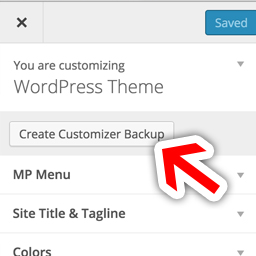
Feel free to play with your Theme Mods under “Appearance” > “Customizer” without worrying about losing your settings! When you are happy with your settings, just click the “Create Backup” button and you’ll always be able to revert to those exact settings in the future. You can even download the backups to make sure you save multiple copies in a safe place.
Or, if you want to develop your customizer locally and then automatically set up those options to match on your live site, simply download a Customizer Backup and Upload it to your live site. You could even send your Customizer settings to your friends or customers.
For Theme/Plugin Developers: This is also a way to create a “Theme within a Theme” – by allowing a single theme to have many different pre-set styles. For example, you could use an activation hook in a plugin to use a backup (in JSON format) and make plugins re-style a Theme. If your plugin does change the Customizer styles, you could also trigger an auto backup of the user’s current settings so that you don’t permanently erase any of the user’s settings.