
Mloun MenuScope
v1.4.3Mloun · 2026年10月16日 上架
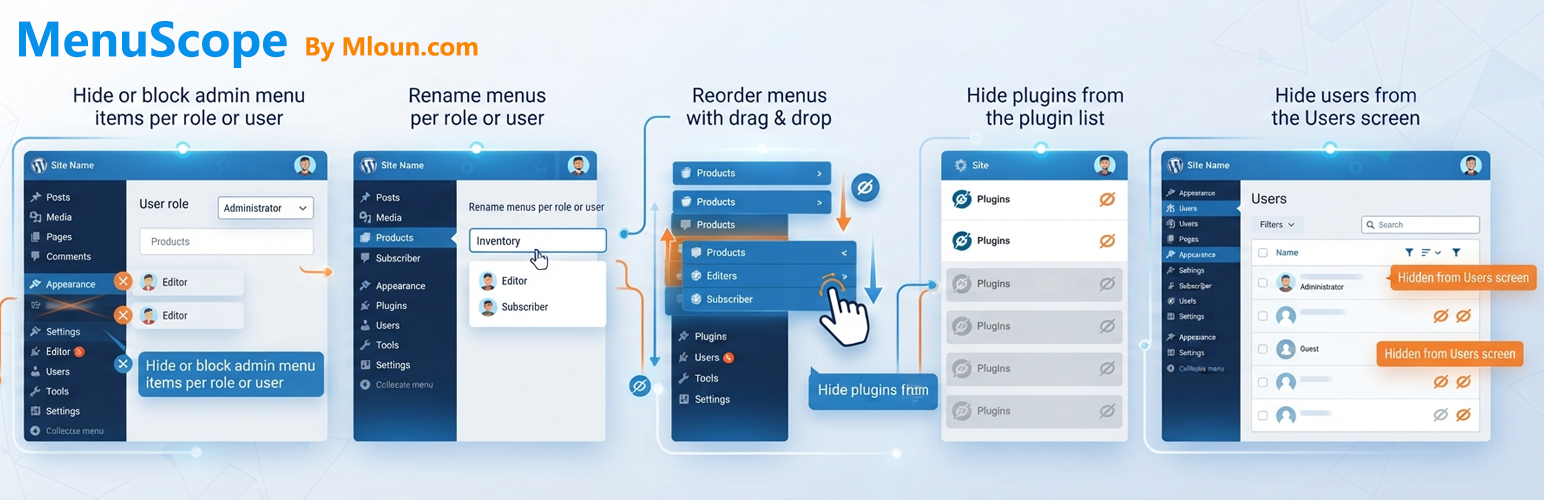
Hide or block admin menus per role/user, reorder with drag & drop, rename menus, hide plugins and users.
- 正在使用
- 10 以下
- 评分
- 暂无
- 累计下载
- 305
- 最近更新
- 2026年11月11日
需要 WordPress 5.8+已测试到 7.1.5PHP 7.4+
贡献者
 Mloun
截图
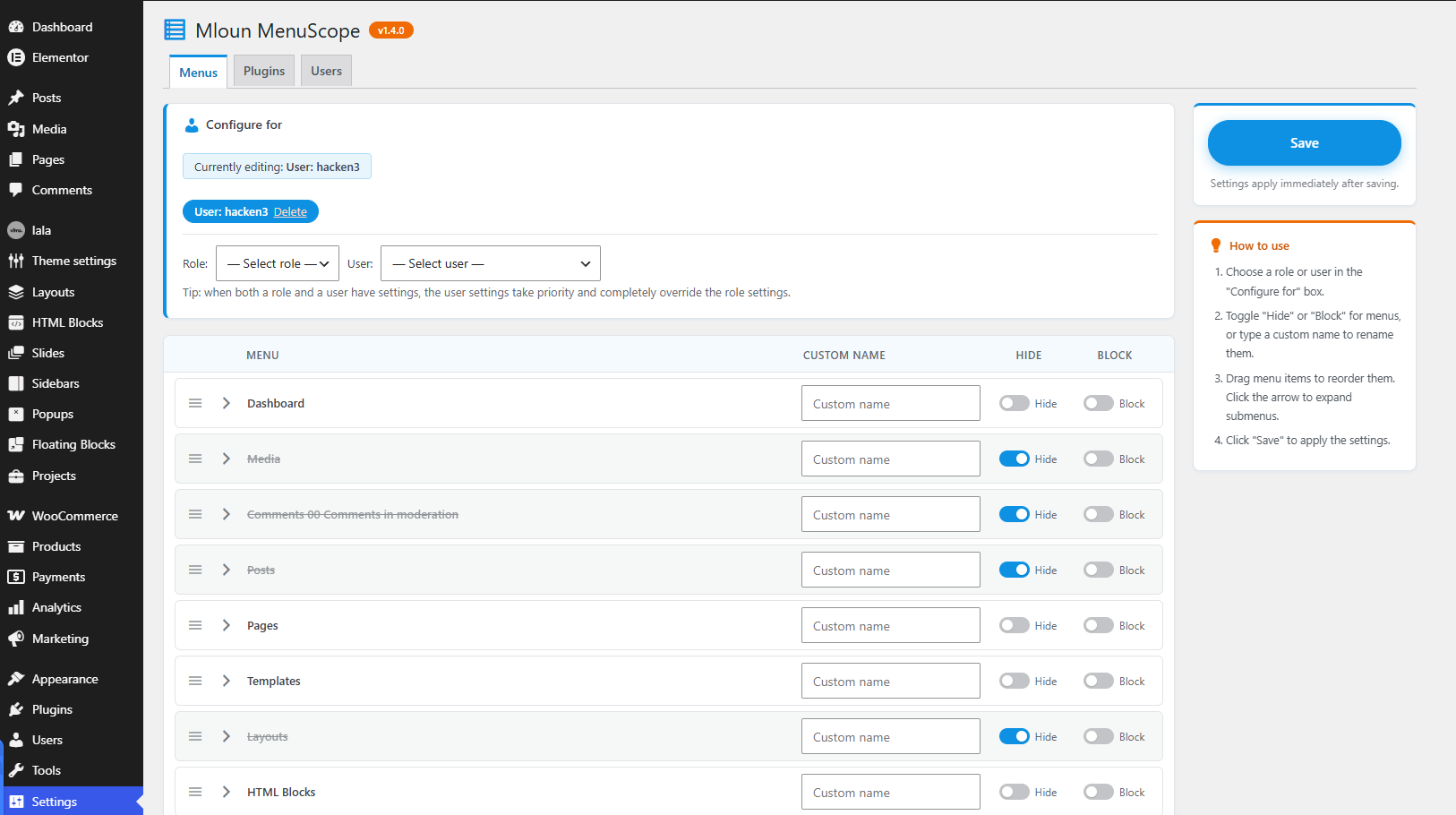
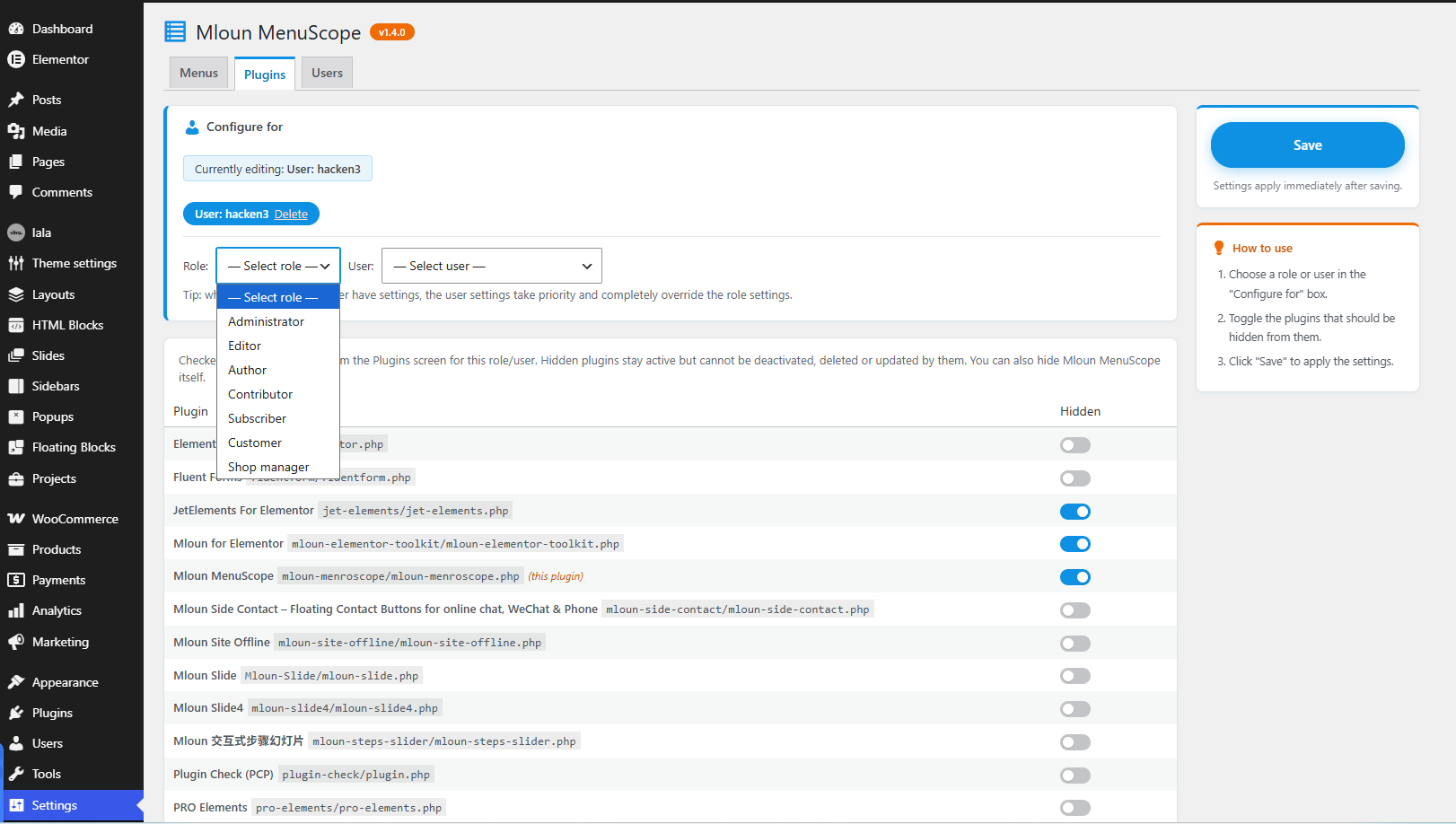
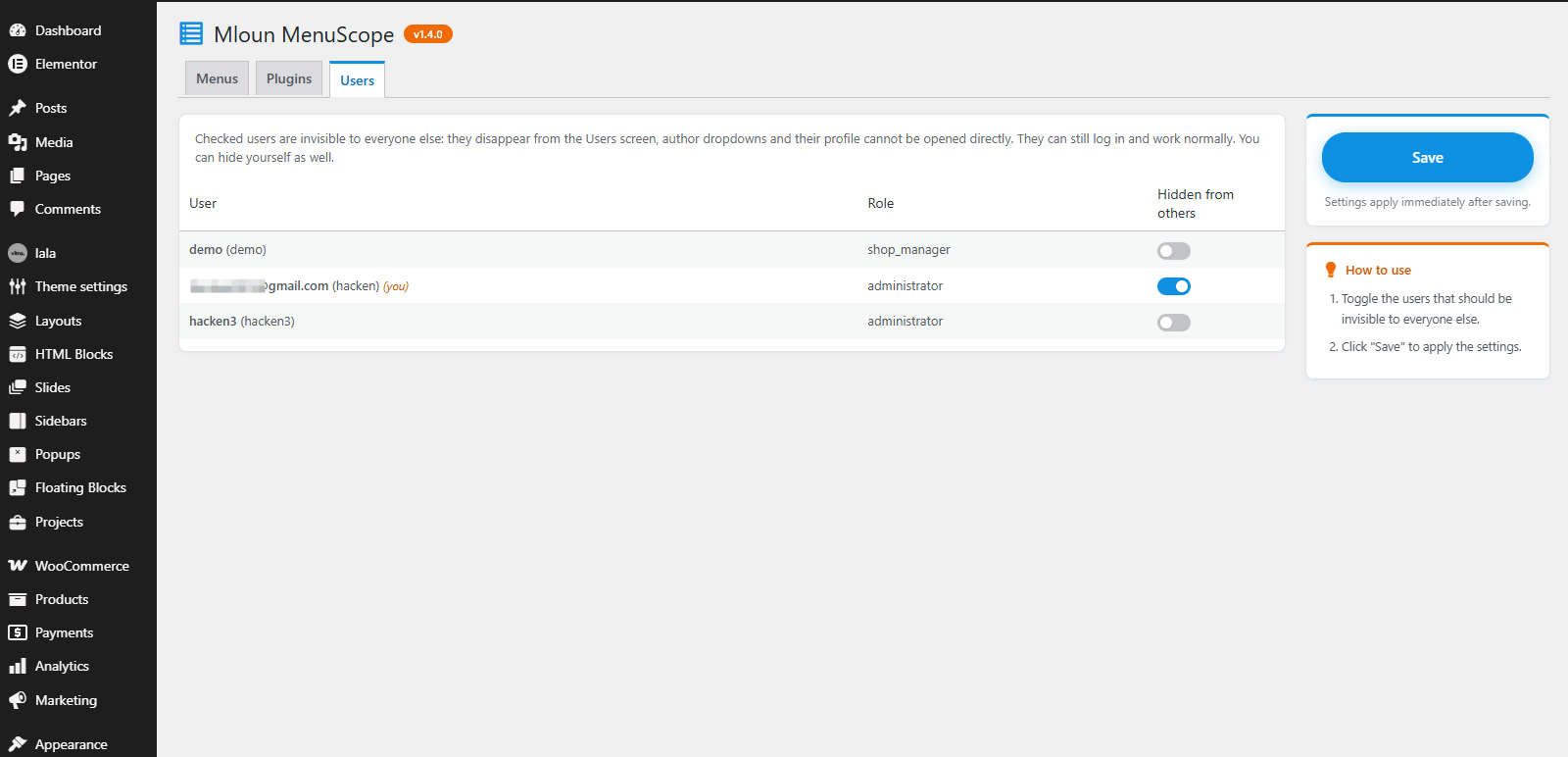
Mloun MenuScope lets you clean up the WordPress dashboard for clients and team members:
- Hide menus per role or user — the menu disappears but the URL stays reachable.
- Hide & block menus per role or user — direct URL access is denied with a 403 error.
- Drag & drop menu ordering — reorder top-level menus and submenus per role or user. Submenus are collapsible in the editor.
- Rename menus per role or user — give any admin menu or submenu a custom label for a specific role or user.
- Hide plugins per role or user — hidden plugins vanish from the Plugins screen and cannot be deactivated, deleted or updated by them. You can hide Mloun MenuScope itself.
- Hide users — selected users become invisible to everyone else: they disappear from the Users screen, author dropdowns, and their profile page cannot be opened directly. They can still log in and work normally. You can hide yourself.
- User settings override role settings — when both a role and a user have settings for the same section, the user settings win completely.
Find it under Settings MenuScope.
All strings are translatable (text domain: mloun-menroscope). Community translations are managed at translate.wordpress.org.