

Mintage Pay for WooCommerce
v1.21.0mintagepay · 2026年10月27日 上架
Take card, Cash App, USDC and USDT payments in WooCommerce. Your share goes straight to your own wallet.
- 正在使用
- 50+
- 评分
- 暂无
- 累计下载
- 604
- 最近更新
- 2026年11月11日
贡献者
 mintagepay
截图

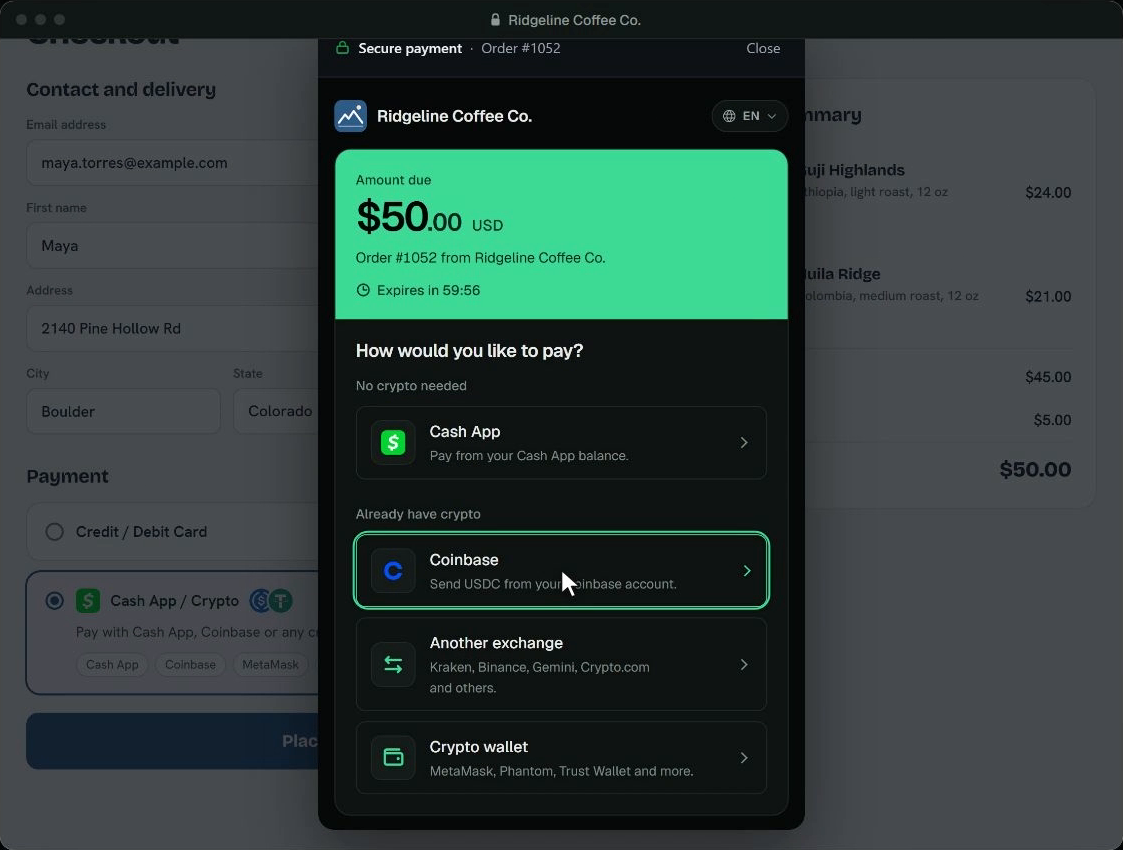
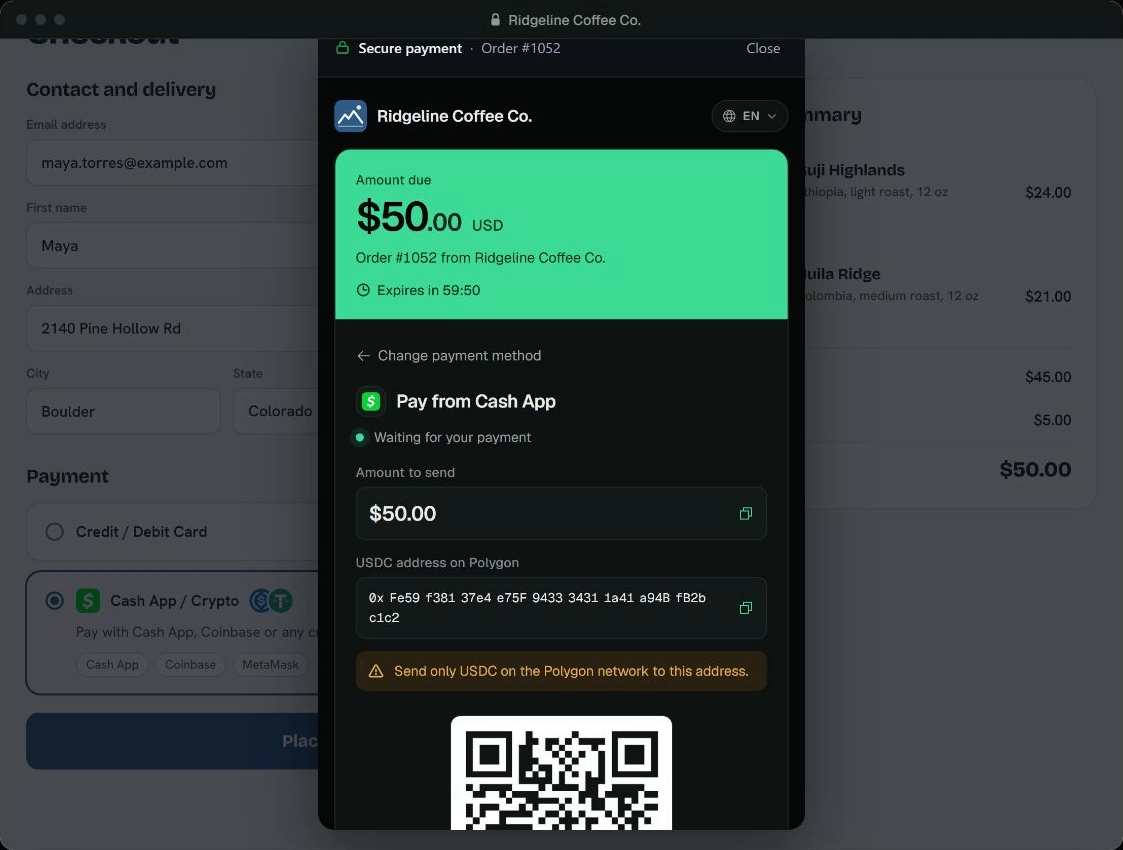
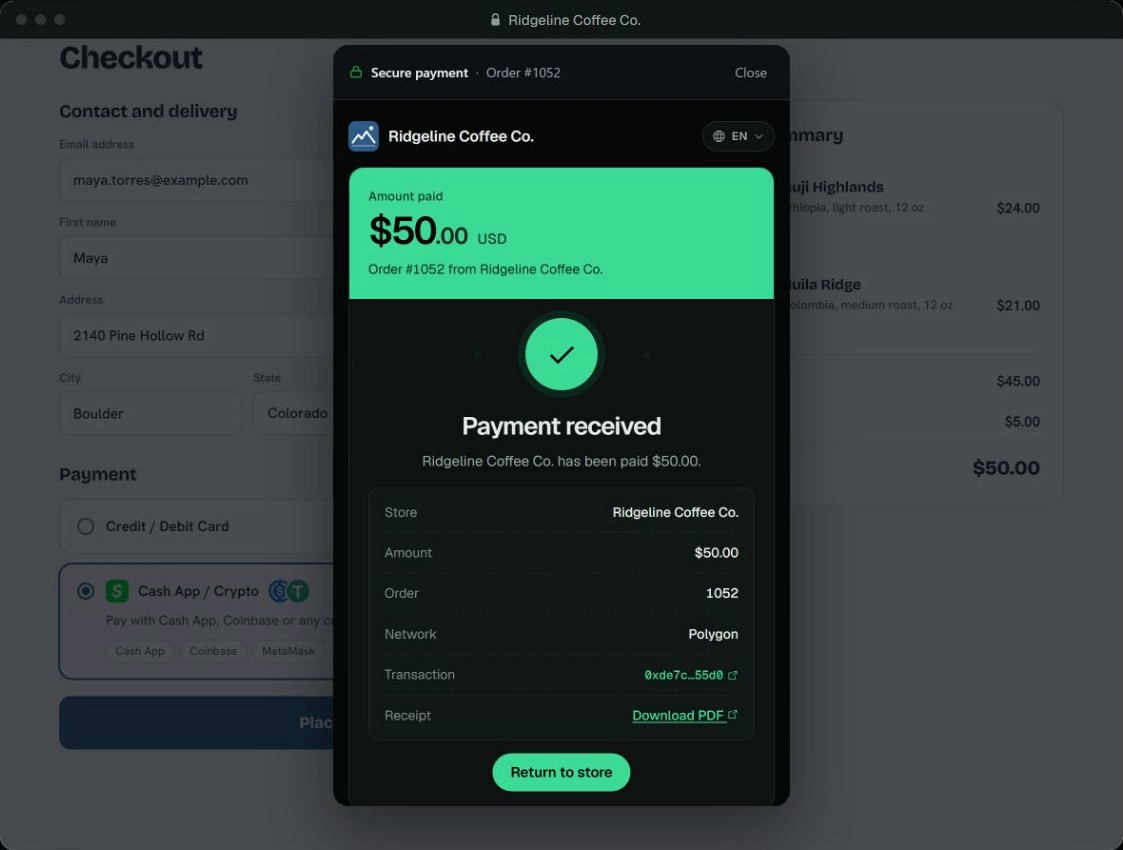
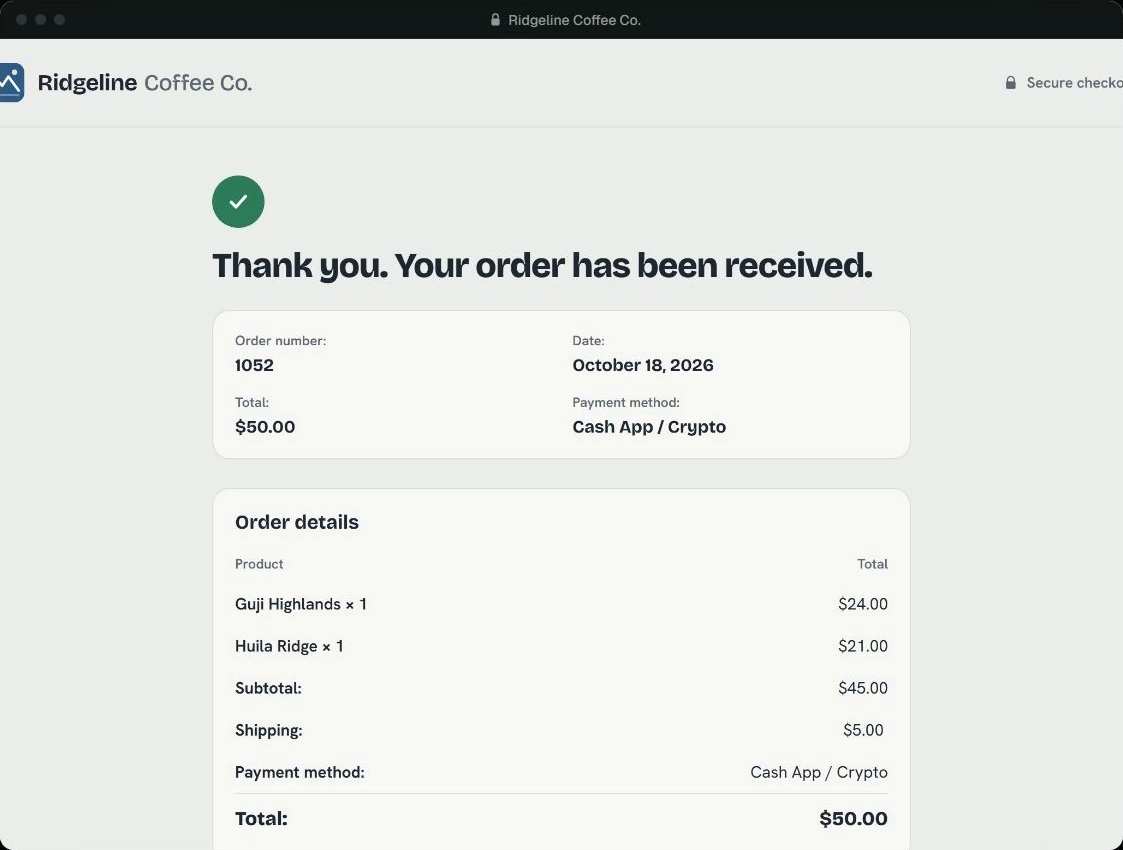
Mintage Pay adds card, Cash App and stablecoin checkout to your WooCommerce store. Customers pay by card, Cash App, USDC or USDT. Your share goes straight to your own wallet. Mintage Pay does not hold your sale proceeds.
Built for independent online stores. We review each application.
Three ways to pay
You switch each one on or off and drag them into the order you want.
- Pay with crypto: the customer pays in USDC or USDT from any wallet or exchange.
- Pay by card: the customer pays by card (US cards) and you receive USDC. Shown only where Mintage Pay offers card payments for your store.
- Pay by app: Cash App, where available.
Card and Cash App are not available everywhere. The checkout shows only the options that are open for that order.
Networks
- USDC on Base, Polygon and Solana.
- USDT on Polygon, Solana and TRON.
A network shows at checkout only when you have added a payout address for it in your Mintage Pay dashboard.
Get started in minutes
Install the plugin, click “Connect to Mintage Pay” and approve your store. No key to copy. Try it with test money in the free sandbox first, then apply for a live account at https://mintagepay.com/#apply
No monthly fee. Rates are set per store and shown in your dashboard.
How an order works
- The customer picks a Mintage Pay method at checkout.
- A secure payment window opens over your checkout, so the customer stays on your store.
- When the payment is confirmed, Mintage Pay tells your store and the order moves to Processing by itself.
Features
- Works with the classic checkout and the Cart and Checkout blocks.
- Compatible with High-Performance Order Storage (HPOS).
- Signed webhooks. The plugin re-reads the invoice from the Mintage Pay API before it changes an order, so it never trusts a webhook body on its own.
- Part payments put the order on hold with a note showing what is still owed.
- A payment whose amount or currency does not match the order puts the order on hold, so you can check before you ship.
- Unpaid orders are cancelled when the payment window closes, and the stock goes back.
- An order box on the order screen with the payment status, the payments received and a Refresh link.
- Refunds started from the order screen. You send the refund from your own wallet, and the plugin records it on the order.
- Test mode: a sandbox key connects to the sandbox by itself, and a notice reminds you while it is saved.
- WooCommerce Subscriptions: each renewal becomes an invoice, and Mintage Pay emails the customer the payment link.
- USD and 56 other store currencies. Prices in another currency are converted to the USD amount the customer pays in USDC or USDT.
- One-click automatic updates for the plugin.
Disputes and refunds
Stablecoin payments are final. Card payments follow card network rules, so disputes can happen on card orders. Refunds are your decision.
Other platforms and no-code options
Mintage Pay also has plugins and connections for other store platforms, payment links, a buy button, a REST API and signed webhooks. See https://mintagepay.com/docs/
Get help
- Docs: https://mintagepay.com/docs/
- Public group: https://t.me/MintagePayOfficial
- Email: hello@mintagepay.com (we reply within one business day)
Our team will never message you first, and we never ask for seed phrases, passwords or login codes.
External services
This plugin connects to the Mintage Pay API (https://app.mintagepay.com, or https://sandbox.mintagepay.com for test keys) to take payments. It is the payment service the plugin is for, so it does not work without it.
What is sent, and when:
- When you click “Connect to Mintage Pay” (or “Connect a test (sandbox) account”): your browser opens app.mintagepay.com (or sandbox.mintagepay.com) with this site’s address, its name, the plugin version, a random value and a code challenge (PKCE). You sign in there and approve this store. Your browser then comes back to this site with a one-time code, and the plugin sends that code and its secret to Mintage Pay to receive this store’s API key. Nothing is sent before you click.
- When you save the settings, reconnect the webhook, or activate, deactivate or delete the plugin: your API key (in the Authorization header), this store’s webhook URL and the store name, to check the key and to add or remove the webhook endpoint.
- When a customer chooses Mintage Pay at checkout: the order total and currency, the order number, a description (“Order #1042 from Your Store”), the thank-you and cancel page addresses, the WooCommerce order id and order key, the invoice expiry, and the customer’s billing email address. Mintage Pay emails the customer a receipt only if you turn off “Let WooCommerce send the order emails”; otherwise it writes to them only when they ask for a refund on Mintage Pay’s refund page. For an order paid by card, the email is also kept as part of the record of that card payment, in case the customer disputes the charge.
- With WooCommerce Subscriptions: the subscription’s recurring total, billing period and the renewal order numbers, the customer’s email address and name so Mintage Pay can send them each renewal’s payment link, and the store language.
- When an order is updated (a webhook from Mintage Pay, the thank-you page, the order screen, the “Hold stock” timer, or cancelling an order): the Mintage Pay invoice id, to read or cancel that invoice.
- With each request the plugin makes to the Mintage Pay API: the plugin’s name and version in the user agent (for example MintagePay-WooCommerce/1.21.0), so Mintage Pay can see which version of the plugin this store runs.
- On the checkout page, at most every 12 hours: a request for the list of networks you have turned on, to describe them under the payment method.
- On the checkout page, for the order total (remembered for 10 minutes per total, 30 minutes for the card form’s address): the total, the currency and this store’s address, to ask Mintage Pay which ways to pay (card, apps, crypto) it offers for that total and in which US states card payments are not available.
- In the customer’s browser, when the payment window is closed before paying: the Mintage Pay invoice id and the step the customer was on (for example “choose”), with no cookies, so Mintage Pay can count where buyers stop.
- Card payments: the card form shown inside the checkout is Mintage Pay’s own page from app.mintagepay.com. What the customer types there goes to Mintage Pay and the providers it uses for card payments (Stripe and Privy), as described in Mintage Pay’s privacy policy, not to this store.
Mintage Pay terms of service: https://mintagepay.com/terms.html
Mintage Pay privacy policy: https://mintagepay.com/privacy.html