
miLOGO
v0.2.0bigswp · 2026年9月27日 上架
Create logos and simple graphics directly inside WordPress with a visual canvas editor.
- 正在使用
- 10 以下
- 评分
- 暂无
- 累计下载
- 310
- 最近更新
- 2026年10月4日
贡献者
 bigswp
截图


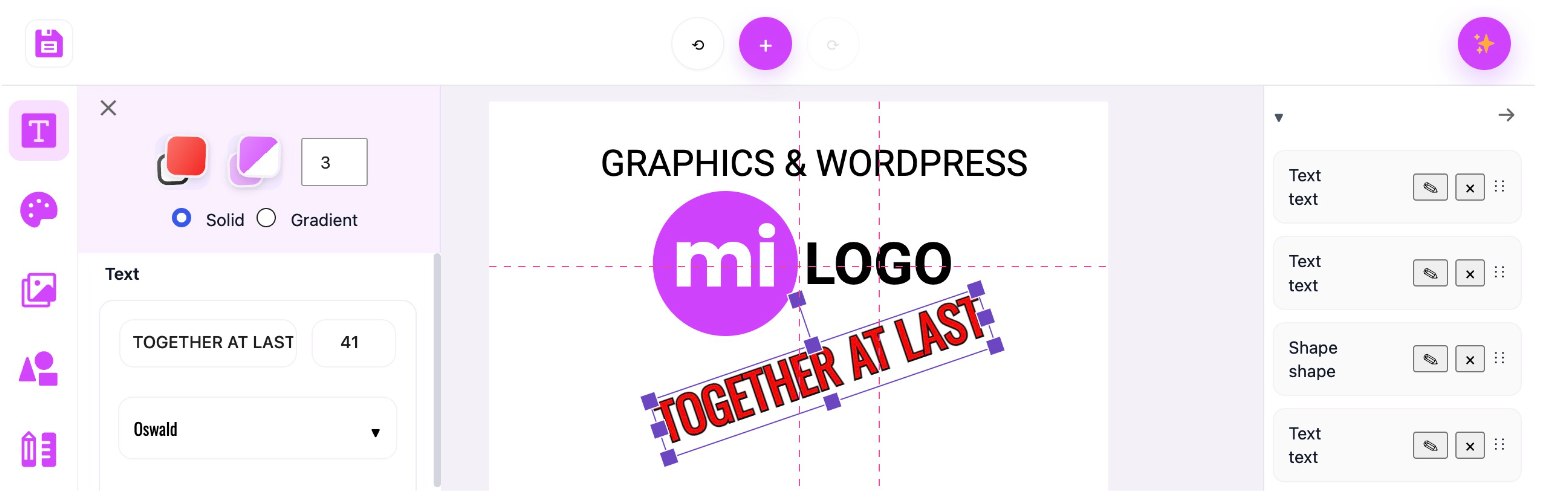
miLOGO is a visual logo and graphics editor that runs inside the WordPress admin area.
Build a design from a starter or create one from scratch using text, icons, shapes, drawing tools, colors, gradients, and layer controls. Designs can be exported as PNG or JSON, and PNG exports can be added to the WordPress Media Library.
This is an initial beta release. Please keep backups of important design JSON while the editor continues to mature.
Features
- Visual canvas-based logo editor
- Text with Google Fonts
- Logo Starters
- Icons and graphic elements
- Shapes and drawing tools
- Layer ordering, renaming, and deletion
- Undo and redo
- Canvas size controls
- PNG export
- JSON design export/import
- Save PNG output to the WordPress Media Library
miLOGO Free is fully usable on its own. An optional miLOGO Pro add-on, distributed separately, can provide additional design content and options. Upgrade prompts may be shown contextually inside the miLOGO editor.
External Services
miLOGO uses Google Fonts in the WordPress admin editor.
When the font catalog is requested, the site server requests Google Fonts metadata from fonts.google.com. When a Google Font is previewed or used in a design, the administrator’s browser requests the corresponding stylesheet and font files from fonts.googleapis.com and fonts.gstatic.com. These requests are necessary to list, preview, and render Google Fonts. miLOGO does not send the contents of your logo design to Google as part of these font requests.
Google Fonts: https://developers.google.com/fonts
Google Fonts API Terms of Service: https://developers.google.com/fonts/terms
Google Privacy Policy: https://policies.google.com/privacy
Known Issues
- Icon transformations can sometimes create extra Undo/Redo history entries, so more than one Undo click may be needed to revert a single icon movement. No data loss or editor failure has been observed from this issue.
Third Party Resources
miLOGO includes and uses the following third-party resources:
Phosphor Icons
Source: https://phosphoricons.com/
License: MIT
License information: https://github.com/phosphor-icons/phosphor-icons/blob/master/LICENSE
Fabric.js
Source: https://fabricjs.com/
License: MIT
License information: https://github.com/fabricjs/fabric.js/blob/master/LICENSE
Google Fonts are loaded from Google’s font service rather than bundled with the plugin. Individual Google Font families are provided under their respective open-source licenses.
Development / Build Source
The human-readable React/TypeScript source is included under admin/src/src/.
The production assets used by WordPress are in admin/build/. To rebuild them, use the npm project in admin/src/ and run npm install followed by npm run build.