

MeshMarkup 3D
v1.0.0ifdev · 2026年11月3日 上架
Show your products in 3D. Upload STEP, IGES, Rhino, OBJ, STL, FBX or GLB, and put an interactive model on any page or product.
- 正在使用
- 10 以下
- 评分
- 暂无
- 累计下载
- 395
- 最近更新
- 2026年11月3日
贡献者
 ifdev
截图
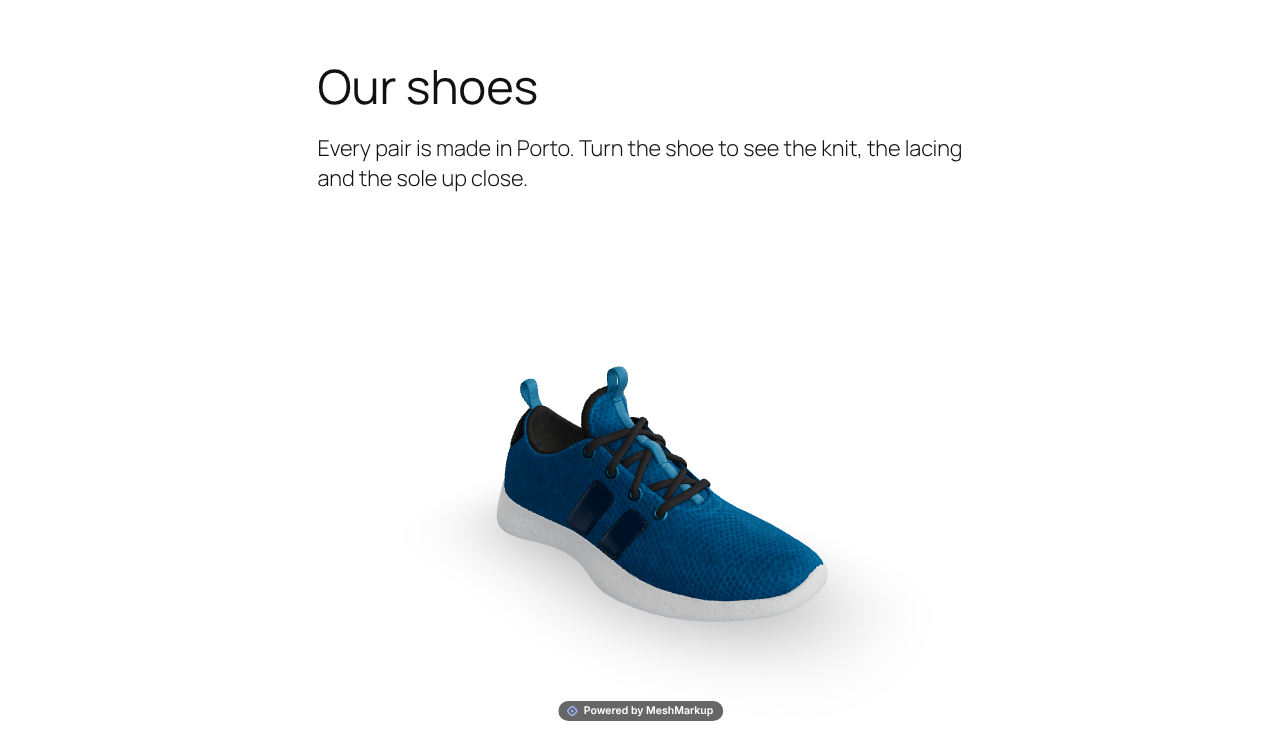



MeshMarkup 3D puts an interactive 3D model on your site. Visitors turn it, zoom in and look at it from every side.
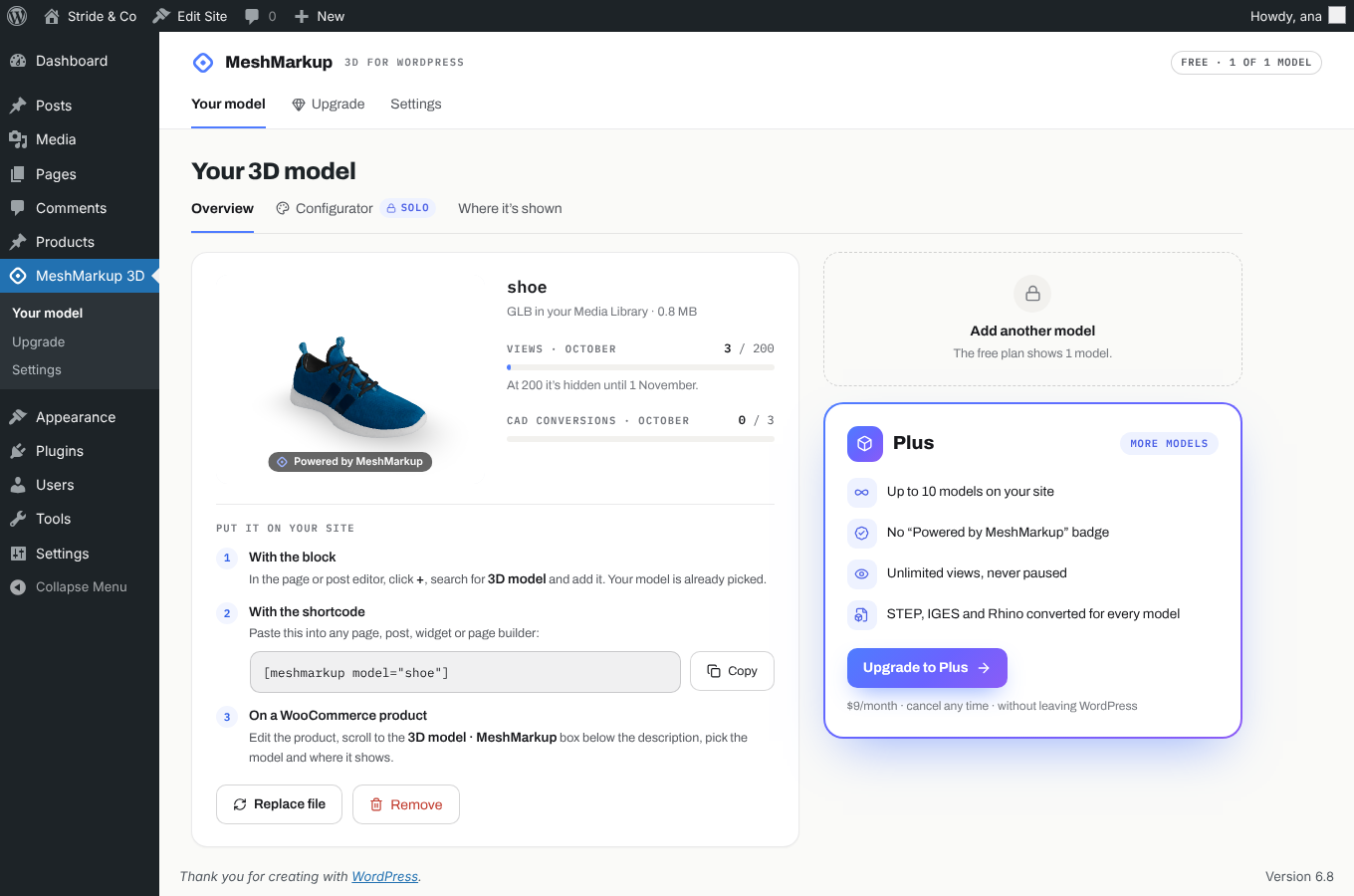
- Upload from your dashboard. Drop in a 3D file. CAD files (STEP, IGES, Rhino) and other formats are converted to a web-ready GLB, which is saved in your own Media Library.
- Anywhere on your site. Use the 3D model block, the
[meshmarkup model="…"]shortcode, or the 3D model box on a WooCommerce product (first in the gallery, its own “3D view” tab, or below the images). - No account needed to start.
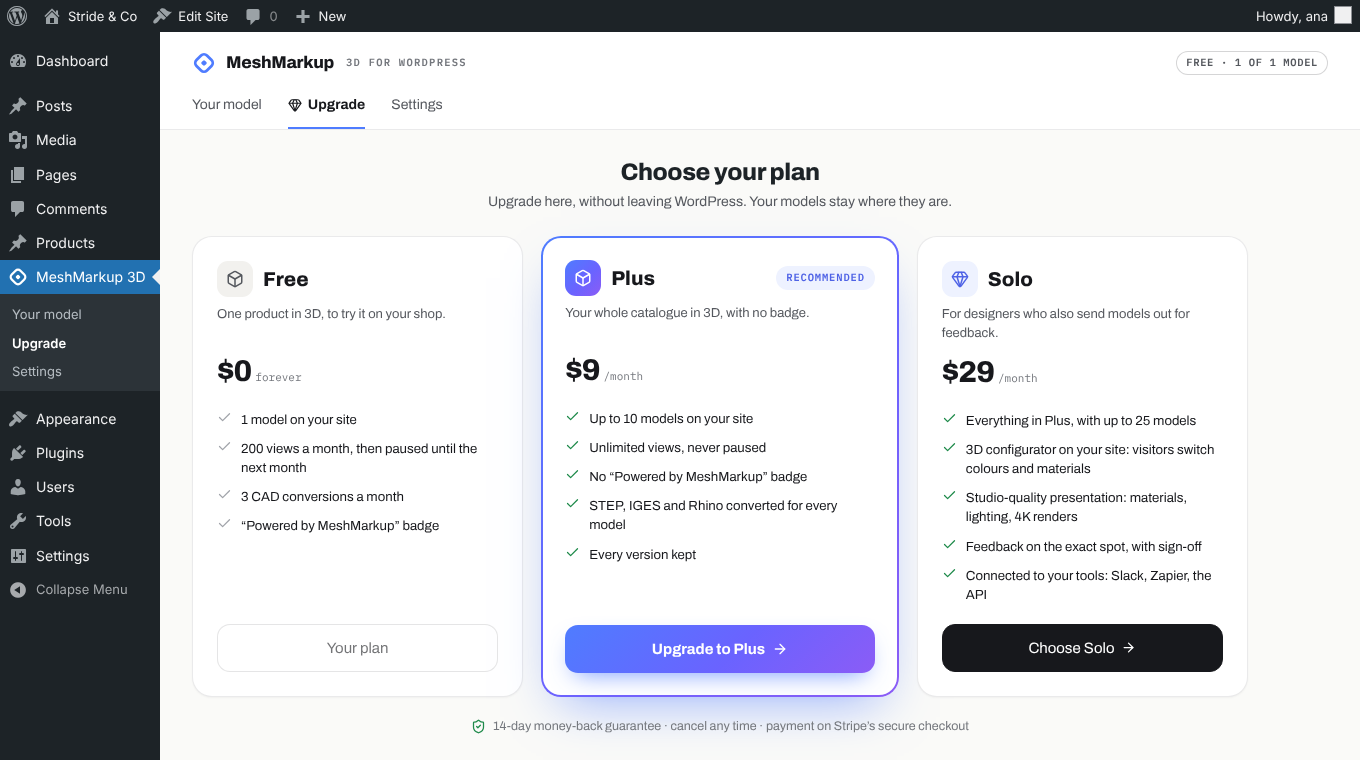
Free
- 1 model on your site, on as many pages and products as you like
- 200 views a month. After that the model is hidden until the next month, and your product images show as usual.
- 3 CAD conversions (STEP, IGES, Rhino) a month
- A small “Powered by MeshMarkup” badge on the model. The badge is part of MeshMarkup’s viewer (the frame loaded from meshmarkup.com); the plugin adds no links or credits to your pages. The plugin’s page shows the badge before you connect.
Plus and Solo
Upgrade from the plugin’s Upgrade tab, without leaving WordPress:
- Plus — up to 10 models, unlimited views, no badge, CAD conversion for every model.
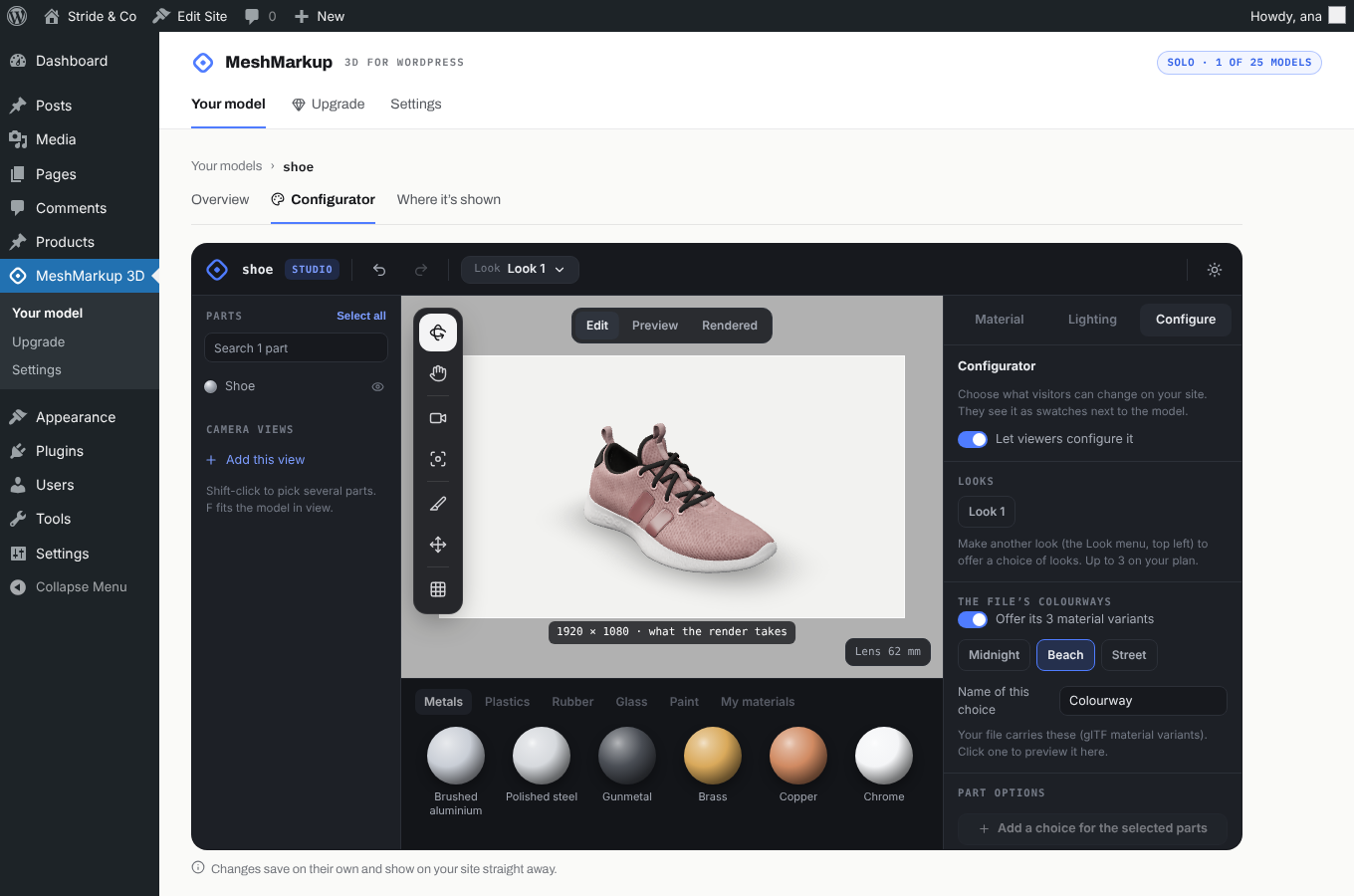
- Solo — everything in Plus with up to 25 models, and a 3D configurator: visitors switch colours and materials on your product page. You set it up in the plugin’s Configurator tab.
Payment is taken on Stripe’s secure checkout. 14-day money-back guarantee; cancel any time.
External services
This plugin relies on MeshMarkup (https://www.meshmarkup.com), a 3D viewing service run by MeshMarkup. Nothing is sent to it until a site administrator clicks Get started on the plugin’s page.
What is sent, and when:
- When you click Get started: your site’s address. If you tick “Email me a monthly report”, also the email address shown next to that box. MeshMarkup returns a site key, which is stored in your site’s database and only used by your server.
- When you add or replace a model: the model’s name, its file size, its original format, and the address on your site the file is served from. The 3D file itself stays in your Media Library. MeshMarkup’s viewer loads it from your site each time the model is shown.
- When a file needs converting: it is handed to MeshMarkup’s converter, a page from meshmarkup.com loaded invisibly in your dashboard. Most files are converted there, in your own browser; large files (big CAD, Rhino or OBJ files) are uploaded to MeshMarkup’s converter server. The converted GLB is saved in your Media Library. MeshMarkup doesn’t keep your original file. Converting a STEP, IGES or Rhino file also counts towards your month’s conversions.
- When a visitor views a model: the viewer is a frame loaded from meshmarkup.com. The visitor’s browser loads it, which tells MeshMarkup the visitor’s IP address and browser, as with any web page. Each view is counted for your monthly total; no cookies are set and no visitor is identified.
- When you upgrade: the email address you type, to send you a 6-digit code and to create or find your MeshMarkup account. Payment details go to Stripe, never to your site or to the plugin.
- When you configure a model (Solo): the configurator is a frame loaded from meshmarkup.com, and your settings are saved there.
MeshMarkup Terms: https://www.meshmarkup.com/legal/terms
MeshMarkup Privacy Policy: https://www.meshmarkup.com/legal/privacy
Stripe Privacy Policy: https://stripe.com/privacy
Source code
Everything in this plugin is the source: plain PHP, JavaScript and CSS, written by hand and not minified or compiled. There is no build step and no build tools are needed.
assets/admin.js— the plugin’s screens in the dashboardassets/block.js— the 3D model block, using WordPress’s own block scriptsassets/admin.css,assets/front.css— styles
Third-party parts included:
- Icons in
assets/admin.js(theICONSlist): Lucide, https://lucide.dev, ISC licence. https://github.com/lucide-icons/lucide - Fonts in
assets/fonts: Archivo and IBM Plex Mono, SIL Open Font License 1.1 (licence files included), as packaged by Fontsource, https://fontsource.org. https://github.com/fontsource/font-files
The 3D viewer and converter are part of the MeshMarkup service (see External services) and are loaded from meshmarkup.com; they are not part of this plugin.