

Meow Workflow – AI Agents & No-Code Automation for WordPress
v0.1.7Jordy Meow · 2026年6月20日 上架
Visual, no-code automation for WordPress. Draw flows on a canvas, wire your plugins and AI together, and let AI build the missing pieces.
- 正在使用
- 100+
- 评分
- 5.0 / 5
- 累计下载
- 3,253
- 最近更新
- 2026年10月30日
贡献者
 Jordy Meow
截图
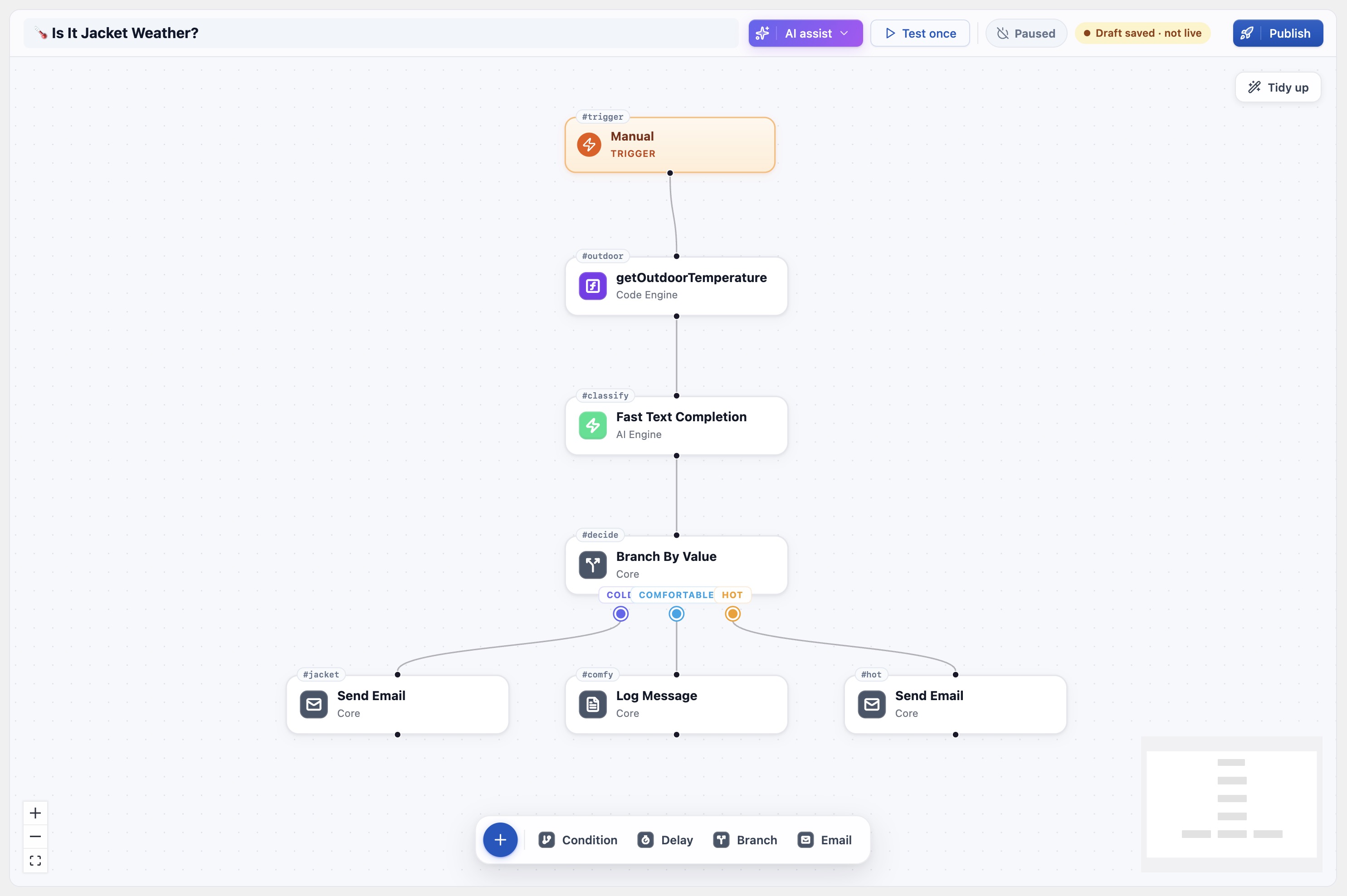
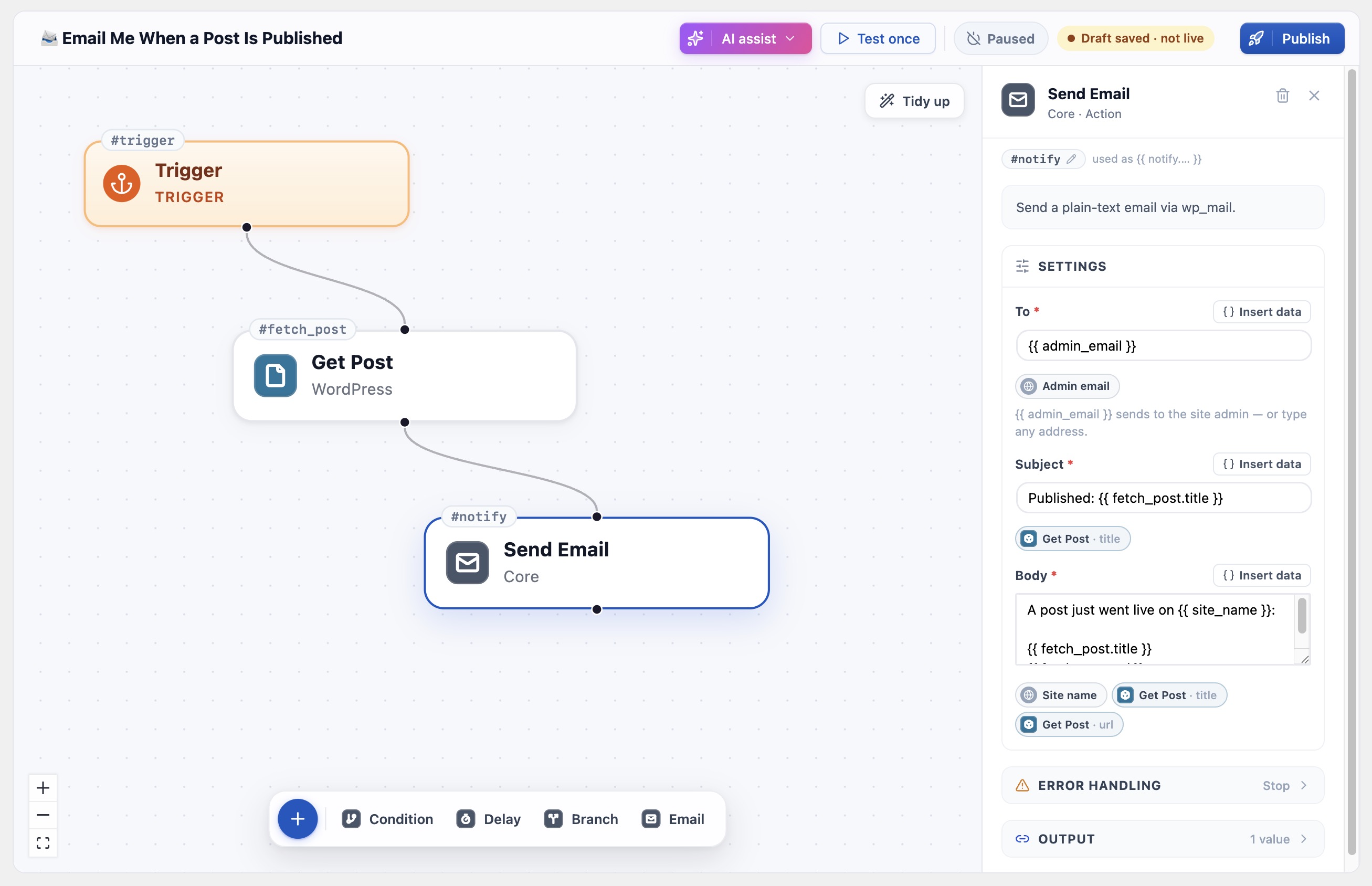


Meow Workflow adds a visual node-graph editor to WordPress. Pick a trigger — a WordPress event, a schedule, a webhook, or a manual “Test once” — then drag steps onto a canvas, connect them, and watch the flow run.
Unlike Zapier, Make or n8n, there is no connector catalog to wait for. Meow Workflow runs inside WordPress, so it already reaches your posts, users, comments and plugins. Need something we don’t ship? Describe it to Code Engine‘s AI and it writes the function — instantly a step you can wire in. No catalog, no waiting.
What you can build
- Email yourself when a post is published or a comment comes in.
- Turn an RSS feed into AI-written draft posts on a schedule.
- Generate an SEO excerpt with AI every time a post is saved.
- Send a thank-you note when a WooCommerce order completes.
- Branch a flow on a value, loop over a list, retry on failure — all visually.
Steps come from three places
- Always available — Core (logic, branching, loops, delays, email, HTTP) and WordPress (posts, users, comments, media).
- From your plugins — any plugin that supports Meow Workflow adds its triggers and actions automatically, and removes them when deactivated. The Meow family ships first-class: AI Engine (text, image, vision, JSON), SEO Engine (scoring, titles, excerpts), Code Engine (your own functions), Social Engine (posting).
- Written by you or AI — for anything else, a Code Engine function becomes a step the moment it’s active.
Build it with AI
Don’t want to draw it yourself? Describe what should happen in plain English — “when an order comes in, email me a summary” — and (with AI Engine installed) it assembles the workflow from your installed steps.
Safe by design
Editing a workflow never disturbs the live one: your changes are auto-saved to a draft, and the running version keeps using the last published copy until you hit Publish. Test once always runs the draft, against real data from your site, so you can experiment on a live automation without risk.
For developers
Add your own actions and triggers by hooking the mwflow_register_integration filter — no changes to Meow Workflow required. The bundled integrations under classes/integrations/ are the reference implementations. Nothing phones home: AI steps call your locally installed AI Engine, and the HTTP action only reaches public URLs you configure.