
Meks Flexible Shortcodes
v1.3.8Meks · 2014年1月26日 上架
Add some cool elements to your post/page content with flexible shortcodes.
- 正在使用
- 1 万+
- 评分
- 4.2 / 5
- 累计下载
- 46 万
- 最近更新
- 2025年6月10日
贡献者
 Meks
截图
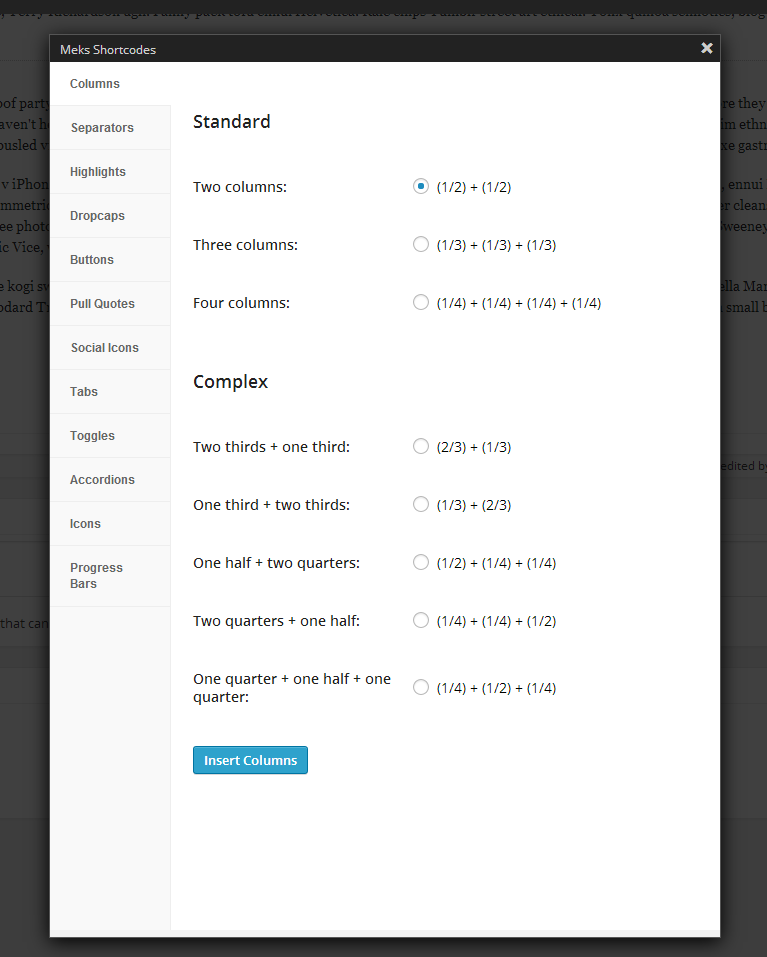

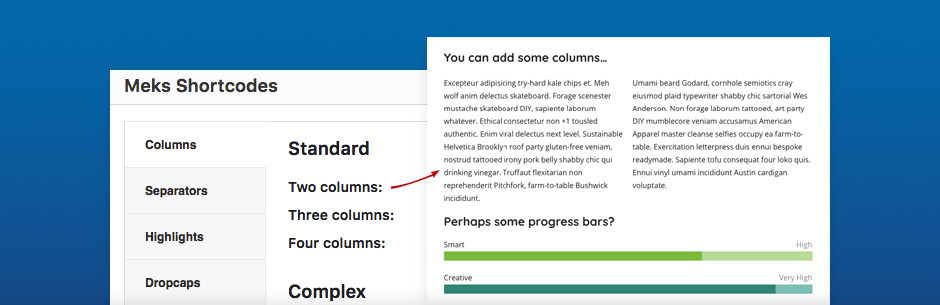
Meks Shortcodes is a plugin for those who want to add some nice elements inside their post/page content. You can quickly insert all of them via user interface shortcodes generator panel. Several smart styling options are provided for each shortcode tag. It doesn’t matter if your theme is yellow, white or green, these shortcodes can fit any style and design.
Shortcodes list
- Columns
- Buttons
- Icons
- Social Icons
- Highlights
- Dropcaps
- Separators
- Progress Bars
- Pull Quotes
- Tabs
- Toggles
- Accordions
This plugin is created by Meks
Live example?
You can see Meks Flexible Shortcodes live example on our Gridlove theme demo website
Usage examples and description
Columns – You can use this shortcode to split your content into columns and point out some important parts of your page content. They can be used in conjunction with any other shortcodes. You can write any content or insert any shortcode between column tags.
[mks_col]
[mks_one_half] Left content goes here [/mks_one_half]
[mks_one_half] Right content goes here [/mks_one_half]
[/mks_col]
Separators – These are simple horizontal line elements which you may use to divide some areas within your page content. Several styling options are provided.
[mks_separator style=”solid” height=”2″]
Buttons – Basically, these are links with button style. You can target any URL here.
[mks_button size=”large” title=”More about us” style=”squared” url=”http://mekshq.com” target=”_self” bg_color=”#000000″ txt_color=”#FFFFFF” icon=”fa-road”]
Dropcaps – Mostly used to make big first letter of specific sentence.
[mks_dropcap style=”letter” size=”52″ bg_color=”#ffffff” txt_color=”#000000″]A[/mks_dropcap] smart theme SeaShell is.
Highlights – You can add colored background to some part of the text with this shortcode.
I can’t wait to see how [mks_highlight color=”#dd3333″]awesome[/mks_highlight] SeaShell theme is.
Pull Quotes – Stylish boxes usually used to point out some important notes.
[mks_pullquote align=”left” width=”300″ size=”24″ bg_color=”#000000″ txt_color=”#ffffff”]He who dares wins![/mks_pullquote]
Icons – Add some icons inside page/post content with this shortcode to make the content more interesting.
[mks_icon icon=”fa-star-o” color=”#000000″] Five stars for this theme!
Social Icons – Add your social icons inside page/post content with this shortcode.
Follow me: [mks_social icon=”facebook” size=”48″ style=”square” url=”http://facebook.com/mekshq” target=”_blank”]
Progress Bars – Usually used to graphically display some of your skills or some analysis.
[mks_progressbar name=”WordPress” level=”Pro” value=”80″ height=”20″ color=”#000000″ style=”squared”]
Tabs – With this shortcode you can wrap some part of your content to be displayed as tabs.
[mks_tabs nav=”horizontal”]
[mks_tab_item title=”Title 1″]
Example content 1
[/mks_tab_item]
[mks_tab_item title=”Title 2″]
Example content 2
[/mks_tab_item]
[mks_tab_item title=”Title 3″]
Example content 3
[/mks_tab_item]
[/mks_tabs]
Toggles – Use toggles shortcode if you want to display some content in show/hide manner.
[mks_toggle title=”Example Title” state=”open”]Toggle content goes here…[/mks_toggle]
Accordions – Similar to toggle, it is just like a group of connected toggles.
[mks_accordion]
[mks_accordion_item title=”Title 1″]
Example content 1
[/mks_accordion_item]
[mks_accordion_item title=”Title 2″]
Example content 2
[/mks_accordion_item]
[mks_accordion_item title=”Title 3″]
Example content 3
[/mks_accordion_item]
[/mks_accordion]