
Media Library Assistant Blocks
v1.0.0David Lingren · 2026年9月1日 上架
Provides Gutenberg blocks for all shortcodes provided by the popular Media Library Assistant.
- 正在使用
- 10+
- 评分
- 暂无
- 累计下载
- 308
- 最近更新
- 2026年9月2日
贡献者
 David Lingren
截图


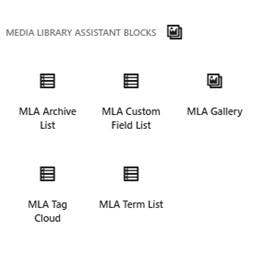
Media Library Assistant Blocks provides Gutenberg blocks for all shortcodes provided by the popular Media Library Assistant plugin. The blocks offer an easy way to compose MLA shortcodes by customizing the look and feel of shortcode output with controls in the Block Editor’s Inspector Panel.
Custom MLA Blocks
- MLA Gallery: The
[mla_gallery]shortcode displays a gallery of images and/or other Media Library items (such as PDF documents). MLA Gallery is a superset of the [gallery] shortcode in the WordPress core; it is compatible with [gallery] and provides many enhancements. - MLA Tag Cloud: The
[mla_tag_cloud]shortcode displays a list of taxonomy terms in what is called a ‘tag cloud’, where the size of each term is determined by how many times that particular term has been assigned to Media Library items (attachments). The cloud works with both flat (e.g., Att. Tags) and hierarchical taxonomies (e.g., Att. Categories) MLA Tag Cloud provides many enhancements to the basic “cloud” display. - MLA Term List: The
[mla_term_list]shortcode displays hierarchical taxonomy terms in a variety of formats; link lists, dropdown controls and checkbox lists. The list works with both flat (e.g., Att. Tags) and hierarchical taxonomies (e.g., Att. Categories). - MLA Custom Field List: The
[mla_custom_list]shortcode displays a list of WordPress custom field values in a variety of formats, including a “cloud”, where the size of each list item is determined by how many times that particular value has been added to Media Library items (attachments). MLA Custom Field List provides many enhancements to the basic flat/cloud display. - MLA Archive List: The
[mla_archive_list]shortcode displays date-oriented values in a variety of formats, including a “cloud”, where the size of each list item is determined by how many Media Library items (attachments) have the corresponding date value. The archive list works with year, month, week and day values.
NOTE: Complete documentation is included in the Documentation tab on the Settings/Media Library Assistant admin screen and the drop-down “Help” content in the admin screens. You can find a stand-alone version of the Documentation on my web site: Media Library Assistant Documentation
I do not solicit nor accept personal donations in support of the plugin. WordPress and its global community means a lot to me and I am happy to give something back.
If you find the Media Library Assistant plugin useful and would like to support a great cause, consider a tax-deductible donation to our Chateau Seaview Fund at the ALS Network. Every dollar of the fund goes to make the lives of people with ALS, their families and caregivers easier. Thank you!