

MCP Tracker
v1.0.1WPVibes · 2026年2月7日 上架
Records and displays MCP-related REST API requests made to your WordPress site.
- 正在使用
- 20+
- 评分
- 5.0 / 5
- 累计下载
- 1,040
- 最近更新
- 2026年4月27日
 WPVibes
 Gajendra Singh
截图
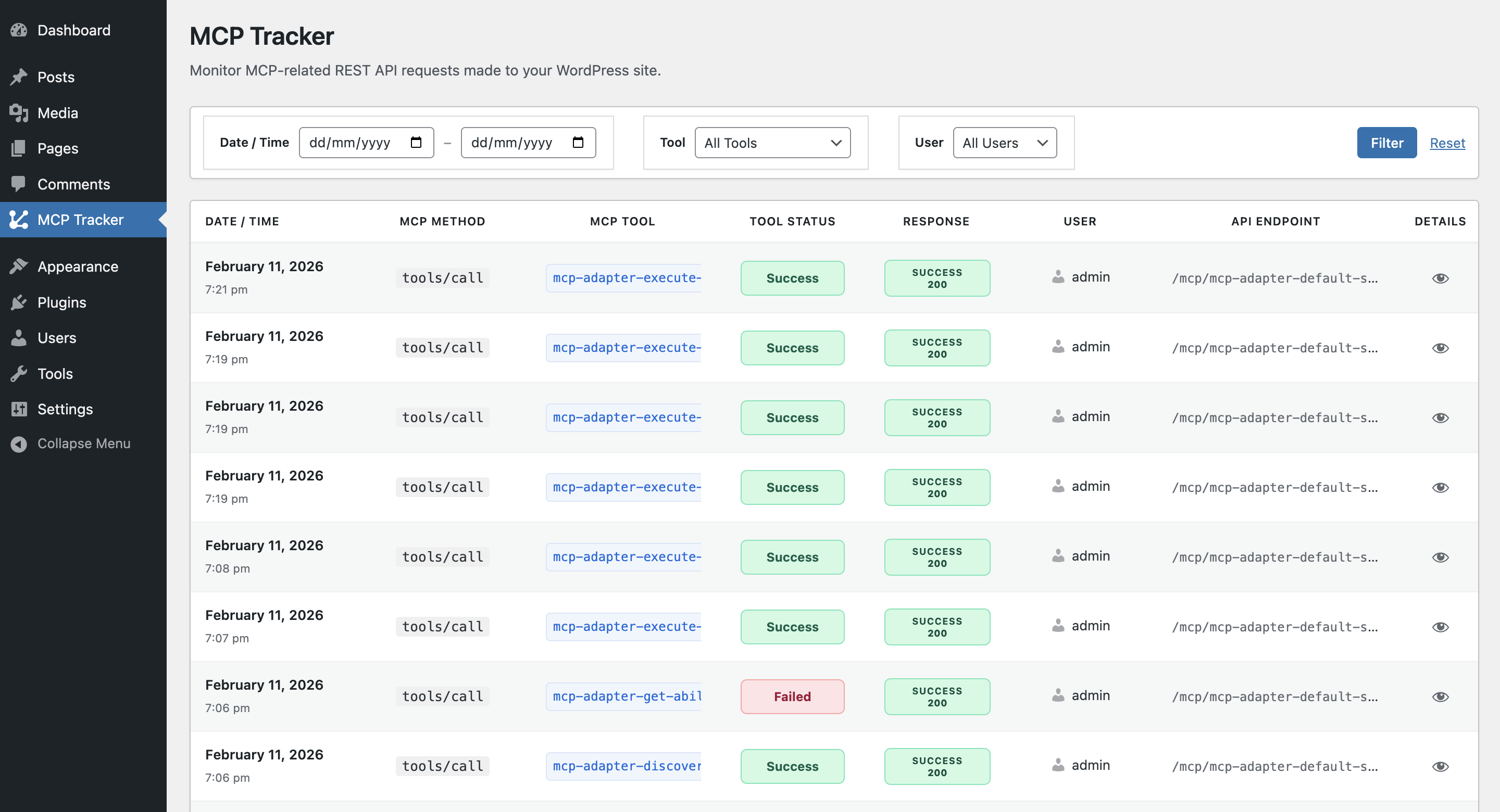
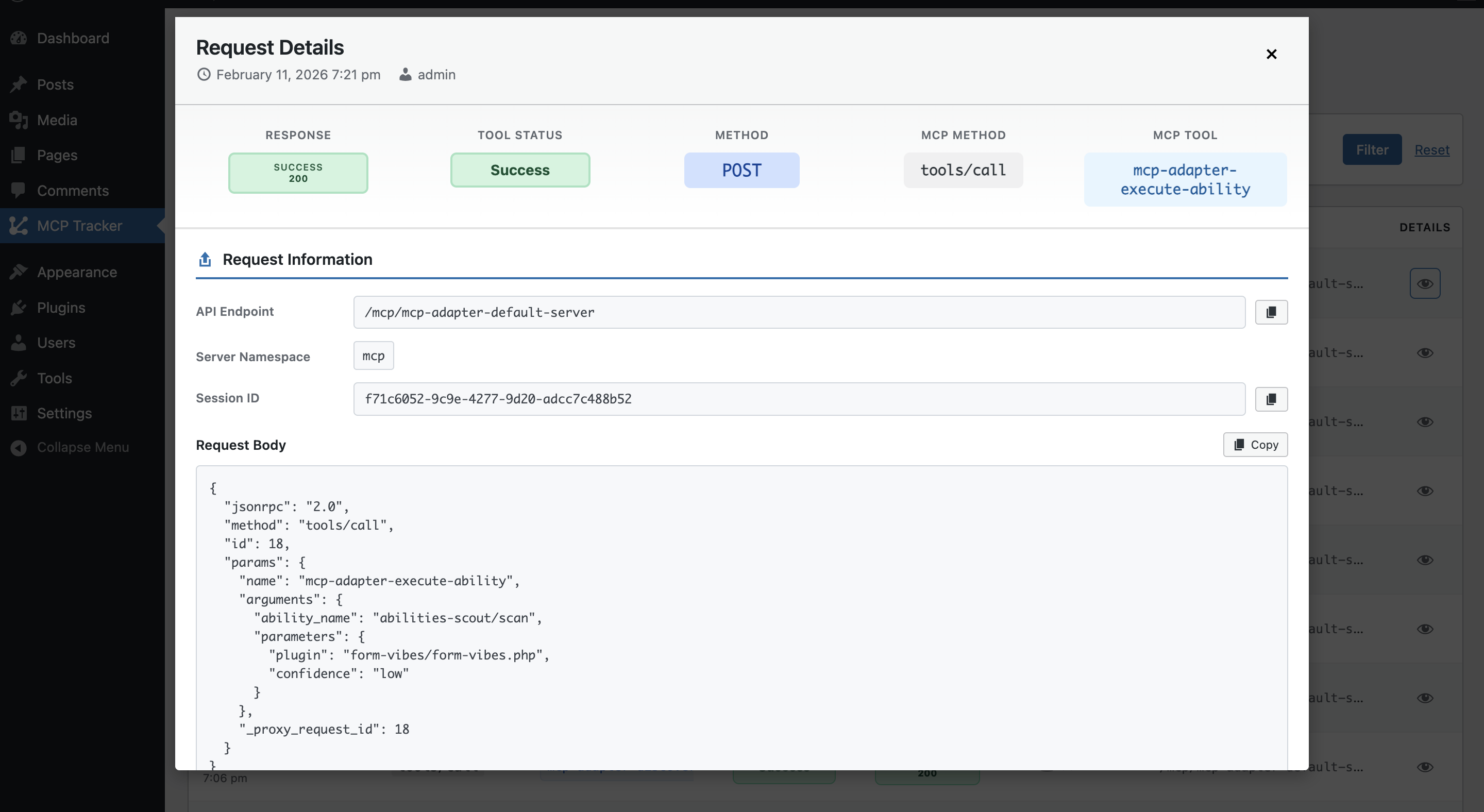
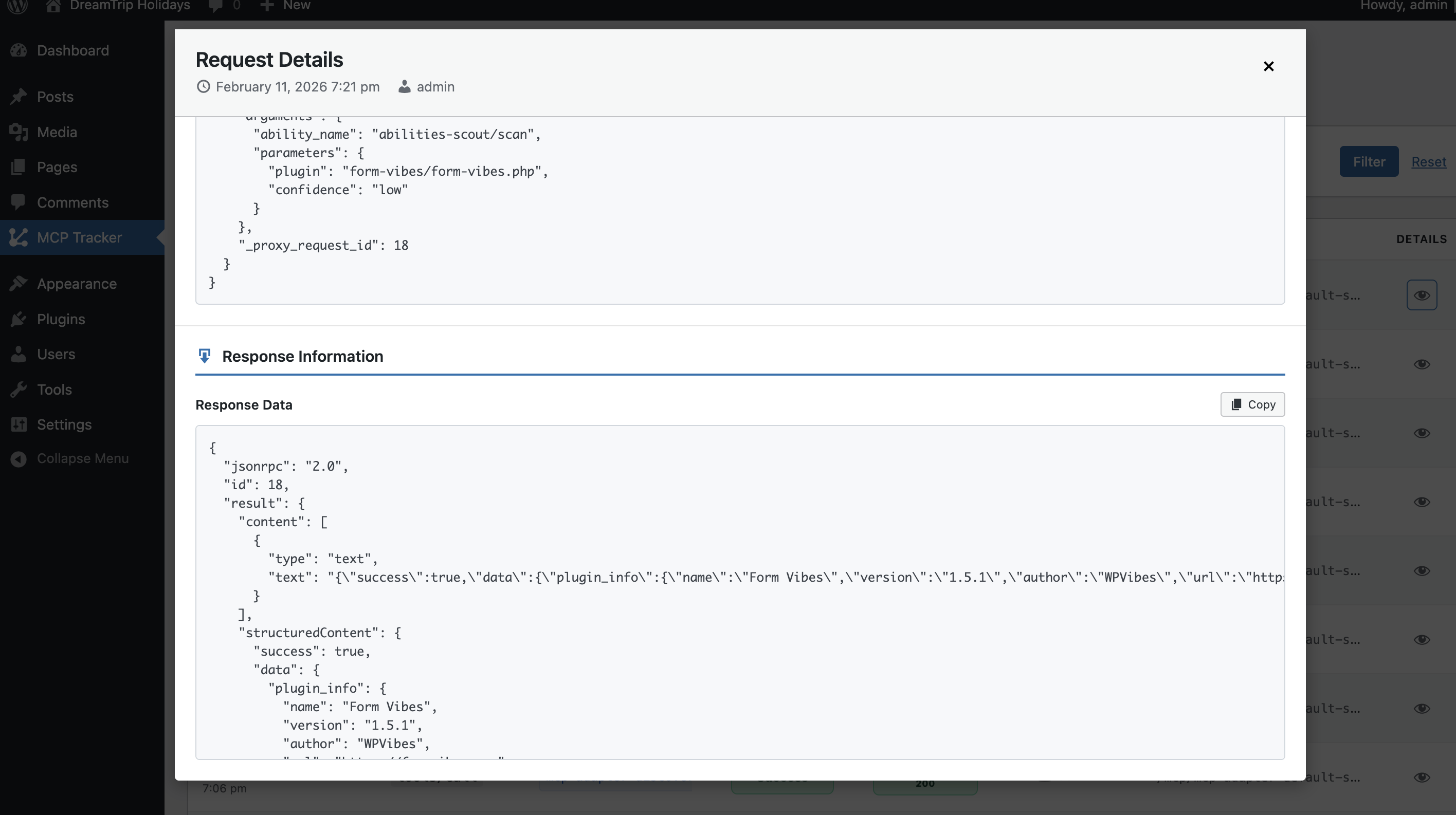
MCP Tracker is an admin-only WordPress plugin designed to monitor and log MCP (Model Context Protocol) requests made to the Abilities API on your WordPress site.
If you are using the Abilities API to power AI-driven tools or MCP-based integrations, MCP Tracker gives you complete visibility into how those tools interact with your REST endpoints — without modifying or interfering with request flow.
The plugin automatically detects MCP requests (identified via the Mcp-Session-Id header), records detailed request and response data, and presents everything in a structured, filterable interface inside WordPress Admin.
Whether you’re debugging Abilities API integrations, auditing MCP tool usage, or analyzing response behavior, MCP Tracker provides the observability layer you need.
Features
- Automatic MCP Detection
Identifies MCP requests related to Abilities API using theMcp-Session-Idheader. - Comprehensive Logging
Logs route, method, headers, request payload, response status, and response body. - User Attribution
Displays which WordPress user (or guest) initiated the MCP request. - Advanced Filtering
Filter logs by date range, tool name, and user for targeted analysis. - Formatted JSON Inspection
View complete request and response data in a structured format. - Privacy Focused
All logs remain stored in your WordPress database. No external transmission or telemetry. - Performance Optimized
Efficient logging using native WordPress REST hooks and optimized queries.
Use Cases
- Debug Abilities API integrations
- Monitor MCP-based AI tool usage
- Analyze REST response patterns
- Audit MCP activity on production sites
- Investigate failed or unexpected tool executions
Technical Details
- Uses WordPress REST API hooks for non-intrusive logging
- Custom indexed database table for efficient storage
- Admin-only access with capability checks
- Nonce verification for secure actions
- Prepared SQL statements for database safety
- Self-healing table creation on activation