

MaxedAnnounce — Notification Bar (Top & Bottom)
v2.1.0maxedmobileapps · 2026年2月22日 上架
Create and manage notification bars with rich customization options. Display customizable bars at the top or bottom of your website.
- 正在使用
- 10 以下
- 评分
- 暂无
- 累计下载
- 693
- 最近更新
- 2026年2月24日
需要 WordPress 5.0+已测试到 6.9.12PHP 7.2+
贡献者
 maxedmobileapps
截图
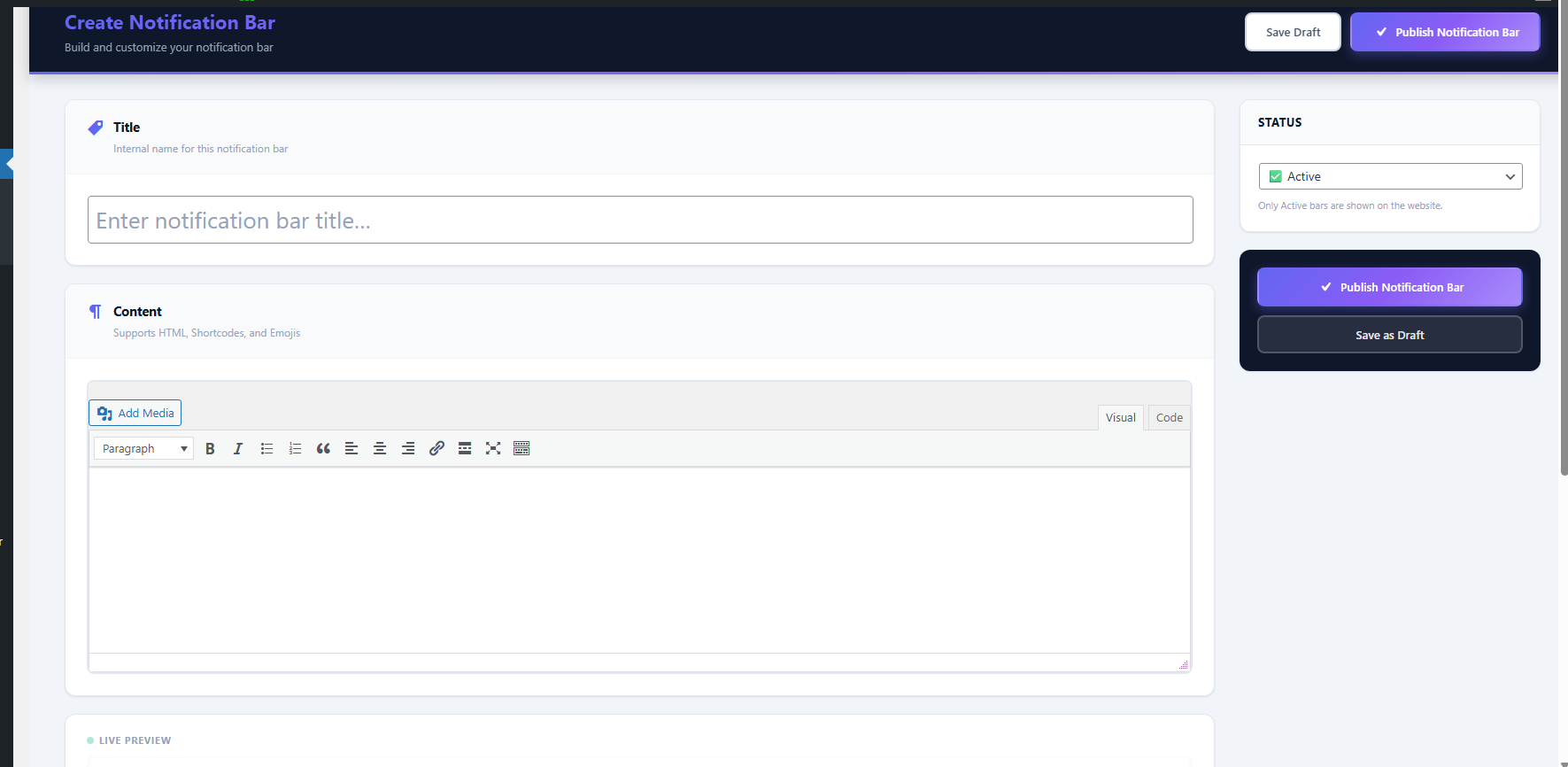


Announcer is a powerful and user-friendly WordPress plugin that allows you to create beautiful, customizable announcement banners for your website. Display important messages, promotions, or alerts to your visitors with full control over appearance and behavior.
Features
- Modern Admin Interface – Clean, intuitive admin interface matching WordPress design standards
- Rich Text Editor – Full WordPress editor support with HTML, shortcodes, and emojis
- Multiple Settings Panels:
- Call to Actions (CTA buttons) with customizable positioning
- Display settings with close button configuration
- Position controls (top, bottom, middle, fixed, absolute)
- Layout options (width, alignment)
- Design customization (colors, typography)
- Flexible Button Positioning – Place buttons on the left, right, above, or below text
- Customizable Close Button – Choose from 6 different positions for the close button
- Status Management – Active, Inactive, or Draft status for announcements
- Page-Specific Dismissal – Banner dismissal is remembered per page
- Responsive Design – Works perfectly on all devices
- AJAX-powered – Fast, seamless user experience
- Uses WordPress Libraries – Uses only WordPress core libraries (jQuery, wp_enqueue_scripts, etc.)
Usage
- Go to Announcer > Add New announcement in WordPress admin
- Enter a title and content using the rich text editor
- Configure settings in the tabs:
- Buttons: Add action buttons and choose their position
- Display: Configure close button behavior
- Position: Set where the announcement appears
- Layout: Customize width and alignment
- Design: Set colors and typography
- Set status to “Active” and click Publish
- The announcement will appear on all pages of your website
Requirements
- WordPress 5.0 or higher
- PHP 7.2 or higher
- MySQL 5.6 or higher