
Max Interactive Maps
v1.3.0Aamir Faiz · 2026年1月6日 上架
Interactive SVG world maps with draggable pins, custom colors and shortcode embedding. No map-service API key required.
- 正在使用
- 10 以下
- 评分
- 暂无
- 累计下载
- 702
- 最近更新
- 2026年11月2日
需要 WordPress 5.8+已测试到 7.1.5PHP 8.0+
贡献者
 WPGeared
截图
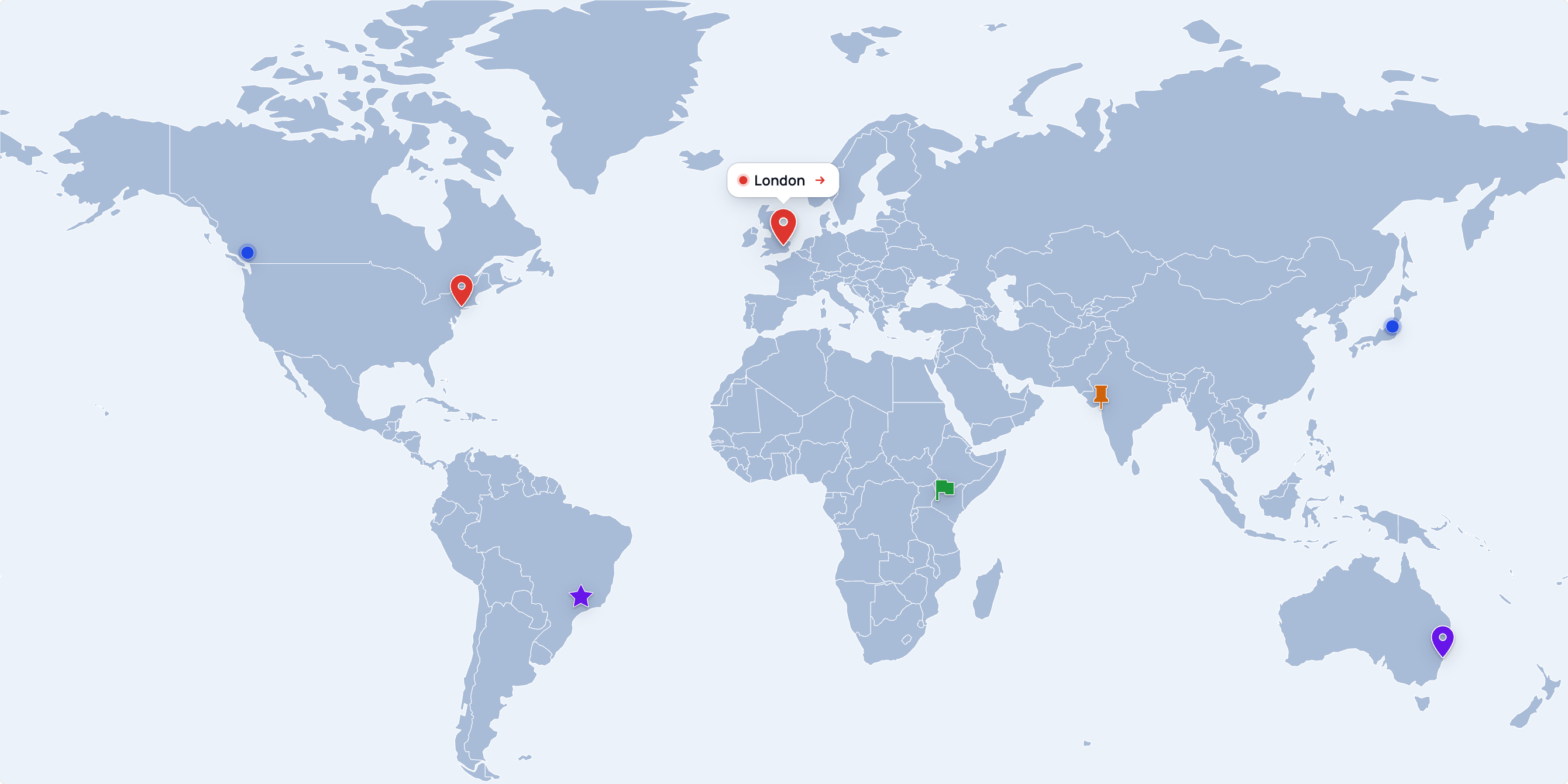
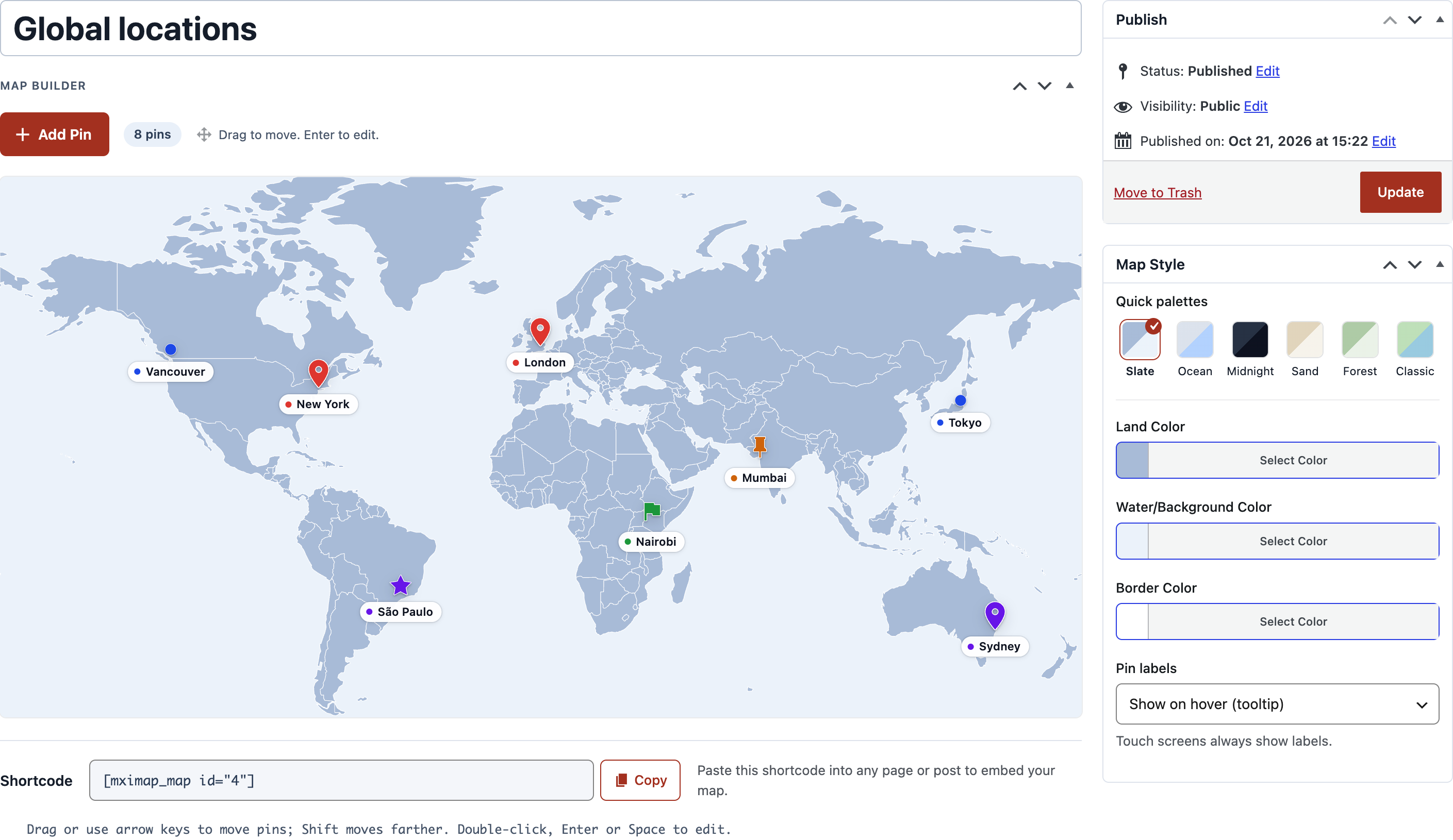
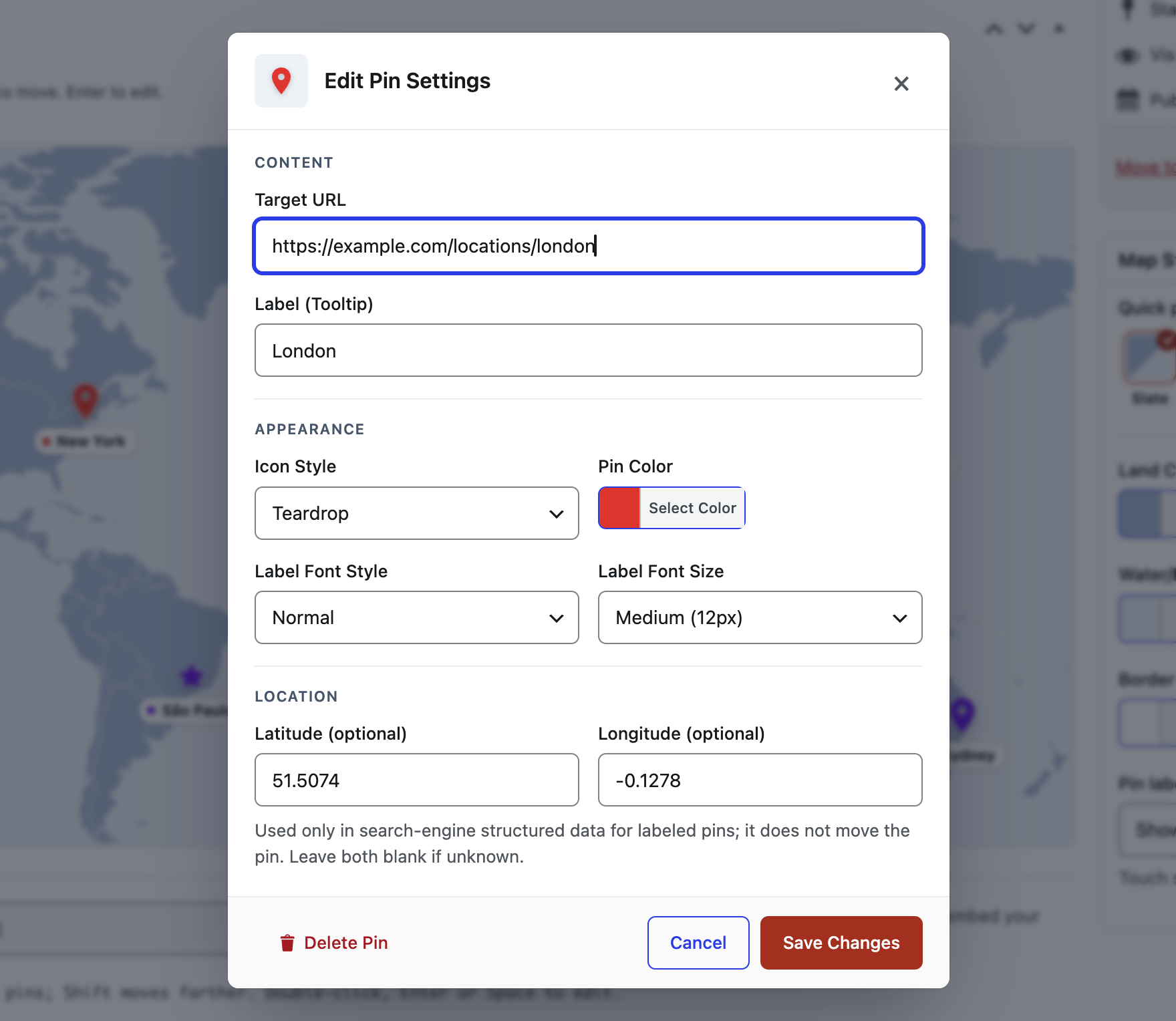
Max Interactive Maps adds a bundled SVG world map to WordPress. Place pins with a visual editor, choose their labels, destination URLs, colors and icons, then embed the published map using its shortcode. Maps do not require a third-party map service, map tiles or an API key.
Key Features
- Drag-and-Drop Pin Placement – Add and position pins on the bundled world map
- Map Areas – Show the whole world or just Europe, North America, South America, Africa, Asia, the Middle East, or Australia and Oceania; the editor zooms to the same area
- Place Pins by Coordinates – Enter a latitude and longitude to put a pin exactly on that spot
- Percentage-Based Positioning – Pin anchors scale with the map’s SVG canvas
- 5 Pin Icon Styles – Choose from Simple Dot, Teardrop, Star, Flag, or Pushpin designs
- Custom Color Controls – Set land color, water/background color, border color, and individual pin colors
- Responsive Maps – Maps resize with their container and use smaller icons on narrower screens; crowded labels may need author adjustments
- Place Structured Data – Labeled pins contribute Place entries to ItemList JSON-LD, with optional latitude/longitude you enter per pin; coordinates are never generated automatically
- No Map-Service API – The map is bundled locally; WordPress supplies the editor libraries
- Keyboard Controls – Focus and edit pins from the keyboard, including arrow-key positioning and a managed settings dialog
- Save Feedback – Clear warnings for rejected or conflicting map edits and protected damaged records
Use Cases
- Travel blogs showing visited destinations
- Business locations and branch offices
- Event locations
- Real estate property maps
- Tourism and attraction maps
- Educational geography content
How It Works
- Create a new map from the Max Interactive Maps admin menu
- Optionally choose a Map area such as Europe under Map Style
- Add pins by clicking “Add Pin”, then drag them into place or enter their latitude and longitude
- Double-click pins, or focus a pin and press Enter or Space, to set its URL, label, color, icon and font options
- Publish and copy the shortcode
- Paste the shortcode into a post, page or widget that processes WordPress shortcodes