
MartinCV AI Blog Post
v2.1.0MartinCV · 2022年12月14日 上架
Write complete blog posts — and matching images — from just a post title, using OpenAI, Anthropic Claude, Perplexity, or Google Gemini.
- 正在使用
- 10+
- 评分
- 5.0 / 5
- 累计下载
- 4,457
- 最近更新
- 2026年11月4日
贡献者
 MartinCV
截图
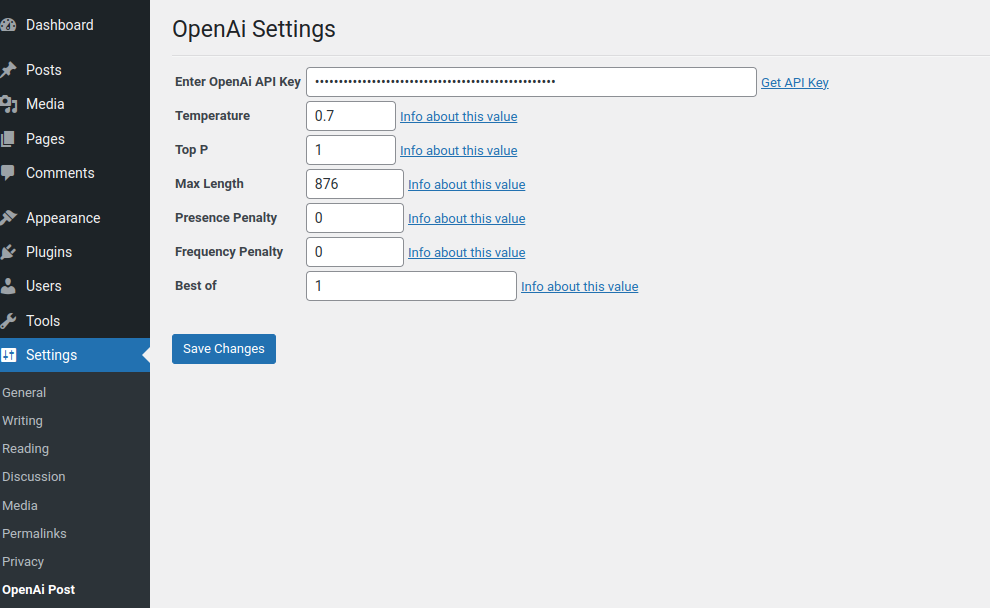


Type a post title, click Generate Post, and get a complete, well-structured blog post inserted straight into your editor — with AI-generated images saved to your Media Library. Version 2.0 turns this plugin from an OpenAI-only tool into a full multi-provider AI writing assistant:
- OpenAI — the GPT-6 family (GPT-6.1 Sol, GPT-6 Astra, GPT-6.1 Terra, GPT-6 Luna) plus still-supported GPT-5.6, GPT-4.1 and GPT-4o models, with GPT Image 2.5 and GPT Image 2 for images.
- Anthropic Claude — Claude Opus 5.5, Sonnet 5.5, and Haiku 5.5, plus legacy Claude 5 and 4.x models.
- Perplexity — the Agent API with real-time web search (Fast to High effort levels, or the Sonar model), with an optional “Sources” section built from real web citations.
- Google Gemini — Gemini 3.8 Flash and Gemini 4 Argon for text, and the Nano Banana image family (Nano Banana 2, 2.1 and Pro) for stunning illustrations.
Works with the Block Editor (Gutenberg) and the Classic editor, on posts and pages.
✍️ Writing, your way
- Set the number of section headings, and choose whether to include an introduction and a conclusion — the post follows your structure exactly.
- Pick a default provider and model once in Settings AI Blog Post, then override either per post right from the editor sidebar.
- If a post ever hits your token limit, you get a clear notice instead of a silently cut-off article.
🖼️ Images that behave
- Generate up to 4 images per post with Google Nano Banana or OpenAI.
- Images are saved to your Media Library with proper alt text — no expiring external URLs, no broken posts a day later.
- Choose where images go: spread between sections, at the beginning, after the first paragraph, after each heading, at the end — or pick the exact paragraph for each image with the custom placement mode.
- One click sets the first image as the featured image, correctly synced with the editor.
🚀 Future-proof models
Model dropdowns are curated (latest + still-supported legacy models), and every provider also has a Custom Model ID field — when a provider ships a brand-new model tomorrow, paste its ID and use it immediately. No plugin update required.
🛠️ Built for developers
Clean provider abstraction with filters for everything: martincv_openai_post_providers (register your own provider), martincv_openai_post_models, martincv_openai_post_system_prompt, martincv_openai_post_user_prompt, martincv_openai_post_image_prompt, martincv_openai_post_request_timeout, and martincv_openai_post_post_types.