
Marquezy – Marquee Block & Announcement Bar
v1.0.0Vlad Zelinskyi · 2026年9月30日 上架
Announcement bar, Marquee block and shortcode builder: 1–3 seamless scrolling rows — straight, tilted or crossed.
- 正在使用
- 50+
- 评分
- 暂无
- 累计下载
- 415
- 最近更新
- 2026年9月30日
贡献者
 Vlad Zelinskyi
截图



Marquezy adds seamless scrolling text to your site — as an announcement bar below the header, as a block, or as a shortcode for page builders. The loop is pure CSS: no jumps, no rewinds, and nothing runs while it is out of view.
Announcement bar
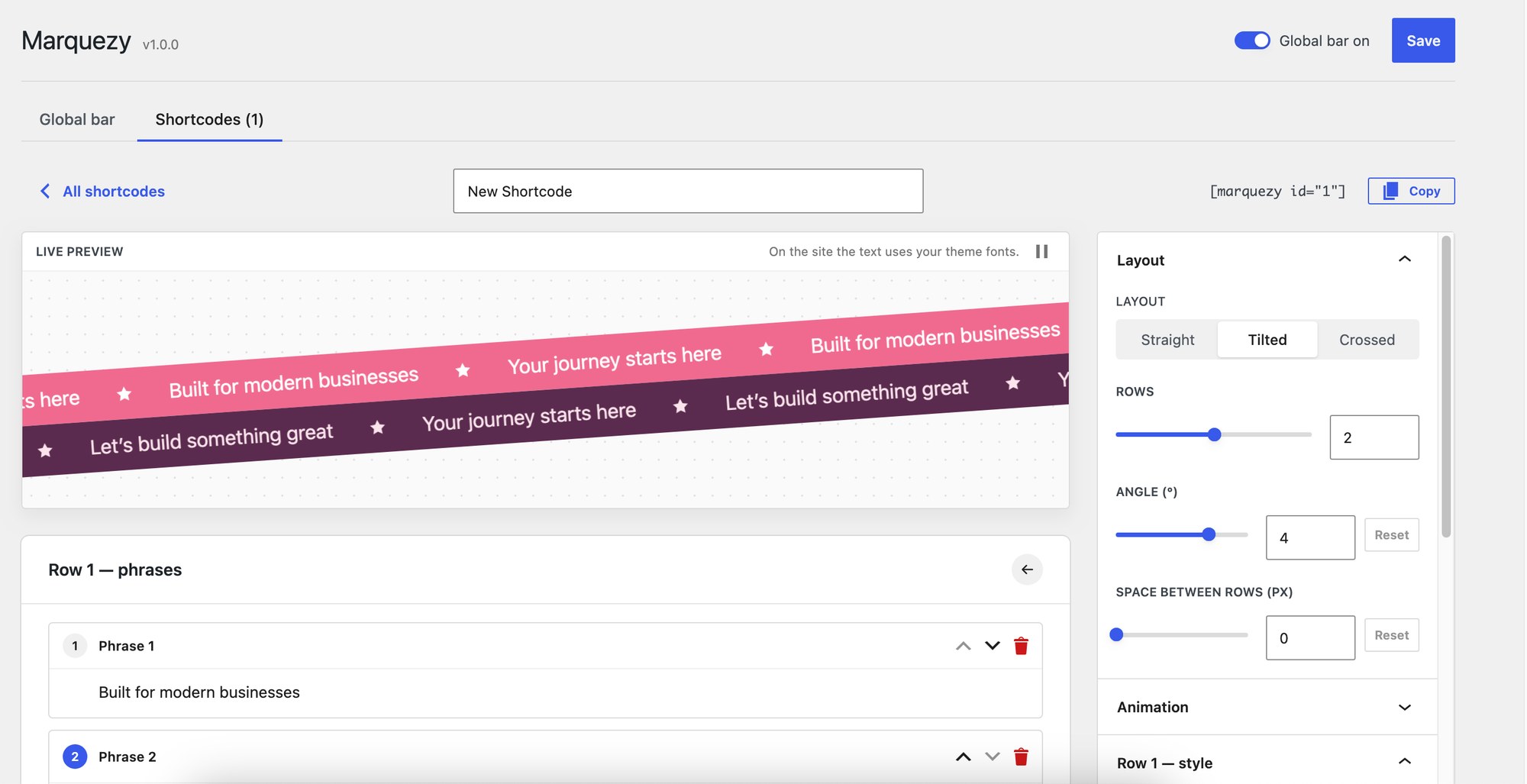
Configured on Settings Marquezy, with a live preview.
- Phrases — a numbered list; each phrase has its own field with bold, italic and links (with a search of your pages). Enter adds the next phrase.
- Where to show — entire site, only on selected pages, everywhere except selected pages, or only where you place it yourself. Conditions: specific pages and posts, post types, categories/tags/terms and special pages (front page, blog, archives, search, 404).
- Sticky modes — scrolls with the content, always visible, or “smart” (follows a header that hides on scroll).
- Placement — right after the header: in block themes on the server (no layout shift), in classic themes after the detected header or a CSS selector of your choice.
- Close button (remembered per content — a new announcement shows again), optional pause button, hide on mobile with a custom breakpoint and a separate mobile font size.
Marquee block
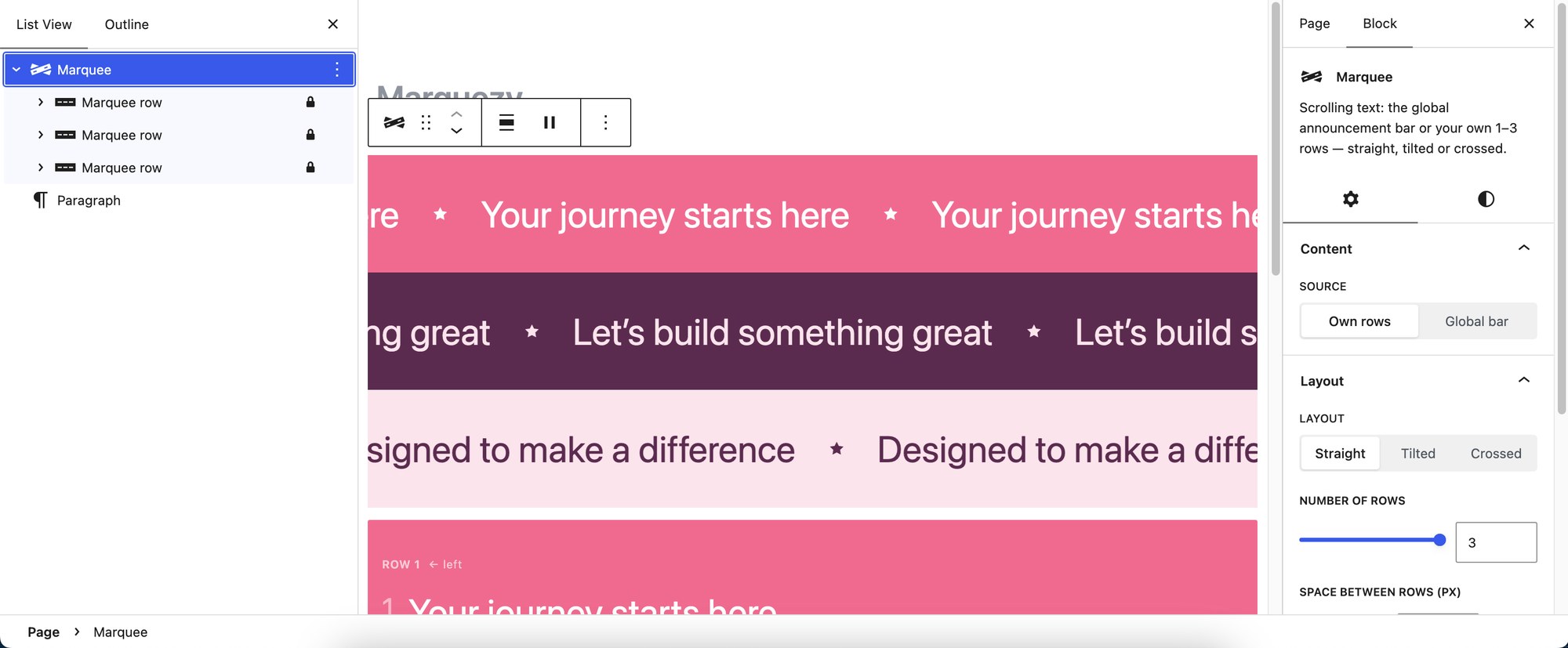
- Own rows (1–3) or the announcement bar.
- Straight, tilted or crossed — tilt up to 10°; two crossed rows with an adjustable crossing point.
- Direction per row — by default left / right / left.
- Every phrase is a regular paragraph; colors, font size and padding use the editor’s own controls; optional drop shadow per row.
- Animated preview right in the editor.
Shortcode builder
For page builders (Elementor, Divi, WPBakery…) and the Classic editor. Build a marquee with the same options as the block and a live preview, save it and paste [marquezy id="3"] anywhere. [marquezy] without an id shows the announcement bar.
Light and accessible
- Plain CSS animation driven by a tiny script; no jQuery, no external libraries.
- Pauses on hover, on keyboard focus and when scrolled out of view; respects “reduce motion”.
- Optional pause button (WCAG 2.2.2); duplicated copies are hidden from screen readers and the keyboard.
Multilingual
Phrases per language for WPML, Polylang and TranslatePress, with a fallback to the first language that has phrases.