

Markdown Mirror for WooCommerce
v1.0.0Abdalsalaam Halawa · 2026年7月16日 上架
Serve read-only Markdown mirrors of your WooCommerce product pages at {product-url}.md. No tracking, no store writes, honest by design.
- 正在使用
- 10 以下
- 评分
- 暂无
- 累计下载
- 296
- 最近更新
- 2026年7月16日
 Abdalsalaam Halawa
截图
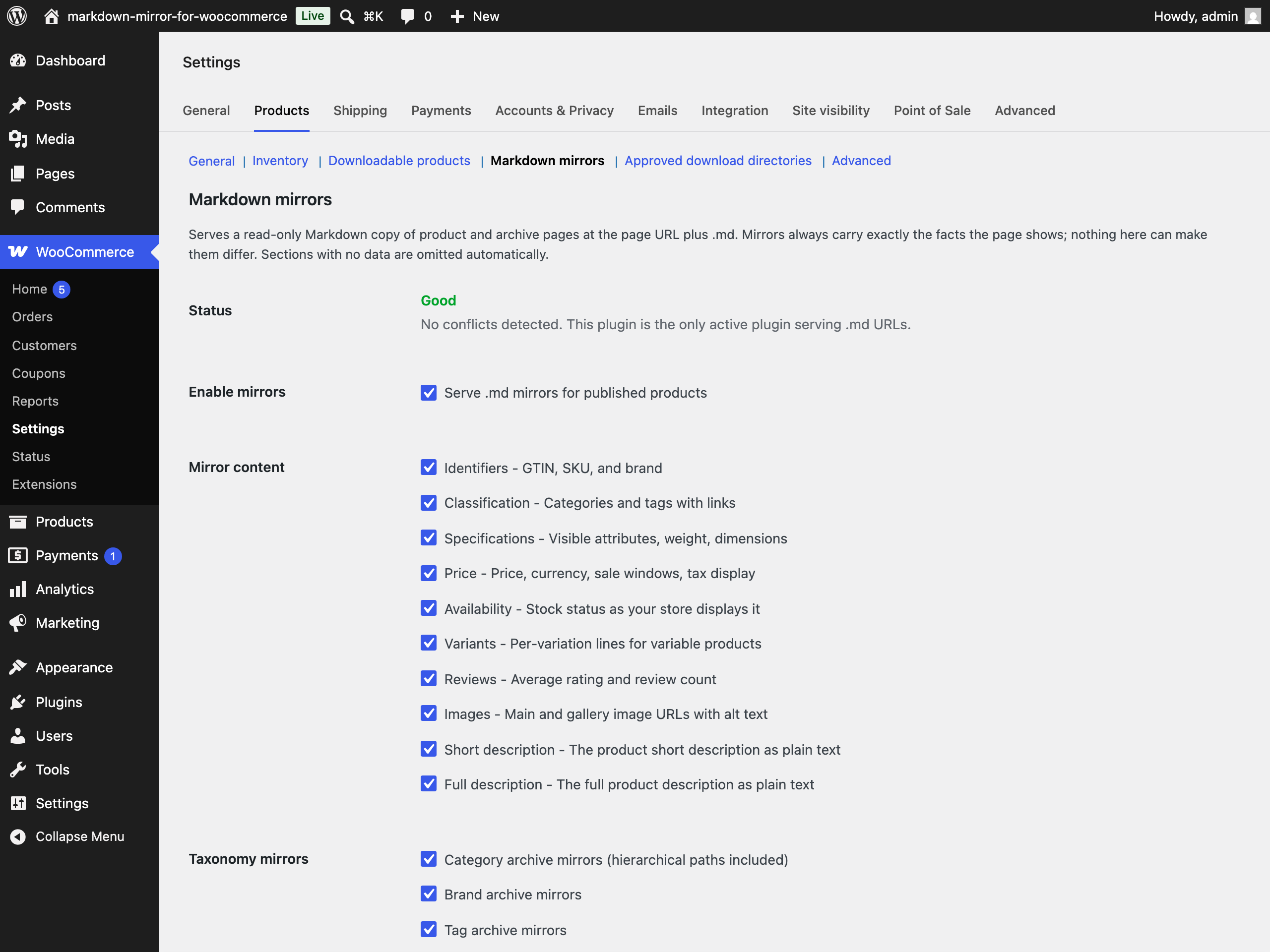
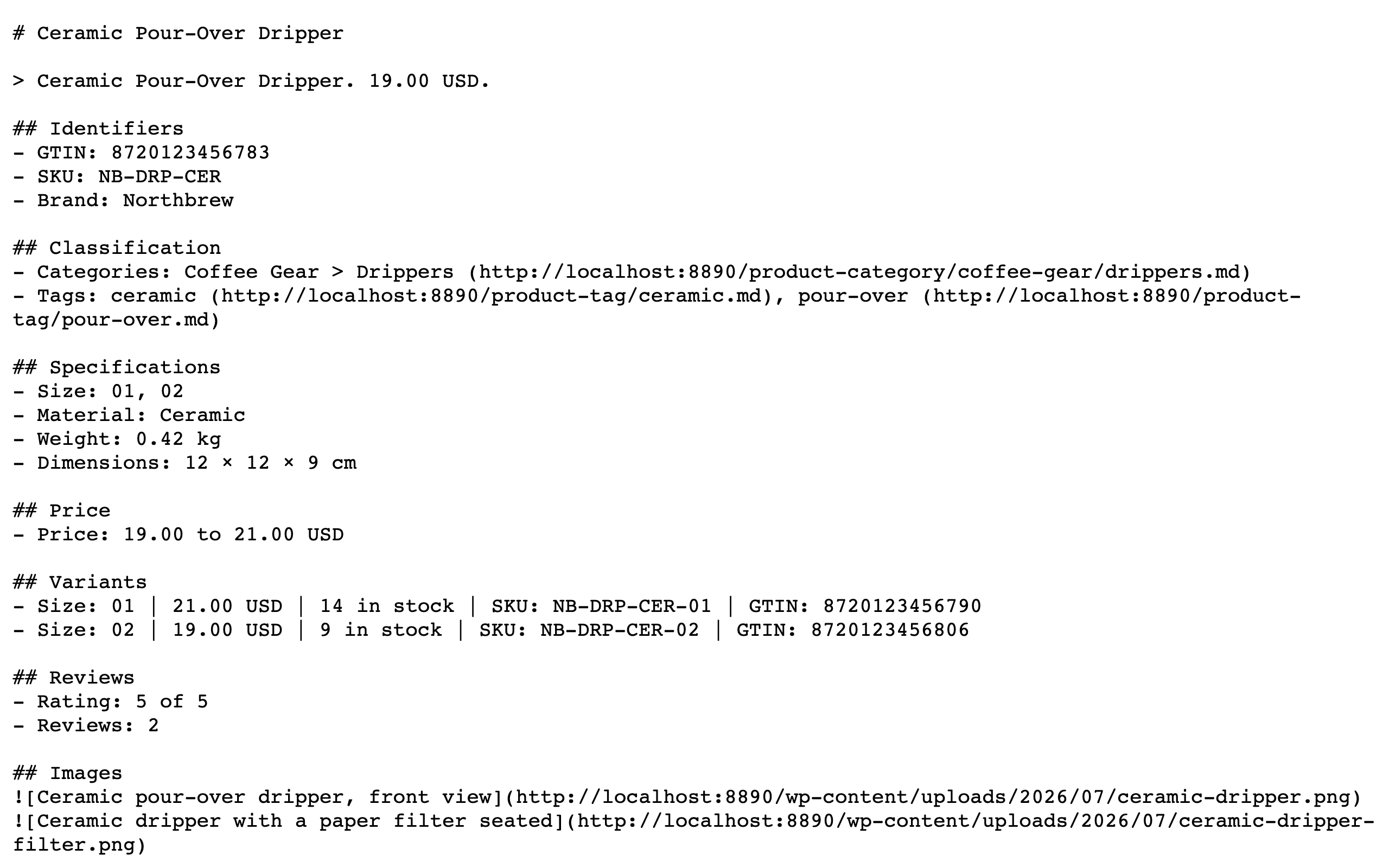
Markdown Mirror for WooCommerce serves a plain Markdown copy of each WooCommerce product page at the product URL plus a .md suffix. AI agents and crawlers that prefer token-light text get the same facts your product page shows, ordered so the decision-relevant data comes first: identifiers, specifications, price, availability, variants.
Example: https://example.com/product/ceramic-dripper/ also serves https://example.com/product/ceramic-dripper.md.
What each mirror contains
- The product name and a one-line factual summary
- Identifiers: GTIN (WooCommerce’s core field), SKU, brand
- Classification: categories as hierarchical paths and tags, each linked to its archive (or its .md mirror when taxonomy mirrors are enabled)
- Specifications: visible attributes, weight, dimensions
- Price with currency, sale end dates, and the store’s tax display
- Availability with the store’s own stock display (quantities appear exactly when your store shows them), and per-variation lines for variable products
- Reviews: the real average rating and review count, only when reviews exist
- Images: main and gallery image URLs with their alt text
- The product short and full descriptions as plain text (optional, on by default)
- A canonical link back to the product page and the real last-updated date
Sections with no data are omitted, never padded. Every mirror sends a canonical Link header pointing at your HTML page and an X-Robots-Tag: noindex header, so the mirror never competes with your product page in search. Each product page also gets one rel="alternate" link tag so agents can discover the mirror.
Taxonomy mirrors
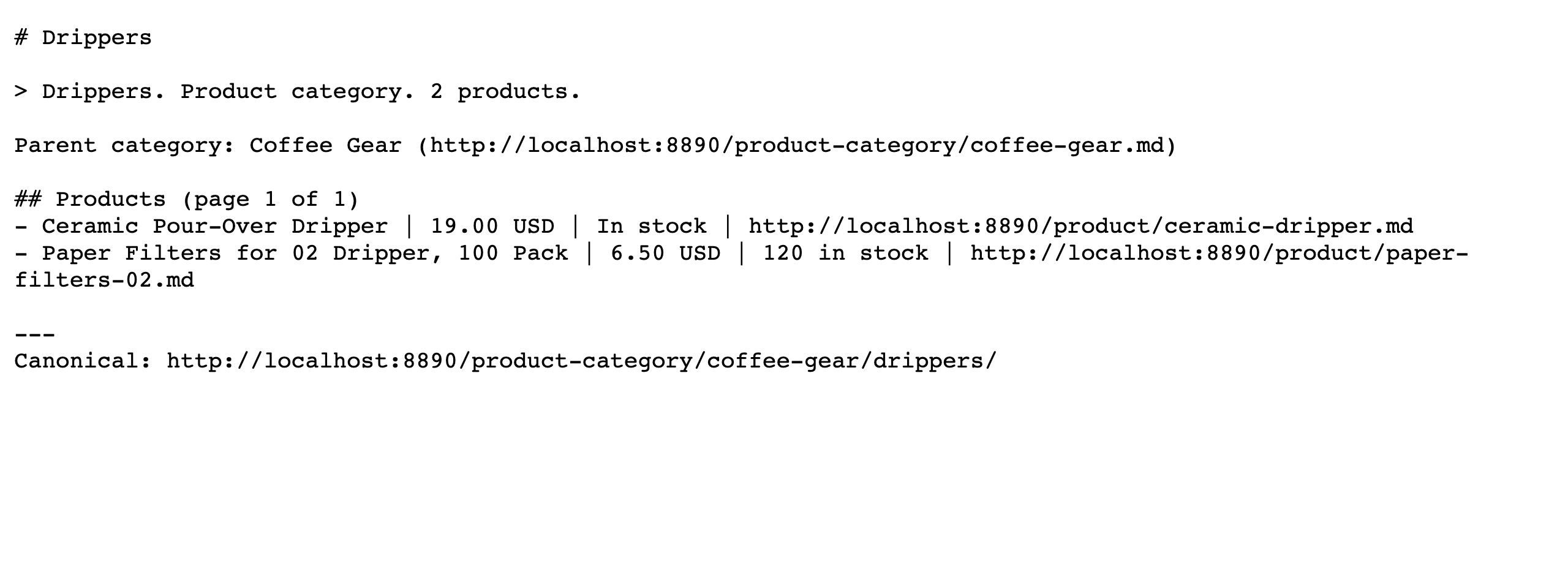
Product categories (including hierarchical paths like /product-category/clothing/shirts.md), brands, and tags get .md mirrors of their archive pages too, each behind its own toggle. Each term mirror carries the term name and description, subcategories with their own mirror links, and a paginated product list (100 per page at /page/2.md, /page/3.md, and so on, with previous/next links stated in the document; never silent truncation). Term mirrors follow archive visibility rules, so catalog-hidden products stay out, exactly as on the archive page itself. Because terms carry no honest modified date, term mirrors send no Last-Modified header and print no fabricated freshness date.
You choose what mirrors carry
Everything is on by default. In WooCommerce, Settings, Products, Markdown mirrors you can switch off any product mirror section (identifiers, classification, specifications, price, availability, variants, reviews, images, short description, full description) and any taxonomy mirror group. Sections with no data are always omitted automatically.
What this plugin never does
- It never writes to your products, your theme, or your database content. Mirrors are virtual URLs, generated on request and cached.
- It never sends anything anywhere. No telemetry, no analytics, no remote requests, no tracking of you or your shoppers.
- It never lets the mirror say something your page does not. There is no setting for “agent-only” content, on purpose: the mirror always reflects the same product data your shoppers see. Serving different content to agents than to humans is cloaking, and this plugin makes it structurally impossible.
Requirements
- WooCommerce 9.2 or newer
- Pretty permalinks (Settings, Permalinks, anything except Plain)
For developers
mdmirwc_is_mirrored– exclude products from mirroringmdmirwc_sections– add or reorder document sections (for example shipping data your site actually holds)mdmirwc_document– filter the final documentmdmirwc_cache_max_age– HTTP Cache-Control max-age (default 300 seconds)mdmirwc_cache_ttl– server-side cache TTL (default one hour; invalidation hooks keep mirrors correct regardless)mdmirwc_max_variants– variant lines cap (default 50, disclosed in output when applied)mdmirwc_conflicting_plugins– the known list of other .md-serving pluginsmdmirwc_term_is_mirrored– exclude term archives from mirroringmdmirwc_term_sections/mdmirwc_term_document– extend or filter term mirror documentsmdmirwc_term_page_size– products per term mirror page (default 100)mdmirwc_term_cache_max_age/mdmirwc_term_cache_ttl– term mirror cache controls