

Manual Completions for LearnPress
v1.1Pankaj Agrawal · 2025年2月19日 上架
Manual Completions for LearnPress lets you manually mark courses, sections, lessons, and quizzes as complete, individually or in bulk.
- 正在使用
- 60+
- 评分
- 暂无
- 累计下载
- 1,501
- 最近更新
- 2026年5月20日
贡献者
 Pankaj Agrawal
截图
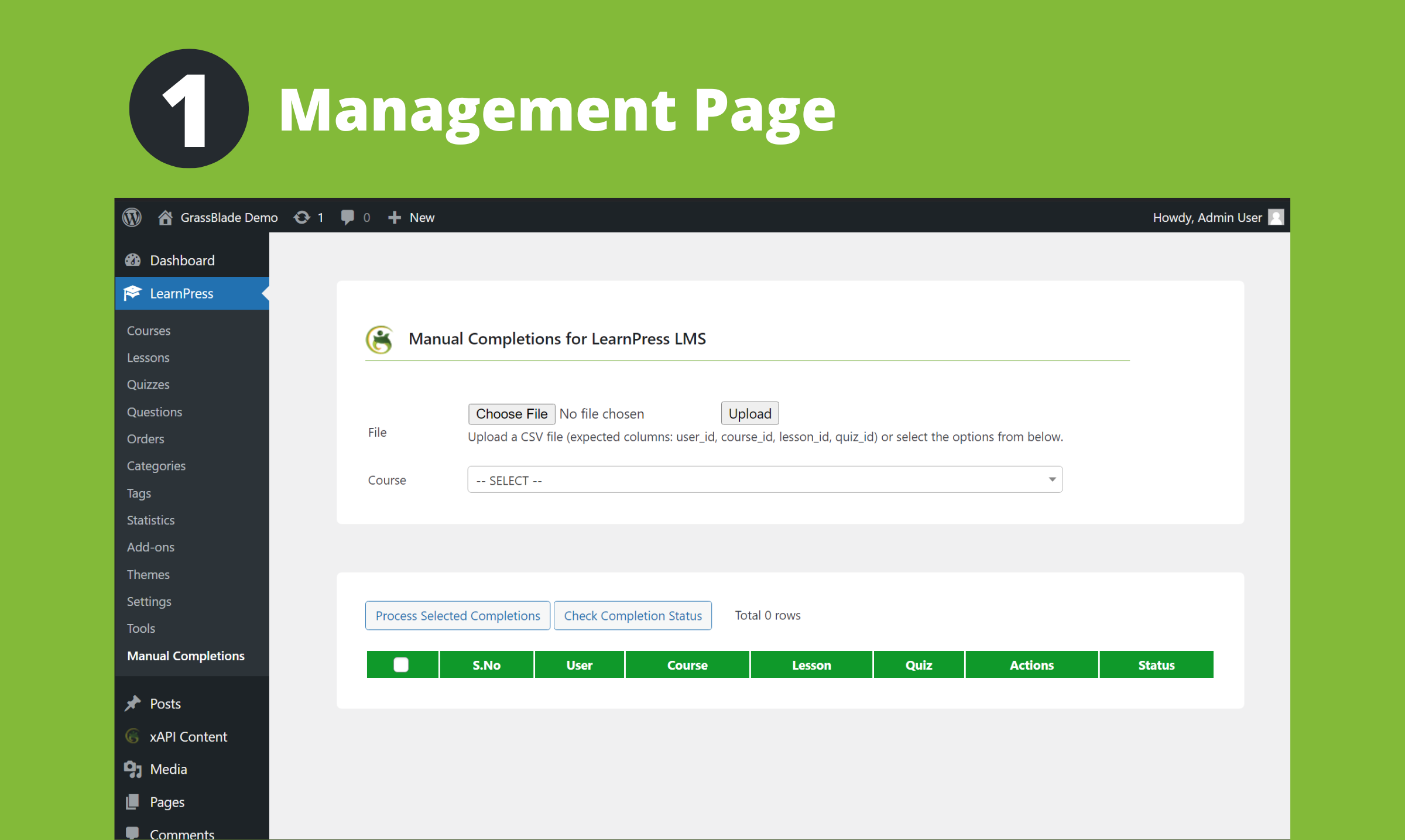
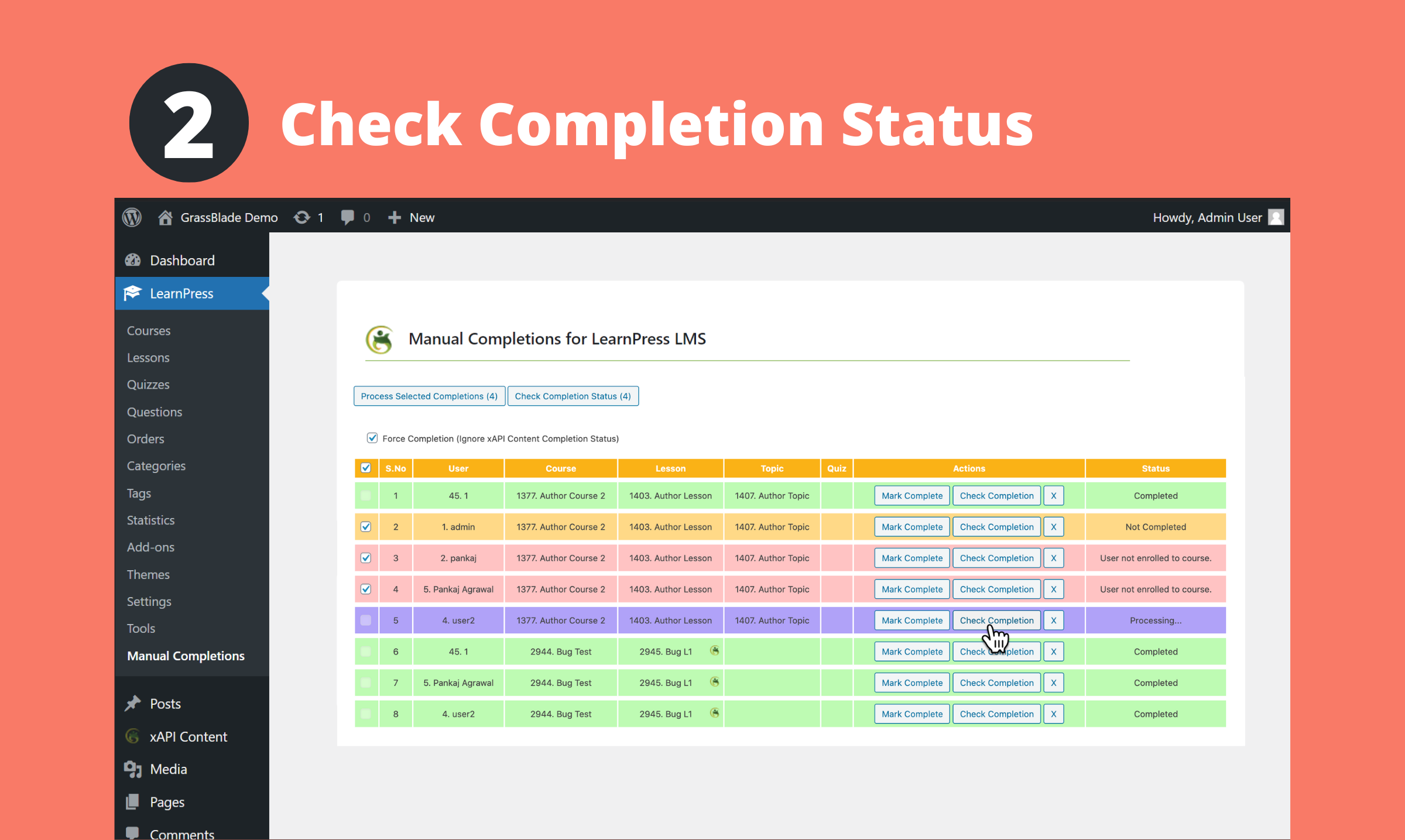
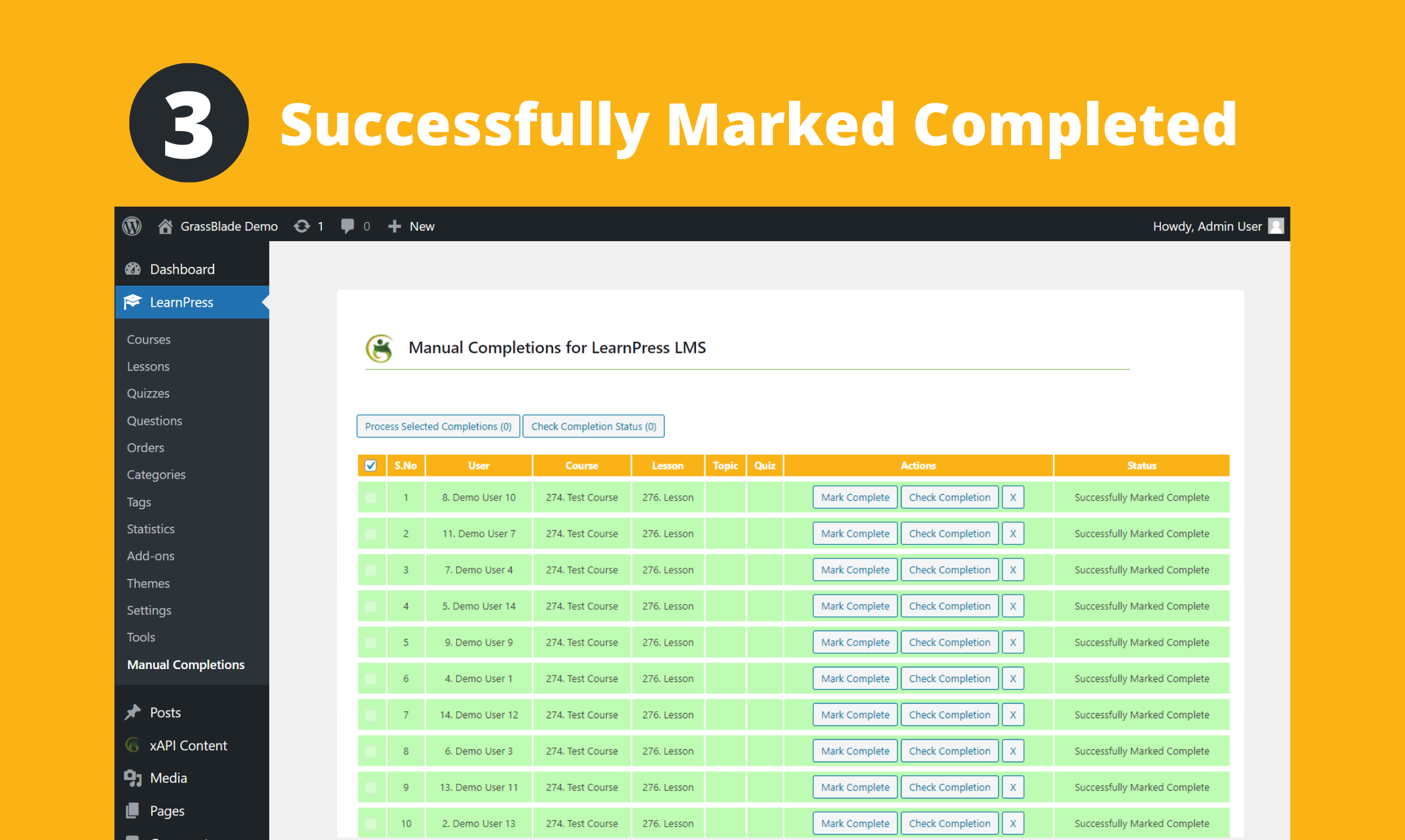
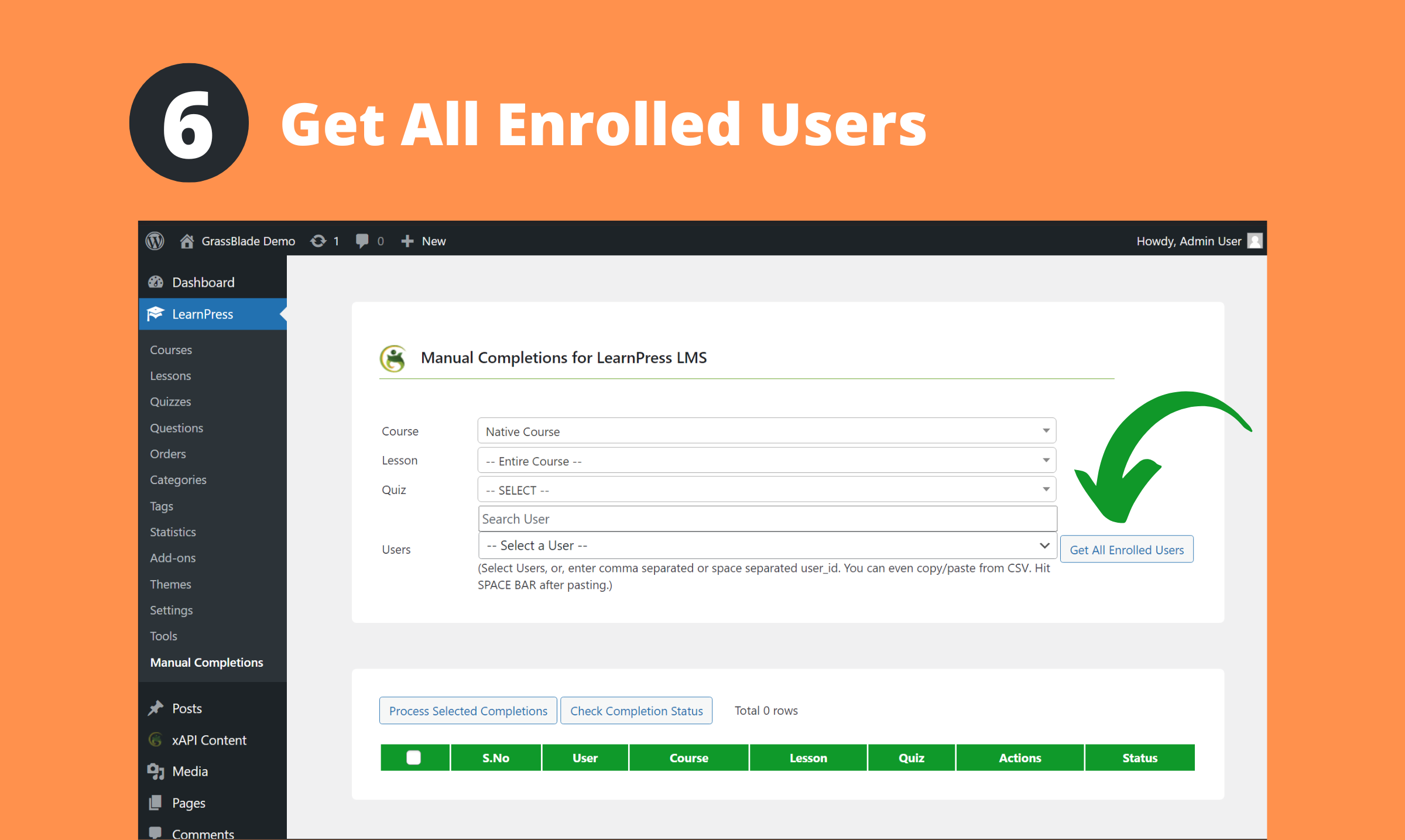
Manual Completions for LearnPress provides a very simple interface to check completion as well as manually mark courses, sections, lessons and quizzes as complete.
You can use it for single completions as well as for bulk completions of hundreds of users. In one click, get all the enrolled users in the course.
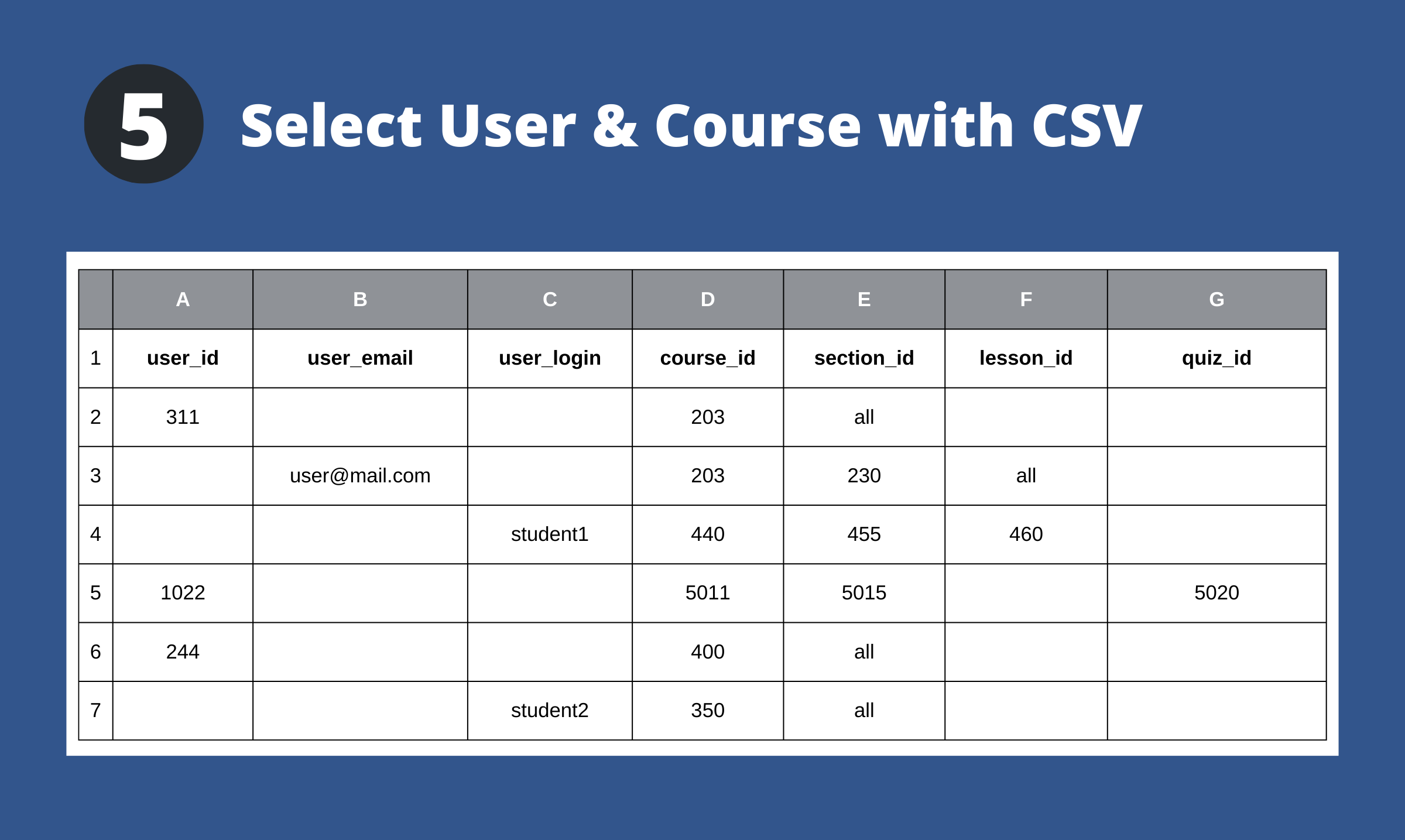
You can also upload a CSV files with user_id, course_id, section_id, lesson_id, quiz_id. To quickly list all the completions, and then process them in bulk in any order you want.
You can also bypass completions blocked by GrassBlade xAPI Companion for xAPI Contents.
Tracking:
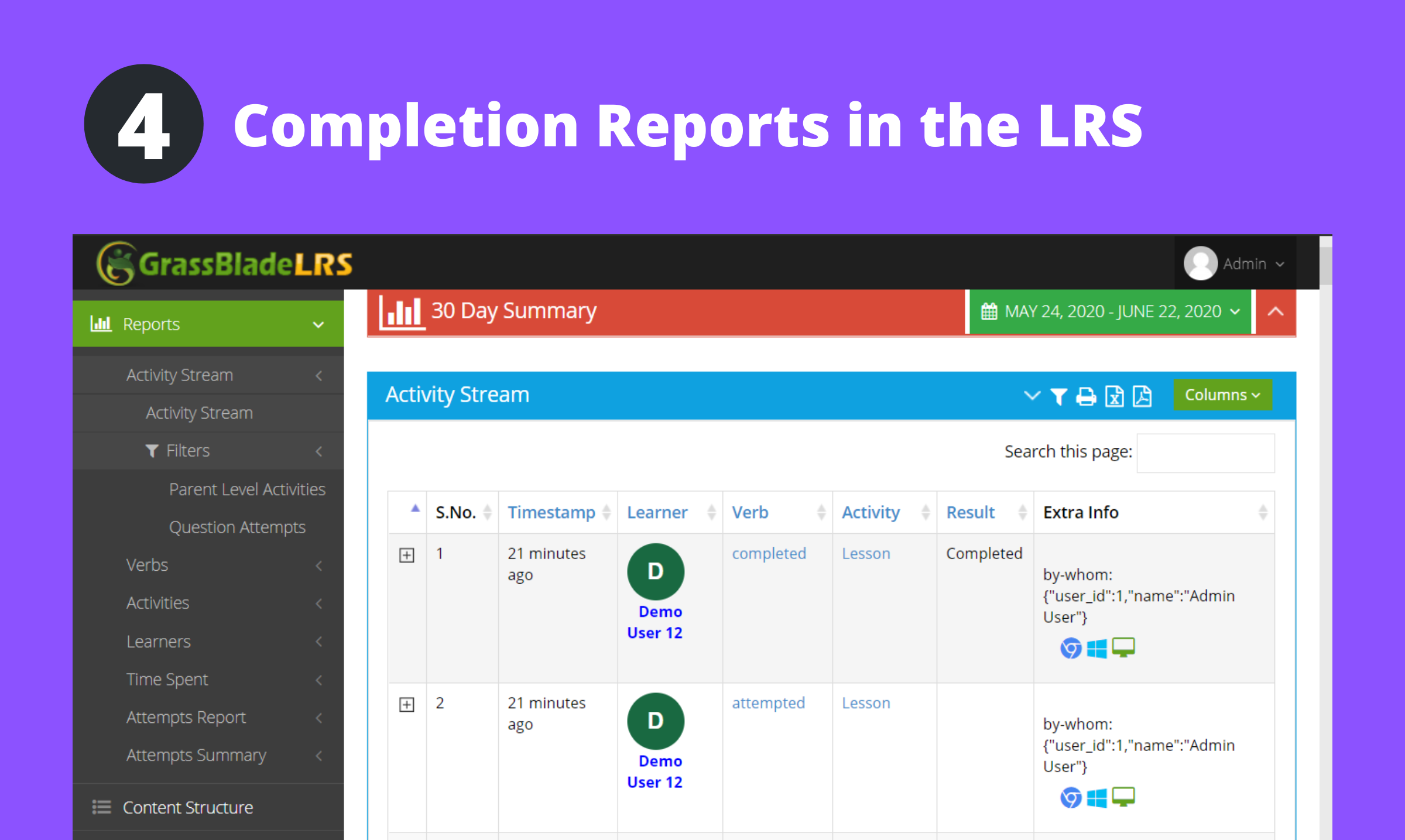
– If you have an LRS, you can see tracking data, including the user id and name of the admin who marked the lesson complete.
Requirements to use this plugin:
To use this plugin you need these two plugins:
1. LearnPress LMS
2. GrassBlade xAPI Companion