

Manage User Columns
v1.0.7Deepak Khokhar · 2020年10月7日 上架
This plugin allows you to manage columns under the users page in the WordPress admin area.
- 正在使用
- 1,000+
- 评分
- 4.2 / 5
- 累计下载
- 2.5 万
- 最近更新
- 2026年6月19日
 Deepak Khokhar
 Surender Singh Khokhar
截图
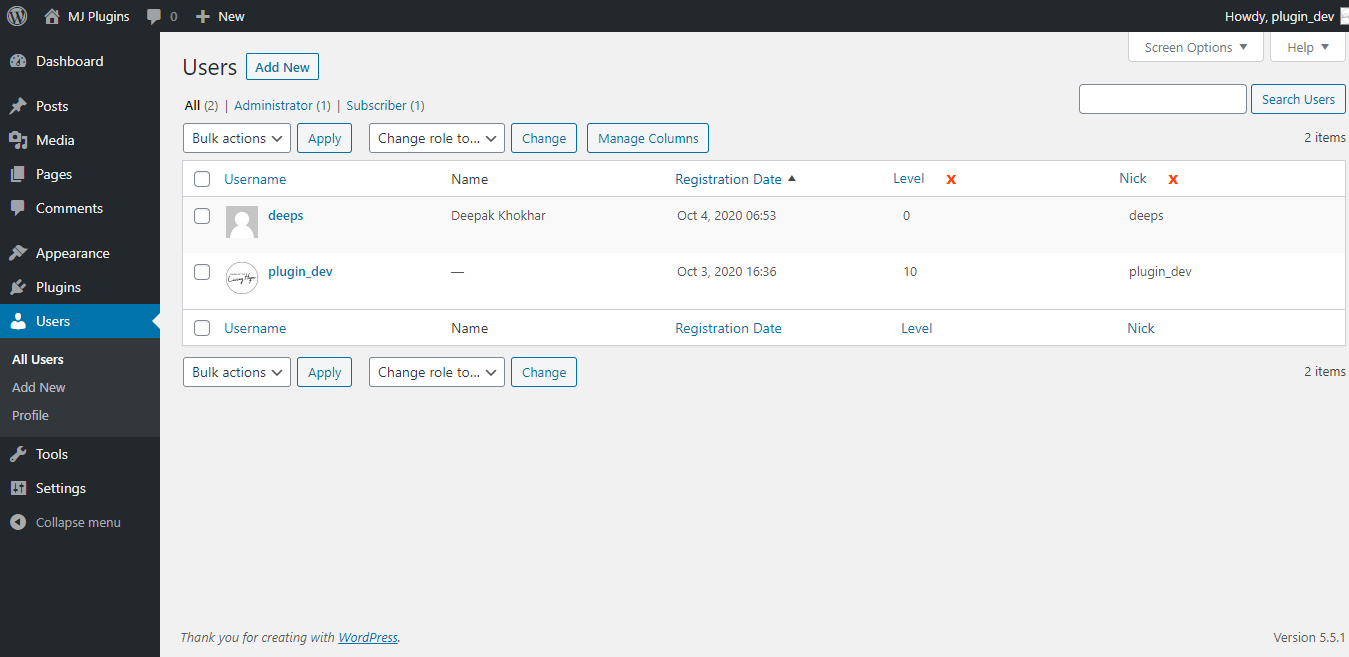
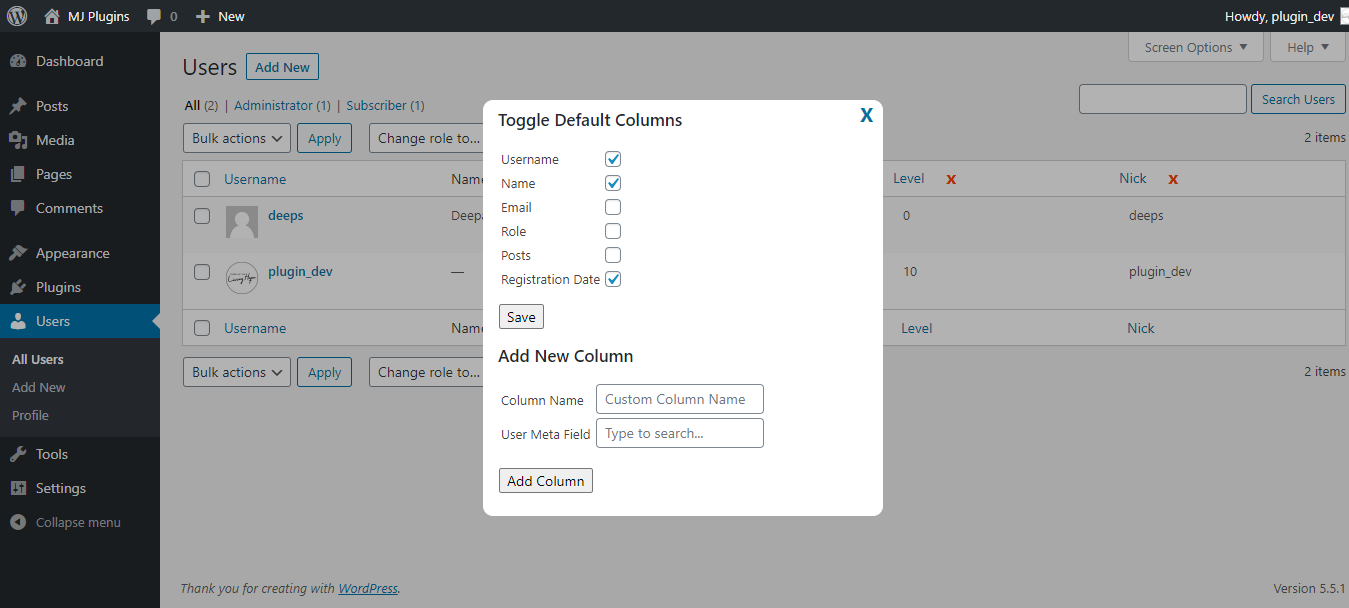
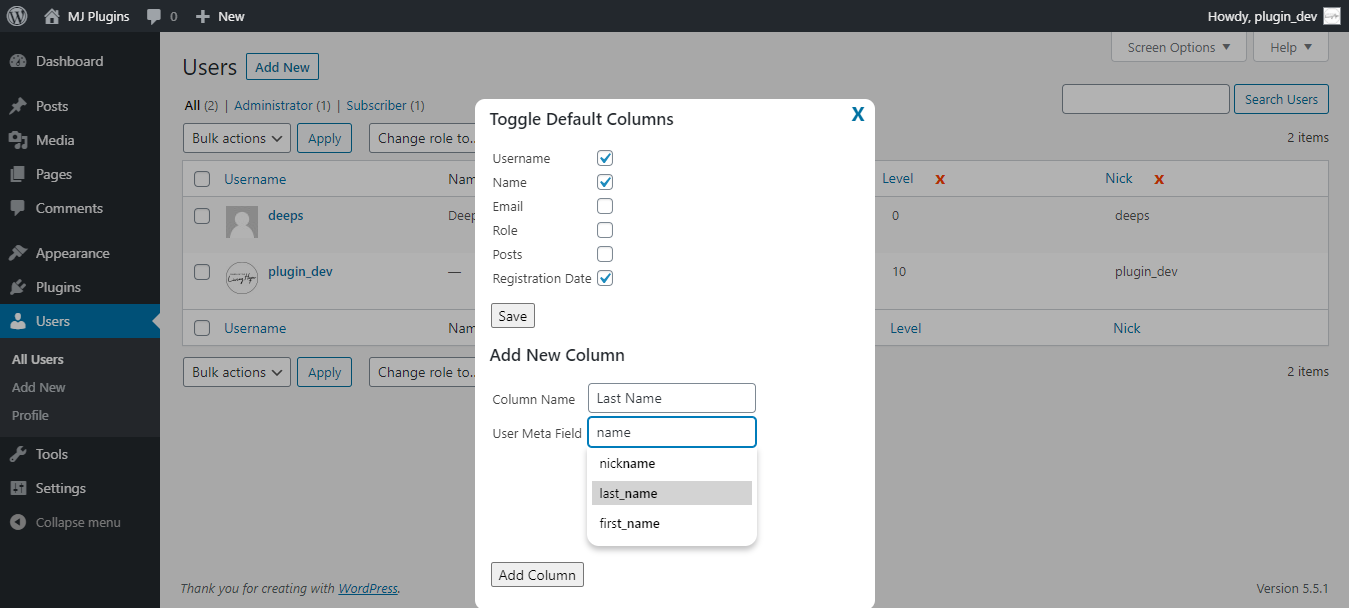
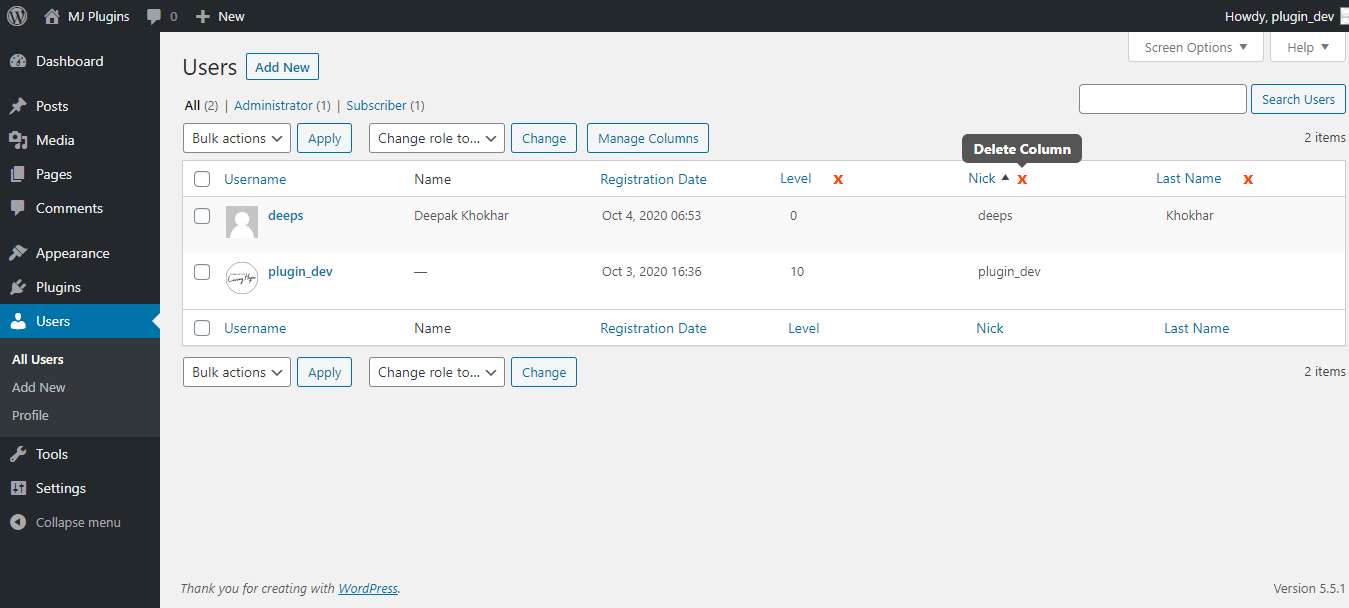
“Manage User Columns” is a small plugin that allows you to manage the user fields displayed on the users list page in the WordPress dashboard area.
The new fields will be added as columns with other user information. All new columns will be sortable.
You can add default user fields like registration-date, custom fields added by other plugins or custom code, and remove any default or custom field from the Users list table.
Removing columns will not delete any user data. So, you are safe to toggle between these columns.
This plugin adds a new column “Registration Date” as a default column which you can enable/disable easily.
Want to filter the users too? Check this addon
Features
-
Add new columns to the Users list page in WordPress admin area.
-
Shows the user registration date with a sortable column.
-
Remove any default or newly added columns from the users page easily.
-
Add custom columns based on the user meta information stored in database added by custom code or 3rd party plugin.
-
All new columns will be sortable.
-
Unlimited custom columns – You can add as many custom user columns as you want. There is no restrictions.
-
All plugin configuration is on the users page itself with easy interface.
-
Searchable text box when adding a new column so you can select the correct value.
-
Array values will be displayed as simple text separated by a comma.
-
For advanced developers – Filter for modifying the column value. Use add_filter( ‘muc_filter_custom_col_val’, ‘YOUR_CUSTOM_CALLBACK_FUNCTION’, 10, 3 ); (NEW)
-
Add Filters on the users page itself.
-
Add Custom filters as you want.
-
Works with the free manage user columns plugin.
-
Different Filter types – Textbox, dropdown, and exist/blank.
-
Default filters – username, email, Registration Date, Role.
-
Example – Filter your users based on Roles and registered between a range of dates.
-
Supports Meta keys to create custom filter.