
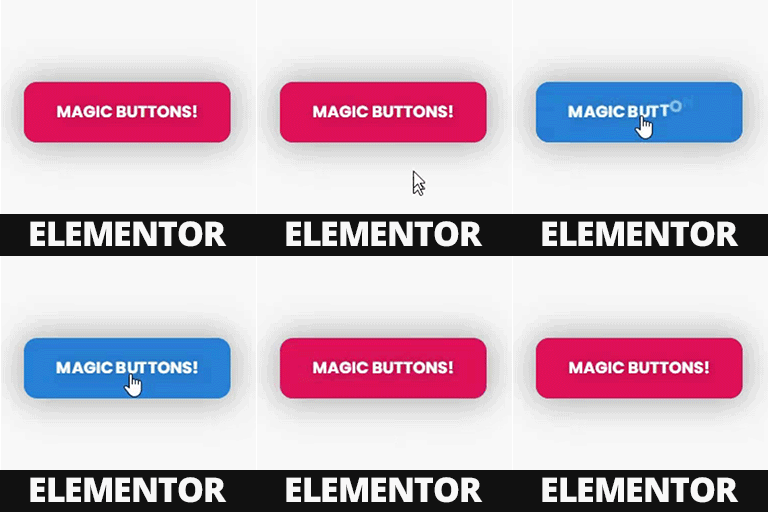
Magic Buttons for Elementor
v1.1PWR Plugins · 2021年4月3日 上架
This plugin extend Elementor by adding a new button widget, with awesome features and hover effects!
- 正在使用
- 10+
- 评分
- 暂无
- 累计下载
- 2,458
- 最近更新
- 2025年7月25日
 DotRex
 Diego Pereira
 PWR Plugins
This plugin extend Elementor by adding a new button widget, with awesome features and hover effects!
Plugin Demo
Click here to see the plugin demo
Overview
This plugin extend Elementor by adding a new button widget, with awesome features and hover effects!
You can impress your audience with new button effects, and thus increase your clicks and conversions!
Features
- A new “Magic Button” widget available with Elementor
- 15 exclusive hover effects and animations
- Easy to customize, lot’s of options available
- Compatible with Elementor (Magic Button Widget)
- Compatible with any page builder (if you use the shortcode)
- Compatible with Gutenberg (if you use the shortcode)
Installation Instructions / How to use
- Upload
magic-buttons-for-elementorfolder to the/wp-content/plugins/directory - Activate the plugin through the ‘Plugins’ menu in WordPress
- Edit a page with Elementor
- Drag and drop the Magic Button widget to your page.
- Customize it using the widget options and publish the page.
- Done! Your magic button is ready! =)
How to display the filterable portfolio grid using a shortcode
The Magic Buttob widget will be available in Elementor items. Just drag it to your website and select the customization options 🙂
You can also use dthe shortcode to display the portfolio grid on a page/post, or using Gutenberg and other page builders:
[magic-button]
[magic-button link=”‘.$linkurl.'” target=”‘.$target.'” nofollow=”‘.$nofollow.'” align=”‘.$align.'” style=”‘.$style.'” text=”‘.$text.'” icon=”‘.$iconvalue.'” icon_position=”‘.$icon_align.'” size=”‘.$size.'”]
You can customize it using these options:
- link: Set the link of the button (eg: link=”http://wordpress.org”).
- target: You can use it to open the link in a new window. Options: true/false.(eg: target=”true”).
- nofollow: Use it to set the link as “nofollow”. Options: true/false (eg: nofollow=”true”).
- align: The aligment of the button. Options: center/left/right. (eg: align=”center”).
- style: The hover effect of the button. Options: see https://pwrplugins.com/magic-buttons-for-elementor-addon-and-widget-plugin-demo/. (eg: style=”nina”).
- size: Size of the button. Options: sm/md/lg (eg: size=”lg”).
Please note that the shortcode option is very limited for now. You may need to customize colors and fonts using CSS.
With Elementor, you can customize everything using the widget options.
Reference
The hover effects are inspired on this awesome article from Tympanus: https://tympanus.net/codrops/2015/02/26/inspiration-button-styles-effects/