

Mador
v1.2.0khlumen · 2026年11月2日 上架
Connects your site to Mador: site verification, your questions and answers with FAQ structured data, the measurement badge and certificate.
- 正在使用
- 10 以下
- 评分
- 暂无
- 累计下载
- 455
- 最近更新
- 2026年11月6日
贡献者
 khlumen
截图
Mador measures how often AI assistants (ChatGPT, Gemini, Perplexity, Claude and others) name a business when a customer asks, and writes the pages that help them name it. This plugin brings that work onto the business’s own WordPress site.
It does five things, and nothing else:
- Site verification. It adds
<meta name="mador-verifica">to the head of every page, so Mador can confirm the site belongs to your account. Nothing to paste. - Questions and answers.
[mador-faq]prints the questions and answers written for your business, withFAQPagestructured data. They update on their own when you correct them in the Mador area. - Badge.
[mador-badge]shows your latest measurement, linking to the certificate. - Certificate.
[mador-certificato]embeds the full measurement certificate. - Your pages, published here (Growth plan). The pages Mador writes for your business can be published on this site as regular pages or posts, live or as drafts. Off until you connect the site with a one-time code from your Mador account. A page you edit in WordPress is never overwritten without your say, taking a page down puts it back to draft, and nothing is ever deleted.
No API key, no account password, no tracking, no JavaScript, no stylesheets, no external libraries. The only setting that identifies anything is your report code, which is already public. Publishing your pages uses a key pair created on your site: the secret half never leaves it, and every page Mador sends is checked against Mador’s signature before it is saved.
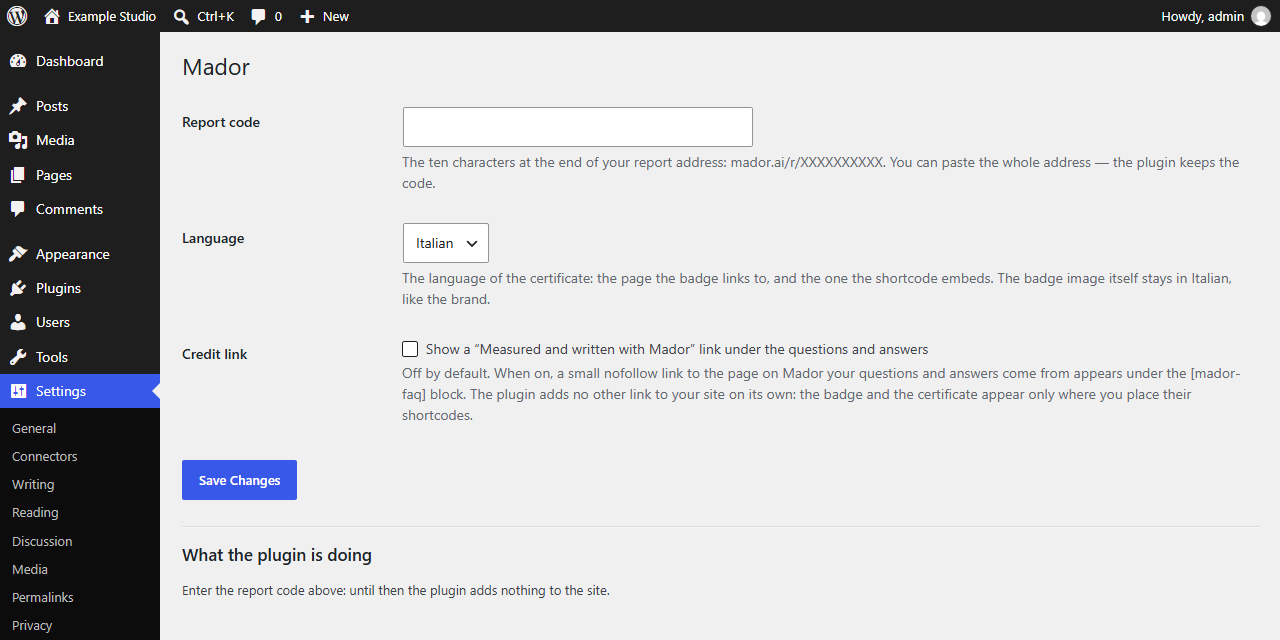
The plugin adds no links to your public pages on its own. The badge and the certificate appear only where you place their shortcodes. The “Measured and written with Mador” credit link under the questions and answers is off until you turn it on in Settings Mador.
The plugin needs a Mador account: it shows what Mador has measured and written for your business. See the “External services” section below for what it exchanges with mador.ai.
The admin screens are in English, with Italian and Spanish on their way through the language packs of translate.wordpress.org. What visitors see follows the language you choose in the settings (Italian, English or Spanish).
External services
This plugin connects to Mador (https://mador.ai), the service it belongs to and is operated by Khlumen. It does not work without it. The plugin contacts mador.ai only in the cases below, and only once a report code is saved in Settings Mador.
- Questions and answers (
[mador-faq]): when a page with the shortcode is rendered and nothing is cached, your server requestshttps://mador.ai/api/pubblicazioni/{report code}.json. The request carries the report code in the address and the plugin version in the user agent; it sends no personal data, no visitor data and nothing else about your site. The answer is cached for a day (five minutes after a failure). - Badge (
[mador-badge]) and certificate ([mador-certificato]): on the pages where you place them, the visitor’s browser loads the imagehttps://mador.ai/r/{report code}/badge.svgand the pagehttps://mador.ai/r/{report code}/certificato(in an iframe). Like any image or embedded page, this sends the visitor’s IP address, browser details and the address of the page to mador.ai. - Settings page: Settings Mador shows your real badge, so the administrator’s browser loads
https://mador.ai/r/{report code}/badge.svgwhile that page is open, with the same details as above. - Verification: the meta tag is read by Mador when you press the verify button in the Mador area; the plugin itself sends nothing.
- Publishing your pages (only after you connect the site in Settings Mador with a one-time code): at connection, your server sends
https://mador.ai/api/wp/collegathe code, a public key generated on your site, your site address and the plugin version. Then, once an hour and when you press “Check now”, your server sendshttps://mador.ai/api/wp/sincronizzaa signed request with, for each page the plugin published, its id, version, WordPress status, address and whether it was edited; the answer contains the pages to publish, update or take down. Mador may also call/wp-json/mador/v1/campanelloon your site, with no content, to bring the next check forward. Mador also reads each published page, like a visitor, after it goes online and then once a week, to confirm it is still there. No visitor data is sent. Disconnecting stops all of this.
Mador terms of service: https://mador.ai/en/termini
Mador privacy policy: https://mador.ai/en/privacy