

MadeCost – Material & Recipe Costs for WooCommerce
v0.1.1sammomix · 2026年11月5日 上架
Work out what each product really costs to make (materials, waste, labour, packaging) and write it into WooCommerce's own Cost of Goods Sold field.
- 正在使用
- 10 以下
- 评分
- 暂无
- 累计下载
- 491
- 最近更新
- 2026年11月12日
贡献者
 sammomix
截图
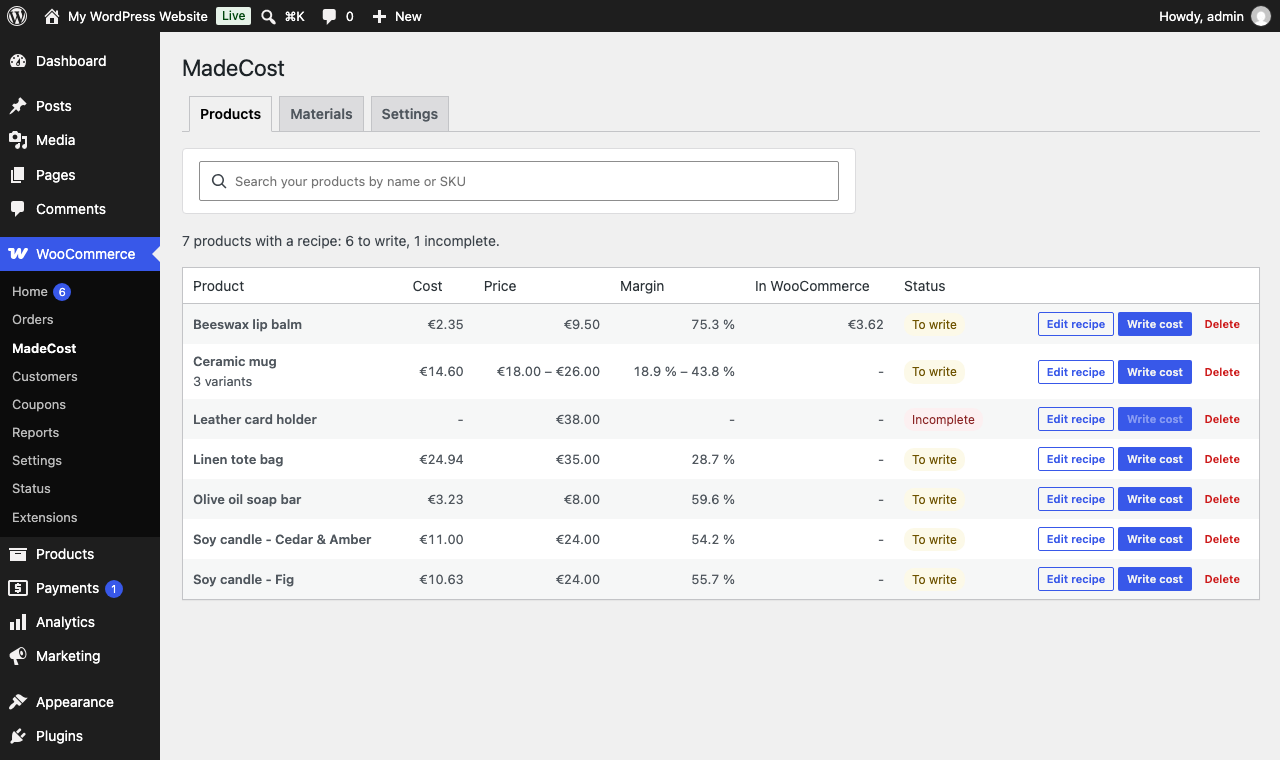

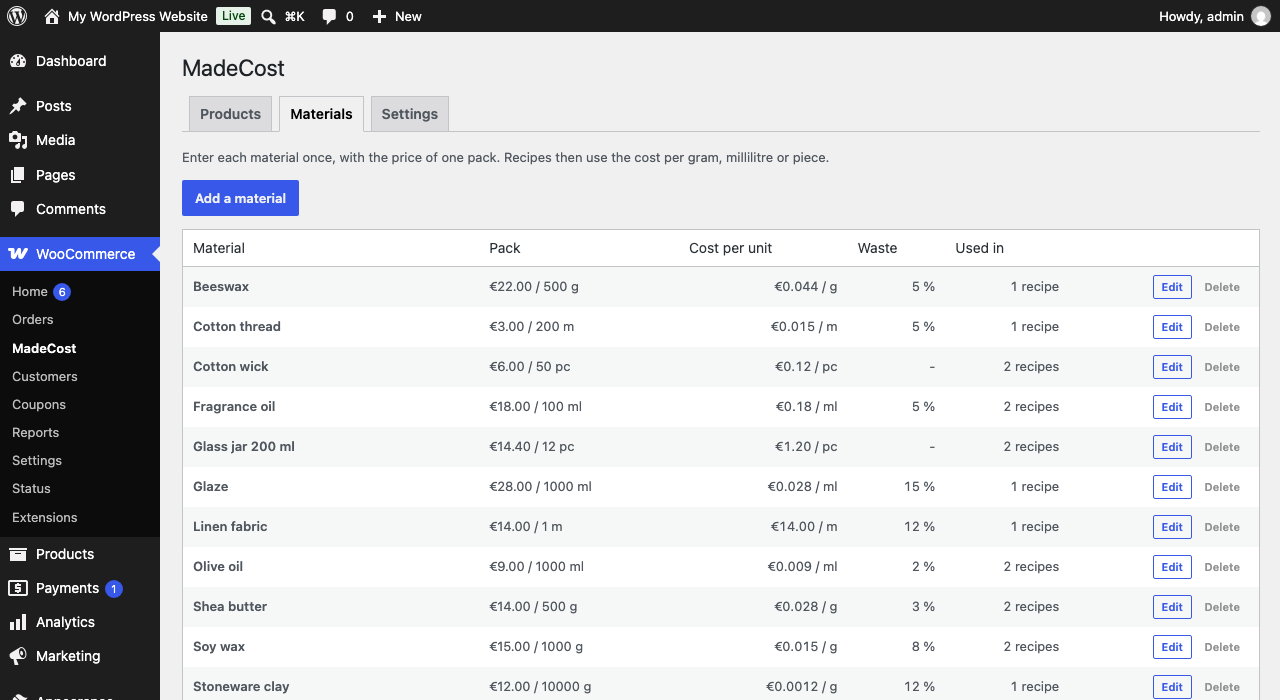
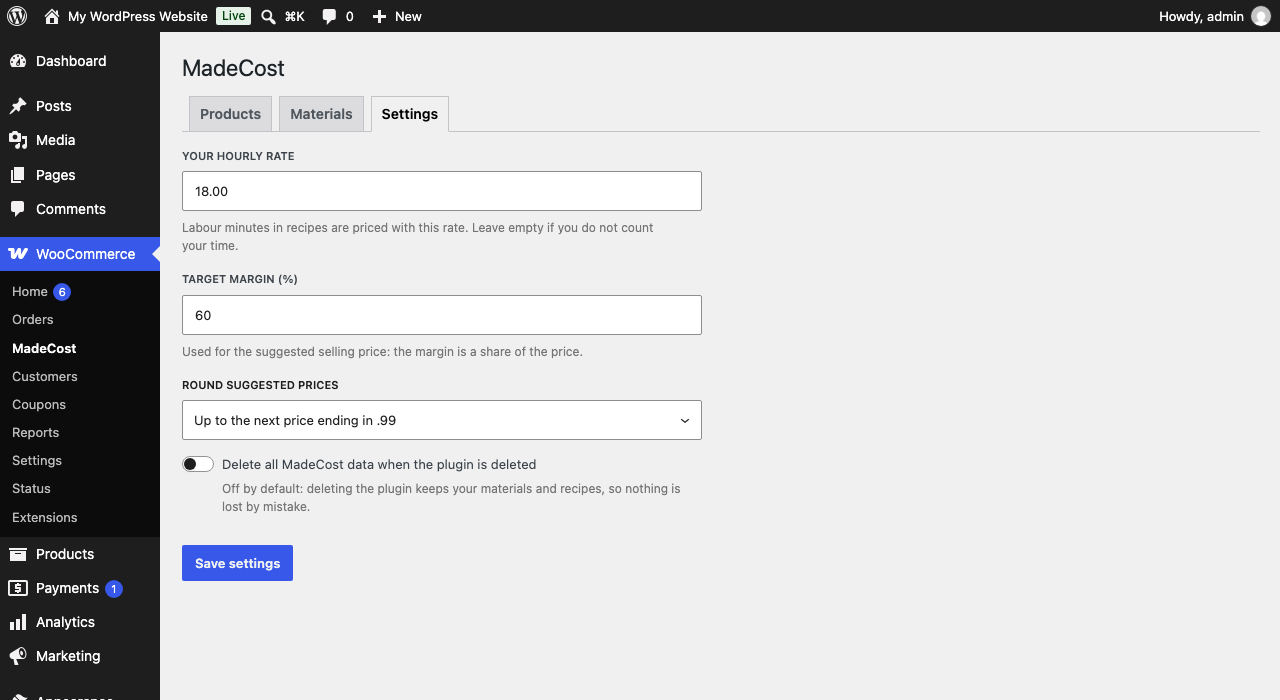
If you make what you sell (candles, soap, jewellery, ceramics, leather goods, baked goods, small textile runs), the margin WooCommerce shows is only as good as the cost you typed in. That cost usually lives in a spreadsheet that nobody updates when the wax gets more expensive.
MadeCost keeps that spreadsheet inside WordPress and connects it to the Cost of Goods Sold field that comes with WooCommerce 10.3 and later.
How it works
- Enter your materials once, with the price of one pack (for example 15.00 for 1000 g of wax) and an optional waste percentage.
- For each product, build a recipe: how much of each material it uses, the minutes of labour, the packaging, any other cost per item.
- MadeCost shows the cost per item, your margin against the current price, and a suggested selling price that keeps your target margin.
- One click writes the cost into WooCommerce. Orders, WooCommerce reports and anything else that reads the Cost of Goods Sold field use it from then on.
What you get
- Unlimited materials and recipes, free.
- Simple and variable products: each variation gets its cost.
- Waste is counted per material (10 % waste on wax means you buy 10 % more than the recipe says).
- Your hourly rate turns labour minutes into money.
- A status for every product: up to date, to write, or incomplete (a material is missing or the cost is 0).
- A suggested price with your target margin, rounded up to a whole number or to a price ending in .99.
- Nothing is sent anywhere. All data stays in your WordPress database.
Good to know
- MadeCost needs WooCommerce 10.3 or later, and the Cost of Goods Sold feature turned on (WooCommerce > Settings > Advanced > Features). MadeCost tells you when it is off and links to the setting.
- Costs are written to the Cost of Goods Sold field of the product, or of each variation. The “additive” option of variations is switched off on the variations MadeCost writes, so the cost WooCommerce uses is exactly the cost MadeCost computed.
- Existing orders are never modified.
- Amounts are handled in hundredths of the store currency.
Source code
The admin page is written in TypeScript and React and built with @wordpress/scripts. The source is in the src/ folder of the plugin. To rebuild the files in build/, run npm install and then npm run build in the plugin folder.