

My Christmas Advent Calendar for WooCommerce
v0.7.0Long Watch Studio - Code Faeries · 2026年10月29日 上架
An advent calendar for your WooCommerce shop: customers open one box a day, with or without an account, and win a text or coupon reward.
- 正在使用
- 10 以下
- 评分
- 暂无
- 累计下载
- 475
- 最近更新
- 2026年11月25日
 Long Watch Studio - Code Faeries
截图

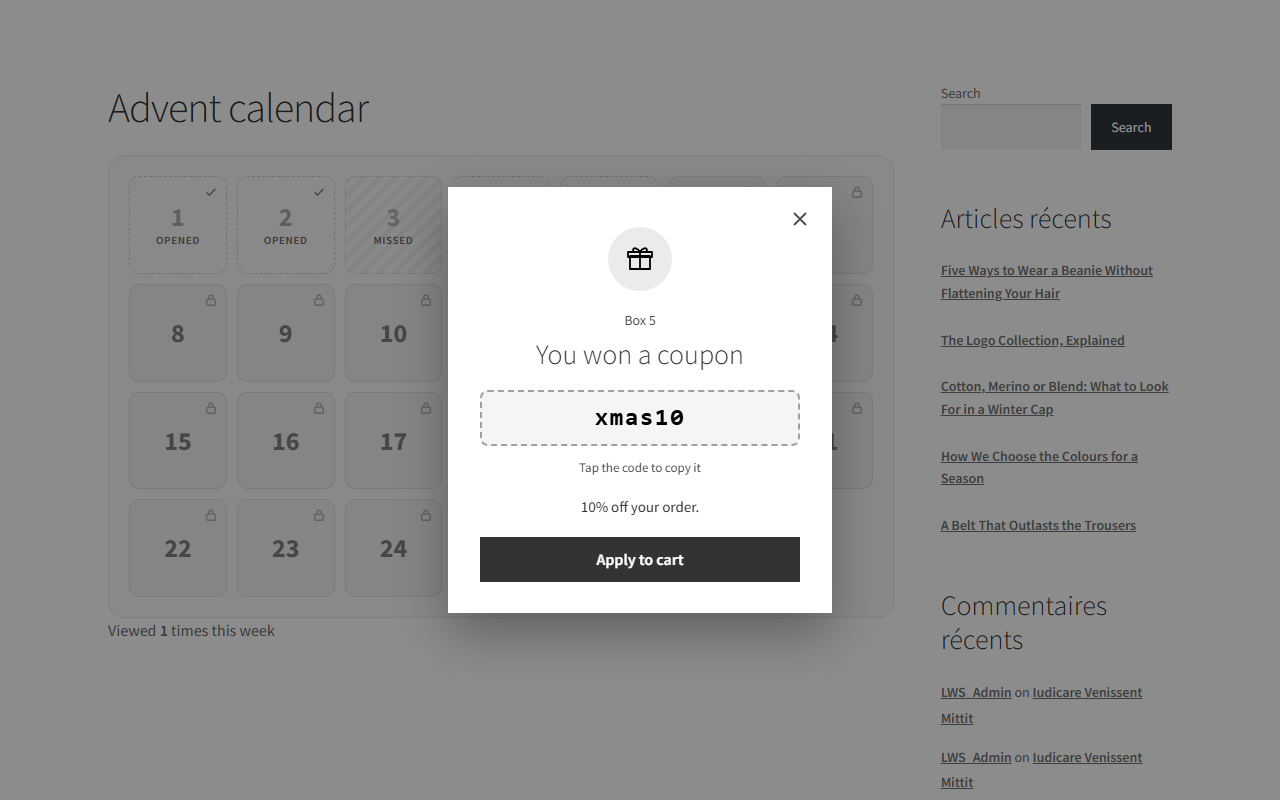
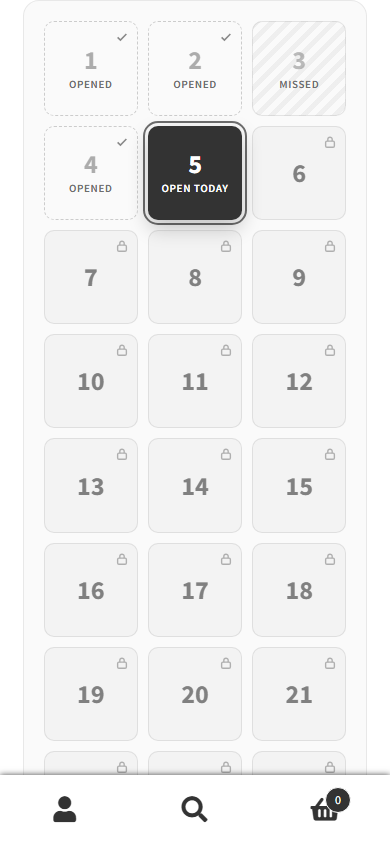
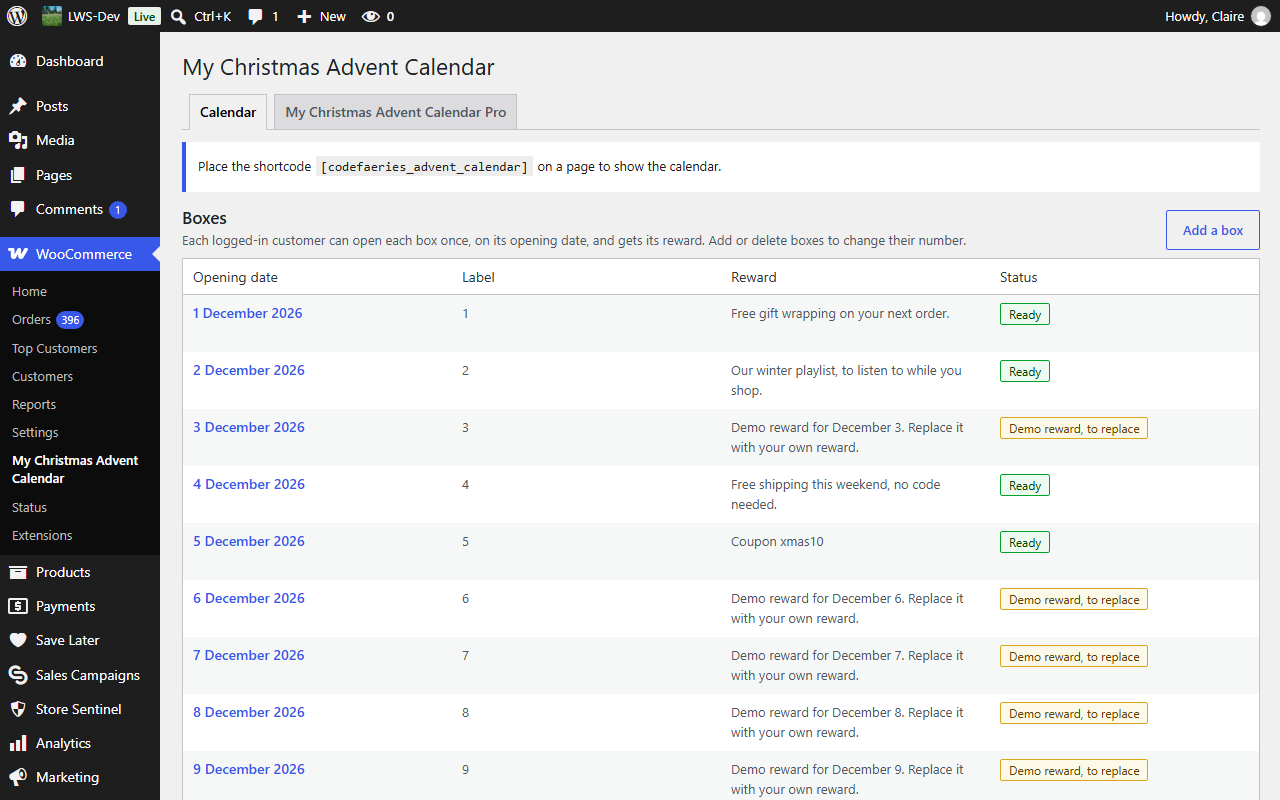
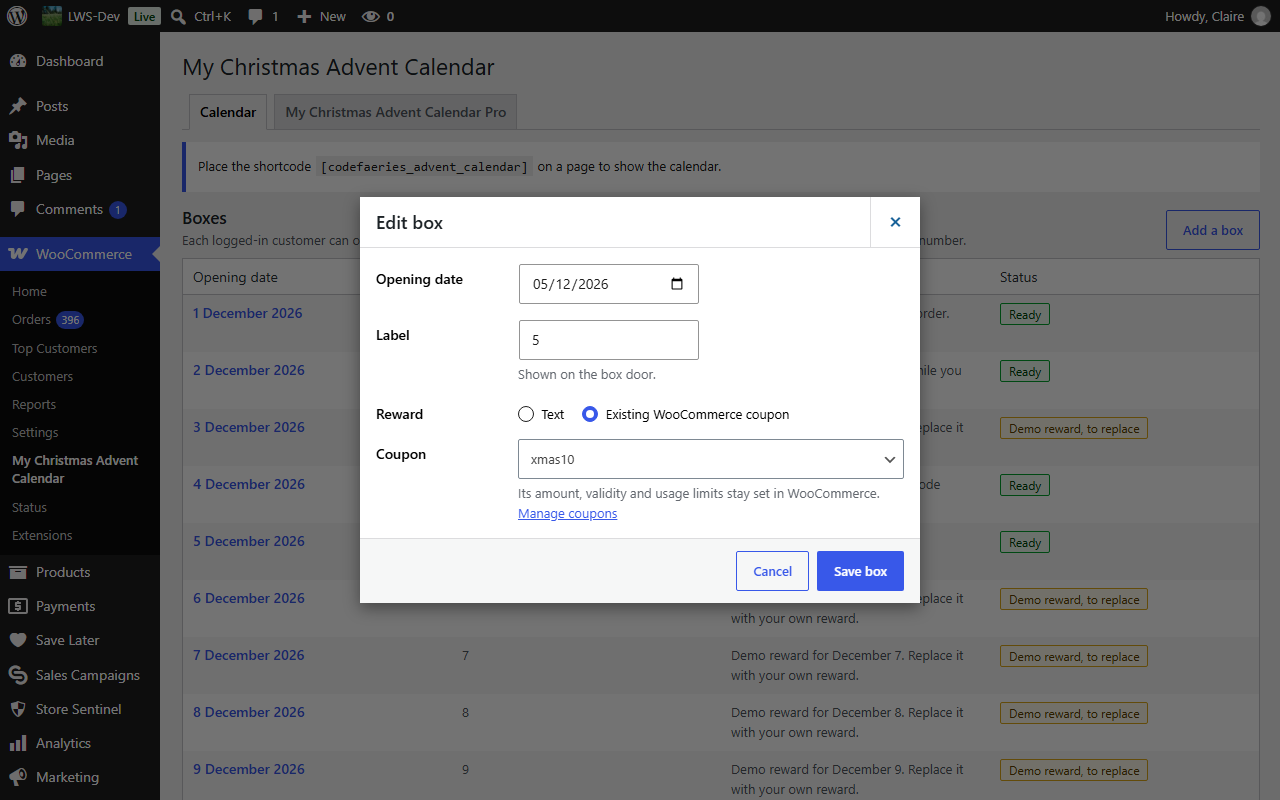


My Christmas Advent Calendar adds an advent calendar to your WooCommerce shop. Every box has an opening date and a reward. On that day, each customer can open the box once and see the reward in a dialog. You choose whether customers log in to open boxes, or give an e-mail address once and open boxes without an account.
A Christmas calendar gives your customers a reason to come back to your shop every day of December: a discount code one day, free shipping the next, a kind word or a gift idea in between. The calendar is ready on activation, with 24 boxes to fill and a page to publish.
For your customers
- A grid of boxes, shown on any page with the
[codefaeries_advent_calendar]shortcode or the “Advent Calendar” block. - The calendar opens in a Christmas scene, with doors that swing open, falling snow and confetti. If you prefer, it takes the style of your site instead.
- Four box states: locked, open today, opened, and missed for a past day left unopened.
- In your site’s style, today’s box takes the look of your theme’s main shop button, the other boxes a quiet surface drawn from your text color.
- One opening per box and per customer, checked again by the server.
- A line under the grid says when the next box opens.
- A short door opening effect, skipped for visitors who asked for reduced motion.
- Coupon rewards come with an “Apply to cart” button.
- Visitors can open boxes without an account: they type an e-mail address once, then open one box a day. A logged-in customer has nothing to type. If you prefer, require a login instead, and visitors then see the grid and a link to log in or create an account.
- A visitor who later logs in or creates an account keeps the boxes already opened.
For you
- 24 boxes dated December 1 to 24 are created on activation, each with a demo reward flagged until you replace it.
- A draft page holding the shortcode is created for you to review and publish.
- Set the opening date, label and reward of each box, and add or delete boxes.
- Reward a box with a text, or with a WooCommerce coupon you pick from your published coupons. Amount, validity and usage limits stay set in WooCommerce.
- A coupon won in a box is refused to customers who did not open that box. A visitor who won it can use it at checkout without an account, on the same browser, or after entering the same address on the calendar again.
- Choose who can open boxes in the Settings tab: customers who are logged in, or visitors who give an e-mail address. The e-mail address is not verified.
- Choose what happens to a box nobody opened on its day: closed for good, or still openable later.
- Choose the look in the Appearance tab: the Christmas tradition scene, or your site’s style, where the calendar inherits the fonts, colors and buttons of your theme. In the Christmas scene, the color of the doors and buttons can be changed.
- Put shortcodes and YouTube or Vimeo videos in the reward text of a box.
- Show a message on a locked box, with the opening date of the box in it.
- Preview the calendar page on any date from the Boxes tab, as the shop admin. Opening a box in the preview records nothing.
- Start a new season with “Move every date one year later” in the Boxes tab.
My Christmas Advent Calendar Pro
This plugin is complete on its own. My Christmas Advent Calendar Pro is a separate plugin for shops that want a calendar with its own look and more rewards:
- Three more ready-made themes, Night village, Scandinavian workshop and Candy cane, each with its scene, colors, title and opening style.
- Four more ways a box opens, besides the door of the Christmas tradition look: shutters swung aside, an envelope with its card out, a gift box without its lid, or a check mark. An opened box shows what it held.
- A box can offer a product: opening it puts the product in the cart, free.
- The customer’s streak of boxes opened day after day, as a number and a row of dots.
- Statistics: unique customers, openings, average openings per customer, longest and shortest streak.
- A live preview of the calendar on any day of December before you apply a change.
- A door text, a door color, a text color and an image for each box.
- Boxes of varied sizes, in date order or shuffled.
- Several calendars, prepared in advance, from New Year, Valentine’s Day, Easter and Halloween templates, with statistics for each.
- With WooRewards, Virtual Wallet and VIP Memberships: points, wallet credit or a membership given by a box.
The Pro includes this plugin and keeps the boxes and openings already recorded.
Your data stays on your site
My Christmas Advent Calendar calls no third-party service and loads nothing from another server, with one exception: videos.
A YouTube or Vimeo video you place in a box loads that service’s player for the visitor who opens the box. Saving a reward with a video address also makes your site ask that video service for its player, once.