
Luxivo Live Chat
v1.0.2luxivo · 2026年10月28日 上架
Live chat that keeps going by e-mail, with an optional AI agent. Your team sees the WooCommerce cart and orders of the person they're helping.
- 正在使用
- 10 以下
- 评分
- 暂无
- 累计下载
- 231
- 最近更新
- 2026年10月30日
贡献者
 luxivo
截图
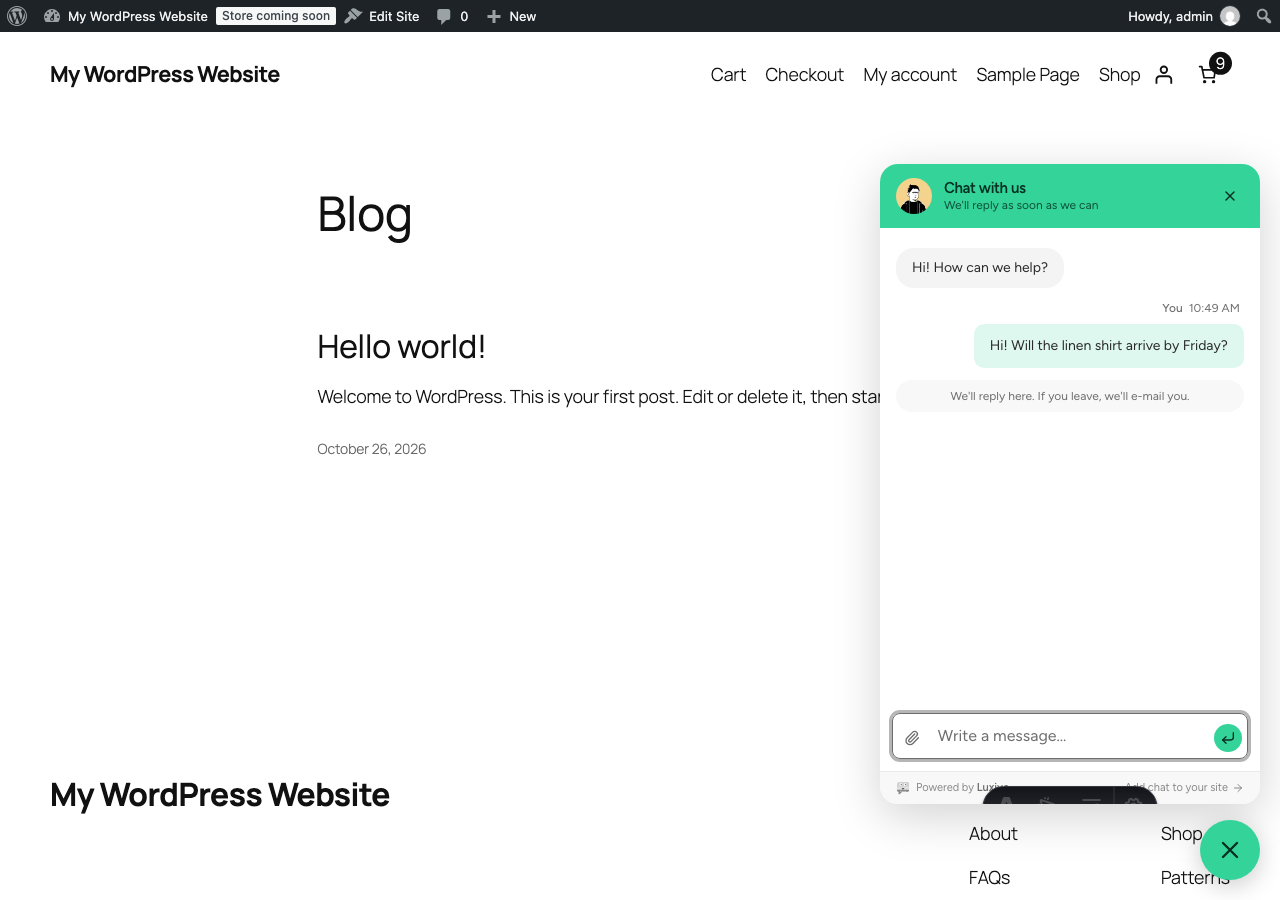
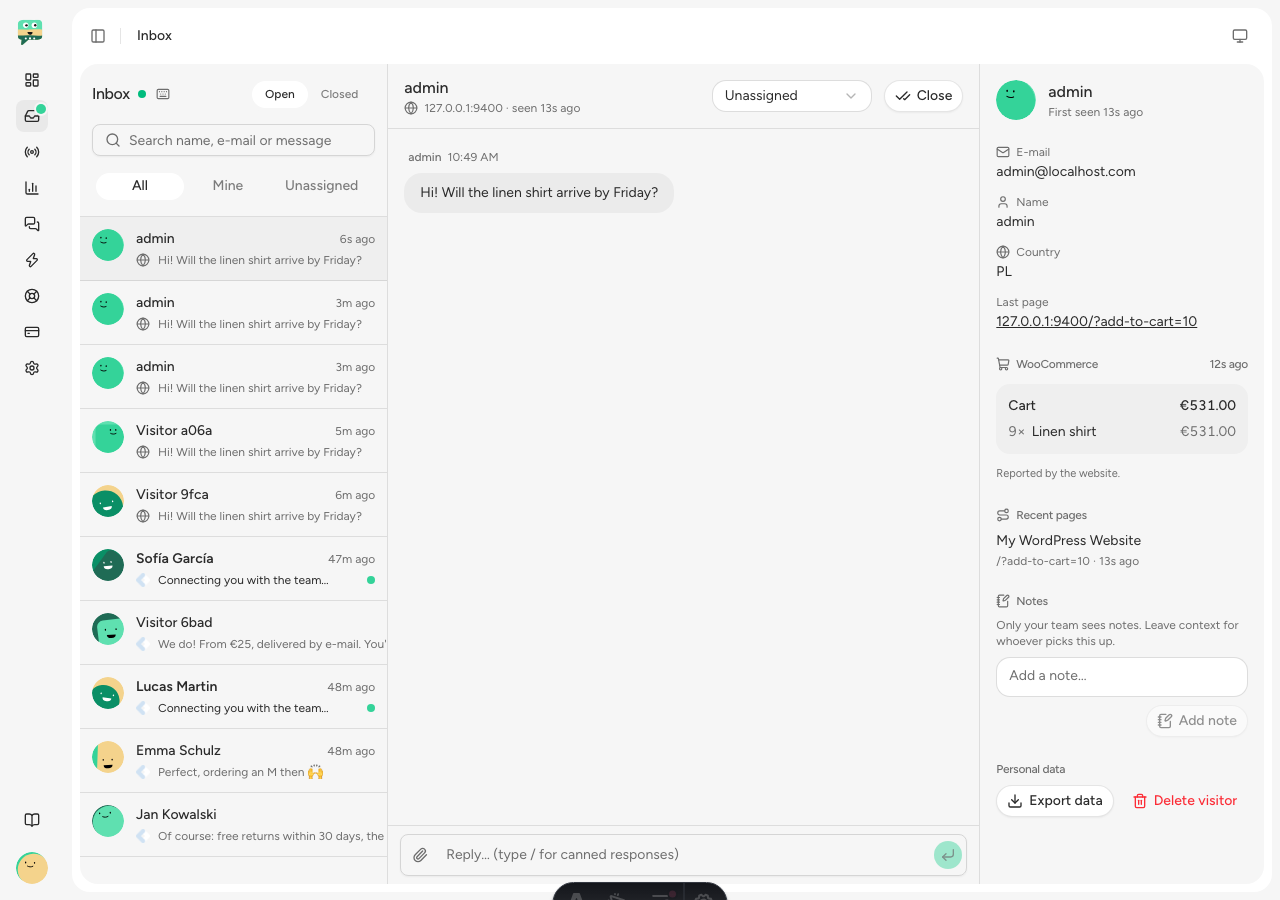
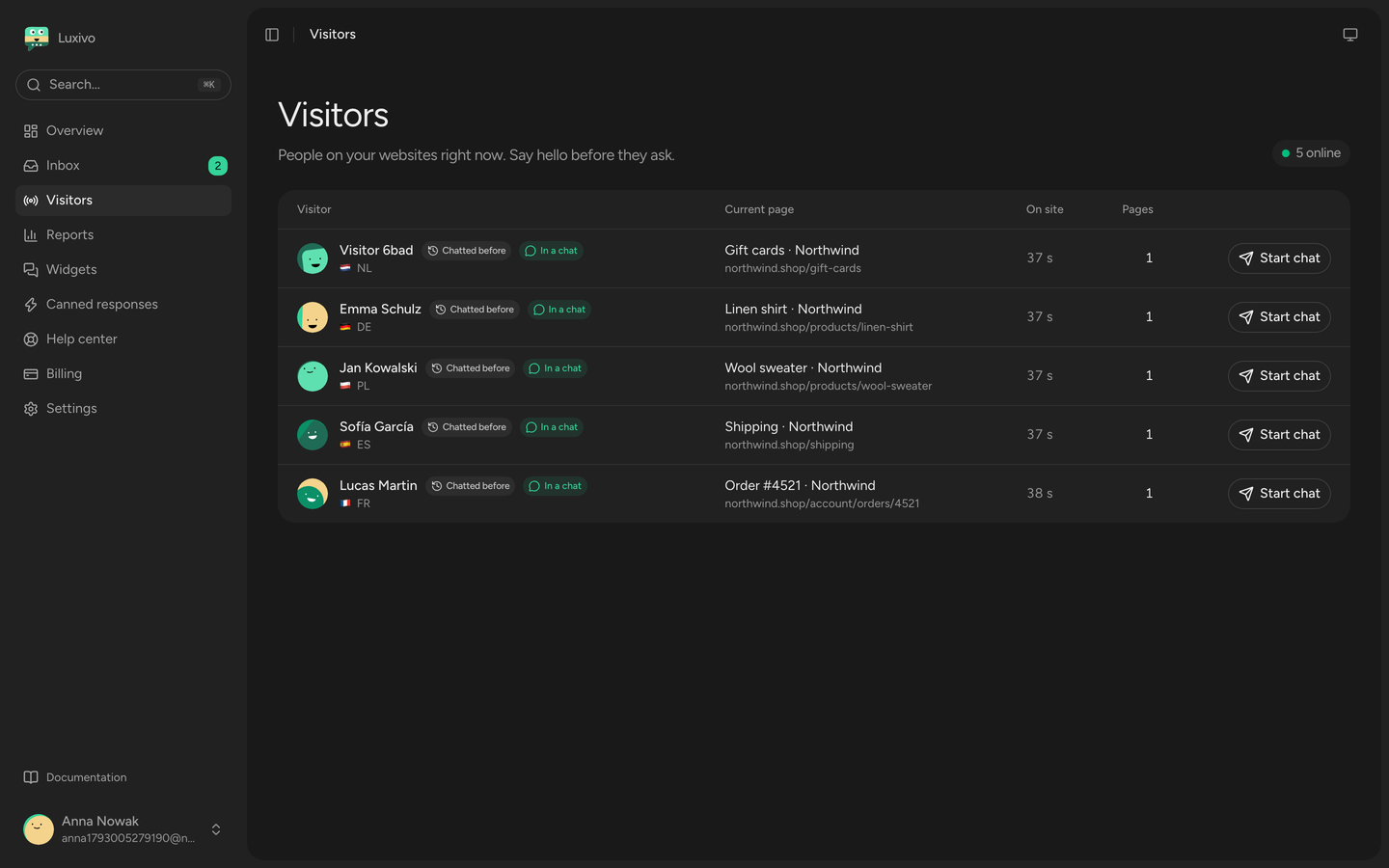
Luxivo puts a chat on every page of your site. Answer live from a shared inbox, or let the AI agent answer the easy questions from your help center. When a visitor closes the tab before you reply, your answer goes to their e-mail, and their reply comes back into the same chat.
Set up in a minute
- Install and activate the plugin.
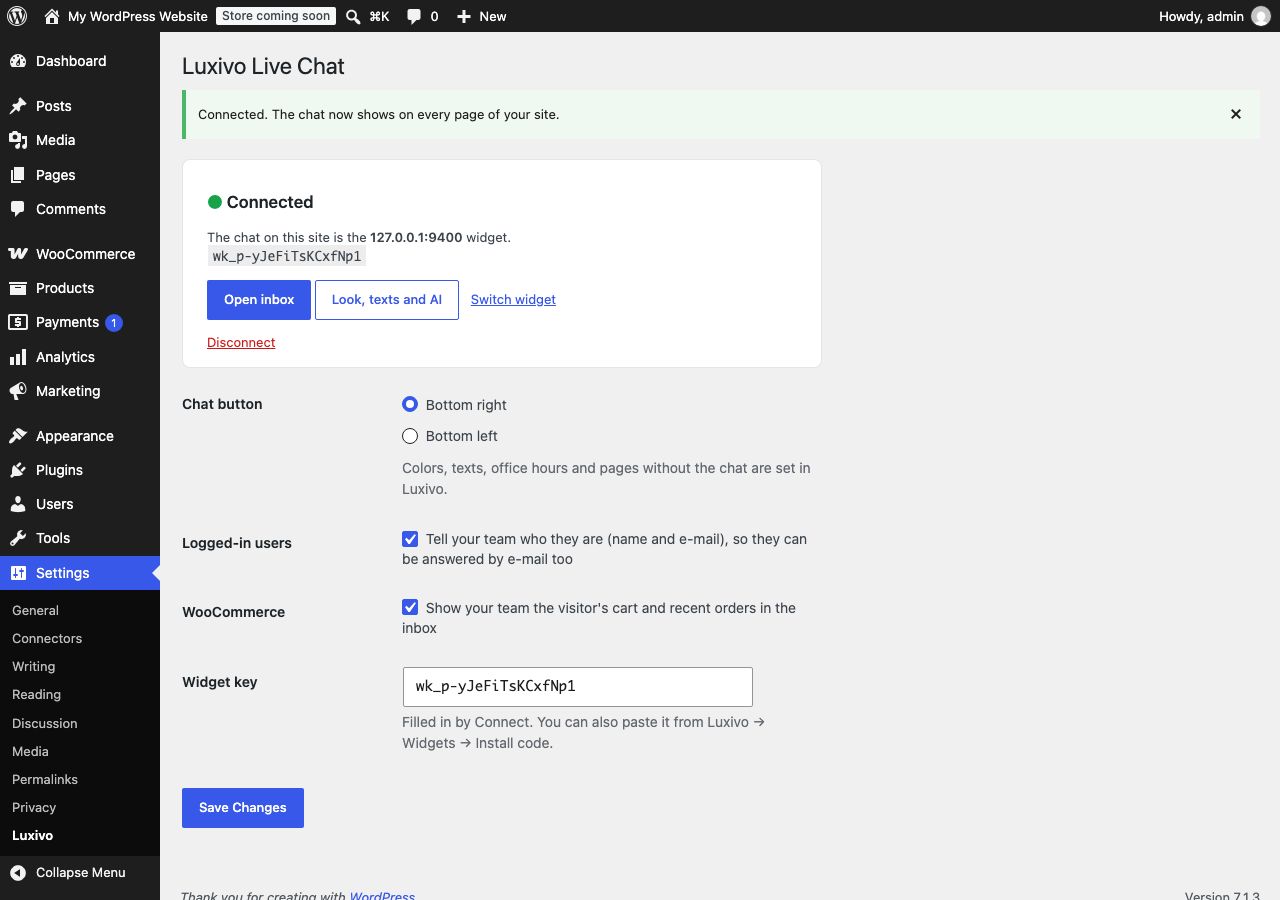
- Go to Settings Luxivo and click Connect with Luxivo.
- Sign in (or start a free trial), pick the chat for this site. Done: no code to paste.
What you get
- A chat button on every page, in your colors, light or dark to match your theme.
- Replies by e-mail when the visitor has left, back into the same conversation.
- An AI agent that answers from your help center and hands over to your team when it isn’t sure.
- Proactive messages on chosen pages (“Questions about sizes?”), with six ready-made templates.
- Live visitors: see who’s on your site and on which page, and start the chat yourself.
- Logged-in users are recognized: your team sees their name and e-mail.
- Speaks 21 languages, including Arabic and Hebrew right to left, following your site’s language (works with WPML and Polylang).
WooCommerce
With WooCommerce active, your team sees the visitor’s cart (items with photos, and the total) and, for logged-in customers, their last five orders with links to each order in your admin. It is never written into your pages, so page caches can’t mix visitors up.
Light on your site
The chat script loads asynchronously, in the footer, and the chat lives in its own iframe: it can’t slow down or restyle your theme.
External services
This plugin connects your site to Luxivo (https://luxivo.app), the live chat service it adds to your site. A Luxivo account is required (14-day free trial, then a paid plan).
- On every front-end page, visitors’ browsers load the chat from https://luxivo.app/widget.js. The chat sends the messages visitors write, the page they are on and their browser language to Luxivo, so your team can answer them.
- If “Logged-in users” is on, the name and e-mail of the logged-in WordPress user are sent to Luxivo when they use your site.
- If WooCommerce is active and its option is on, the visitor’s cart (product names, quantities, prices, and links to the products and their images) and, for logged-in customers, their last five orders (number, status, total, date and an admin link) are sent to Luxivo.
- Settings Luxivo Connect opens https://luxivo.app/app/connect in your browser. Luxivo sends back only your widget’s public key.
Luxivo Terms of Service and Privacy Policy.