

Lumo Content Restriction – User Role & Page Access Control
v2.10.11Lumowp · 2026年11月8日 上架
Restrict posts, pages, and custom post types by login, role, or selected users, and redirect visitors who cannot view them.
- 正在使用
- 10 以下
- 评分
- 暂无
- 累计下载
- 299
- 最近更新
- 2026年11月8日
贡献者
 Lumowp
截图


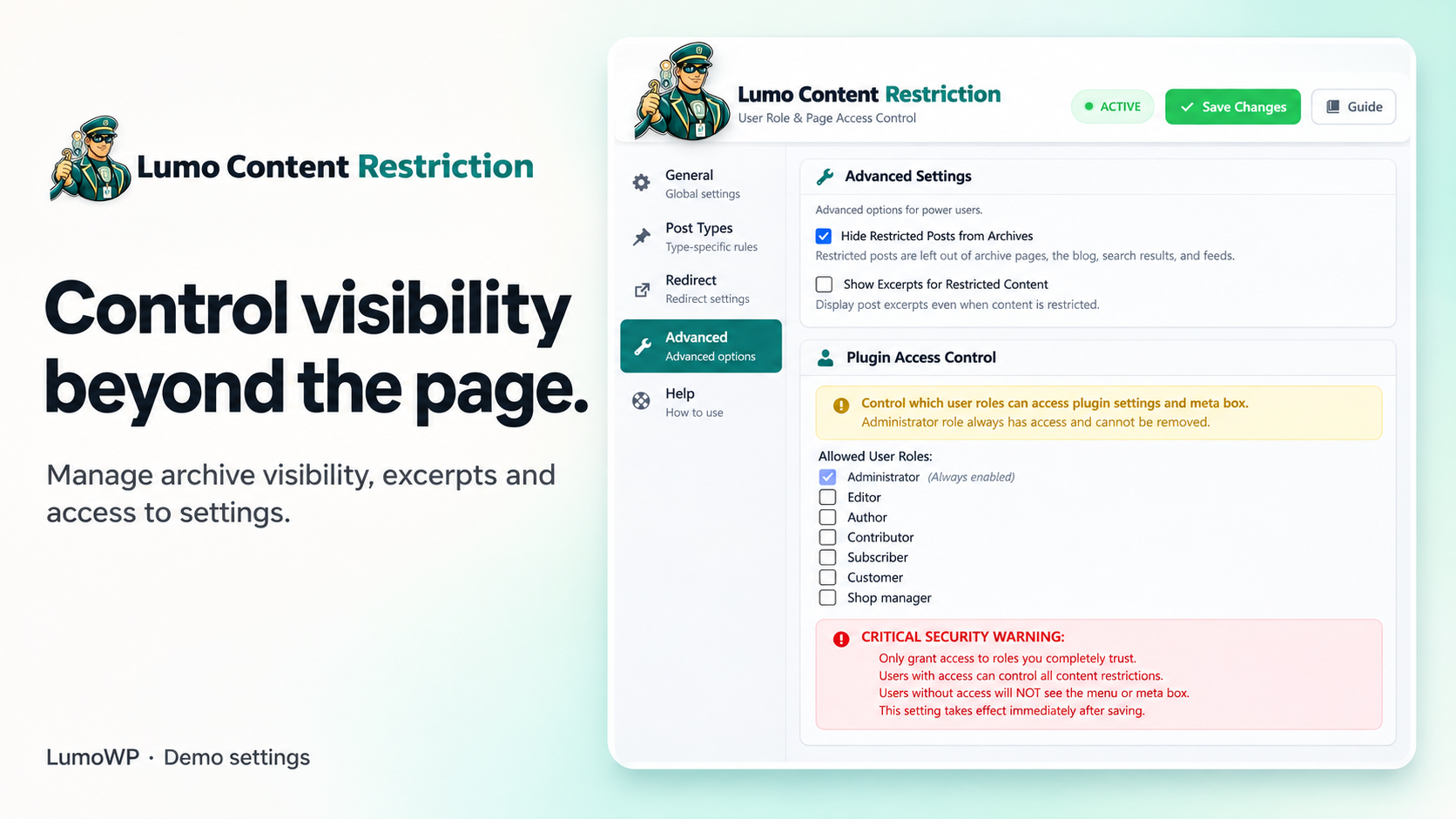
Your content. The right people.
Lumo Content Restriction gives you straightforward content access rules inside WordPress. Keep a resource page for signed-in readers, share a client page with selected accounts, or make a collection available to specific user roles. Choose where visitors go when they do not have access.
Set defaults for public posts, pages and custom post types, then override them on individual items. No paid plan, external account or license activation is required.
What you can do
- Set a global content default, or independent post type rules, for everyone, members, guests, or chosen roles.
- Override that rule on one post with the meta box: everyone, members, guests, selected roles, or selected users.
- Send blocked visitors to a URL on your site, including a different URL per role.
- Send people back to the page they wanted after they log in, when the redirect points at the WordPress login screen.
- Leave restricted items out of archive pages, the blog, search results, and feeds.
- Choose which roles may open the settings screen. Administrators always can.
- Protect standard WordPress REST post responses and omit denied posts from REST collections.
The plugin controls public posts, pages and public custom post types. It does not protect direct media-file URLs or implement paid memberships. Exclude protected pages from shared page caches and CDN caches so every request reaches WordPress for its permission check.
Clear rules, from one page to a collection
An explicit rule on an individual post or page takes priority. Otherwise, an enabled rule for its post type applies, followed by the global content default. Choosing Everyone on an individual page makes it public even when a broader rule would restrict it. A post type rule does not require global restrictions to be enabled.
Use Members Only for any signed-in account, Selected User Roles for matching roles, or Selected Users for named accounts on an individual page. These choices control reading access; they do not grant editing permissions or verify purchases.
Start with one resource
- Keep global restrictions off while you configure your first page.
- Open that page’s Content Restriction Settings box and choose the audience.
- Set an accessible destination on your own site for visitors who are denied access.
- Save the page and test with a signed-out visitor, an allowed account and a denied account.
- Check your cache, search results, archives and any directly linked files before sharing the resource.
Screenshots show example settings in a local demonstration site; choose rules that fit your own audience.
Documentation from LumoWP
Visit the Lumo Content Restriction product page for the product overview.
Our page access and user roles tutorial explains a resource-page workflow, rule priority and visitor testing. It documents the earlier Content Restrictor 2.10.6 release, so its screenshots and version-specific findings differ from this release. Login-return and settings fixes are listed in the changelog below.
External services
This plugin does not contact any external service.
Privacy and scope
Access rules and selected user IDs are stored in your WordPress database. No tracking or remote license check is included. Deactivation preserves rules for later use. A selected role or a logged-in account does not establish that a visitor has paid for access. Custom APIs, external search indexes and direct file downloads need their own access controls.