

LuckyWP Table of Contents
v2.1.14LuckyWP · 2018年11月14日 上架
Creates SEO-friendly table of contents for your posts/pages. Works automatically or manually (via shortcode, Gutenberg block or widget).
- 正在使用
- 9 万+
- 评分
- 4.9 / 5
- 累计下载
- 115 万
- 最近更新
- 2025年4月16日
贡献者
 LuckyWP
截图

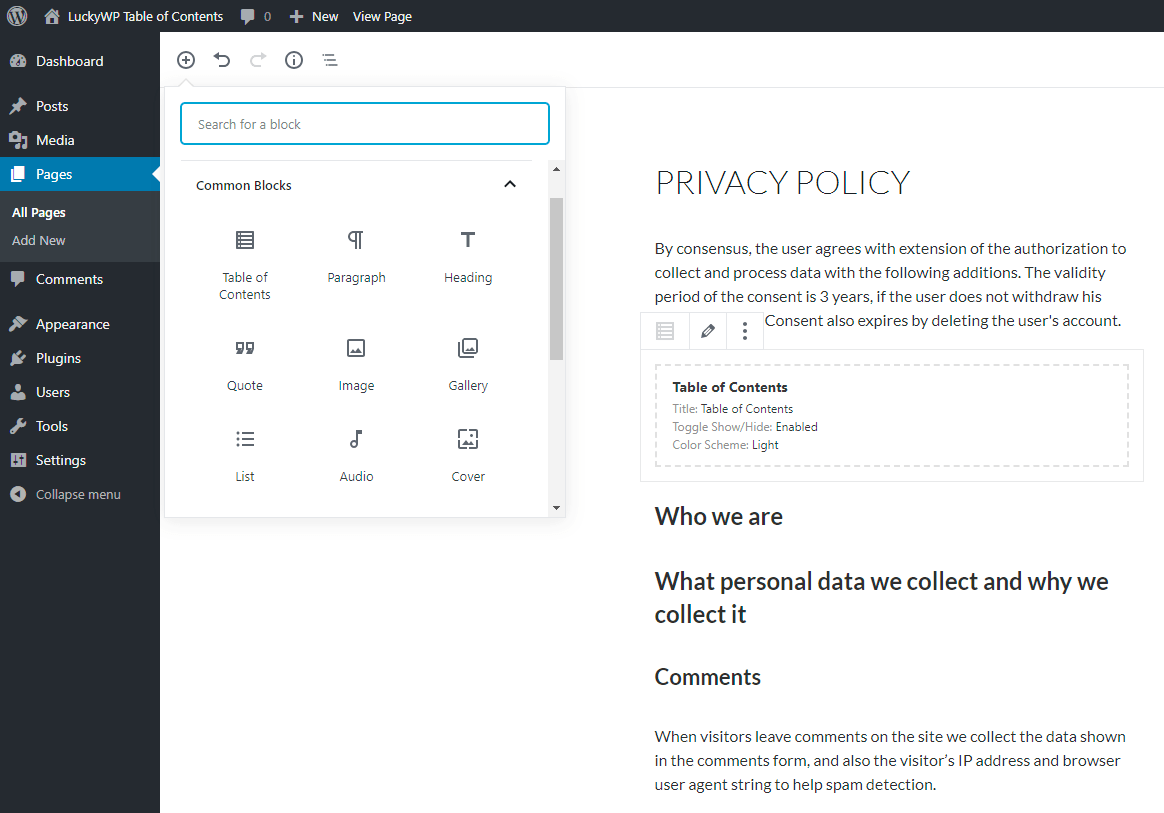
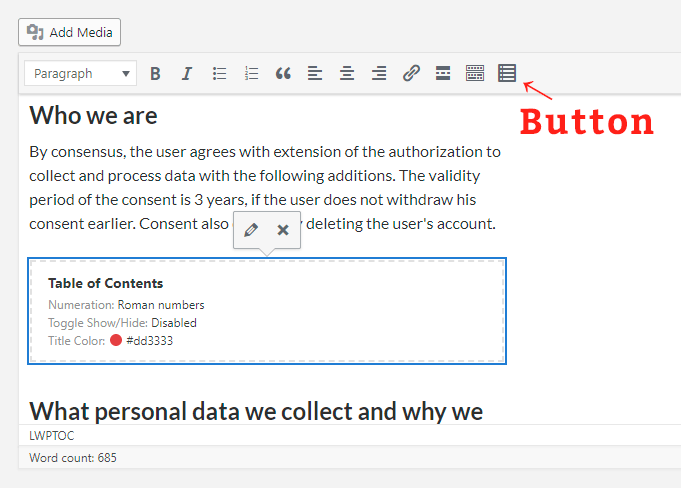
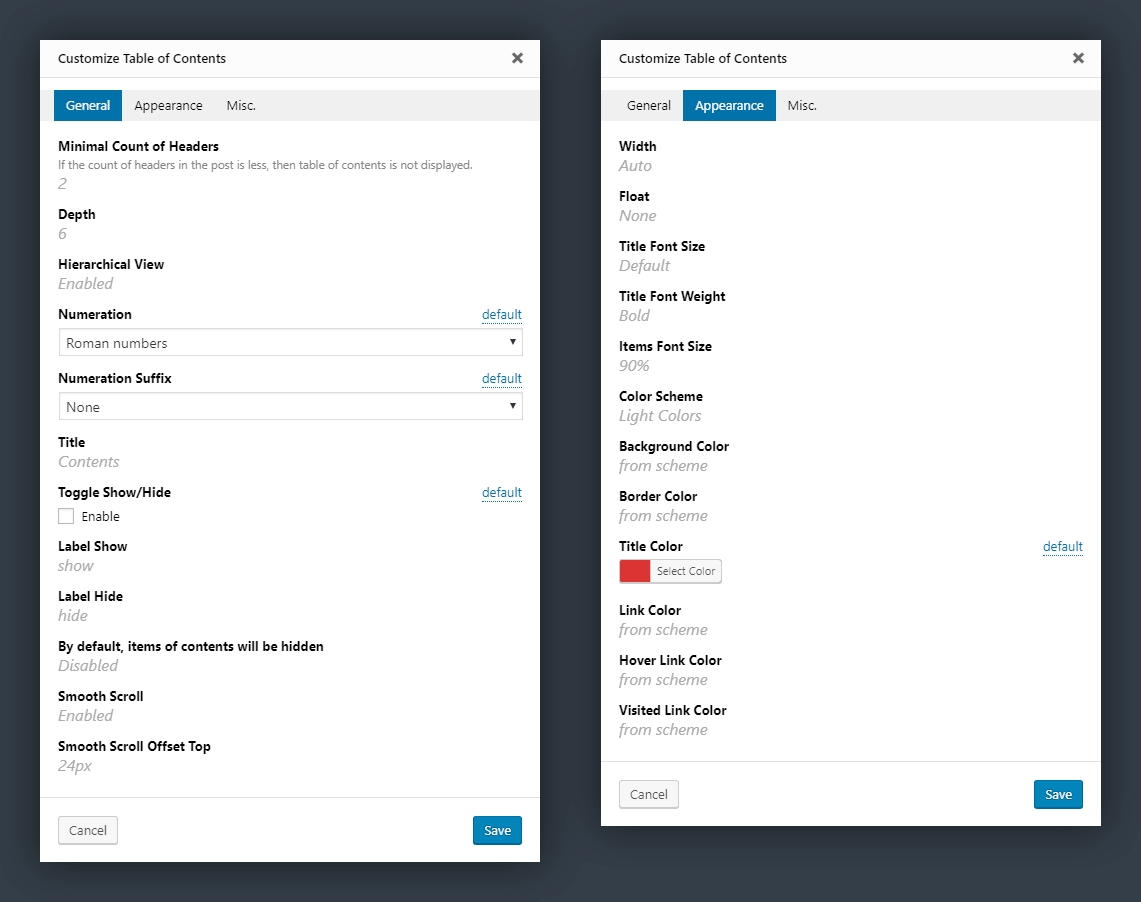
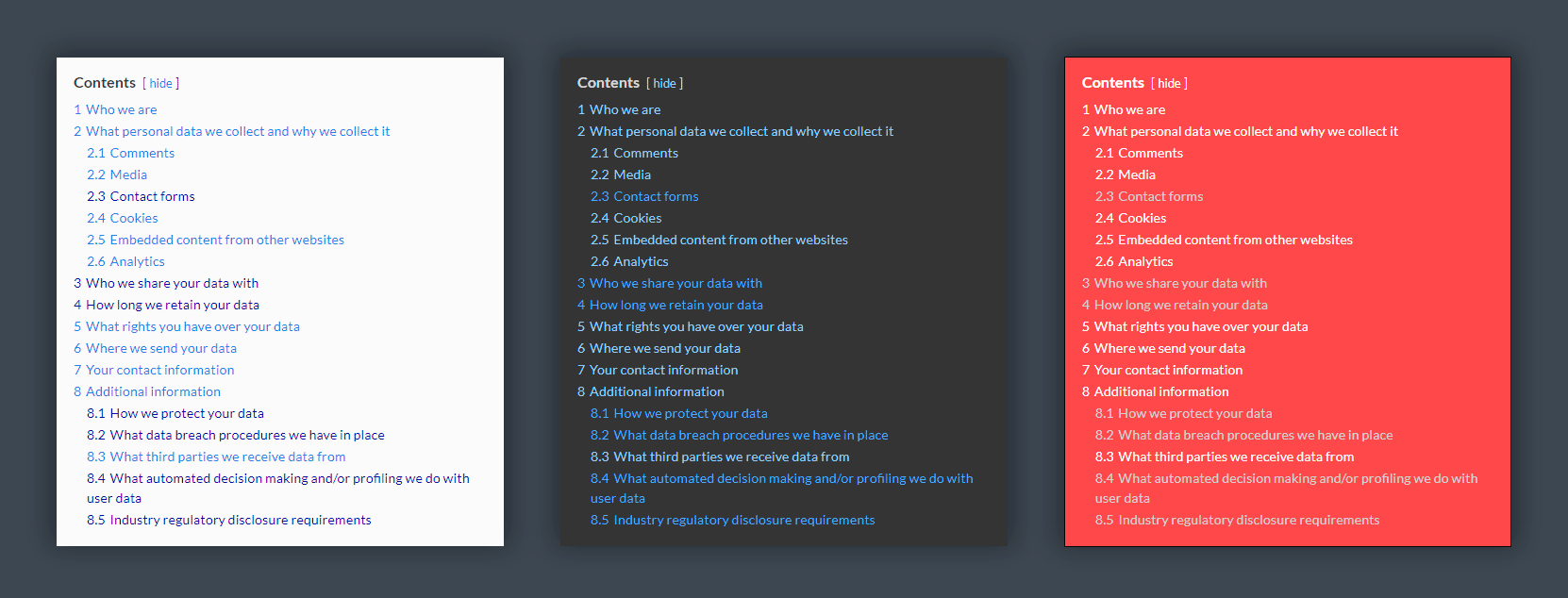
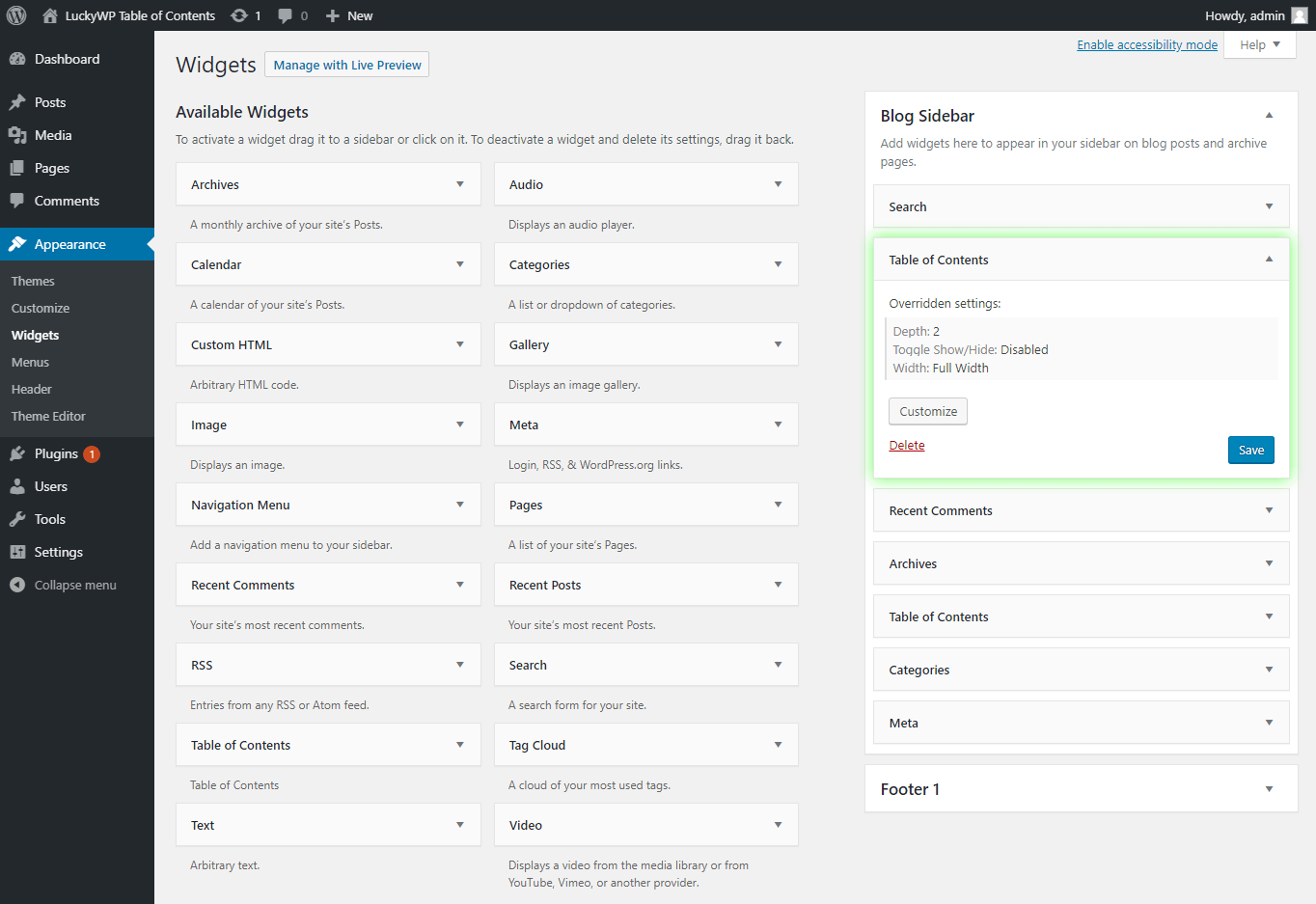
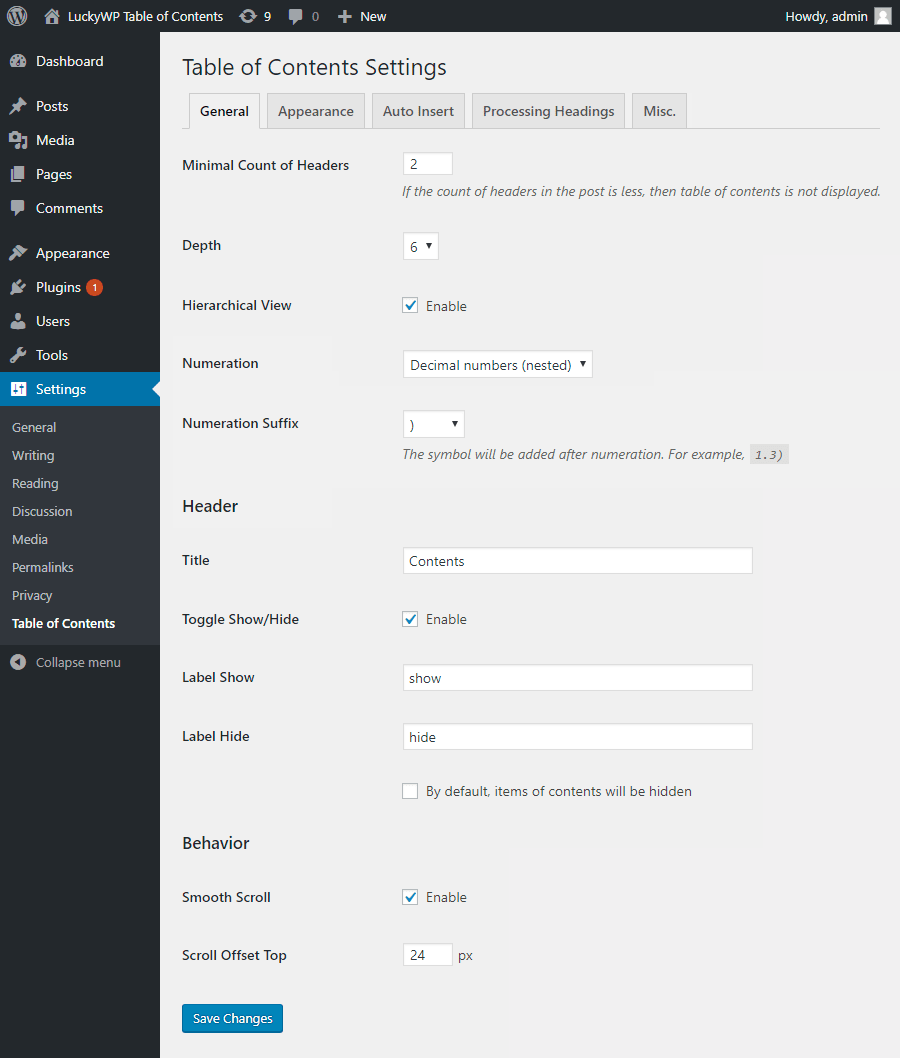
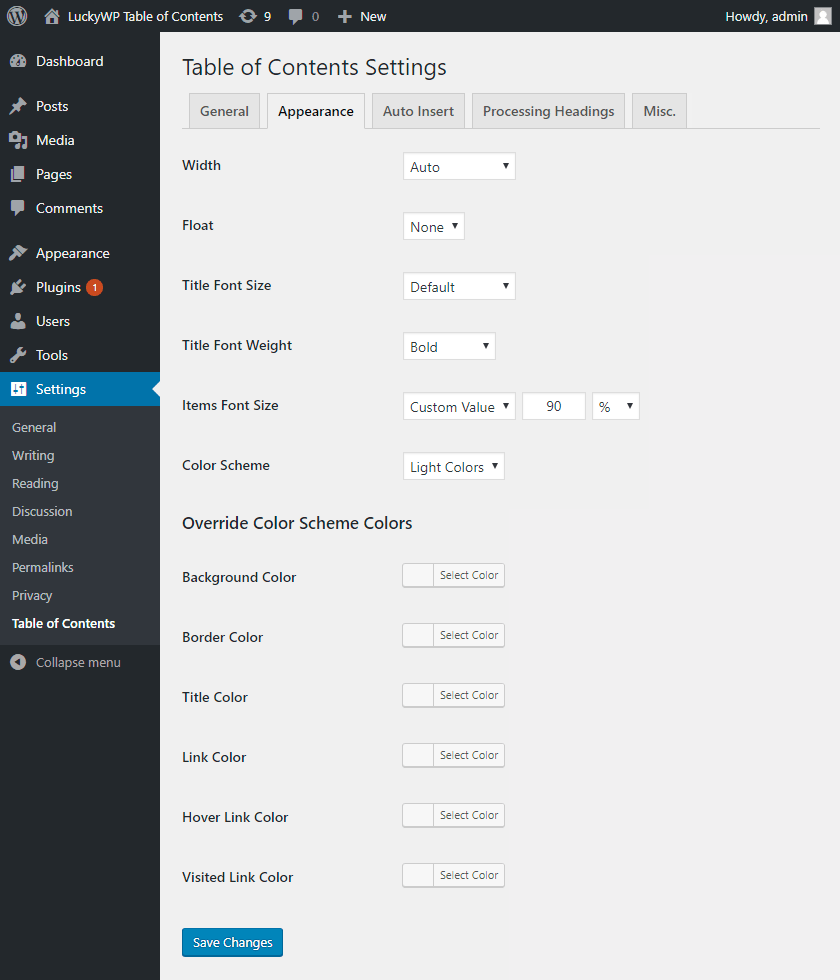
Creates SEO-friendly table of contents for your posts, pages or custom post types. Great customizable appearance.
Features
- Automatical insertion a table of contents (configure post types and position).
- SEO-friendly: table of contents code is ready to use by Google for snippets on result page.
- Insert by shortcode, Gutenberg block or widget.
- Button on toolbar of the classic editor.
- Gutenberg block into “Common Blocks”.
- Setting the minimum number of headings to display table of contents.
- Setting the depth of headings for table of contents.
- Skip headings by level or text.
- Hierarchical or linear view.
- Numeration items: decimal or roman numbers in order or nested.
- Customizable appearance: width, float, title font size and weight, items font size, colors.
- Color schemes (dark, light, white, transparent, inherit from theme) and the ability to override colors.
- Toggle Show/Hide (optionally)
- Customizable labels.
- Smooth scroll (optionally).
- Setting offset top for smooth scroll.
- Wrap table of contents with <!–noindex–> tag (optionally).
- Pretty hash in URL (like
example.com/faq/#how_do_this). - RTL support.
- Available override global settings for a particular post.
- Highly compatible with WordPress themes and plugins.
Auto Insert
For automatical insertion a table of contents in a posts, select option “Auto Insert Table of Contents” in the plugin settings (tab “Auto Insert”).
Supported positions:
- before first heading;
- after first heading;
- after first block (paragraph or heading);
- top of post content;
- bottom of post content.
You can also select post types to which the table of contents will be automatically added.
Manual Insert
For manual insertion a table of content in a posts, use one of the ways:
- button “Table of Contents” on toolbar in classic editor;
- gutenberg block “Table of Contents”;
- shortcode
[lwptoc].
Pretty hash in URL
By default, hash generated as heading text (for example, #How_Do_This). You can change hash format in global settings, tab “Misc.”.
For non-English websites it is recommended to enable the Intl PHP extension.
Compatibility
LuckyWP Table of Contents was successfully tested with the following plugins:
- Elementor Page Builder
- Beaver Builder and Beaver Builder Themer Add-On
- WPBakery Page Builder
- Oxygen
- WordPress Multilingual Plugin (WPML), officially confirmed
- Rank Math, officially confirmed
- WP Rocket
- Toolset Views and Toolset Access
Hooks
Filters lwptoc_before, lwptoc_after
Use for add custom HTML before/after the table of contents.
Example:
add_filter('lwptoc_before', function ($before) {
    return '<p>Example text before TOC.</p>' . $before;
});
Filter lwptoc_shortcode_tag
Use this filter for change shortcode tag name [lwptoc].
Example:
add_filter('lwptoc_shortcode_tag', function ($tag) {
    return 'toc';
});
Filter lwptoc_heading_id
Use for modify heading ID.
Example:
add_filter('lwptoc_heading_id', function ($id, $label) {
    return $id;
}, 10, 2);