

LogicWeft Salon – Salon Appointment Booking, Front Desk & Day Close for WooCommerce
v1.8.0logicweft · 2026年11月4日 上架
Salon and spa appointment booking on WooCommerce: clients book a stylist and time online, and your front desk runs walk-ins, checkout and day close.
- 正在使用
- 10 以下
- 评分
- 暂无
- 累计下载
- 1,006
- 最近更新
- 2026年11月22日
贡献者
 logicweft
截图
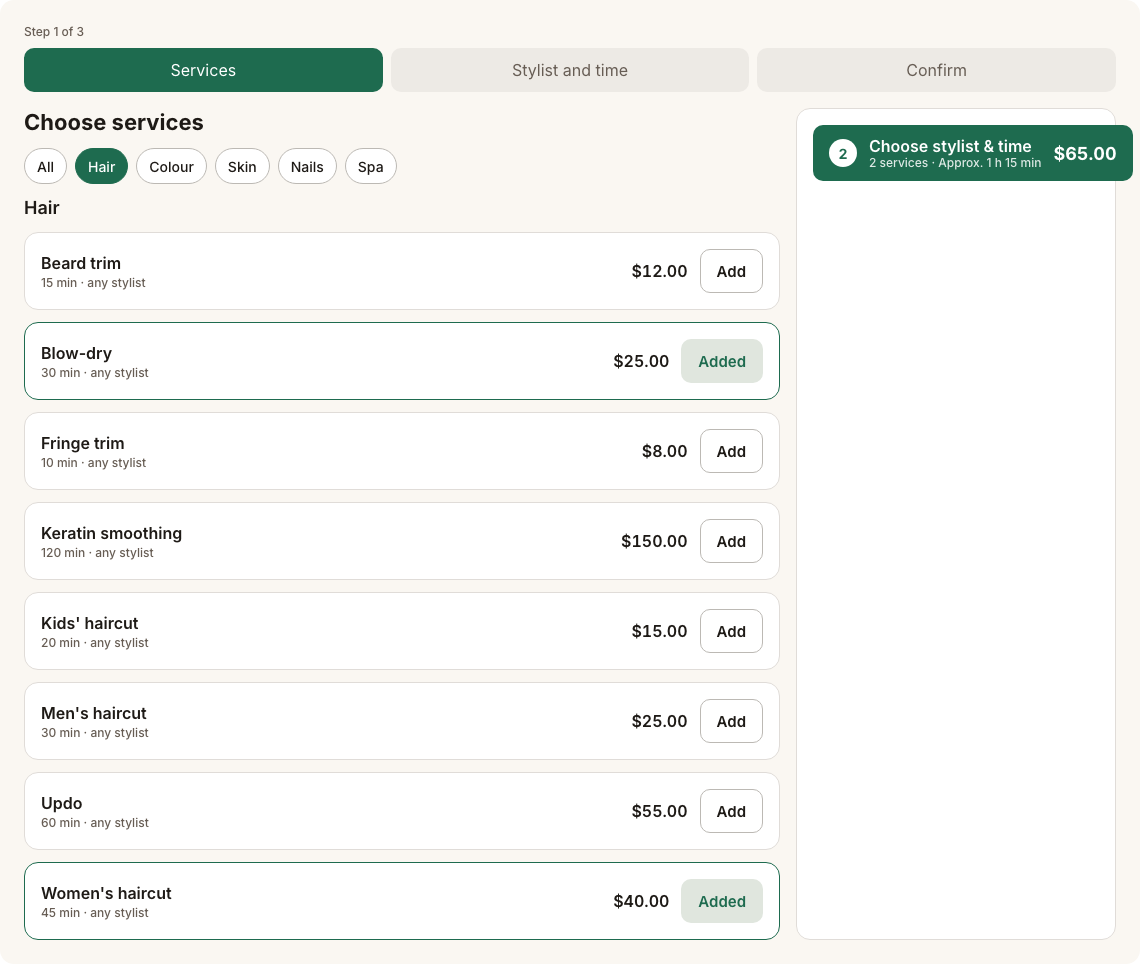
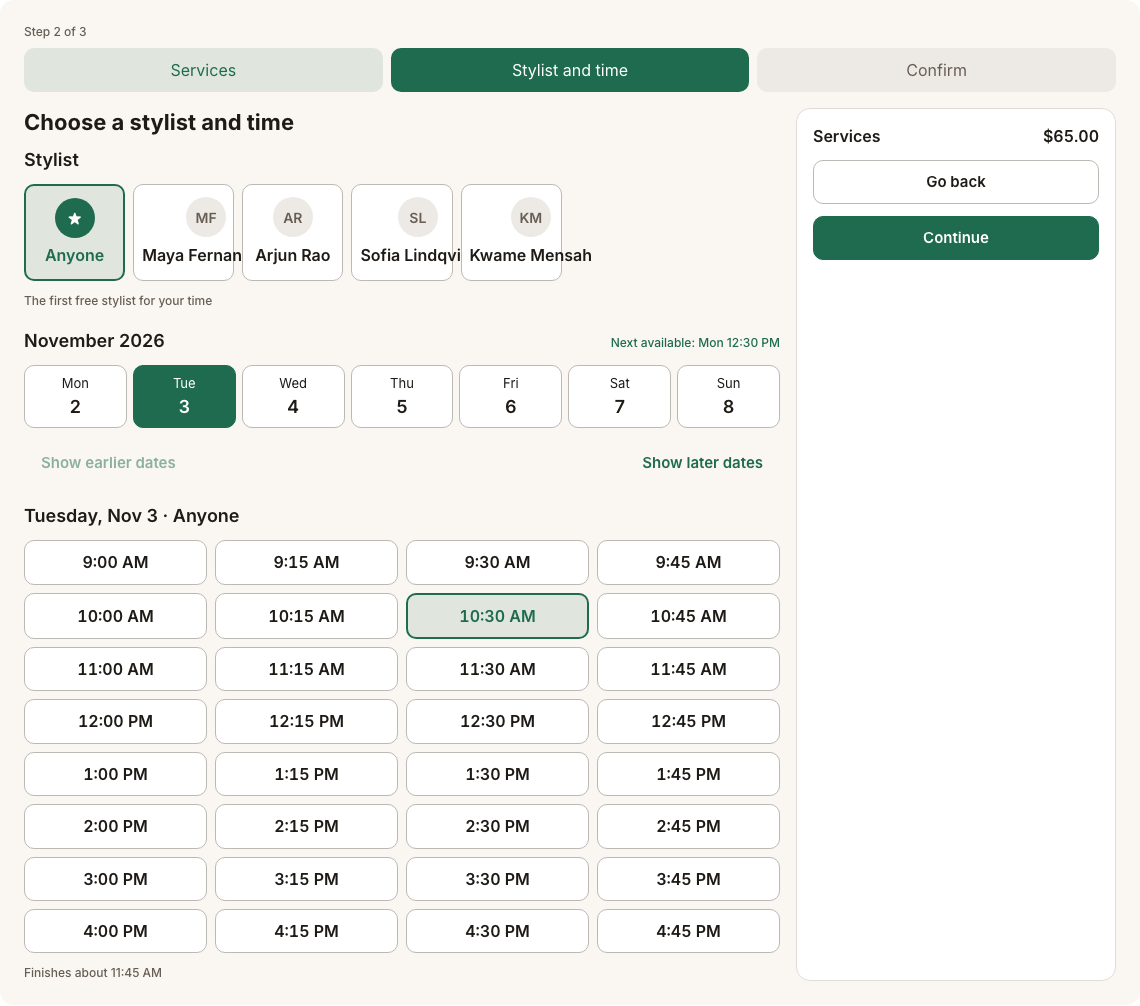

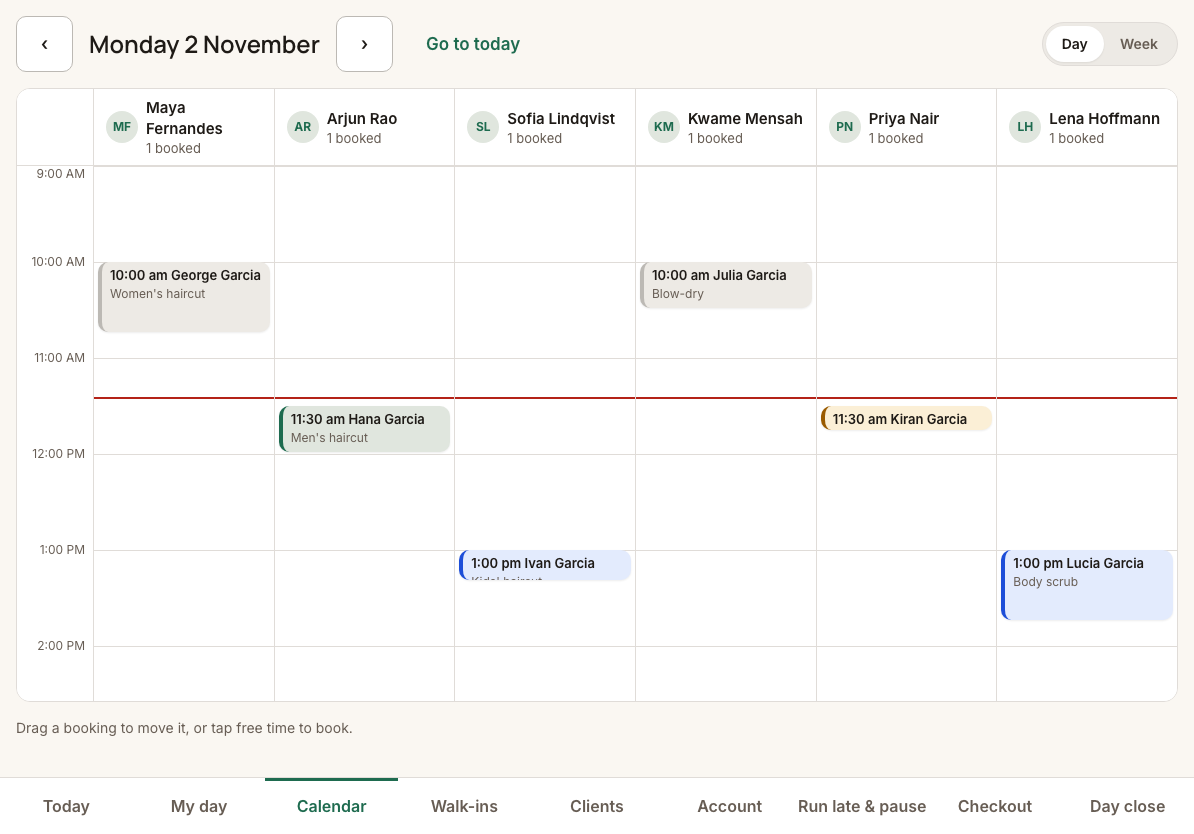

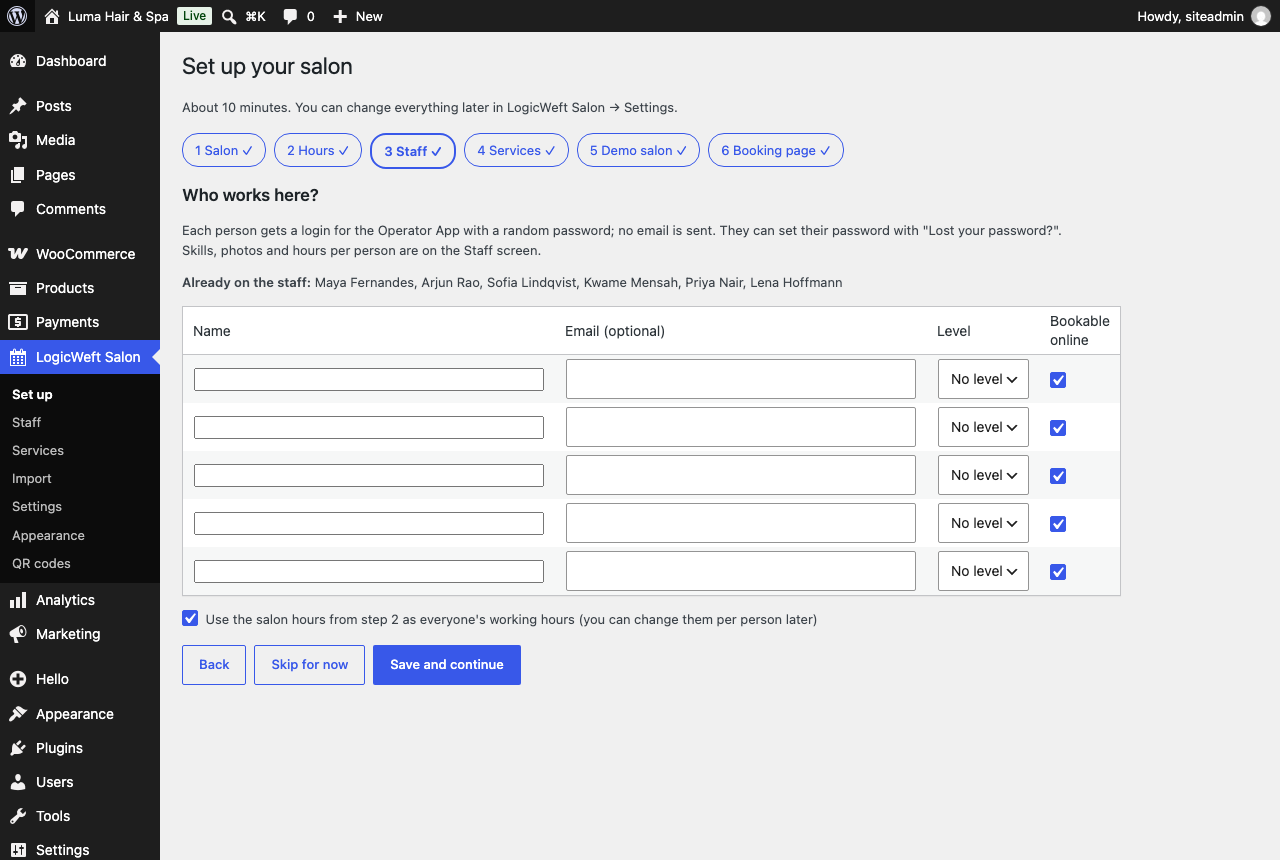
LogicWeft Salon turns a WooCommerce site into a salon system: clients book services and stylists online, the front desk runs the day from a tablet, stylists see their day on a phone, and the owner closes the day with numbers that match WooCommerce.
Services are WooCommerce products and appointments are WooCommerce orders, so your gateways, taxes, coupons and reports keep working, and retail products go in the same cart as a haircut.
Watch the full setup, from installing the plugin to a client’s online booking, a walk-in, checkout and day close (12 minutes):
Free includes
- Online booking: services, add-ons, stylist choice or “anyone”, back-to-back slots, guest booking
- Full prepayment or pay at the salon, cancellation policy and windows
- Operator App: Today board, calendar by staff, walk-in queue, stylist My day, run-late and pause
- Client cards with history, notes and allergy banner
- Day close and today dashboard
- Waitlist, QR walk-in join page and My Account bookings with reschedule and cancel
- Setup wizard with optional demo data; WP-CLI demo commands
- Booking emails through WooCommerce, with .ics and Google Calendar links
- Palette presets and appearance settings; Elementor widgets, blocks and shortcodes
- Translation-ready with RTL support
Everything listed above is included, with nothing locked.
LogicWeft Salon Pro
LogicWeft Salon Pro is a separate plugin, sold at logicweft.com, for salons that need more: deposits and no-show fees, packages and memberships, gift cards, a client wallet and loyalty points, a counter POS with split payments and tips, tax invoices, and group and recurring bookings. You don’t need it for anything this plugin does.
External services
LogicWeft Salon loads no remote scripts, styles or fonts. It sends data to one outside service, LogicWeft, and only if you turn it on.
LogicWeft site registration (off unless you turn it on)
The setup wizard’s last step, and LogicWeft Salon Settings Privacy, have two boxes, both unticked: “Register this site with LogicWeft” and “Email me about LogicWeft Salon (updates and setup help)”. The second can only be ticked with the first. Nothing is sent while the first is unticked.
When “Register this site with LogicWeft” is ticked, your site sends LogicWeft, by a POST from your server to https://account.logicweft.com/api/sites/v1/register:
* a random site ID the plugin makes the first time you register (it never changes)
* the plugin slug (logicweft-salon)
* your site’s address and name
* your WooCommerce store country and your site’s language
* the LogicWeft Salon, WordPress, WooCommerce and PHP versions
* whether you ticked “Email me about LogicWeft Salon”, and only if you did, the email address you entered (your site’s admin email unless you change it). LogicWeft emails that address a confirmation first, and nothing else until you confirm it.
Nothing about your clients, customers, bookings, orders, staff or visitors is sent, and visitors’ browsers never contact LogicWeft.
It is sent when you tick the box (in the wizard or the Privacy settings), when you change the email box or address, and on the first admin page after the plugin is updated to a new version. The request runs in the background from your WordPress admin; there is no timer and no repeat sending. If it fails, it is tried again only at the next save or update.
When you untick “Register this site with LogicWeft”, or delete the plugin while the site is registered, your site sends the site ID and the plugin slug to https://account.logicweft.com/api/sites/v1/forget, and LogicWeft deletes the record and unsubscribes an address that came from it.
* LogicWeft Terms: https://logicweft.com/terms
* LogicWeft Privacy Policy: https://logicweft.com/privacy
Google Calendar (link only)
The booking confirmation page and the confirmation email show an “Add to Google Calendar” link. Nothing is sent when the page loads. Only when a client clicks the link, their browser opens calendar.google.com with the appointment’s service name, time, salon name and address in the link, so Google can pre-fill a calendar event. The same page also offers a downloadable .ics file, which stays on your site.
* Google Terms of Service: https://policies.google.com/terms
* Google Privacy Policy: https://policies.google.com/privacy
Source code
The JavaScript and CSS in assets/ are compiled. Their human-readable source ships with the plugin in apps/: the booking widget (apps/booking), the Operator App and its service worker (apps/operator), the Appearance screen (apps/admin), the shared stylesheets (apps/ui) and the shared Operator App shell, components and design tokens (apps/wc-ops-core-ui), written in TypeScript and React.
To rebuild assets/ from that source, use Node.js 20 or newer and pnpm 9 or newer in the plugin folder:
pnpm install && pnpm build
The build uses Vite, TypeScript, React and vite-plugin-pwa, as listed in the package.json files. The PHP code is not compiled.
Third-party libraries
JavaScript, compiled into assets/ (source in apps/):
- React, React DOM and scheduler (MIT).
- Workbox 7 (MIT), with idb (ISC), in the Operator App’s service worker.
Fonts:
- Inter and Manrope variable fonts (SIL Open Font License 1.1), packaged by Fontsource and bundled, so no font is loaded from another site. Their licences are in
licenses/.
PHP: the plugin’s shared WooCommerce operations library (GPLv2 or later, by the same author) ships in vendor-prefixed/ under the LogicWeft\Salon\Vendor namespace, so it cannot clash with another plugin’s copy.