

Wbcom Designs – Private Community for BuddyPress
v2.4.0wbcomdesigns · 2017年6月11日 上架
Create a private BuddyPress community by restricting access to non-members. Control who sees what with flexible privacy settings.
- 正在使用
- 300+
- 评分
- 4.9 / 5
- 累计下载
- 3.1 万
- 最近更新
- 2026年11月20日
贡献者
 wbcomdesigns
截图
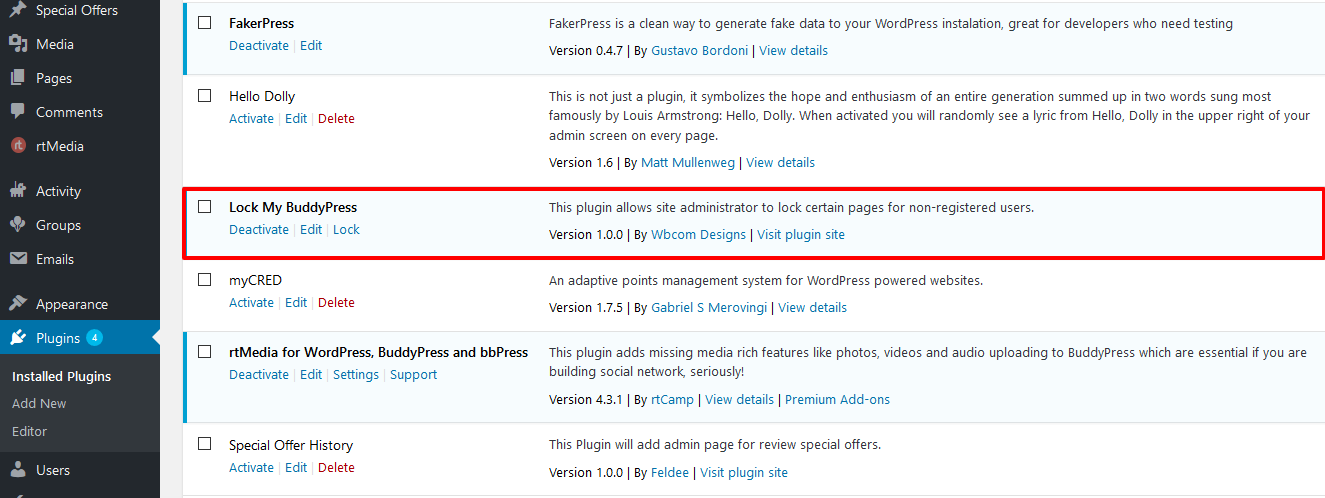
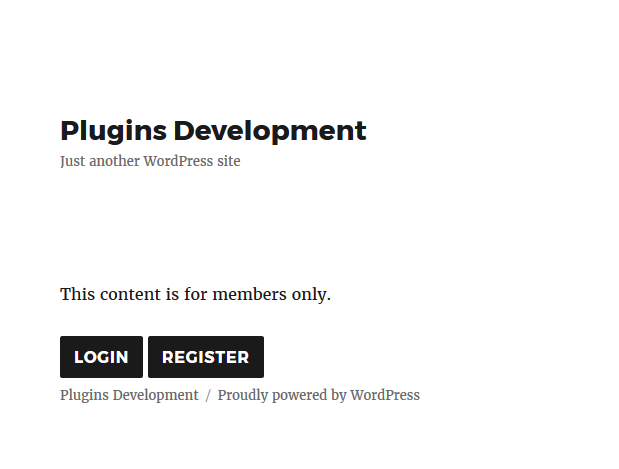

Turn your BuddyPress site into an exclusive private community in minutes!
Private Community turns your BuddyPress site into a members-only space. Whether you are building a company intranet, a paid membership site, or a private group, you decide exactly who can see what.
Protection covers every surface a visitor can reach: pages, BuddyPress components, site search, the REST API, RSS feeds and XML sitemaps. If a logged-out visitor cannot open a page, they cannot find its title in search or pull it from an API either.
🎯 Perfect For:
• Company intranets and team portals
• Paid membership communities
• Private family or group websites
• Educational course platforms
• Exclusive member networks
🔒 Two Simple Protection Modes:
1. Partial Protection – Keep some areas public
• Lock specific member directories or group pages
• Protect certain URLs while keeping others open
• Use wildcards to protect entire sections (like /premium/*)
2. Full Protection – Lock everything except what you choose
• Make your entire site members-only
• Whitelist specific pages for public access
• Perfect for private company sites
⚙️ How Your Visitors See It:
• Built-in Login – Beautiful login form that matches your theme
• Custom Forms – Use your favorite form plugin
• Smart Redirect – Send visitors to a specific welcome page
💪 Why Choose Private Community?
• Set up in 2 minutes – No complicated configurations
• Works with any theme – Tested with popular BuddyPress themes
• Locks every surface – Pages, BuddyPress components, the REST API, feeds, XML sitemaps and site search, so protected content stays out of search results and syndication
• Built for large sites – No unbounded page queries, so protection costs the same on 50 pages or 5,000
• Secure by default – Blocks brute force attacks automatically
• Always compatible – Regular updates for latest WordPress versions
Documentation
📚 Comprehensive Documentation Available:
• Documentation – Setup guides, settings reference, URL rule syntax and troubleshooting
• Support – Ask us directly
THEME – WORDPRESS THEME WITH OUTSTANDING BUDDYPRESS SUPPORT
- FREE BuddyPress Theme: BuddyX – Offers unique layouts with clean code and easy-to-customize options, giving you a whole new way to visualize BuddyPress.
OUR ADON PLUGINS TO FURTHER IMPROVE YOUR BUDDYPRESS OR BUDDYBOSS PLATFORM COMMUNITY
Check out free community add-ons by Wbcom Designs:
- Wbcom Designs – BuddyPress Member Reviews Allow members to add ratings or feedback to other community members.
- Wbcom Designs – BuddyPress Group Reviews Allow members to add ratings or feedback to BuddyPress groups.
- Wbcom Designs – BuddyPress Activity Social Share Allow members to share activities on their social profiles like Facebook, Twitter, What’s App, LinkedIn with OG metadata.
- Wbcom Designs – BuddyPress Job Manager Allows your to integrate WP Job Manager plugin to BuddyPress.
- Wbcom Designs – Check-ins for BuddyPress Activity Allow members to add their location or post their Check-ins updates to activity.
- Wbcom Designs – BuddyPress Favorite Notification Allow members to be notified after any like or favorite on their BuddyPress activity.
- Wbcom Designs – Shortcodes & Elementor Widgets For BuddyPress It offers shortcodes and elementor widgets for the activity listing, member’s directory display, and the group’s directory on any post/page.
Check out paid community add-ons by Wbcom Designs:
- Wbcom Designs – BuddyPress Hashtags Allows members to use hashtags in BuddyPress or BuddyBoss Platform activities and bbPress topics..
- Wbcom Designs – BuddyPress Polls It allows you to extend BuddyPress or BuddyBoss Platform Activity for members to publish Polls with various options and works perfectly for individual activities and group activities.
- Wbcom Designs – BuddyPress Quotes It allows the feature to let members post their activity updates with interactive background selection such as colors and images set by the site administrator to tell a more expressive story.
- Wbcom Designs – BuddyPress Status & Reaction Allow your members to set a status icon and tagline on their profile and offer a big set of icons to react to published activities.
- Wbcom Designs – BuddyPress Profanity Allow you to censor content in your community! Easily Censor all the unwanted words in activities, private messages contents by specifying a list of keywords to be filtered.
- Wbcom Designs – BuddyPress Sticky Post Allows site administrators to prioritize certain activities over others. It lets admin pin-up site-wide and group activities to the top of the activity list.
- Wbcom Designs – BuddyPress Auto Friends Allow the site admin to select global friends for all his members and add bulk global friends.
- Wbcom Designs – Shortcodes & Elementor Widgets For BuddyPress Pro It offers shortcodes and elementor widgets with various argument parameters for the activity listing, member’s directory display, and the group’s directory on any post/page.
EXPERT SUPPORT
We are ready to provide incredible support. Ask your questions at contact us directly.