

Lock and Key
v3.2.2shadowsplitter · 2026年10月13日 上架
Phishing-resistant login with hardware security keys (Ledger, YubiKey, any FIDO2 key) for any user role, with optional password-free login.
- 正在使用
- 10 以下
- 评分
- 暂无
- 累计下载
- 242
- 最近更新
- 2026年10月14日
贡献者
 shadowsplitter
截图
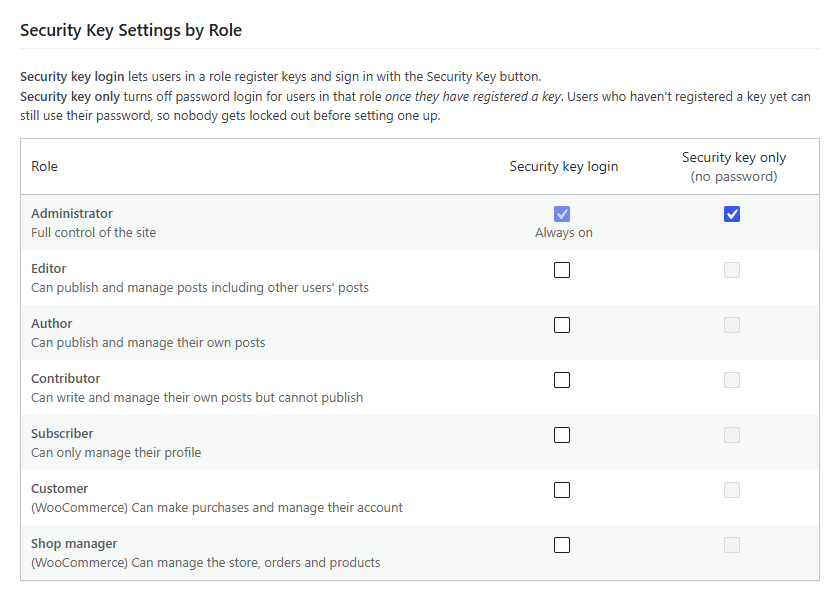
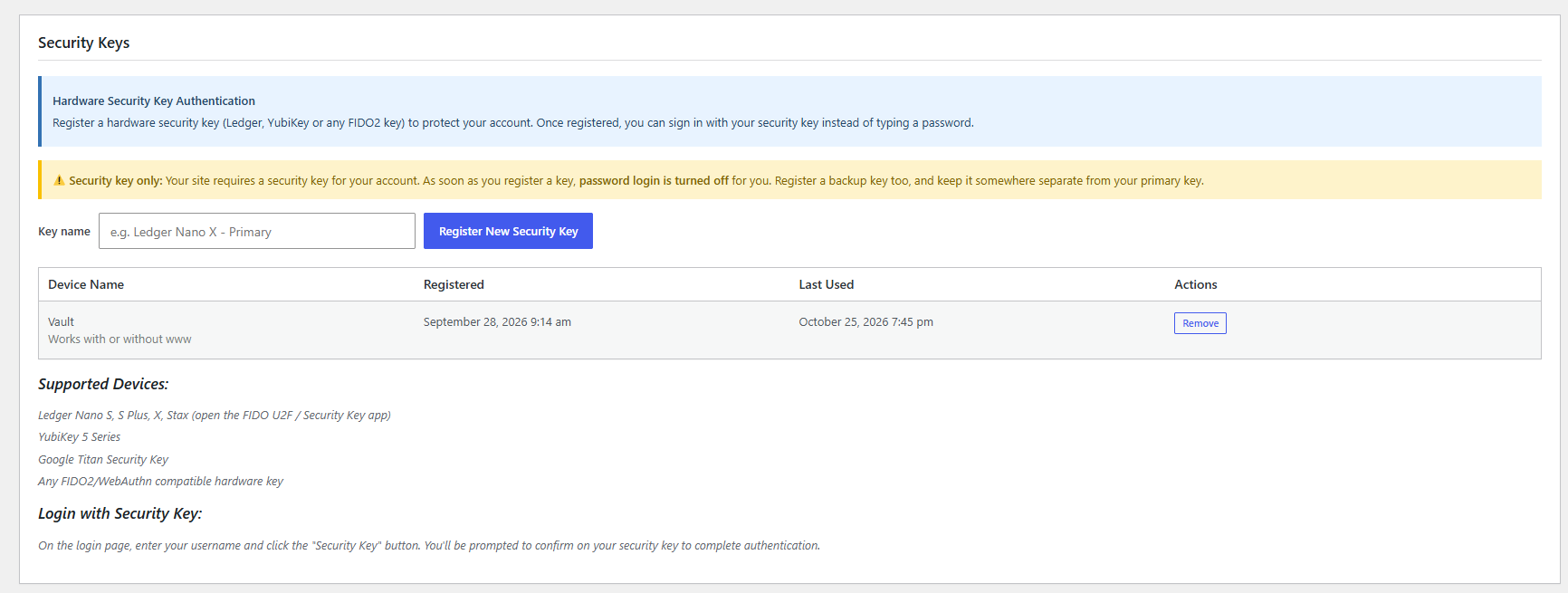
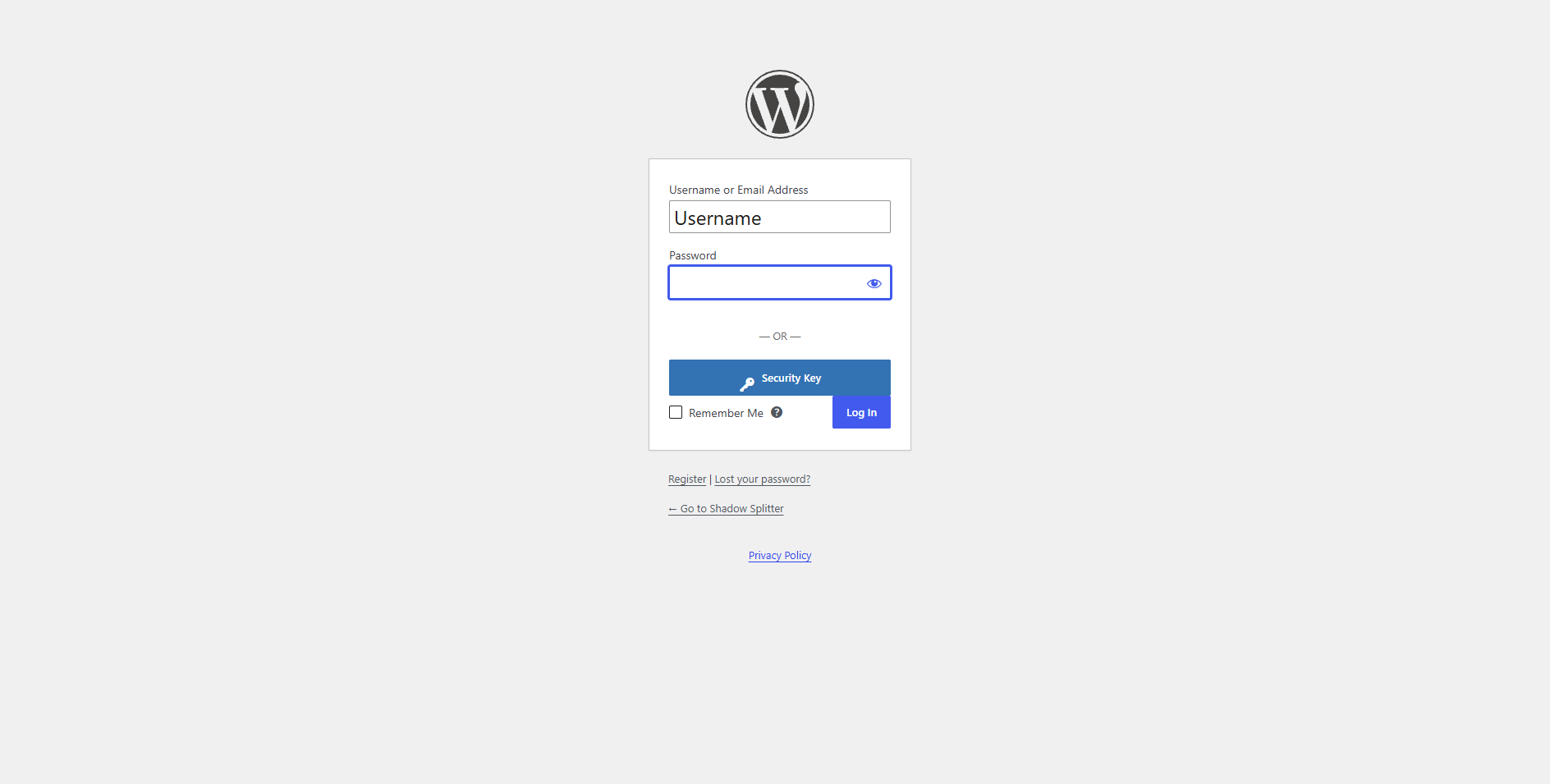
Lock and Key adds a Security Key button to your WordPress login page. Users register a hardware security key on their profile, then sign in by entering their username, clicking Security Key and confirming on the key. There’s no password to steal, and phishing sites can’t reuse the login.
Works with Ledger Nano S, S Plus, X and Stax (FIDO U2F / Security Key app), YubiKey, Google Titan, and any FIDO2/WebAuthn hardware key.
Features
- Security Key login button on the WordPress login page
- Choose which roles can use security keys: administrators, editors, authors, contributors, subscribers and custom roles
- Security key only mode for each role: turns off password login for users who have registered a key
- Clear “Use security key only for access” message when someone tries a password on a key-only account, whether the password was right or wrong
- Users register and manage their own keys, including backup keys
- Dashboard warning listing administrators who haven’t registered a key yet
- Admins can remove a user’s lost key from their profile
- Overview of who has registered keys and when they last used them
- Full server-side verification of every login: signature (ES256 / RS256), origin, challenge and relying party
- Cloned-key detection via the signature counter
- Throttling of repeated failed key logins
- Logins go through WordPress’s own login process, so other security plugins keep working
- Works behind Cloudflare, load balancers and other proxies, with protection against faked addresses
Security key only mode
For roles set to Security key only, password login is refused on the login page and XML-RPC once the user has registered a key. Users who haven’t registered a key yet can still use their password, so nobody is locked out before setting one up.
If a user loses their key, an admin removes it from the user’s profile and their password works again. If you’re locked out, adding define( 'LOCKANDKEY_DISABLE_KEY_ONLY', true ); to wp-config.php allows passwords again.
Lock and Key Pro
Lock and Key Pro is a separate plugin that adds monitoring: a login activity log (logins, failed logins and security key changes, with IP address and browser), IP address blocking, XML-RPC attack blocking, manual and automatic IP blocking, 3-strike blocking for admin accounts, custom messages or pages for blocked visitors, email alerts for administrators and for each user about their own account, and WooCommerce support.
Privacy
Lock and Key doesn’t contact any external service. Registered keys (a public key, a key ID, the name the user gave it, and when it was created and last used) are stored in your own WordPress database.