

Lnsel Post Gallery Lightbox
v1.0.5TeamLNSEL · 2026年8月10日 上架
Upload images per-post and display them as a responsive Grid or Masonry lightbox gallery using the [lnsel_gallery] shortcode.
- 正在使用
- 10 以下
- 评分
- 暂无
- 累计下载
- 397
- 最近更新
- 2026年10月16日
需要 WordPress 5.8+已测试到 7.0.9PHP 7.4+
贡献者
 TeamLNSEL
截图
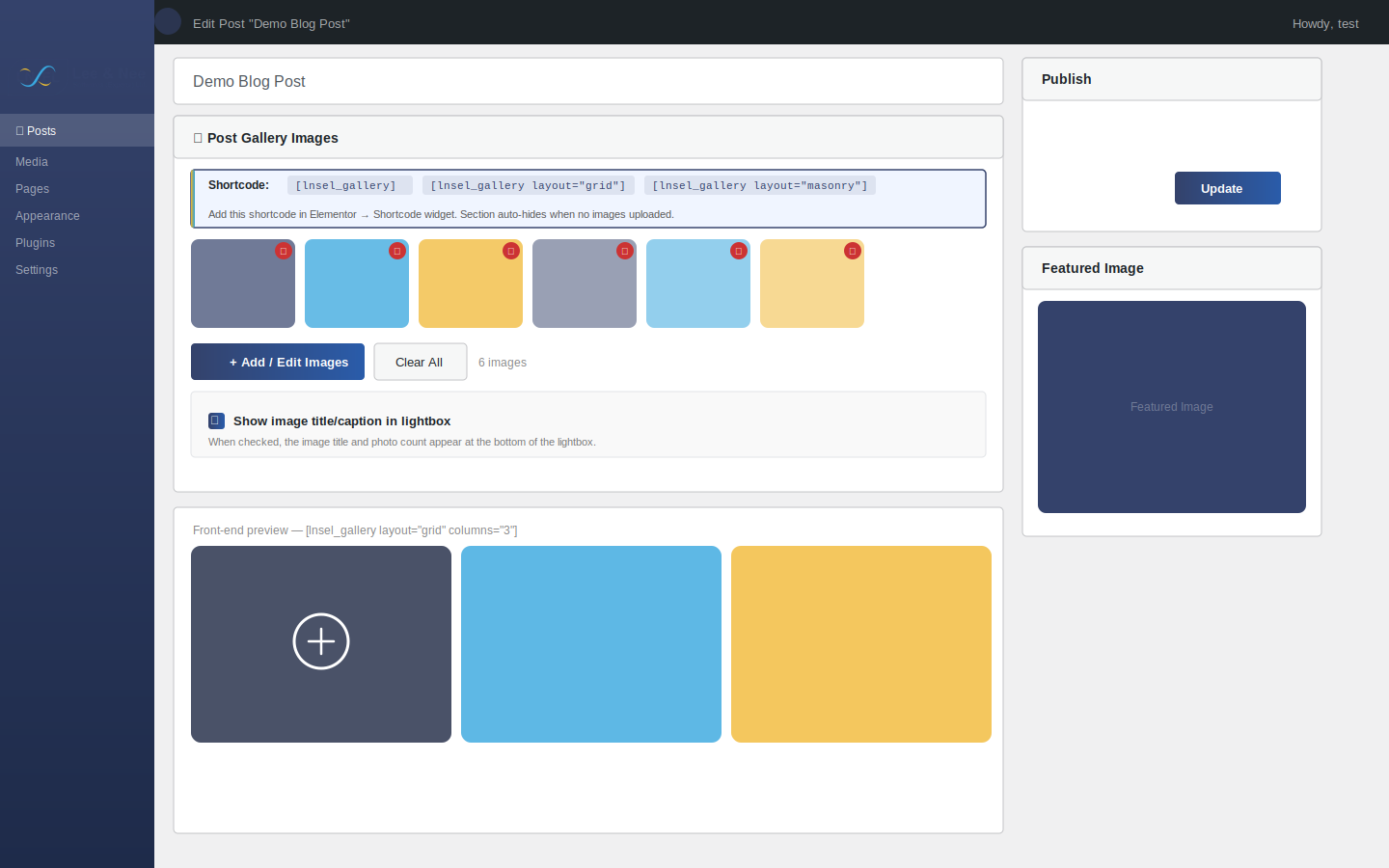
Lnsel Post Gallery Lightbox lets you upload a dedicated set of gallery images to any post or page via a custom meta box in the WordPress editor. Those images are then displayed on the front end using the [lnsel_gallery] shortcode — with a smooth lightbox, keyboard navigation, touch swipe support, and a choice of Grid or Masonry layout.
Key Features:
- 📷 Custom “Post Gallery Images” meta box on every post/page edit screen
- 🖼 Drag-and-drop image reordering in the editor
- ⚡ Choose between Grid (uniform tiles) or Masonry (Pinterest-style) layout
- 🔍 Built-in lightbox with arrow navigation, keyboard ( Esc), and touch swipe
- 📱 Fully responsive — 4 3 2 1 columns at breakpoints
- 🙈 Gallery section is completely hidden when no images are uploaded
- 🔌 Works with Elementor via the Shortcode widget
- No jQuery dependency on the front end — pure vanilla JS
Usage
Basic:
[lnsel_gallery]
Grid layout, 3 columns:
[lnsel_gallery layout=”grid” columns=”3″]
Masonry layout, 3 columns:
[lnsel_gallery layout=”masonry” columns=”3″]
All available attributes:
layout—gridormasonry(default:grid)columns—2,3, or4(default:3)size—thumbnail,medium,large, orfull(default:large)gap— gap between images in px, number only (default:10)show_title—yes/noto override the per-post lightbox caption settingshow_bottom_image—noto hide the bottom image (default:yes)bottom_size— image size for the bottom image (default:full)