
LLM Markdown – Markdown Endpoints for AI Agents
v1.1.1Michael Sablone · 2026年2月26日 上架
Serve clean Markdown versions of WordPress posts, pages, and custom post types for AI agents, LLM tools, and content pipelines.
- 正在使用
- 800+
- 评分
- 5.0 / 5
- 累计下载
- 5,873
- 最近更新
- 2026年10月26日
贡献者
 Michael Sablone
截图

LLM Markdown makes your public WordPress content available as clean, structured Markdown at predictable .md URLs. See it on a live site:
- Static front page: https://compiledrogue.com/index.md
- Public custom post type: https://compiledrogue.com/case-studies/sentinelone.md
For regular supported posts, pages, and custom post types, the .md URL follows the permalink. Static front pages also have an /index.md alias.
LLM Markdown converts the actual server-rendered page after WordPress, blocks, shortcodes, and the active theme have processed it. You can choose the content container and exclude unwanted page elements. The original post remains unchanged. Markdown is generated on demand and cached temporarily; no API keys, external service, or static file management are required.
Preview and control from the editor
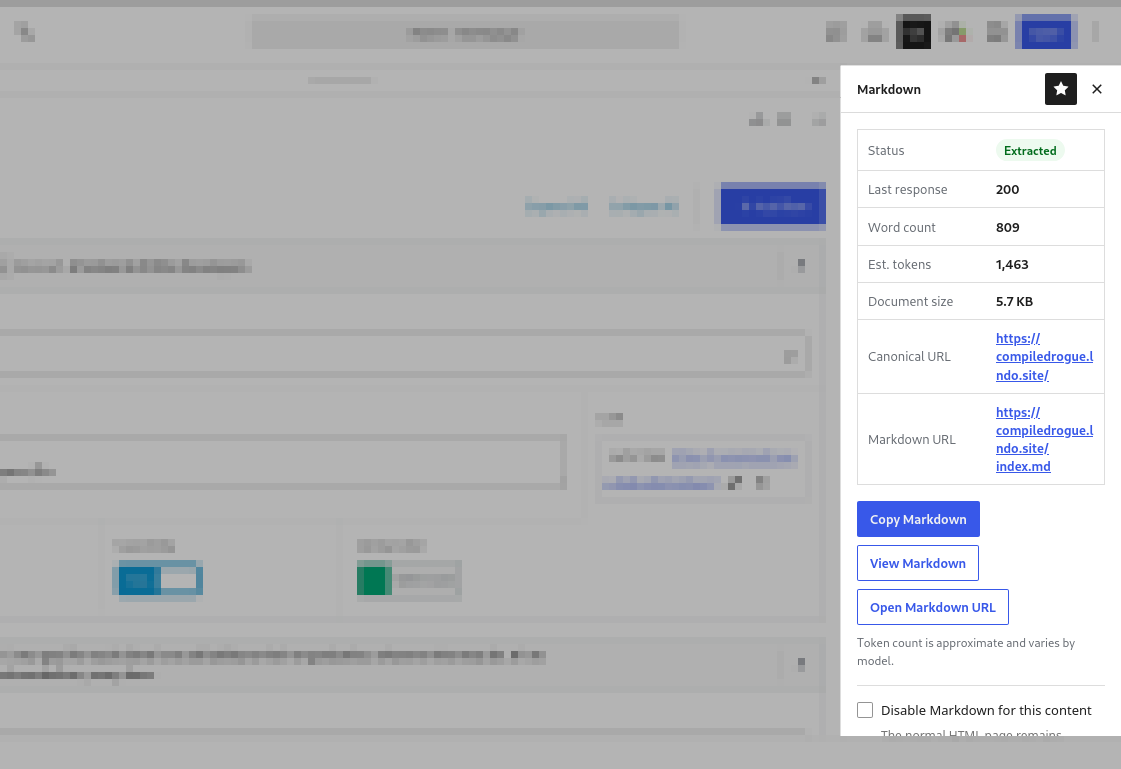
The block editor sidebar checks Markdown availability and shows the last public response, word count, approximate token count, and document size. Both the block and Classic Editors provide an in-editor View Markdown panel, Copy Markdown action, and link to the public Markdown URL. Editors can disable Markdown for an individual post without changing its normal HTML page. Editor tools can be turned off in the plugin settings.
Structured Markdown output
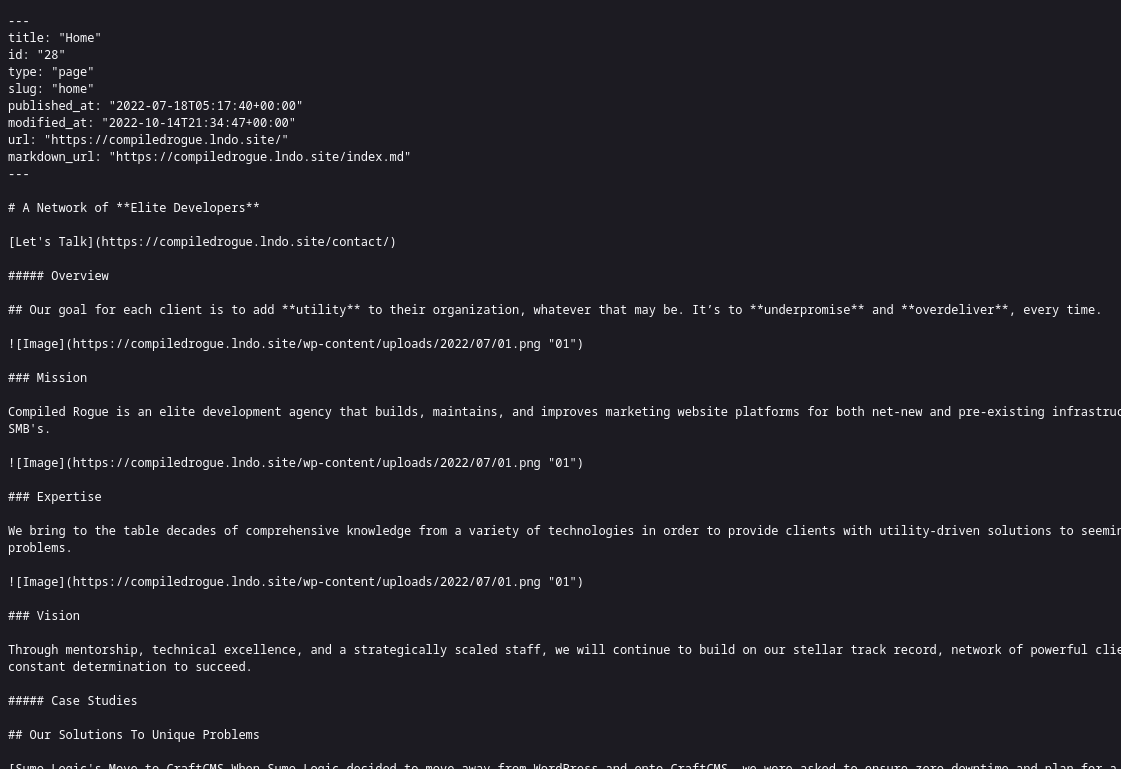
Each document begins with YAML front matter containing the title, post ID, content type, slug, publication and modification dates, canonical URL, Markdown URL, excerpt, and terms from public taxonomies when available.
The converter handles headings, paragraphs, emphasis, links, ordered and unordered lists, blockquotes, inline and fenced code, horizontal rules, deletion text, figures and captions, and simple tables. Images can be included as an option, with support for common lazy-loading source attributes.
Content selection and access control
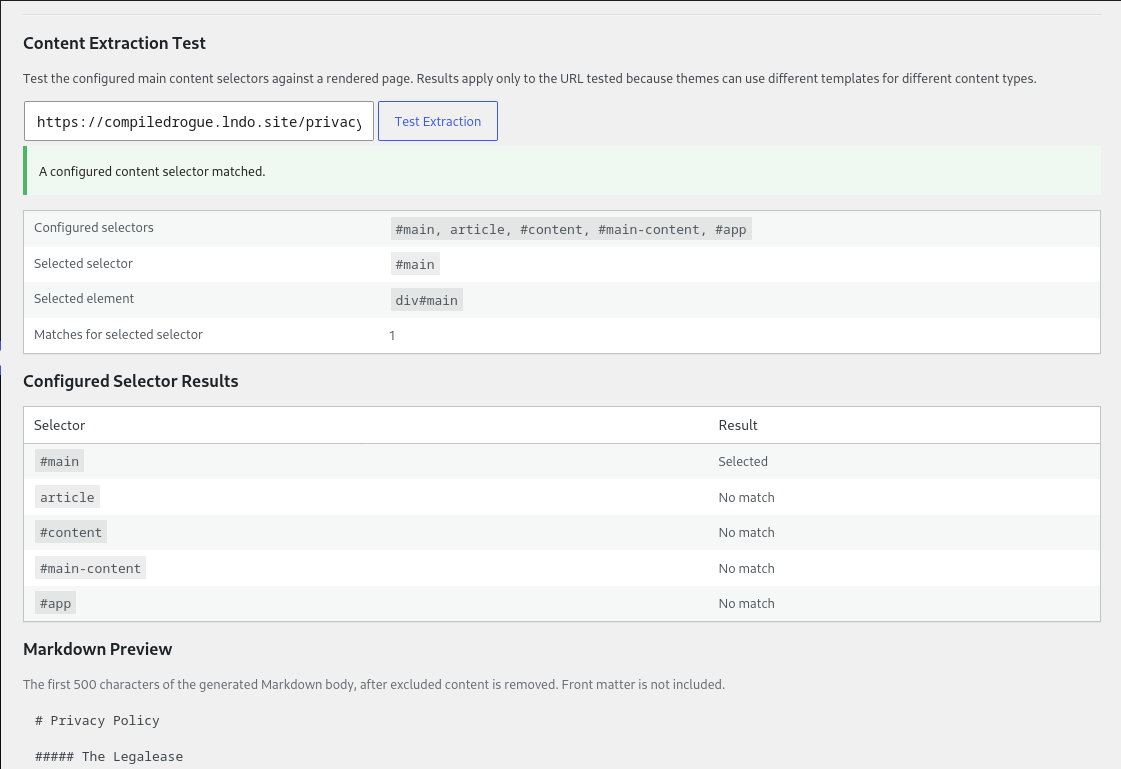
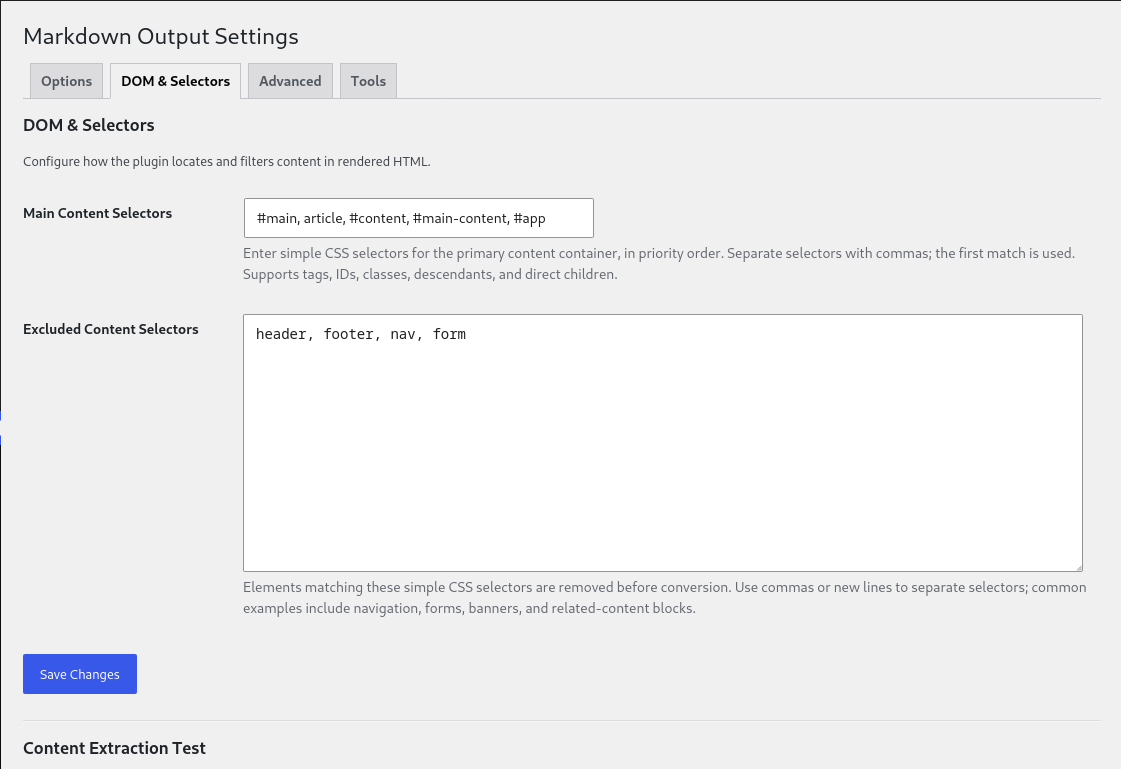
Choose which public post types expose Markdown. Simple CSS selectors determine the main content container and which elements are excluded before conversion. A test on the DOM & Selectors tab shows which selector matched and previews the resulting Markdown. Password-protected, unpublished, and individually disabled content is rejected. The optional Honor Noindex setting respects WordPress search visibility and supported noindex settings from Yoast SEO, Rank Math, and All in One SEO. Developers can apply an additional access-control filter for membership or privacy rules.
Discovery, delivery, and caching
Eligible HTML pages advertise their Markdown counterpart with both a <link rel="alternate" type="text/markdown"> element and an HTTP Link header. Documents generated for anonymous requests are cached for performance and invalidated after relevant settings, theme, navigation, or per-post availability changes. A manual cache control is available under Tools.
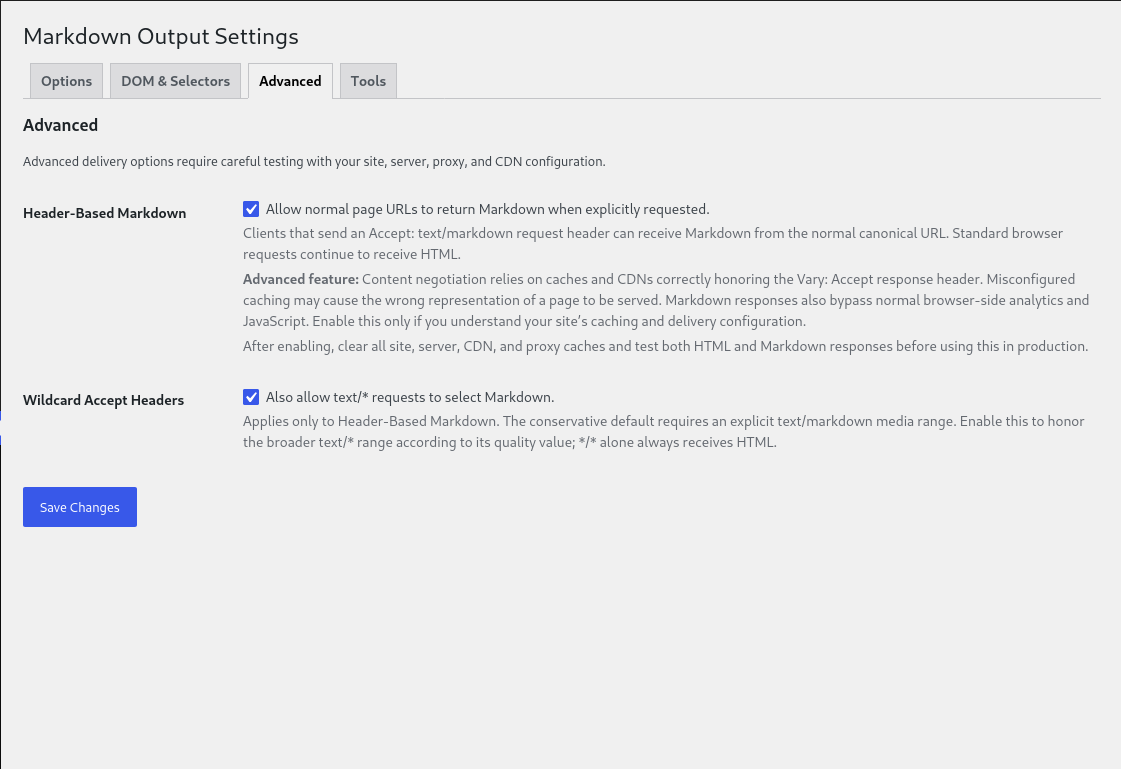
An advanced, disabled-by-default content-negotiation option can also return Markdown from the normal canonical URL when a client explicitly requests Accept: text/markdown. This mode sends Vary: Accept, but it should be enabled only after confirming every cache and CDN in front of the site honors that header correctly.
LLM Markdown also works with the Classic Editor and supports public custom post types without requiring one.