
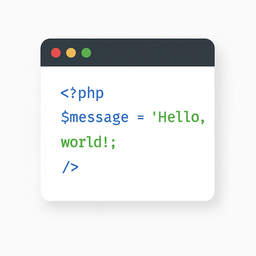
Light Code Block
v1.0.2Pavel · 2025年6月17日 上架
The "Light Code Block" plugin is the simplest and lightest plugin for inserting and displaying code.
- 正在使用
- 10 以下
- 评分
- 暂无
- 累计下载
- 688
- 最近更新
- 2025年12月27日
贡献者
 Pavel
截图


The “Light Code Block” plugin is a simple and lightweight solution for inserting and displaying code snippets in posts and pages.
It works by adding a custom “LC” button to the TinyMCE (Classic) editor or a code block in the Gutenberg editor.
The inserted code will be shown on the front end in a clean, readable format.
Usage
- Install and activate the plugin.
- Go to the post or page edit screen.
- In the TinyMCE (Classic) editor, click the “LC” button in the toolbar.
- In the popup window that opens, paste or write your code, and click OK.
- Save or update your post.
The code will be saved inside a special block and displayed on the front end within a <pre> tag with the class mce-simple-code-block (i.e., <pre class="mce-simple-code-block">...</pre>).
To insert code using the Gutenberg editor, you first need to add a Classic (TinyMCE) block, and then use it to insert your code.