

Topic Progression Using Storyline/Captivate for LearnDash
v1.2.4.5Discover eLearning · 2016年6月3日 上架
Allows a topic page in LearnDash to be completed through an action conducted in Storyline or Captivate embedded content.
- 正在使用
- 400+
- 评分
- 4.0 / 5
- 累计下载
- 2 万
- 最近更新
- 2026年2月17日
 Discover eLearning
截图
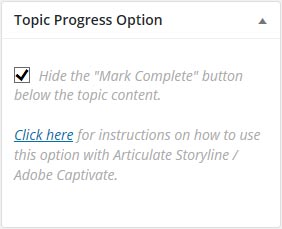
Please note this plugin is now at End Of Life. For the latest feature intergrations for Articulate Storyline 360 and WordPress, please download the eLearning Magic Toolkit from the Discover eLearning website.
If your eLearning authoring tool of choice is either Articulate Storyline or Adobe Captivate, you will already know that you can embed your digital content within a LearnDash LMS topic page.
But what if you don’t want your learners to be able to ‘Mark Complete’ before they have completed a task? i.e. what if your learners have to finish your full Storyline presentation? What if your learners must achieve a certain mark in your Storyline quiz? Or what if your learners need to interact with a game or watch a video before being able to move onto submit an assignment or take a LearnDash quiz?
Our LearnDash Topic Progression Using Storyline/Captivate plugin allows you to do just that!
You will now have full control over how your learner must interact with your digital content in order to progress through your course, by using a very simple JavaScript command within your Storyline or Captivate content, you will be able to dictate when exactly the Mark Complete process should be triggered.