

Layout Recompiler for Brizy
v1.5.9Ariel H · 2026年7月7日 上架
Fixes broken Brizy layouts after a plugin update or site migration.
- 正在使用
- 200+
- 评分
- 5.0 / 5
- 累计下载
- 1,714
- 最近更新
- 2026年8月12日
贡献者
 Ariel H
截图
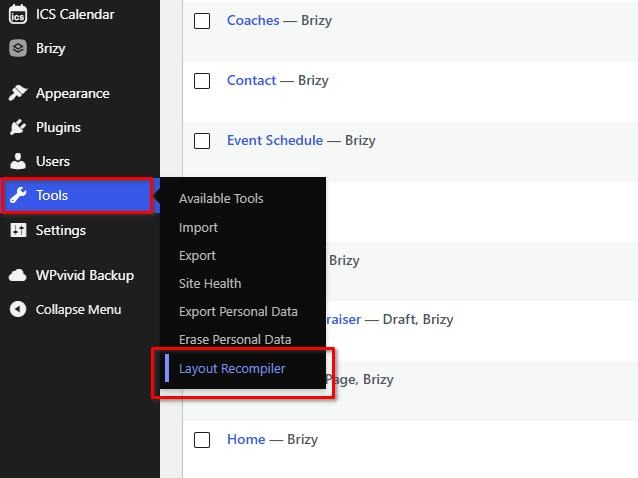
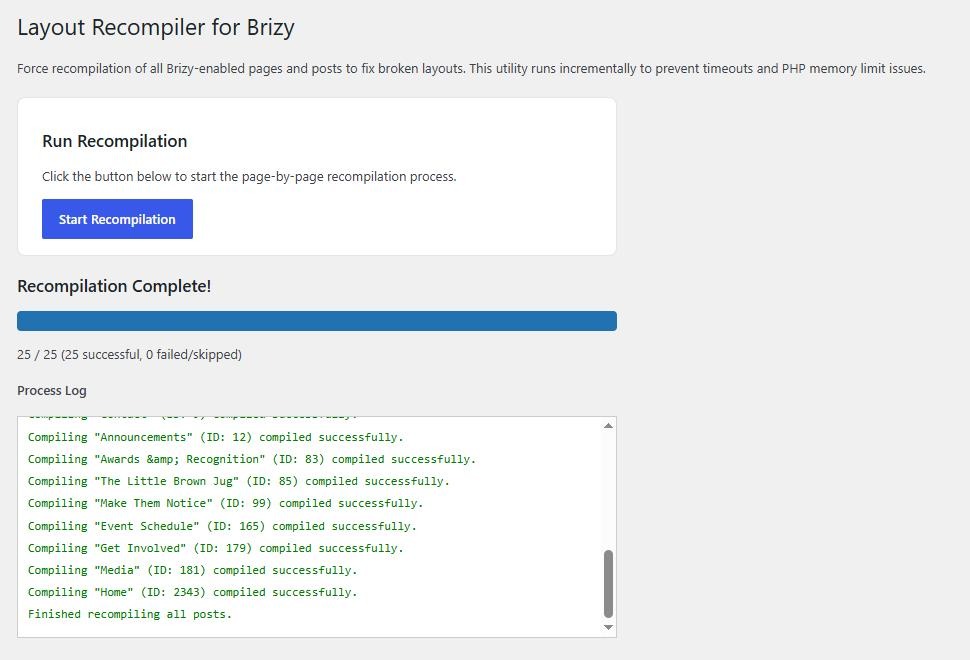
If your website layout looks broken after a WordPress migration, host transfer, or plugin update, the cause is often that Brizy’s compiled HTML/CSS caches have fallen out of sync.
Layout Recompiler for Brizy solves this by triggering a clean recompilation of all pages built using Brizy.
This plugin does not include license checks, trials, paid feature locks, usage quotas, or unlockable local features.
Key Features
- AJAX-Based Execution: Runs incrementally, compiling one page at a time. This keeps memory usage low and prevents common “500 Internal Server Error” or execution timeouts on low-memory servers (below 256MB).
- Careful Re-generation: Uses your saved Brizy design data to refresh generated layouts. A recent backup is recommended before running site-wide changes.
- Real-time Logging: Displays a detailed progress bar and status feed in your admin area to show successful compilations or skipped layout assets.
- Split Install URL Normalization: Keeps Brizy asset URLs correct when WordPress Address (URL) and Site Address (URL) differ, including subdirectory and translated-path setups.
Brizy Builder Dependency and Service Disclosure
This plugin requires Brizy Builder to be active while recompilation runs. It does not add analytics or tracking.
Only after an administrator confirms recompilation, the plugin calls Brizy Builder’s WordPress compiler classes. Brizy may send the page identifier, Brizy and Brizy Pro versions, compiler download URLs, and the editor configuration needed to compile the layout to the compiler service configured by Brizy. The service returns generated page, project-style, and global-block output that Brizy stores in WordPress. This communication is provided and controlled by Brizy Builder rather than by this plugin.
Brizy Builder terms: https://www.brizy.io/terms
Brizy Builder privacy policy: https://www.brizy.io/privacy-policy
Resolving Collapsed Page Widths (Blocksy Companion Conflict)
The Layout Recompiler can fix instances where full-width pages have suddenly collapsed to the default container width. If you are experiencing this layout issue due to a conflict with Blocksy Companion, follow these steps:
- Deactivate Blocksy Companion Premium temporarily.
- Run the Layout Recompiler queue to completion (100%).
- Once finished, reactivate Blocksy Companion Premium and check the front-end of your site to see if the issue is resolved.
Recommendations for Complex Sites
For highly complex websites, we recommend temporarily disabling non-essential third-party plugins before running the recompilation process to ensure a clean execution. However:
* WooCommerce Sites: If your website uses dynamic templates to generate shop pages, cart/checkout areas, or product queries, WooCommerce and its essential related add-ons must remain active.
* Dynamic Fields (ACF): Similarly, if your layouts rely heavily on Advanced Custom Fields (ACF) or other dynamic content engines to fetch database fields, those plugins must remain enabled during recompilation.