

Krupal Media Stats
v1.0.1Krupal Panchal · 2026年10月24日 上架
Shows a quick overview of your Media Library: the number of images, videos, audio and other files.
- 正在使用
- 10 以下
- 评分
- 暂无
- 累计下载
- 193
- 最近更新
- 2026年10月24日
贡献者
 Krupal Panchal
截图
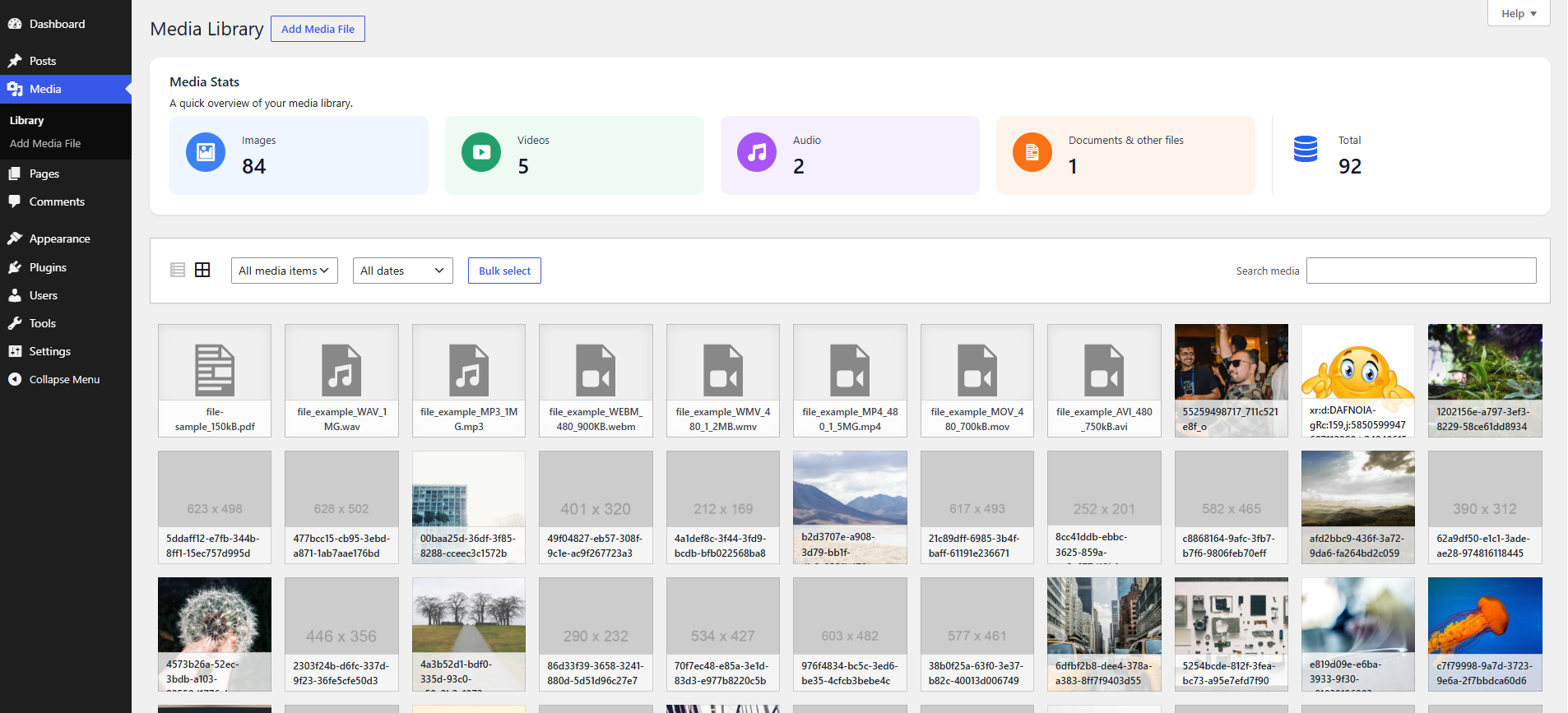
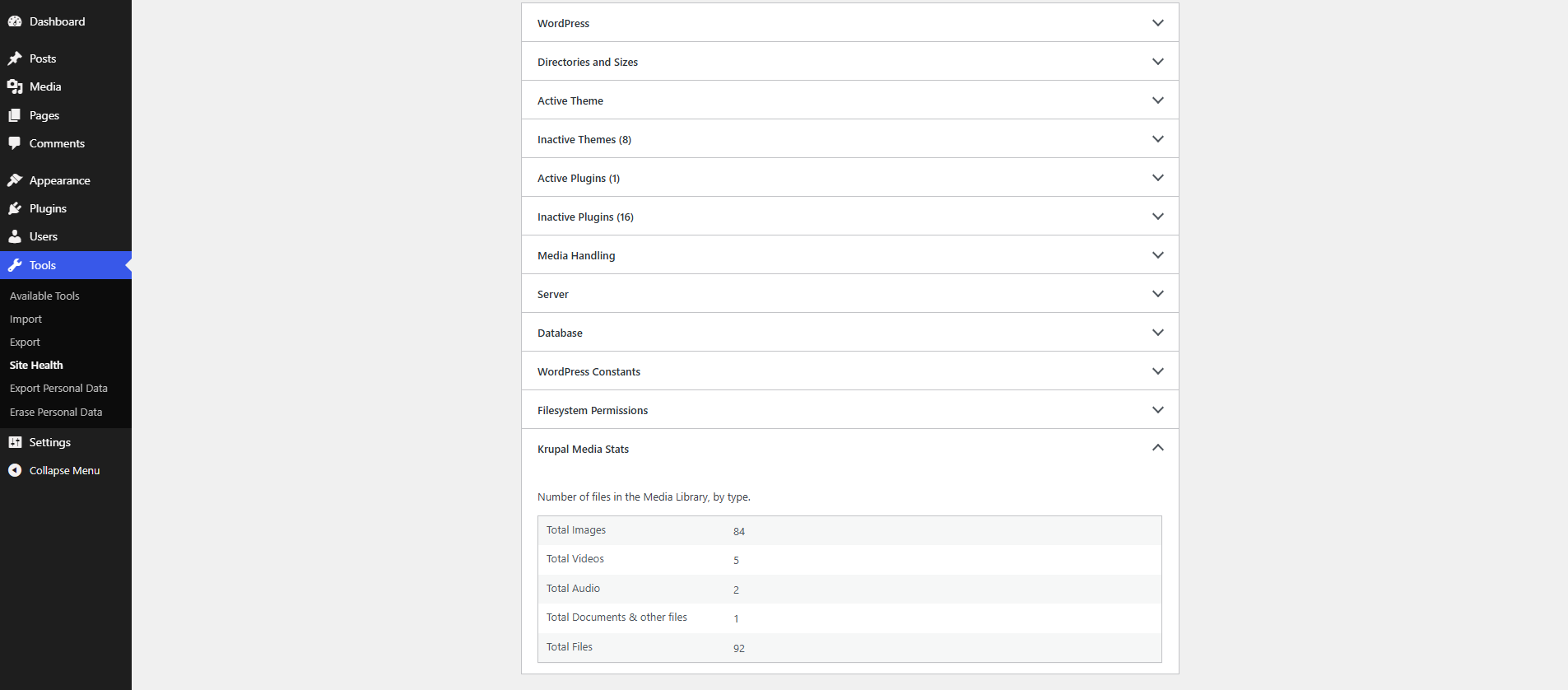
Overview of your media
Krupal Media Stats shows how many files your Media Library holds, grouped by type. The stats appear at the top of the Media Library screen, right below the “Add Media File” button, so you see them every time you manage your media.
The same stats are also added to Tools > Site Health > Info in a new “Krupal Media Stats” section. They are included when you use “Copy site info to clipboard”, which makes them easy to share with your developer or support team.
The plugin has no settings. Activate it and the stats are ready.
Features
- Count of images, videos, audio files, and documents & other files.
- Total count of all files in the Media Library.
- Stats shown on the Media Library screen, in both list and grid view.
- New “Krupal Media Stats” section in Tools > Site Health > Info.
- Trashed files are not counted.
- Shown only to users who can upload files.
- Uses the WordPress admin look with built-in Dashicons. Its small stylesheet loads only on the Media Library screen.
- Lightweight: uses the WordPress core attachment count, with no custom database tables or options.
Support
Krupal Media Stats is developed and supported by Krupal Panchal. If you find a bug or have a suggestion, feel free to get in touch.