

Klaro Admin Accessibility
v1.2.0Rafael Minuesa · 2026年7月6日 上架
Makes the WordPress admin more accessible: high contrast mode, large text, enhanced focus indicators, reduced motion, and a classic editor toggle.
- 正在使用
- 10 以下
- 评分
- 暂无
- 累计下载
- 490
- 最近更新
- 2026年9月26日
贡献者
 Rafael Minuesa
截图
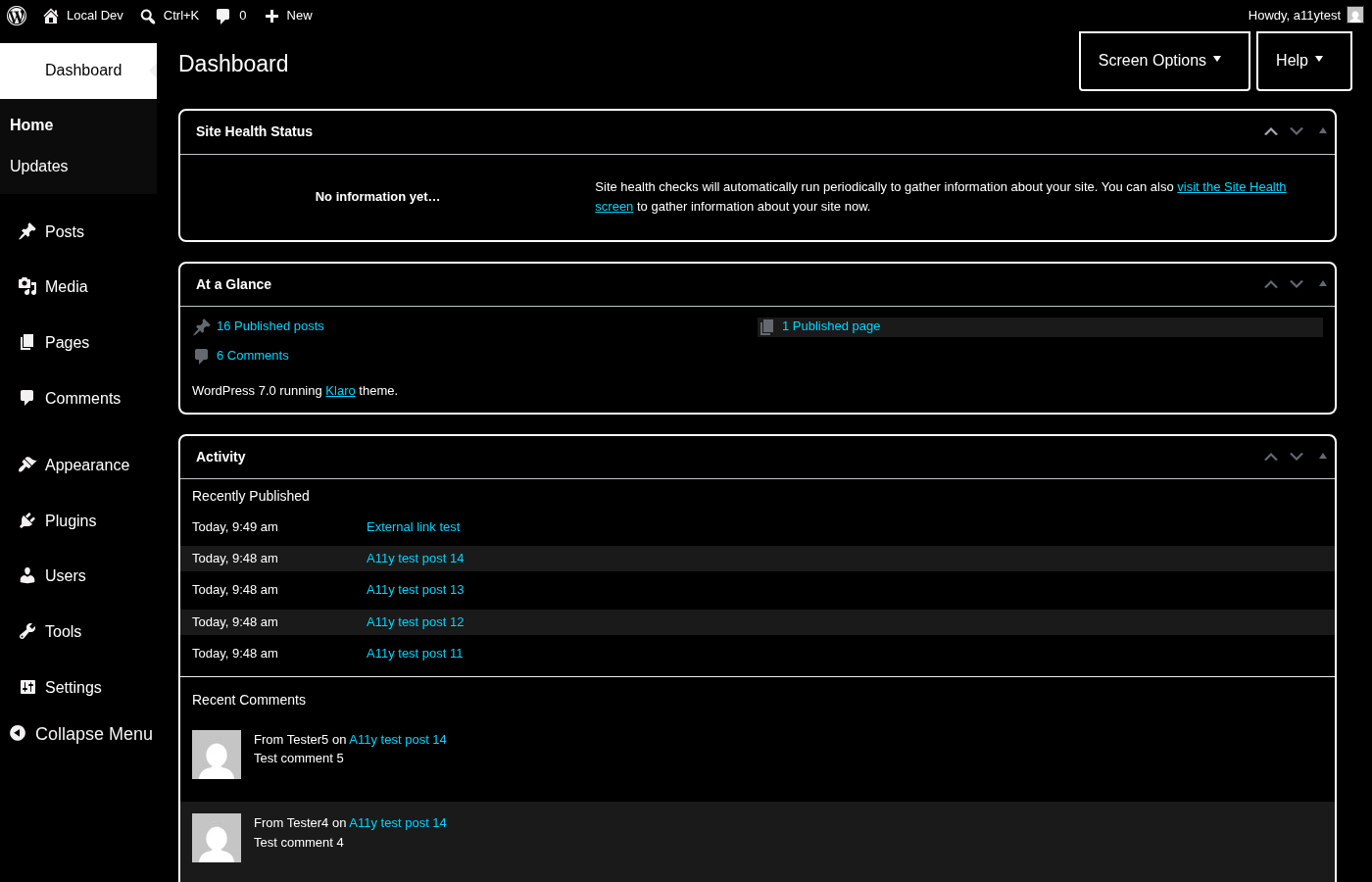
Klaro Admin Accessibility helps users with visual, motor, or cognitive disabilities work in the WordPress admin area. It is the companion plugin to the Klaro accessibility-first theme, but it targets the WordPress core admin and works with any theme.
Features
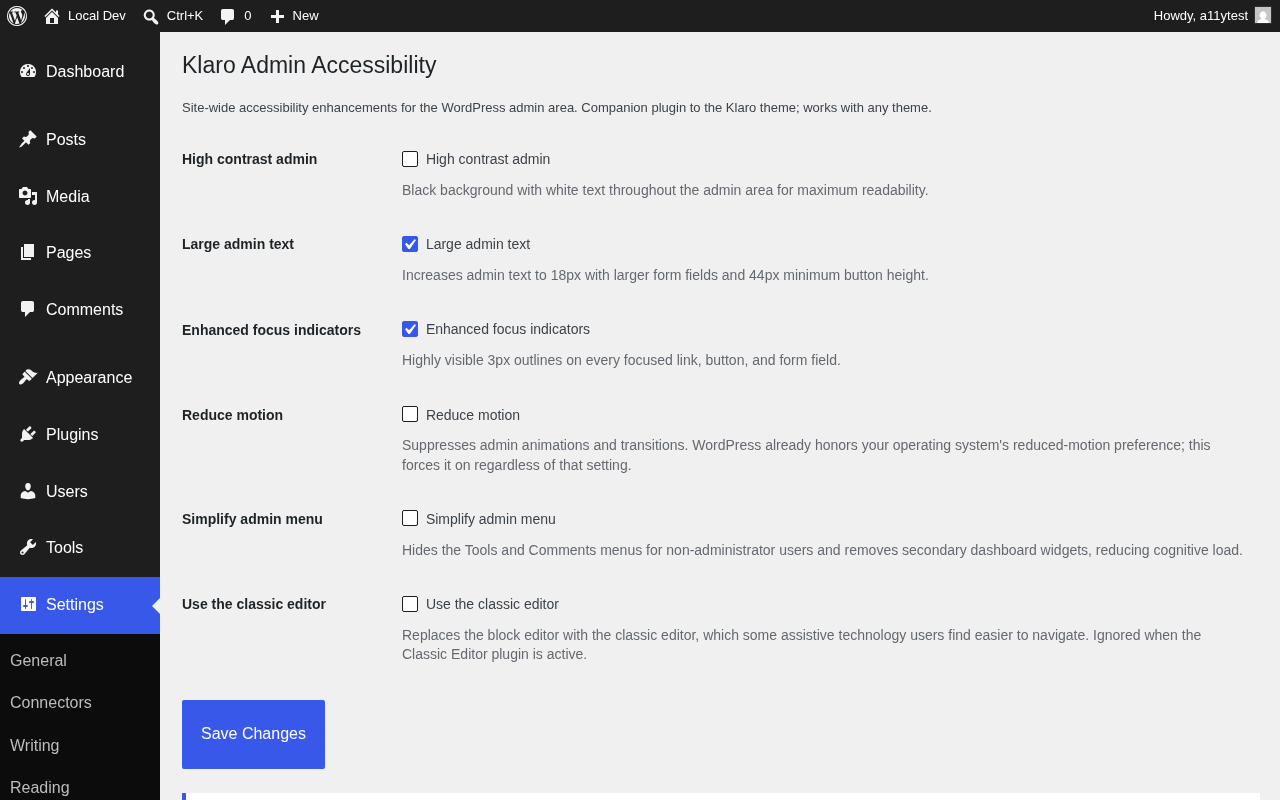
- High contrast admin – Black background with white text throughout the admin area, including the admin menu, toolbar, tables, and forms.
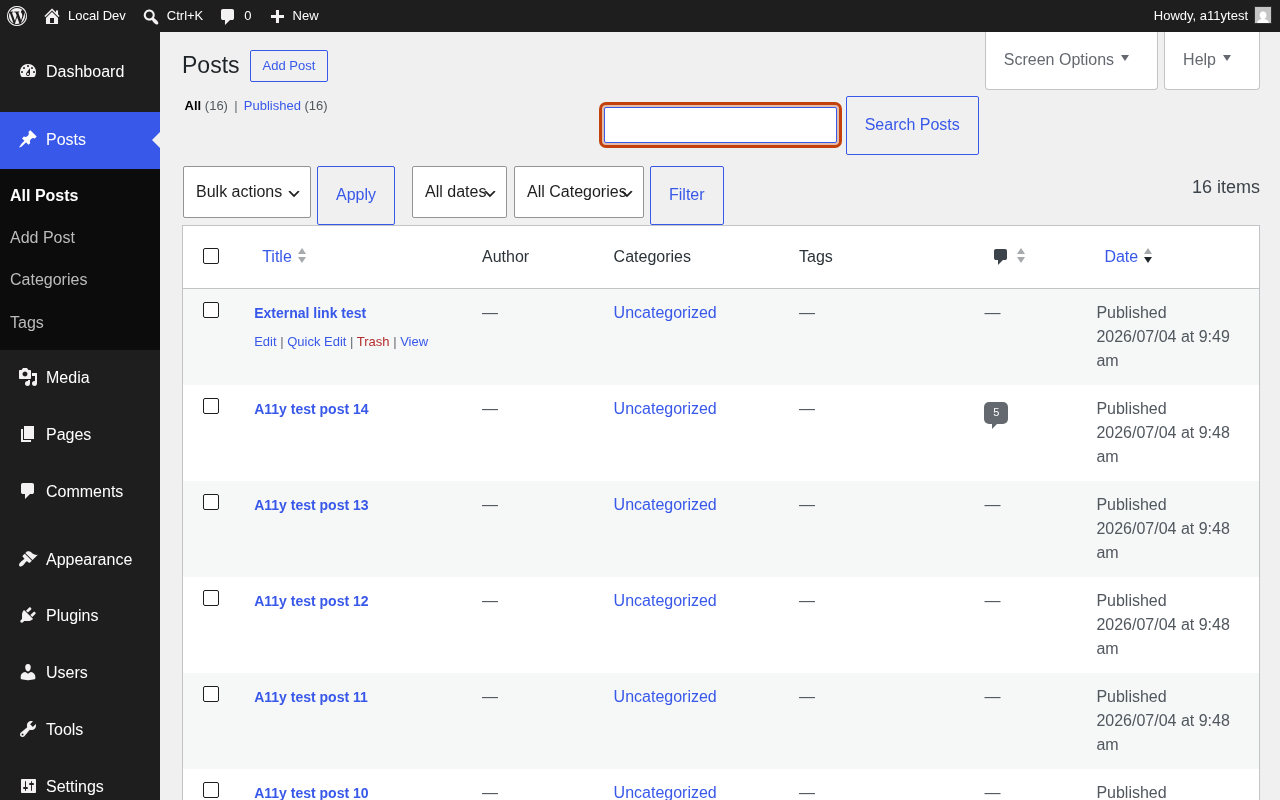
- Large admin text – 18px base text, larger form fields, and 44px minimum button height for easier reading and clicking.
- Enhanced focus indicators – Highly visible 3px outlines on every focused link, button, and form field, meeting the 3:1 contrast requirement for UI controls.
- Reduce motion – Suppresses admin animations and transitions for users whose operating system does not expose a reduced-motion preference.
- Simplify admin menu – Hides the Tools and Comments menus for non-administrator users, removes secondary dashboard widgets, and switches the dashboard to a single column, reducing cognitive load.
- Classic editor toggle – Replaces the block editor with the classic editor, which some assistive technology users find easier to navigate. Defers to the Classic Editor plugin when that is active.
All settings are site-wide and live under Settings > Admin Accessibility.
What WordPress already provides
The WordPress admin already ships keyboard shortcuts, screen reader landmarks, a “Skip to main content” link, and honors your operating system’s reduced-motion preference. This plugin adds options on top of those built-in features instead of duplicating them.
For developers
The resolved feature flags can be filtered:
add_filter( 'klaro_aa_enabled_features', function ( $features ) {
    $features['high_contrast'] = true; // force a feature on
    return $features;
} );