

KigoCloud for WooCommerce: fiskalizacija i sidrene cijene
v2.3.5Symmetria d.o.o. · 2026年11月7日 上架
Fiskalizacija of WooCommerce orders in Kigo.Cloud: R1 invoices, base price (bazna / sidrena cijena) and the price list (cjenik) in CSV, XML.
- 正在使用
- 10 以下
- 评分
- 暂无
- 累计下载
- 923
- 最近更新
- 2026年11月25日
 Symmetria d.o.o.
 dpotocic
截图
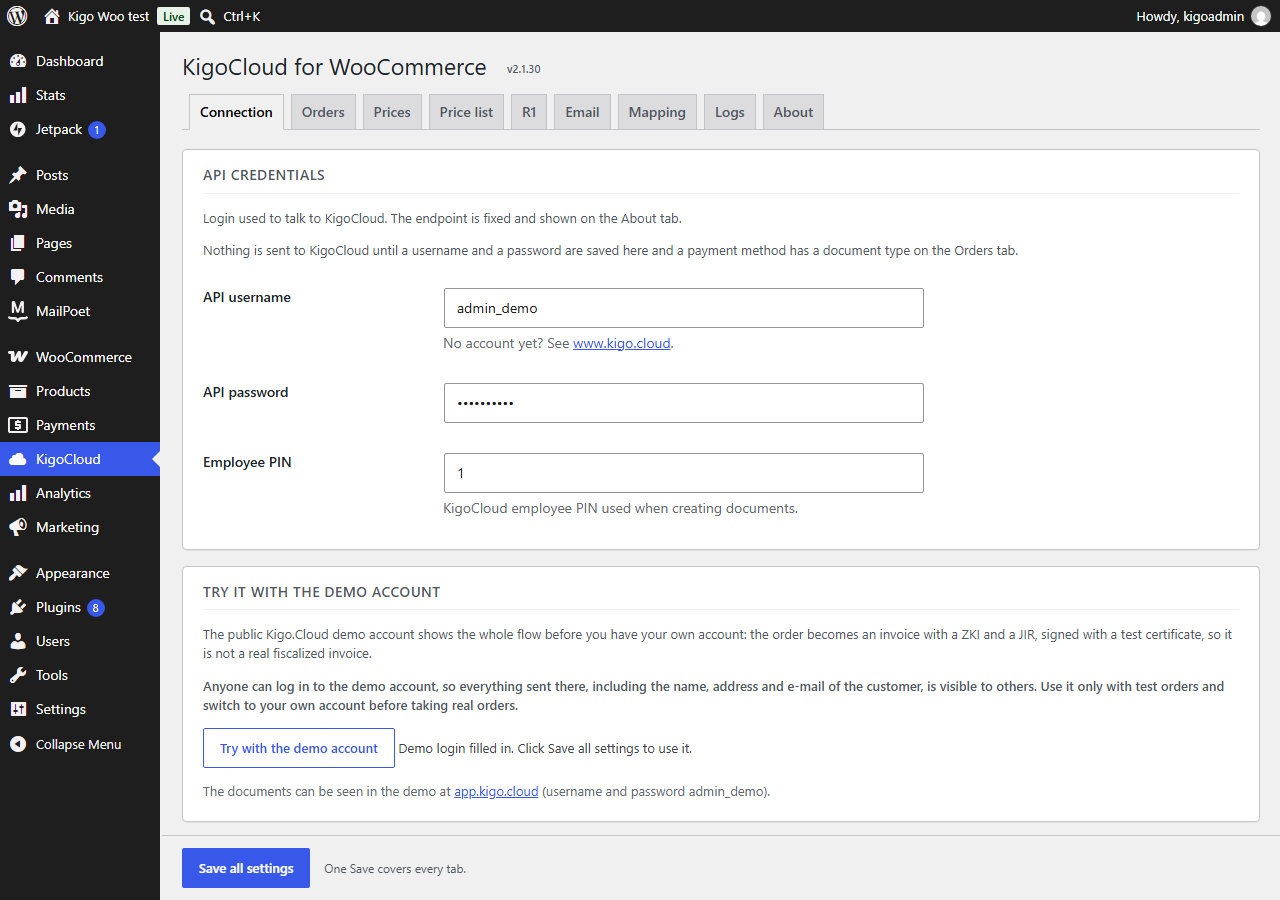

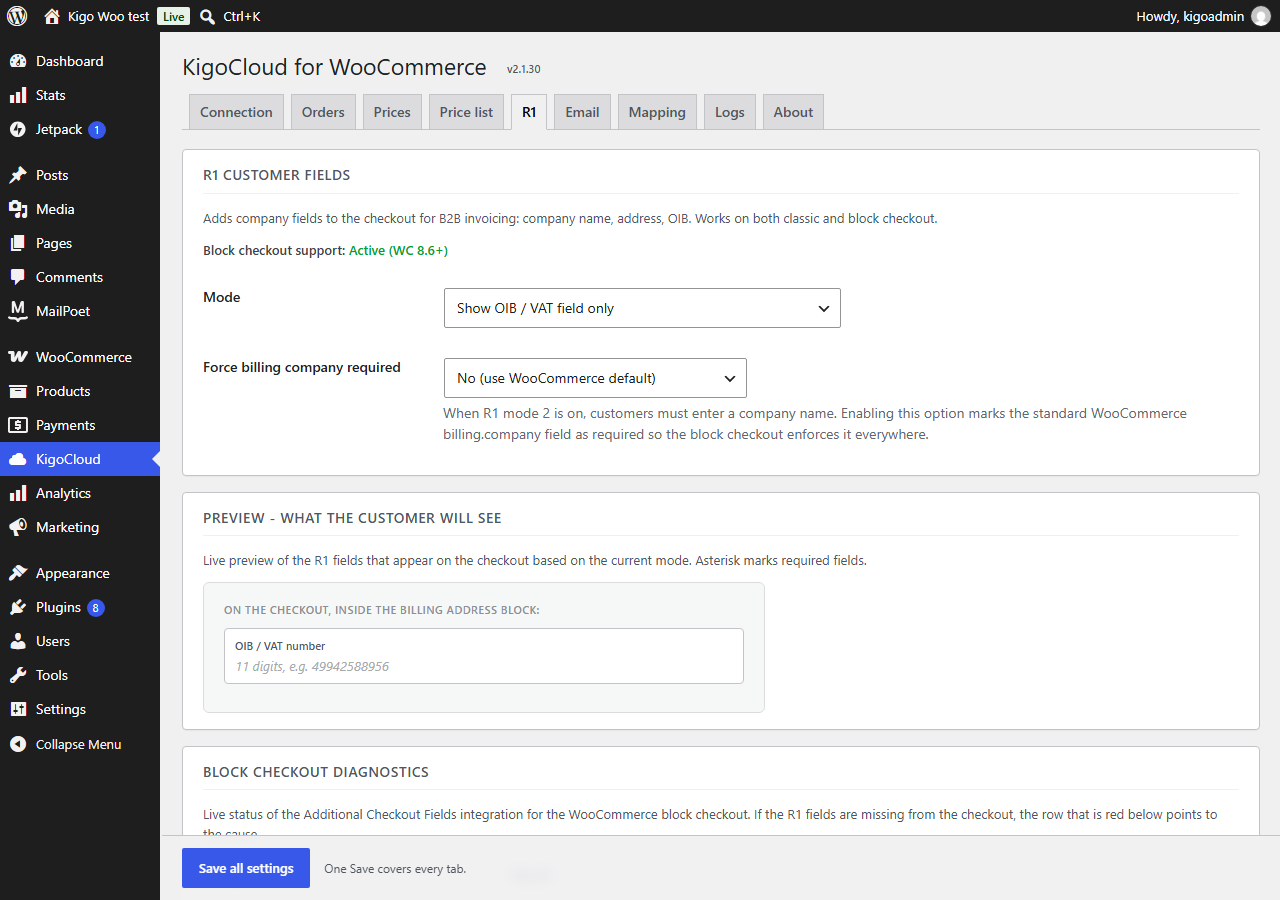

Fiskalizacija web trgovine bez prepisivanja. KigoCloud for WooCommerce connects your shop to Kigo.Cloud, the Croatian invoicing and fiscalization service by Symmetria d.o.o. When a customer orders and pays, the order is sent to Kigo.Cloud, which issues the invoice, fiscalizes it (ZKI and JIR from the Tax Administration) and the plugin e-mails the PDF to the customer.
Croatian law requires every sale paid by card, cash or a similar method to be fiscalized, web shops included. With this plugin there is nothing to retype: the items, prices, VAT, shipping and the customer come from the WooCommerce order.
Bazna cijena (sidrena cijena) i cjenik za objavu. From 17 November 2026 Croatian shops show the base price (bazna cijena, also called sidrena cijena or anchor price) next to the retail price, and a shop with a website publishes its price list (cjenik) of goods and of services in a machine readable CSV or XML file, a changed price list by 11:00 on the day of the change, and keeps a replaced price list available for 15 days. Kigo.Cloud calculates the base price from the price history of your items, and this plugin shows it under the product price in WooCommerce and serves the CSV and XML price lists from your own domain, with the [kigo_cjenik] shortcode for the page your customers open.
What it does
- Fiscalized invoice for every order. Per payment method you choose the document (invoice or offer), the payment type on the invoice (card, transaction account, cash, other) and when it is created: when the order is placed or when it is completed.
- R1 invoices for companies. OIB (VAT number) and company fields on the checkout, with the OIB checksum validated. Works with the classic checkout and the block checkout (WooCommerce 8.6+).
- Invoice PDF to the customer by e-mail, straight after the document is created.
- Invoices in the customer’s language. A customer outside Croatia can get the invoice and the e-mail in English, or in German for Germany, Austria, Switzerland and Liechtenstein.
- Stock and price sync with Kigo.Cloud (Business plan): Kigo.Cloud finds your products by SKU and keeps the quantities and prices in step.
- Base price (bazna cijena, sidrena cijena) under the product price, as “Bazna cijena (10. 9. 2026.): 12,00 €”, as the Pravilnik o isticanju bazne cijene proizvoda in force from 17 November 2026 requires, when Kigo.Cloud sends it.
- Price list (cjenik) of goods and of services in CSV and XML on your own domain. The plugin checks Kigo.Cloud every hour, downloads a changed price list as soon as Kigo.Cloud publishes it and serves the CSV and XML from your uploads folder under the prescribed file names; the
[kigo_cjenik]shortcode shows the current files and those replaced in the last 30 days. - Price list without a web shop. A WordPress site without WooCommerce (a company presentation, a craftsman’s or a service provider’s site) installs the plugin only for the price list: without WooCommerce it shows just the Connection and Price list tabs and publishes the CSV and XML price lists from Kigo.Cloud with the
[kigo_cjenik]shortcode. - Deposit on beverage packaging (povratna naknada). While the deposit is switched on in Kigo.Cloud, enter it on the product, and on each variation of a variable product (a variation without its own amount takes that of the product), for example 0.10 € for a bottle or a can and 0.60 € for a six-pack. The product price includes the deposit, the same as in Kigo.Cloud. In the cart, the checkout and the order the deposit has its own row without VAT, so WooCommerce charges VAT only on the rest of the price, the same as the Kigo.Cloud invoice; the customer pays the same total. The plugin sends the deposit with each order line, and Kigo.Cloud shows it separately on the invoice and reports it as povratna naknada in fiscalization and on the eRačun. Products without a deposit work as before.
- Custom field mapping for shops that already collect R1 data with another plugin.
- Logs tab with the last 50 calls, and a test button that sends a test offer (never a real invoice).
- HPOS (custom order tables) compatible.
About Kigo.Cloud
Kigo.Cloud is an online program for issuing and fiscalizing invoices, eRačun (Fiscalization 2.0), stock and price lists, developed in Zagreb since 2013. Connecting a web shop and fiscalizing its orders, with the anchor price under the product price in WooCommerce, is available from the Standard plan; two-way sync of items, stock and prices from the Business plan. Registration is free and needs no card. Plans and prices: www.kigocloud.com.
Live demo
See the plugin at work in KigoCloud Demo Webshop, a WooCommerce shop in Croatian connected to the public Kigo.Cloud demo. Order a product and pay with the Stripe test card 4242 4242 4242 4242 (any future expiry date, any CVC): the order becomes an invoice in Kigo.Cloud. To see it, log in at app.kigo.cloud with username and password admin_demo. The shop also shows the anchor price (bazna cijena) under the product price and a price list page made with the [kigo_cjenik] shortcode. The demo is public, so use made-up customer details.
Try it without an account
On the Connection tab, the Try with the demo account button fills in the login of the public Kigo.Cloud demo. Orders then become invoices in the demo, signed with a test certificate, so you can see the whole flow before you register. Anyone can log in to the demo, so use it only with test orders.
External services
This plugin connects your shop to Kigo.Cloud (https://app.kigo.cloud), an invoicing and fiscalization service run by Symmetria d.o.o., Zagreb, Croatia. It is needed to issue and fiscalize the invoices; without it the plugin does nothing. Nothing is sent before you save a Kigo.Cloud API key, or a username and password (or the demo login), in the plugin settings.
What is sent, and when:
- Order to invoice (
https://app.kigo.cloud/hr/api/v1/invoice/create, or/en/or/de/for a foreign customer): when an order reaches the status you chose for its payment method (placed or completed), and only for payment methods that have a document type. Sent: the order number, the items (name, SKU, quantity, price, VAT rate, discount), shipping, the payment type, the customer note, the customer’s name or company name, OIB, address, city, postcode, country, shipping country, e-mail and phone, the number and amount of any Kigo.Cloud gift voucher used, the employee PIN, and your Kigo.Cloud login for authentication (the API key, or the username and the password as an MD5 hash). - Invoice PDF (
https://app.kigo.cloud/hr/api/v1/invoice/getAsPdf/...): right after the invoice is created, only for payment methods where sending the PDF to the customer is turned on. Sent: the document id and your Kigo.Cloud login. The PDF is e-mailed to the customer from your site. - Gift voucher check (
https://app.kigo.cloud/hr/api/v1/giftVoucher/check): when a buyer types something shaped like a voucher number (XXXX-XXXX) in the cart’s coupon field and no shop coupon has that code. Sent: the voucher number and your Kigo.Cloud login. No data about the buyer is sent. The answer (what is left on the voucher) is kept for two minutes. - Order cancelled (
https://app.kigo.cloud/hr/api/v1/invoice/cancelOrder): once, when an order that already has a Kigo.Cloud document is set to cancelled or refunded. Sent: the order number, the employee PIN and your Kigo.Cloud login. Kigo.Cloud cancels the invoice, or releases the gift voucher reserved for an offer. - Connection test (R1 tab button): when you click it. Sends a test offer with made-up buyer data and your Kigo.Cloud login.
- Licence (
https://app.kigo.cloud/hr/api/v1/licence/info): once a day and when the settings are saved. Sent: your Kigo.Cloud login. The answer is the package, its expiry and the price list address. - Anchor prices (
https://app.kigo.cloud/hr/api/v1/item/list, anditem/getByReferencefor the SKU of a saved product): while “Anchor price” is set to show, every hour, on a page view when WP-Cron did not run for an hour, when a product is saved and when the settings are saved. Sent: your Kigo.Cloud login. The answer is your Kigo.Cloud item list with the anchor prices; the plugin keeps the item code, barcode and anchor price. No data about your shop or customers is sent. - Price list (the addresses of the price list files in the Kigo.Cloud licence): every hour, when the settings are saved, and when a page with the
[kigo_cjenik]shortcode finds a copy not checked in the last hour. Each check is a conditional request; only the CSV and XML files of a changed price list are downloaded; no data about your shop or customers is sent. - Demo account: if you use the demo login, the same order data goes into the public Kigo.Cloud demo, which anyone can open with that login.
In the other direction, Kigo.Cloud reads products from your shop through the WooCommerce REST API (and this plugin’s SKU lookup route, /wp-json/wc/v3/kigocloud/...) only if you create WooCommerce REST API keys and enter them in Kigo.Cloud.
Kigo.Cloud terms of use: https://www.kigocloud.com/uvjeti-koristenja
Kigo.Cloud privacy policy: https://www.kigocloud.com/zastita-osobnih-podataka