

Keyless Auth – Login without Passwords
v3.2.4Chris Martens · 2025年9月12日 上架
Secure, passwordless authentication for WordPress. Your users login via magic email links – no passwords to remember or forget.
- 正在使用
- 40+
- 评分
- 暂无
- 累计下载
- 2,156
- 最近更新
- 2025年11月25日
贡献者
 Chris Martens
截图



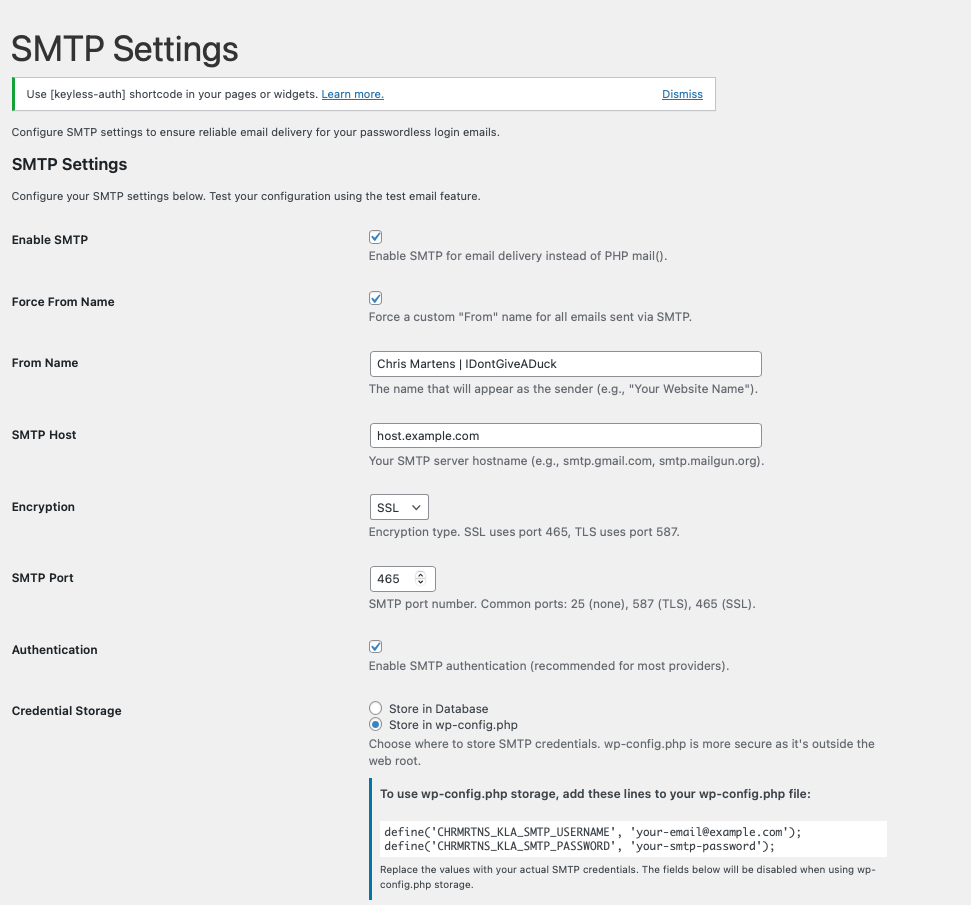
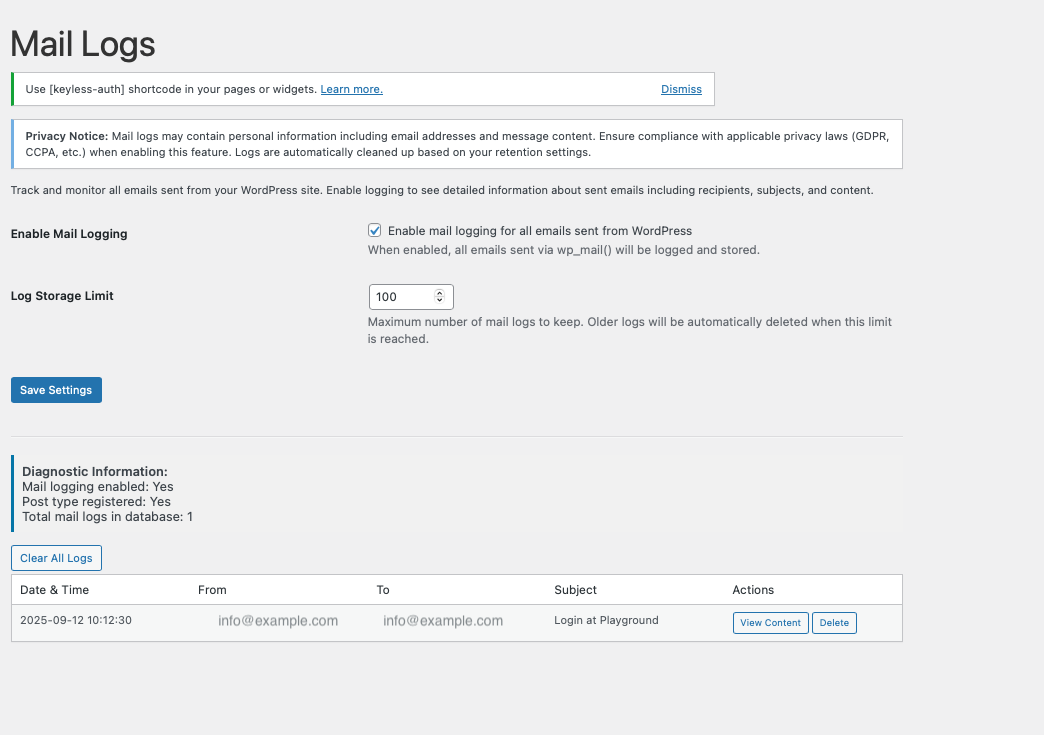

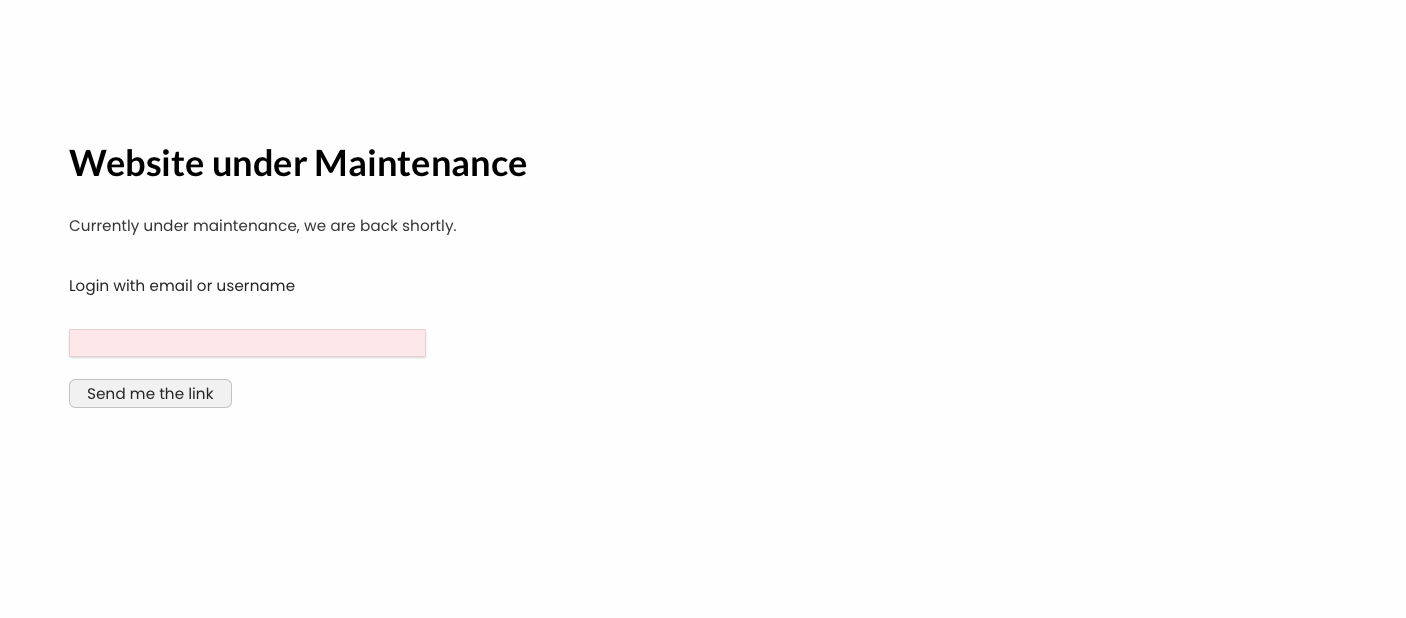

Transform your WordPress login experience with passwordless authentication. Users simply enter their email address and receive a secure magic link – click to login instantly. It’s more secure than weak passwords and infinitely more user-friendly.
Why Choose Keyless Auth?
- Enhanced Security: No more weak, reused, or compromised passwords
- Better User Experience: One click instead of remembering complex passwords
- Reduced Support: Eliminate “forgot password” requests
- Modern Authentication: Enterprise-grade security used by Slack, Medium, and others
- Security Hardening: Built-in protection against brute force attacks and username enumeration
Quick Start
- Install and activate the plugin
- Create a new page and add the shortcode
[keyless-auth] - Configure email templates in Keyless Auth Templates
- Done! Users can now login passwordlessly
Core Features
Ready to Use
* Magic Link Authentication – Secure, one-time login links via email
* Two-Factor Authentication (2FA) – Complete TOTP support with Google Authenticator
* Role-Based 2FA – Require 2FA for specific user roles (admins, editors, etc.)
* Custom 2FA Setup URLs – Direct users to branded frontend 2FA setup pages
* SMTP Integration – Reliable email delivery through your mail server
* Email Templates – Professional, customizable login emails
* Mail Logging – Track all sent emails with delivery status
* Custom Database Tables – Scalable architecture with dedicated audit logs
Advanced Security
* Token Security: 10-minute expiration, single-use tokens
* Audit Logging: IP addresses, device types, login attempts
* Emergency Mode: Grace period system with admin controls
* Secure Storage: SMTP credentials in wp-config.php option
* XML-RPC Disable: Block brute force attacks via XML-RPC interface
* Application Passwords Control: Disable programmatic authentication when not needed
* User Enumeration Prevention: Block username discovery attacks
Customization
* WYSIWYG Email Editor: Full HTML support with live preview
* Advanced Color Controls: Hex, RGB, HSL color formats
* Template System: German, English, and custom templates
* Branding Options: Custom sender names and professional styling
Installation & Setup
Basic Installation
1. WordPress Admin Plugins Add New
2. Search for “Keyless Auth”
3. Install and activate
4. Add [keyless-auth] shortcode to any page
SMTP Configuration (Recommended)
1. Navigate to Keyless Auth SMTP
2. Configure your email provider (Gmail, Outlook, SendGrid, etc.)
3. Test email delivery
4. Save settings
Two-Factor Authentication Setup
1. Go to Keyless Auth Options
2. Enable “Two-Factor Authentication”
3. Select required user roles
4. Users scan QR code with authenticator app
Email Templates
Template Options
* German Professional: Sleek German-language template
* English Simple: Clean, minimalist design
* Custom HTML: Create your own with WYSIWYG editor
Customization Features
* Full HTML and CSS support
* Color picker for buttons and links
* Responsive email design
* Live template preview
* Placeholder system for dynamic content
Security & Compliance
Token Security
* Generated using WordPress security standards
* Based on user ID, timestamp, and wp-config.php salt
* 10-minute expiration with single-use enforcement
* Secure database storage with automatic cleanup
Two-Factor Authentication
* TOTP-based system compatible with Google Authenticator, Authy
* Role-based requirements for granular control
* Grace period system for smooth user transitions
* Custom verification forms with professional styling
Database Architecture
* Custom tables for optimal performance
* Comprehensive audit logging
* Device tracking and IP monitoring
* Automatic maintenance and cleanup routines
Security Hardening
Keyless Auth includes comprehensive security hardening features to protect your WordPress site from common attack vectors. All features are optional and can be enabled based on your site’s needs.
XML-RPC Disable
* Prevents brute force attacks via WordPress XML-RPC interface
* Reduces attack surface by disabling legacy API
* Recommended for sites not using Jetpack, mobile apps, or pingbacks
Application Passwords Control
* Disable REST API and XML-RPC authentication when programmatic access isn’t needed
* Prevents unauthorized API access
* Recommended for simple sites without third-party integrations
User Enumeration Prevention
* Blocks REST API user endpoints (/wp-json/wp/v2/users)
* Redirects author archives and ?author=N queries
* Removes login error messages that reveal usernames
* Strips comment author CSS classes
* Removes author data from oEmbed responses
* Recommended for business/corporate sites without author profiles
Benefits
* Combined protection against brute force attacks
* Prevents username discovery for targeted attacks
* Reduces unauthorized API access
* Easy to configure without code or .htaccess modifications
* All features include comprehensive documentation
* FTP recovery available if needed
SMTP & Email Delivery
Supported Providers
* Gmail / Google Workspace
* Outlook / Microsoft 365
* Mailgun, SendGrid, Amazon SES
* Any SMTP-compatible service
Advanced Email Features
* Message-ID domain alignment for deliverability
* SPF/DKIM/DMARC compliance
* Custom sender names and addresses
* Bulk email log management
* Delivery status tracking
Secure Credential Storage
Store SMTP credentials securely in wp-config.php:
define('CHRMRTNS_KLA_SMTP_USERNAME', 'your-email@example.com');
define('CHRMRTNS_KLA_SMTP_PASSWORD', 'your-smtp-password');
WordPress Integration
Login Page Integration
* Optional magic login field on wp-login.php
* Seamless integration with existing login flow
* Toggle control for easy enable/disable
* Clean, responsive form styling
Shortcode Usage
Use [keyless-auth] anywhere: pages, posts, widgets, or custom templates.
Developer Features
Hooks & Filters
Customize login redirect:
add_filter(‘wpa_after_login_redirect’, ‘custom_redirect_function’);
Modify email headers:
add_filter(‘wpa_email_headers’, ‘custom_email_headers’);
Change token expiration:
add_filter(‘wpa_change_link_expiration’, ‘custom_expiration_time’);
Modular Architecture
* Clean, organized class structure
* Separated concerns for easy maintenance
* WordPress coding standards compliance
* Extensive documentation and comments
Requirements
- WordPress: 3.9 or higher (tested up to 6.8)
- PHP: 7.4 or higher
- Email Delivery: SMTP recommended for reliability
Note: Keyless Auth complements WordPress’s default login system – it doesn’t replace it.
Developed by Chris Martens | Based on the original Passwordless Login plugin by Cozmoslabs