
Kansleri Cookie Consent
v1.8.13tapiokansleri · 2026年3月19日 上架
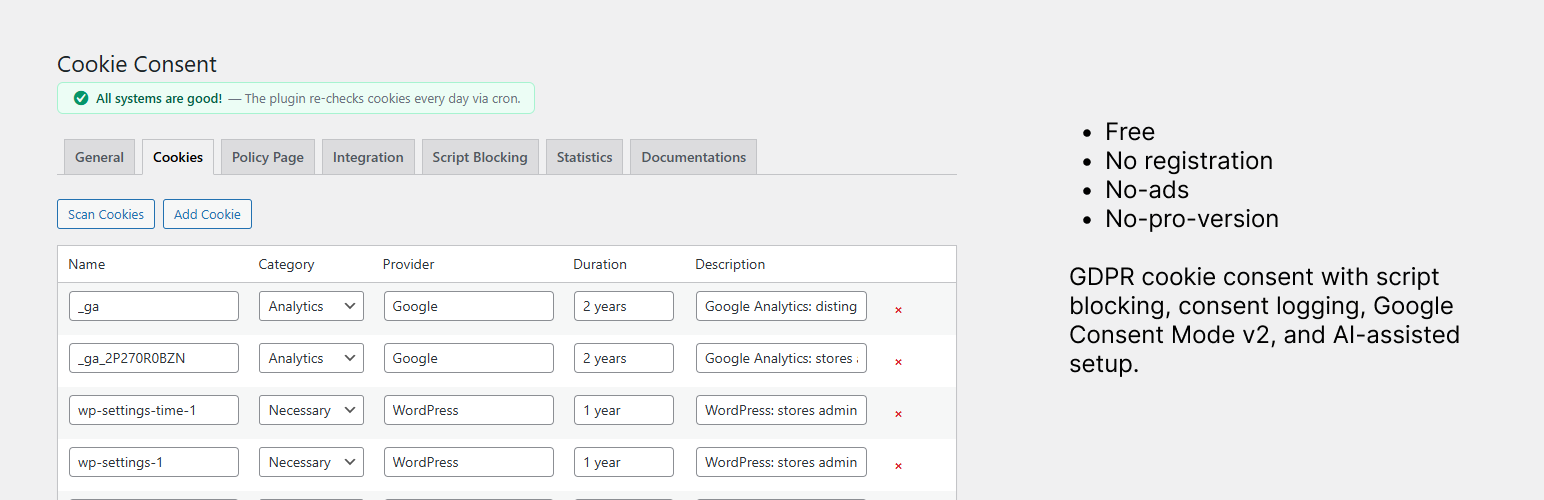
Free, no-ads, no-pro-version GDPR cookie consent with script blocking, consent logging, Google Consent Mode v2, and AI-assisted setup.
- 正在使用
- 1,000+
- 评分
- 5.0 / 5
- 累计下载
- 1.2 万
- 最近更新
- 2026年11月24日
7 条评价需要 WordPress 6.0+已测试到 7.1.5PHP 7.4+
贡献者
 tapiokansleri
截图


Kansleri Cookie Consent is a free, lightweight, and easy-to-use WordPress cookie consent plugin. There are no ads, no pro version, and no upsells. It is perfect for personal websites, small businesses, and hobby sites who want no-hassle cookie consent.
Features:
- Three banner styles: bottom bar, centered modal, corner popup
- Customizable colors, texts, and button labels
- Plugin or Theme typography mode for consistent banner styling (Plugin style is the default)
- Four consent categories: Necessary, Analytics, Marketing, Preferences
- Script auto-blocking — prevents third-party scripts from running until consent is given, including WordPress-enqueued scripts and raw HTML scripts from page builders (Bricks, Elementor, custom code injectors)
- YouTube & Vimeo iframe blocking — video embeds are blocked until marketing cookies are accepted, with a user-friendly placeholder (can be turned off)
- Block by address — hold back any other script, such as a widget the plugin does not recognize, by part of its address until the visitor accepts the category you choose, with an optional message and accept button where it would show content
- Reviews widgets — the Trustmary reviews widget waits for analytics consent, with a placeholder and accept button in its place
- Google Consent Mode v2 integration with automatic default/update signals, in Basic mode (Google tags wait for consent) or Advanced mode (Google tags load right away with consent denied)
- GTM dataLayer push on consent changes
- Integration tab recommends Google Site Kit (Google’s official WordPress plugin) for installing Google Analytics 4 and Google Tag Manager, so Consent Mode v2 signals work out of the box without manual GTM snippet management
- Built-in cookie scanner that auto-identifies common cookies (Google Analytics, Meta Pixel, WordPress core, and more) — including cookies from consent-blocked scripts via service inference
- AI-assisted cookie descriptions — copy a prompt, paste into an AI tool, import the result
- AI-assisted policy page generation — generate a complete cookie/privacy policy page with one prompt
- Cookie policy page defaults to the WordPress Privacy Policy page, with a dynamic
[kncc_cookie_policy]shortcode (theme styling by default; plugin styling optional) - Floating settings button for visitors to update preferences (on by default)
[kncc_cookie_settings]shortcode — add a cookie settings link anywhere (footer, menu, etc.) with customizable text- “Edit cookie preferences” button on the policy page for easy consent withdrawal
- Per-user consent logging — anonymized audit trail for GDPR compliance with CSV export
- Consent statistics dashboard (no personal data stored)
- Graceful multilingual policy page fallback — if a language is missing a translated policy page, the banner links to the default-language page instead of a 404
- Google Site Kit integration — auto-detects and avoids duplicate consent signals
- WP Consent API integration — shares consent status with other plugins
- Full WPML and Polylang support — per-language banner texts, cookie descriptions, banner style, colors, and policy page
- Translated into every official language of the EU and EEA countries (25 languages besides English): Bulgarian, Croatian, Czech, Danish, Dutch, Estonian, Finnish, French, German, Greek, Hungarian, Icelandic, Irish, Italian, Latvian, Lithuanian, Maltese, Norwegian, Polish, Portuguese, Romanian, Slovak, Slovenian, Spanish and Swedish. Regional variants such as Austrian German, Mexican Spanish, Canadian French and Brazilian Portuguese use the same translation, and the banner texts start in your site’s language
- Daily cron check for missing cookie descriptions with admin notifications
- Comprehensive documentations tab with installation guide, option explanations, and troubleshooting
- Clean uninstall — removes all data when deleted