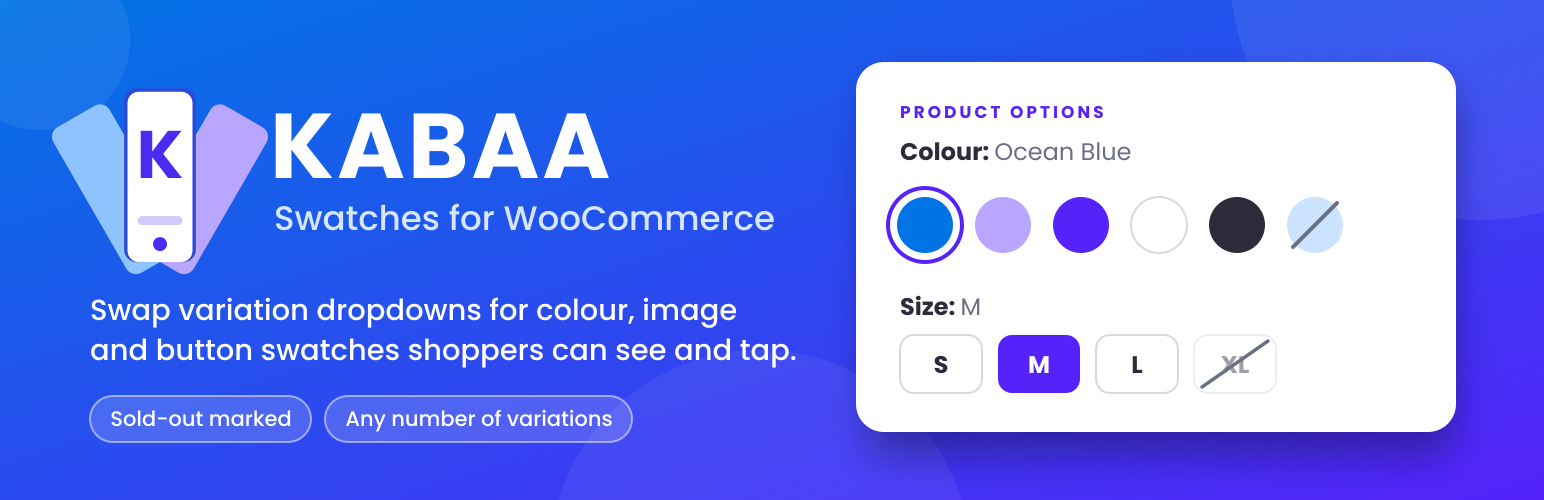

KABAA Variation Swatches for WooCommerce – Color, Image & Button Swatches
v0.13.0KABAA · 2026年10月13日 上架
Variation swatches for WooCommerce: color, image, button and radio swatches on product and shop pages. Sold-out marking, shareable variation links.
- 正在使用
- 10 以下
- 评分
- 暂无
- 累计下载
- 717
- 最近更新
- 2026年11月24日
贡献者
 KABAA
截图
KABAA Variation Swatches for WooCommerce turns variation dropdowns into color swatches, image
swatches, button (label) swatches and radio swatches, on the single product page and on shop,
category and search pages. Free on WordPress.org.
Works with classic themes that use WooCommerce’s standard variation form.
Setup guide, every screen with a screenshot: kazibadrul.com/kabaa-swatches/docs
Why stores switch
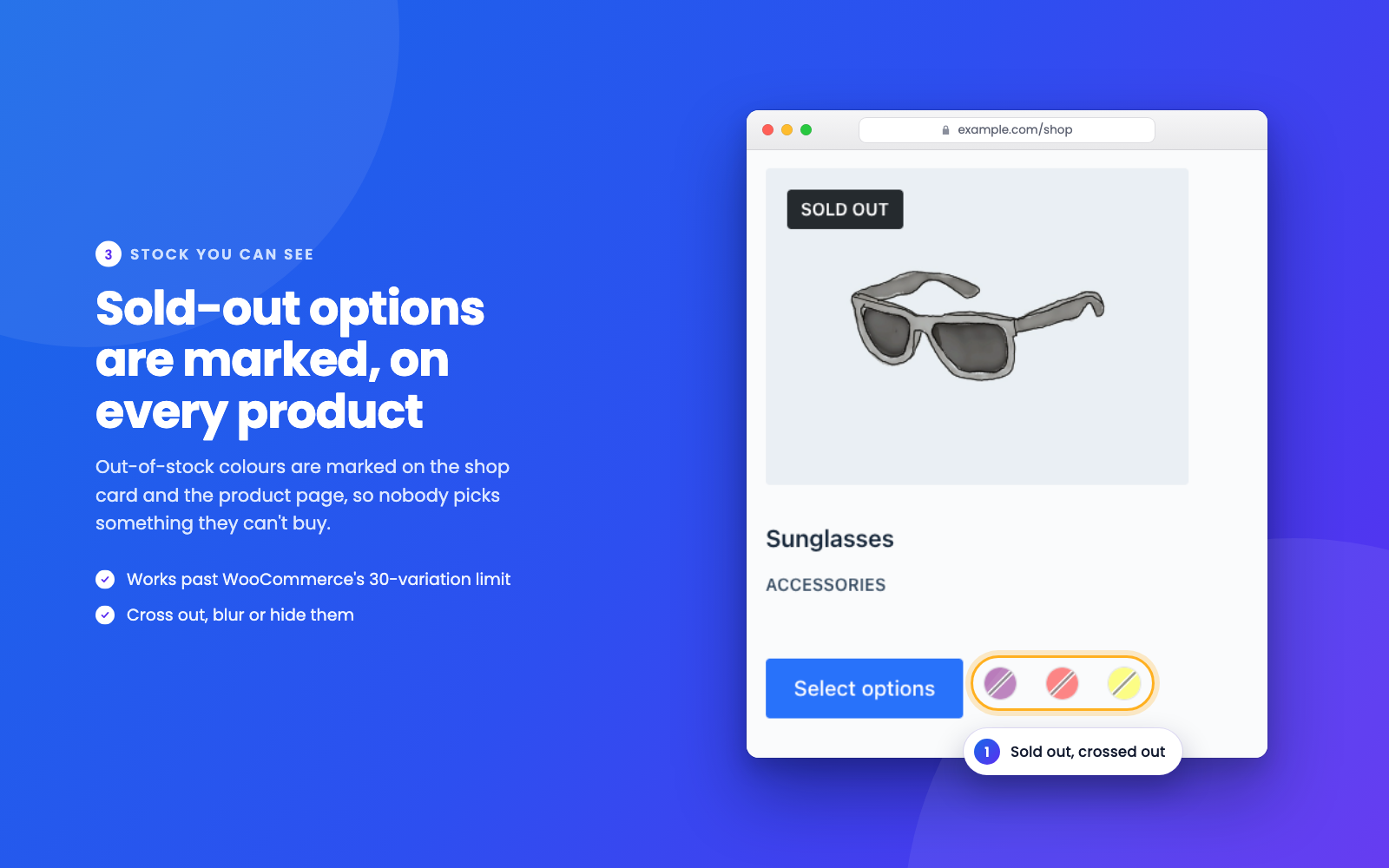
Sold-out options marked correctly, on every product.
A t-shirt in 6 colours and 8 sizes has 48 variations. Past 30, WooCommerce stops loading
variation data with the page, and many swatch plugins stop marking sold-out options. Shoppers
pick a combination that can’t be bought, and the cart says no.
KABAA Swatches marks sold-out options on products with any number of variations. Below
WooCommerce’s threshold it uses the data already on the page and adds no request. Above it, it
fetches availability sized to the swatches on screen, not to the number of variations. And it
works the same whether WooCommerce’s “Hide out of stock items from the catalog” option is on or
off, so you never have to hide sold-out products across your whole store to get it.
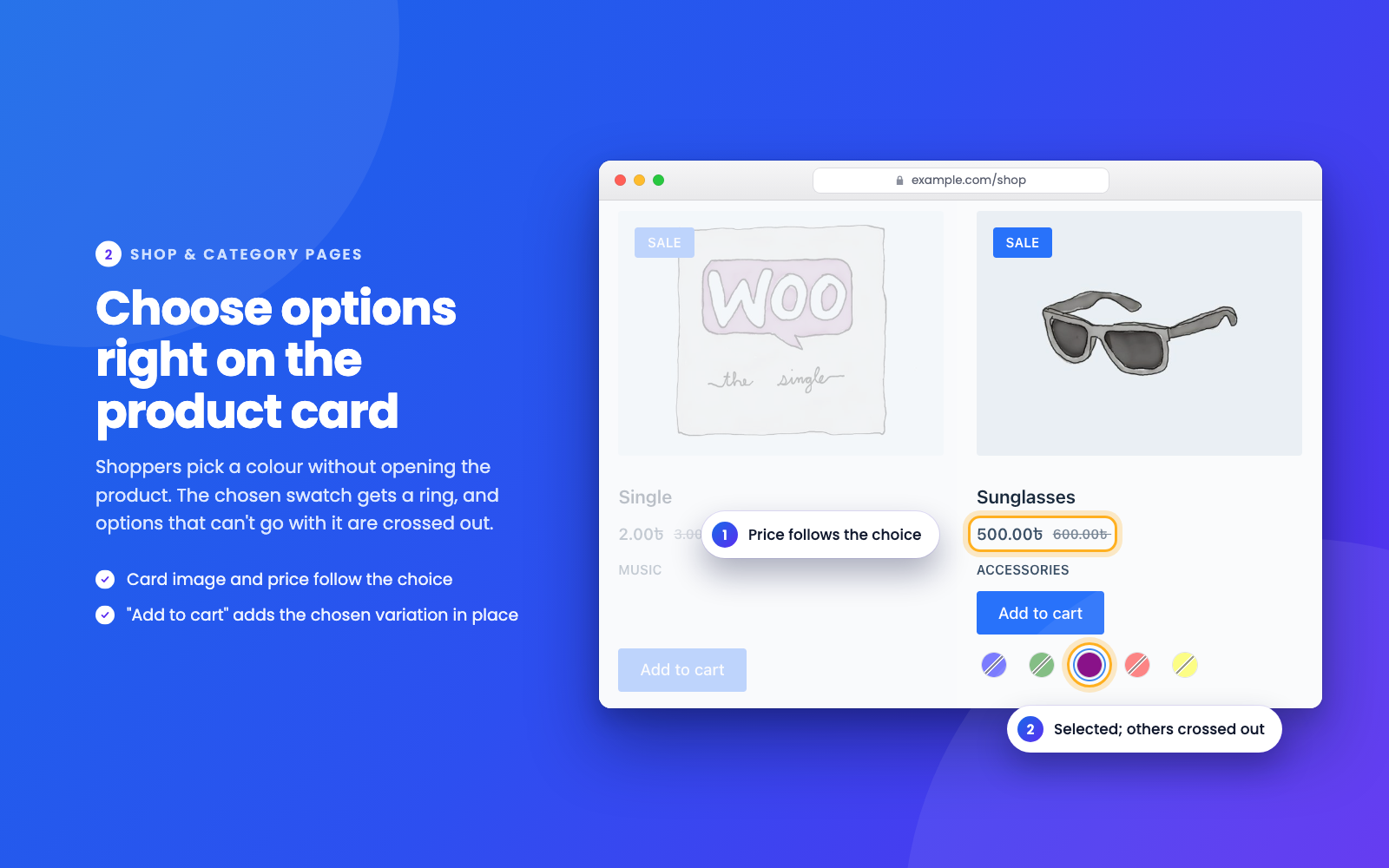
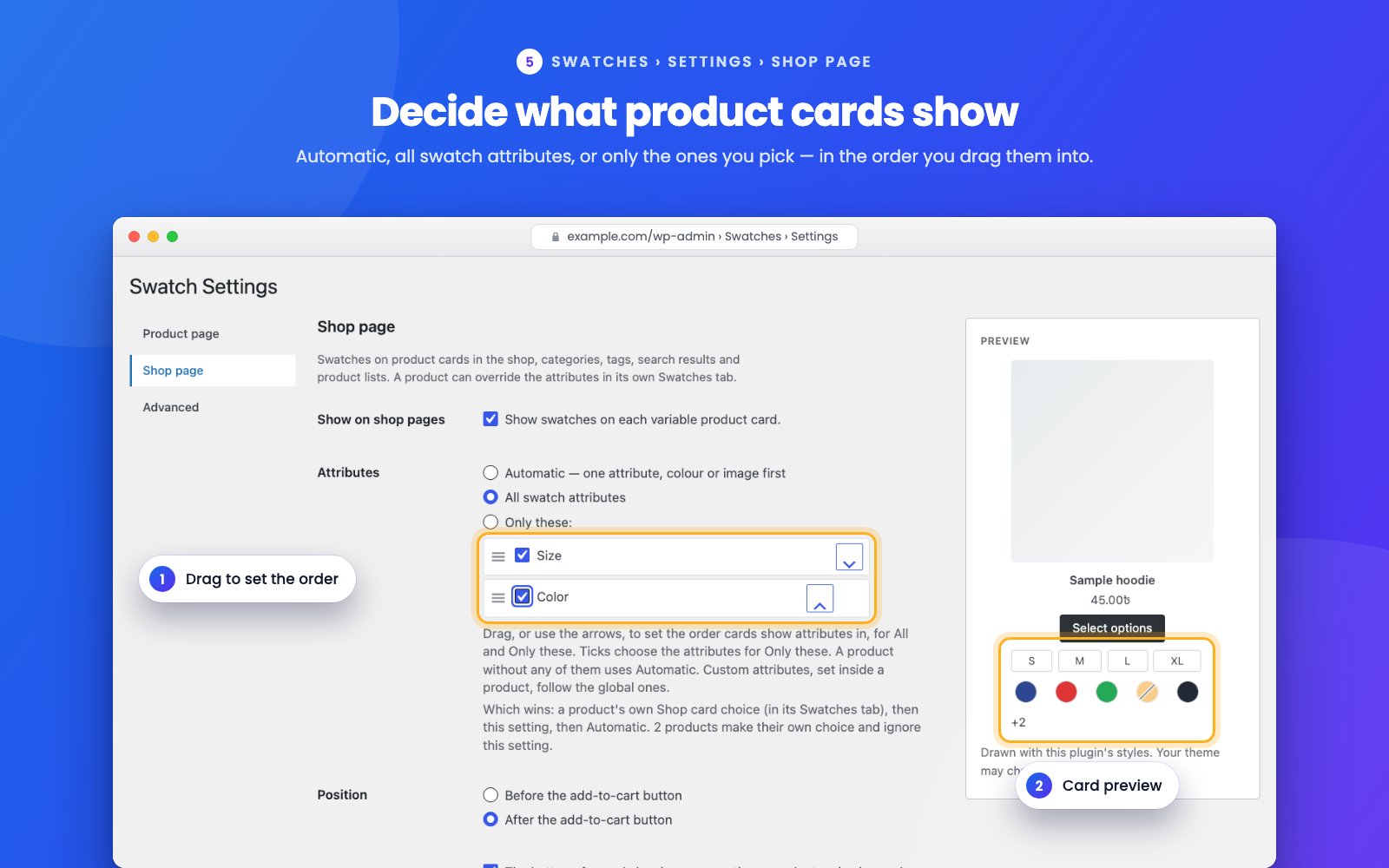
Pick options and add to cart from the shop page.
Swatches on shop, category, tag and search pages. A shopper picks a colour on the product card,
sees that colour’s photo and price, and adds the variation to the cart without opening the
product. One page fewer between browsing and buying.
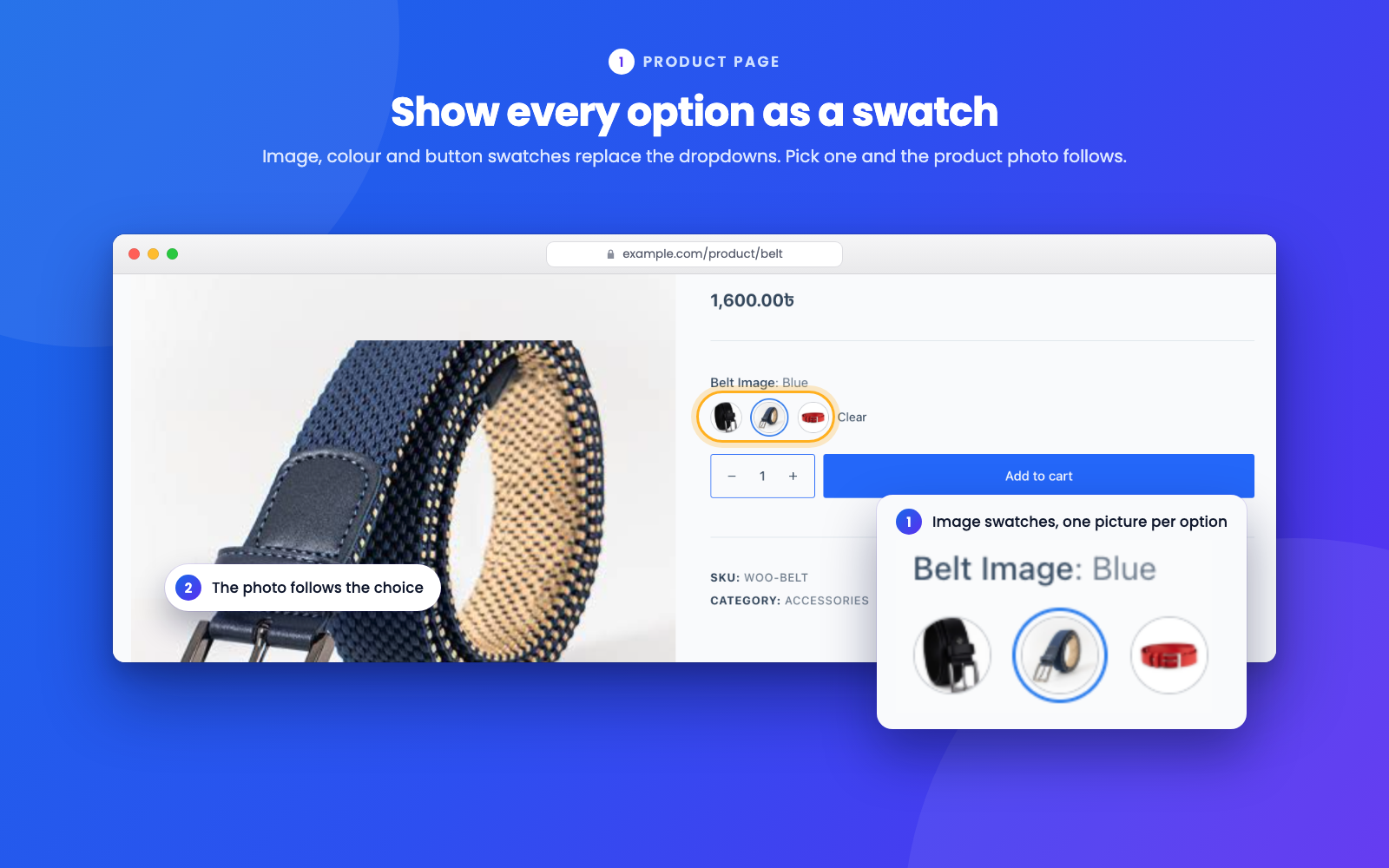
See the product, not a colour dot.
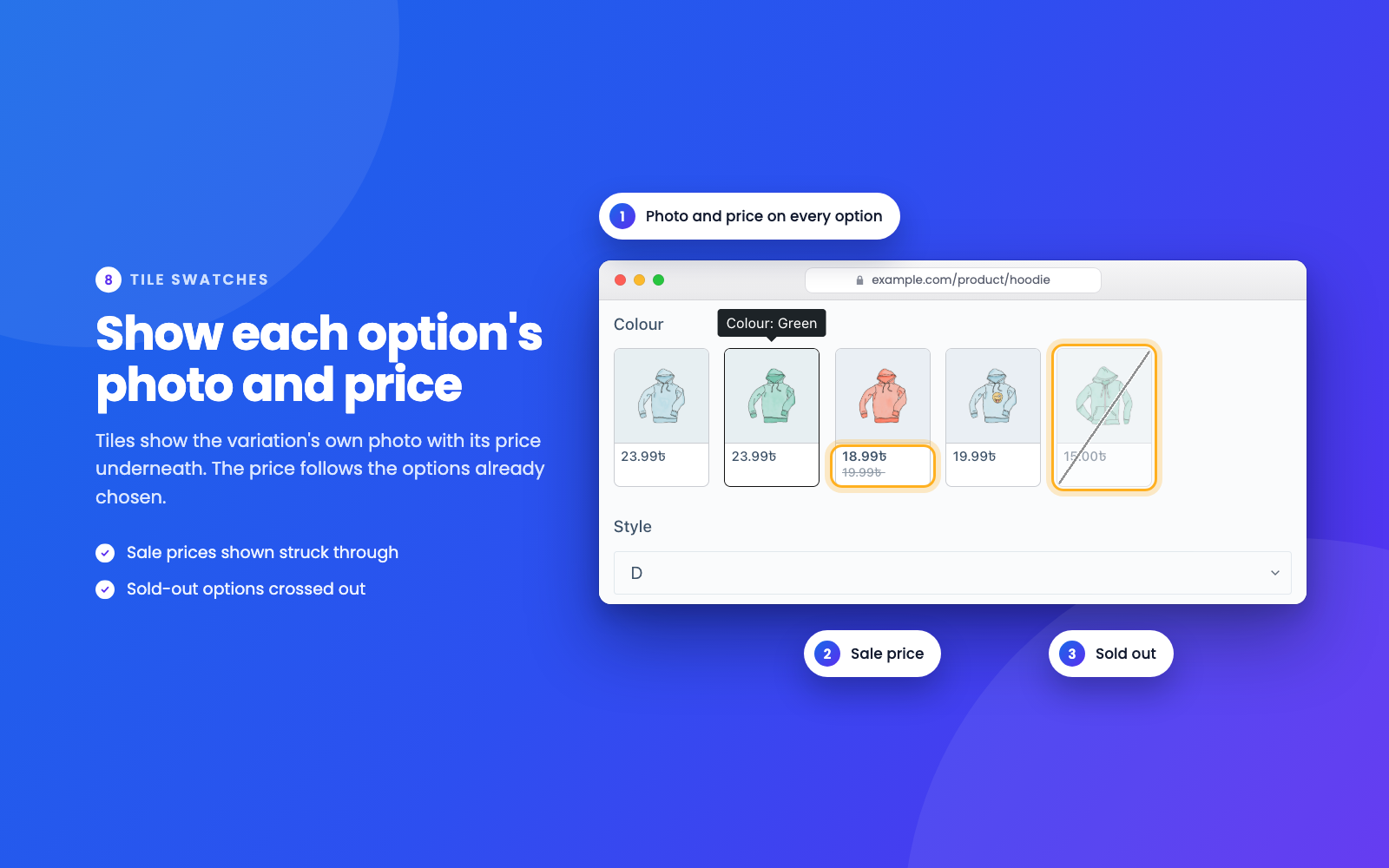
Tile swatches show each option’s own photo with its price underneath, following what is already
chosen. Hovering a tile previews its photo in the main product image. With WooCommerce’s classic
product gallery, the main photo also follows the first choice: pick Red and the red product shows,
before a size is picked.
Also included
- One click to swatches. Turn every dropdown into button swatches from the welcome screen,
with no per-attribute setup. Undo is one click too - Shareable variation links. A link that opens the product on one exact colour and size
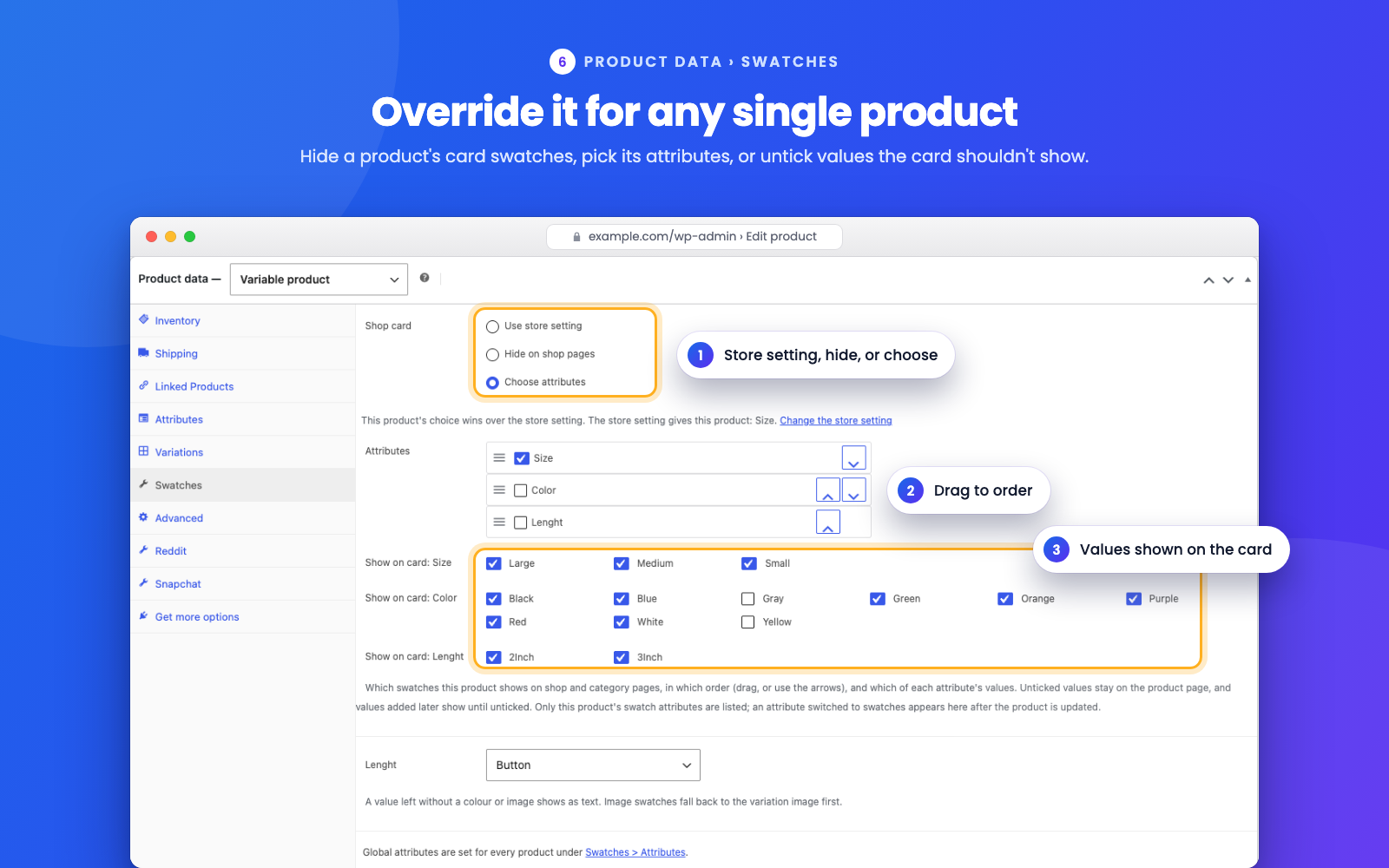
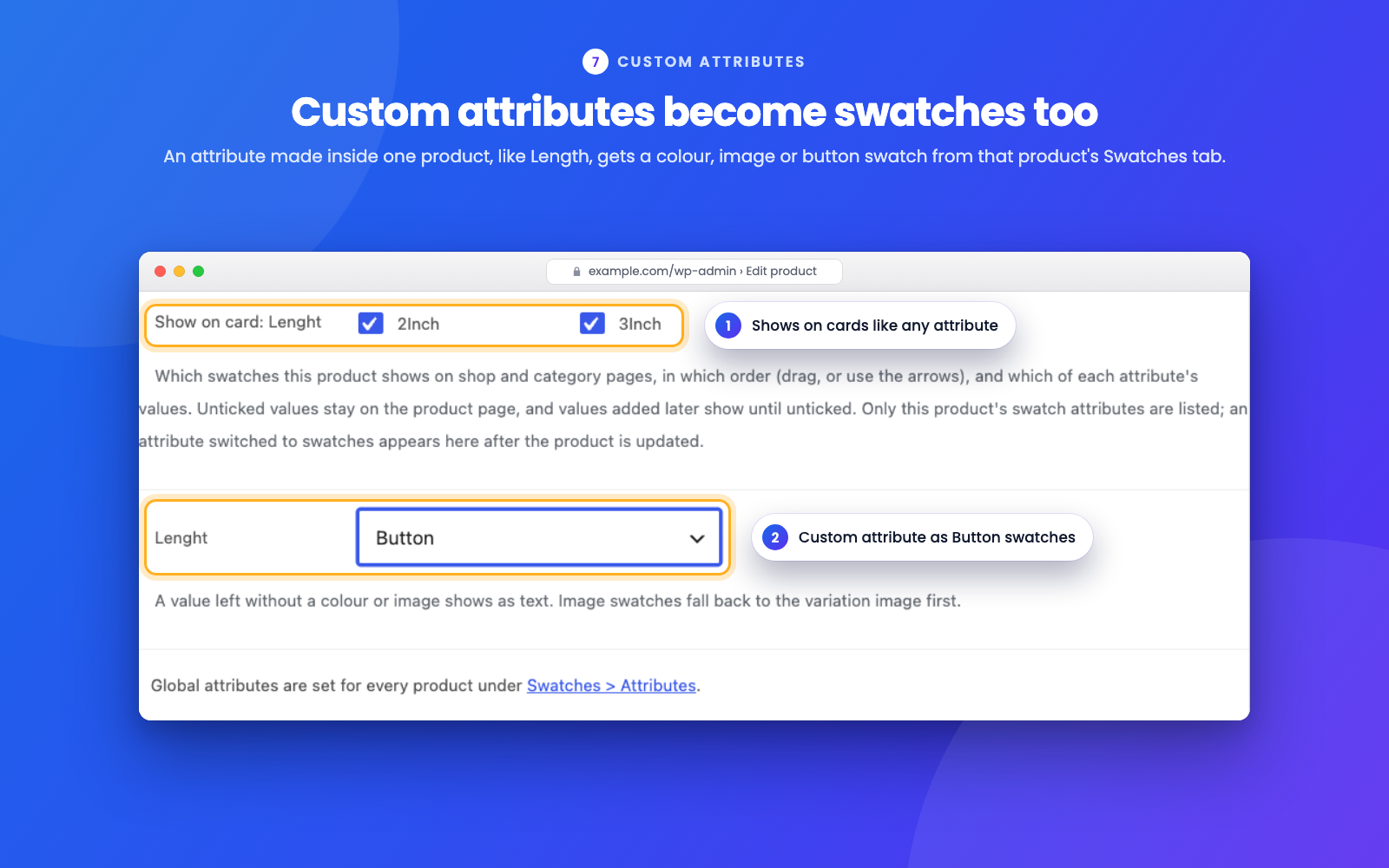
- Custom attributes created inside a product get swatches too, set from the product’s own
Swatches tab, not only global attributes
And more
- Radio swatches, for plans, warranties and names too long for a button
- Two-colour swatches for two-tone products (“Navy / White” fills both colours itself)
- Colours fill themselves from term names (Navy, Tomato)
- Group swatches under headings (“Kids”, “Adults”, “Plus size”)
- A Larger option for the attribute that decides the sale
- Tooltips on hover and keyboard focus, with your own text and colour, or the option’s photo
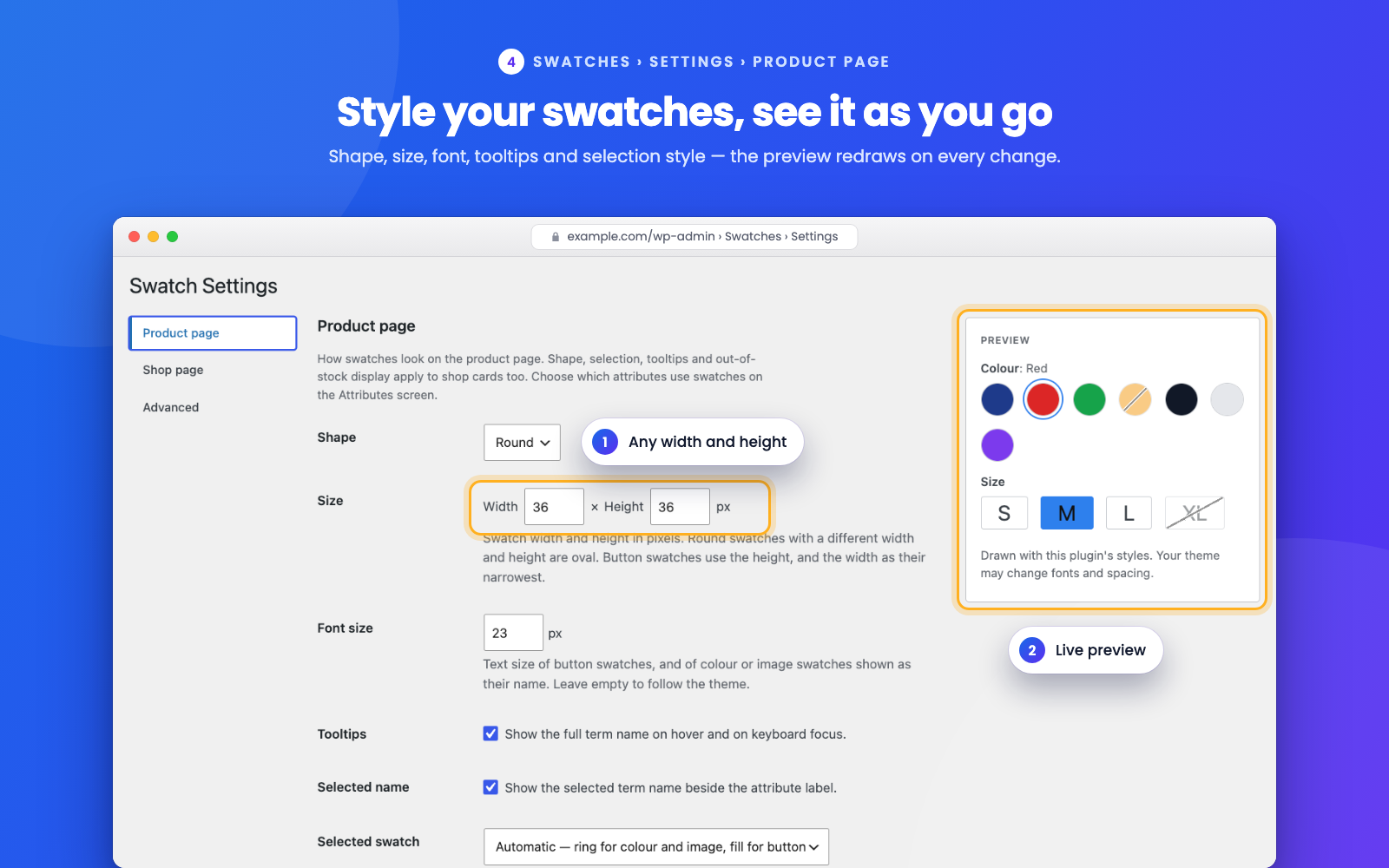
- Selection as a ring, fill or border; round or square; any size; no CSS to write
- Sold-out options crossed out, blurred or hidden, on product pages and shop cards
- Choose which attributes and values shop cards show, in which order, store-wide or per product
- Image swatches fall back to the variation’s own image when a term has none
- The selected option’s name beside the attribute label
- Any attribute can go back to a plain dropdown, keeping its colours and images
- Backorders count as purchasable, because they are
- A live preview on every setup screen, and a built-in Tutorial
- German included for Germany, Austria and Switzerland (WordPress 6.5 or newer)
Shareable variation links
Choose Navy and Large and the page address becomes
/product/tee/?attribute_pa_color=navy&attribute_pa_size=large. Anyone who opens that link
lands on the product with Navy and Large already chosen. Good for an ad or newsletter that
should open on the exact colour, and for support pointing a customer at one variation.
- Partial choices work too: pick only the colour and the link carries only the colour
- Anything already in the address, such as campaign tags, is kept
- No browser history is added, so Back still leaves the product page
- No extra request and no extra database query
- An optional Copy link button, off until you switch it on
Built to stay out of the way
- WooCommerce’s own
<select>stays in the form and stays in charge. The plugin writes to it
and listens to it; it never resolves variations or touches add to cart. - Swatches are real radio inputs, so keyboard navigation, focus and selected state come from
the browser itself. - No template is overridden. If a theme renders its own variation markup, you get WooCommerce’s
normal dropdowns and the product page keeps working. - Assets load only on pages that show swatches. Shop cards never call back to the server, so
they keep working on pages served from a full-page cache. - Stores its settings in a single option, and custom attribute settings on their own product.
No tracking and no external services.