
JustWhat Accessibility Audit
v1.3.1Justin Adams · 2026年11月3日 上架
Check your site against WCAG 2.2 in wp-admin. Scans run in your browser with axe-core and list every issue with its page, element and fix.
- 正在使用
- 10 以下
- 评分
- 暂无
- 累计下载
- 393
- 最近更新
- 2026年11月4日
 Justin Adams
 pbpyrojust
截图

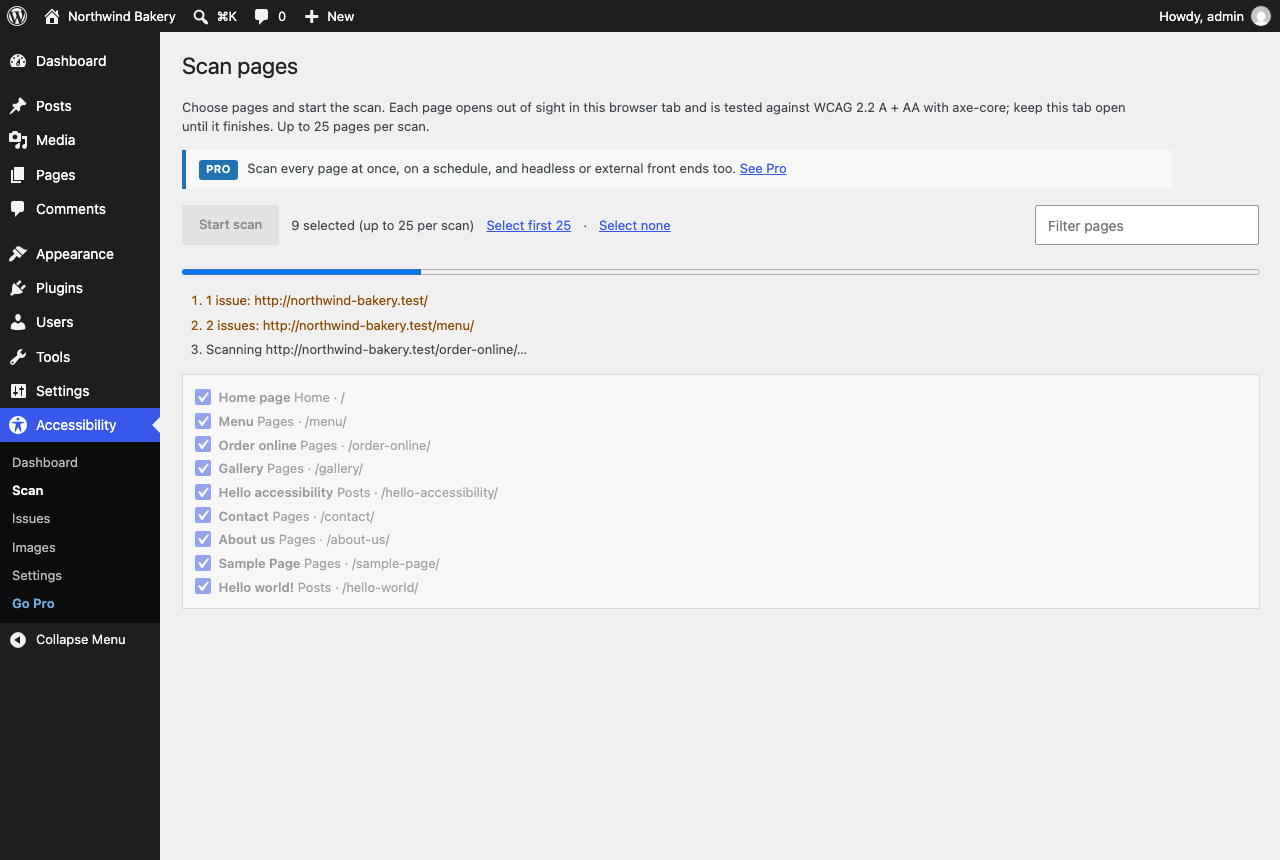


JustWhat Accessibility Audit tests your pages against the Web Content Accessibility Guidelines (WCAG 2.2, 2.1 or 2.0, levels A and AA) and keeps the results in wp-admin.
How it works. Pick the pages to check under Accessibility Scan. Each page opens out of sight in your browser tab and is tested with axe-core, the open-source engine most accessibility auditors use. Nothing is sent to any outside service, and no server-side browser is needed, so it works on any host.
What you get
- An accessibility score and the issues by rule and severity (critical, serious, moderate, minor), with the WCAG success criteria each one fails.
- Every failing element: page, CSS selector, HTML and what exactly failed, with a guide on how to fix it.
- The pages with the most problems, so you know where to start.
- An image alt-text review: missing alt text, file-name alt text, “image of…”, overly long or generic text. Fix media-library images right on that screen.
- “Check accessibility” under every published post and page in the admin lists.
- CSV export of the latest scan’s issues.
- Built-in help (Accessibility Help, plus a Help tab on every screen): how to run a scan, read the score, find and fix the most common problems, review images, and the manual checks a scan can’t do.
- No limits: scan as many pages and as often as you like. You choose how many scans keep their full results (Settings Scans to keep); older scans keep their score.
Automated testing finds a large share of accessibility problems, not all of them. Keyboard use, screen-reader wording, captions and how content reads still need a person. Treat a clean scan as a strong start, not a certificate.
Pro
JustWhat Accessibility Audit Pro is a separate add-on for sites that need accessibility checked continuously: scheduled scans of every page, headless and external front ends, full history and trends, fix tickets, email alerts, an executive report and an accessibility statement generator. Nothing in this plugin is locked or time-limited.
The command-line scanner
The same checks run from the command line, in CI or on any site, with the free and open-source @pbpyrojust/justwhat-accessibility-audit package.
Powered by Vinny
JustWhat Accessibility Audit is part of Vinny, the website checkup from JustWhat: accessibility, SEO, security and AI visibility for any site, with fix plans and client reports. This plugin works on its own and needs no Vinny account. Guides: wordpress.justwhat.net/docs.
All three plugins
JustWhat SEO Audit and JustWhat Security Audit follow the same approach. Their Pro add-ons come together in the JustWhat Audit Bundle: all three for the price of two.
External services
The plugin contacts one outside service, and only when an administrator asks it to:
- Plugin updates newsletter (justwhat.net). If you type your email on the Accessibility dashboard and click Subscribe, the plugin sends that email address, your site’s address and the plugin version to
https://justwhat.net/api/newsletter/, which adds you to the Vinny / JustWhat newsletter (run on Mailchimp) for release notes, new features and tips. Nothing is sent if you don’t subscribe, and you can unsubscribe from any email. Terms, Privacy policy.
Third-party libraries
This plugin bundles axe-core (assets/axe.min.js), copyright Deque Systems, Inc., under the Mozilla Public License 2.0 (https://www.mozilla.org/en-US/MPL/2.0/), which is compatible with the GPL. Source: https://github.com/dequelabs/axe-core