

jQuery Post Splitter
v3.1.0Fahad Mahmood · 2015年1月28日 上架
This plugin will split your post and pages into multiple pages with a tag. A button to split the pages and posts is available in text editor icons.
- 正在使用
- 100+
- 评分
- 4.6 / 5
- 累计下载
- 4.5 万
- 最近更新
- 2026年10月31日
 Fahad Mahmood
 InvoicePress
 aqibraza
 Waxil
 Noman Ahmad
截图




-
Author: Fahad Mahmood
-
Project URI: http://androidbubble.com/blog/wordpress/plugins/jquery-post-splitter
-
License: GPL 3. See License below for copyright jots and titles.
jQuery Post Splitter is compatible with almost all themes and it can be implemented in 4 different ways from which you might will require one. For user friendliness, this plugin come up with a button “Split Page” and easy usage within the text editor. It is light weight and comparatively optimized so it will not interrupt your scripts uselessly.
- Demo URI: http://demo.androidbubble.com/jquery-post-splitter-pro
- Demo URI: http://demo.androidbubble.com/how-it-works-jps
- Demo URI: http://demo.guavapattern.com/?page_id=443
- Demo URI (Page Break Block): http://demo.guavapattern.com/?page_id=447
WordPress has an excellent, but little known, feature for splitting up long posts into multiple pages. However, a growing trend among major news and blog sites is instead to split up posts into dynamically loading sliders. While there are many slider plugins available for WordPress, none of them quite tackles this functionality. That’s where the jQuery Post Splitter comes in: it takes normal multi-page posts from WordPress and replaces them with jQuery transition, ajax and page-refresh methods.
Tags
slider, pagination, ajax, carousel, multi-page, newspaper
Video Tutorial
Basic Features
- Posts and Pages can be divided into parts with page-breaks.
- View full post optional link
- Navigation captions can be edited
- Slides counter can be displayed
- Custom HTML and CSS can be added above and below post slides
- Scroll to top option is available for long posts
- Exceptional support on wordpress.org
- Slider navigation position
- Insert
with each return key - Slider count (e.g. “2 of 4”) position
- Scroll to top after slide load? (jQuery/Ajax)
- Clean tags from all posts/pages
Advanced Features
- Default post navigation, line numbers display as pagination
- JavaScript Function on Slide, on each next and previous button you can trigger multiple JS functions
- Beautiful Styles for Slider Navigation
- SEO Trick – Display full content on first page as hidden?
- Loop slides – Creates an infinite loop of the slides
- Editable navigation captions
- Disable theme’s default post navigation
- Display full content on first page as hidden
- Combine different pages/posts with shortcode
What the slider does:
-
Provides an awesome functionality to combine many posts/pages into one with the shortcodes. Example: [JPS_CHUNK id=”62″ type=”title”]
-
Replaces WordPress’ built-in post pagination funtionality with jQuery, ajax-based carousel and page-refresh method.
-
Uses hash based URLs for easy direct linking to specific slides. This also preserves the functionality of the browser’s Back button.
-
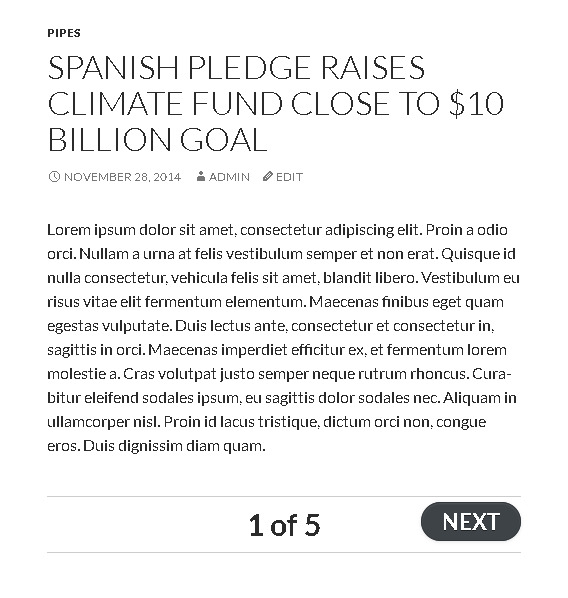
Automatically adds slide navigation and a slide counter (e.g. ‘1 of 7’) to sliders according to the preferences you set.
-
Adds the ‘Insert Page Break’ button to the TinyMCE post editor so that you can easily split your content into multiple pages/slides.
-
Provides an optional stylesheet for (very) basic styling of the slider navigation.
-
Optionally allows infinite looping of slides.
-
Optionally provides a link to view all slides on a single page.
-
Optionally allows for scrolling back to top when each slide loads.