

Static Site Exporter
v4.6.0Ben Balter · 2014年12月12日 上架
Export WordPress posts, pages, and media to Markdown with YAML front matter for Jekyll, Hugo, and other static site generators.
- 正在使用
- 400+
- 评分
- 3.5 / 5
- 累计下载
- 4.7 万
- 最近更新
- 2026年11月8日
12 条评价需要 WordPress 6.4+已测试到 7.1.5PHP 8.2+
贡献者
 Ben Balter
截图


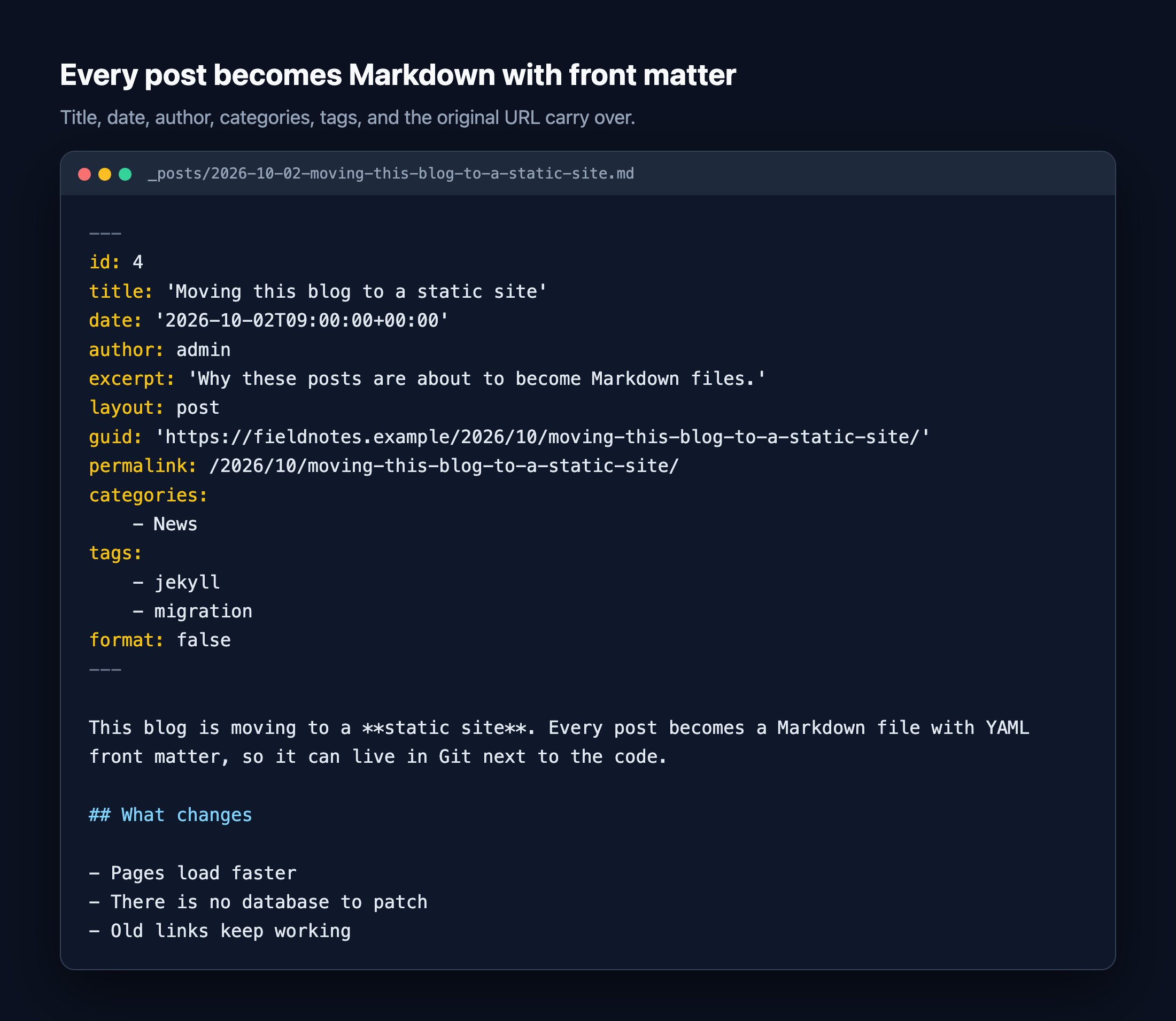
Export your WordPress posts and pages to Markdown in a couple of clicks, ready for Jekyll, Hugo, or any other static site generator.
Features
- One screen, no settings. Choose Export to Static Site from the Tools menu, click Export, and download a zip. Nothing to configure first.
- Your content, as Markdown. Posts, pages, and drafts become Markdown files. Each one starts with its title, date, author, categories, tags, and custom fields.
- Images come along. Your uploaded images and files are included, and links to them keep working.
- Jekyll, Hugo, Astro, or Eleventy. Jekyll is the default; pick another generator and the export uses its folders and config.
- Old links keep working. On Jekyll, Hugo, and Eleventy, each post keeps its original web address.
Usage
- In your WordPress dashboard, go to Plugins Add New, search for Static Site Exporter, then install and activate it.
- Choose Export to Static Site from the Tools menu.
- Pick your static site generator (Jekyll is the default), then click Export.
- Unzip the download into your site. Output formats says where each generator’s files go.
That’s it. Need more control? You can export from the command line, pick which posts to export, include custom post types, and customize the output.