
Jameel's Dev Tools
v1.0.2jameelbokhari · 2013年8月24日 上架
Chalked full of little helpers for developing websites, including search and replace function and shortcode to create columns.
- 正在使用
- 10+
- 评分
- 暂无
- 累计下载
- 2,037
- 最近更新
- 2013年8月26日
需要 WordPress 3.0.1+已测试到 3.6.1
贡献者
 jameelbokhari
截图
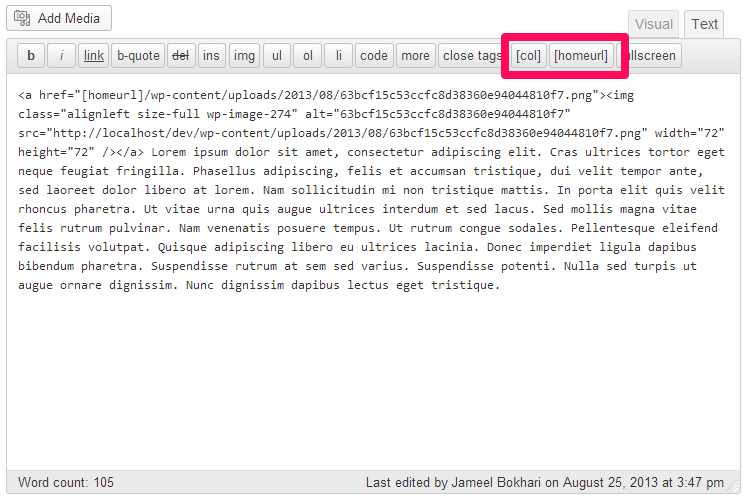


This plugin adds a few useful features for when you are developing a website on WordPress. It is intended to be installed on a development server, or local installation when setting up a website and should be left installed after production to retain the shortcode commands.
Features Include:
- A find and replace feature — to ensure an easy transition from your development site(s) to your live website. Using this function, replace all instances of your website’s url in image tags and links with shortcode for your site’s home url. The find and replace option isn’t just for links and images though, use it to replace any text with something else! As a precaution, after searching for a string, you are shown the # of instances and # of posts affected before commiting to your changes.
- Dynamic Links —
[homeurl]shortcode, which translates into your website’s homepage. This is an essential tool for development. As you add images and internal links, replace your hard-coded links to[homeurl]so that when you switch your server over, your links and images still work! When using the visual editor, the plugin will still show images that use[homeurl]in their src. - Columns — This plugin features columns using shortcode. Use the
[col]shortcode to wrap your text in a column, always ending with[/col]to end the column. Choose to use the plugin’s css or style it yourself. Columns can have a range of 12 widths, creating countless possible layouts. By default the width is 6 for two even half-width columns. See FAQ for more info, or go under the Columns tab in the plugin settings for help.