

Clickable Background Image
v2.0.0georget777 · 2019年10月14日 上架
Add clickable advertisement images (site skins) to the left and right of boxed or narrow WordPress themes.
- 正在使用
- 10+
- 评分
- 5.0 / 5
- 累计下载
- 1,831
- 最近更新
- 2026年11月6日
1 条评价需要 WordPress 5.8+已测试到 7.1.5PHP 7.4+
贡献者
 georget777
截图

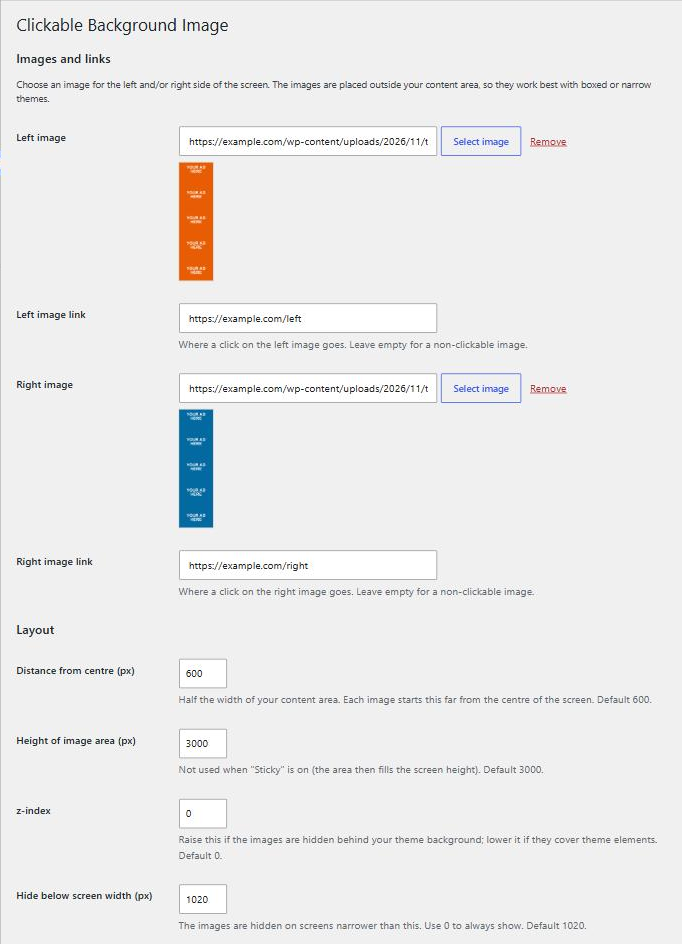
Clickable Background Image turns the empty space on either side of a boxed or narrow theme into advertising space. Pick one image for the left side and one for the right, give each its own link, and visitors who click the side of the page go to the advertiser.
- Separate image and link for the left and right side, or use only one side.
- Choose images from the Media Library or paste any image URL.
- Set how far from the centre of the screen the images start, so they sit right next to your content.
- Optional sticky mode keeps the images in place while the page scrolls.
- Optional vertical repeat for tall pages.
- Show on every page or on the front page only.
- Hidden automatically on small screens (you choose the width).
- Links get
rel="sponsored", as search engines ask for paid links. - No external requests, no tracking, no extra CSS or JavaScript files on the front end.
Settings are under Appearance Clickable Background.
Developers can hide the images on specific pages with the iwsm_cbi_display filter:
add_filter( 'iwsm_cbi_display', function ( $display ) { return is_page( 'contact' ) ? false : $display; } );