
IWS Interactive Church Sermon Notes
v3.2.1Shane Roberson · 2026年10月24日 上架
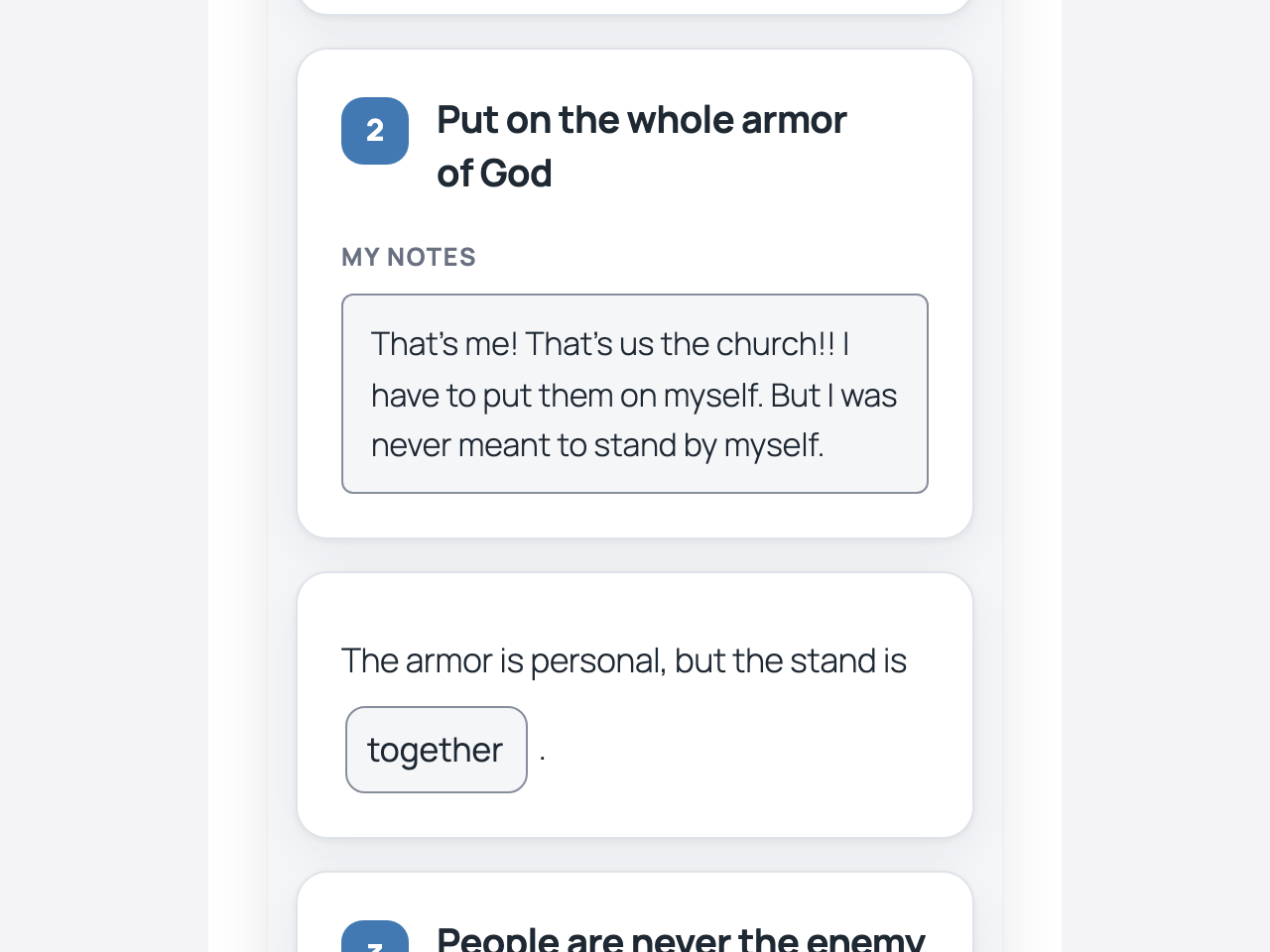
Interactive sermon outlines your congregation fills in on their phone during the service, then emails or saves to themselves.
- 正在使用
- 10 以下
- 评分
- 暂无
- 累计下载
- 252
- 最近更新
- 2026年11月9日
贡献者
 Shane Roberson
截图
IWS Interactive Church Sermon Notes turns your sermon outline into something your congregation can actually use during the service.
Created by Shane Roberson of Integrity Web Studios.
Serving churches with heart and code.
You publish the outline. Your members open it on their phone, type their own thoughts beside each point, and email the whole thing to themselves before they leave the parking lot. No app to install, no account to create, nothing to remember.
For the person in the pew
- A note box beside every point, sized for a thumb and usable one-handed on a phone
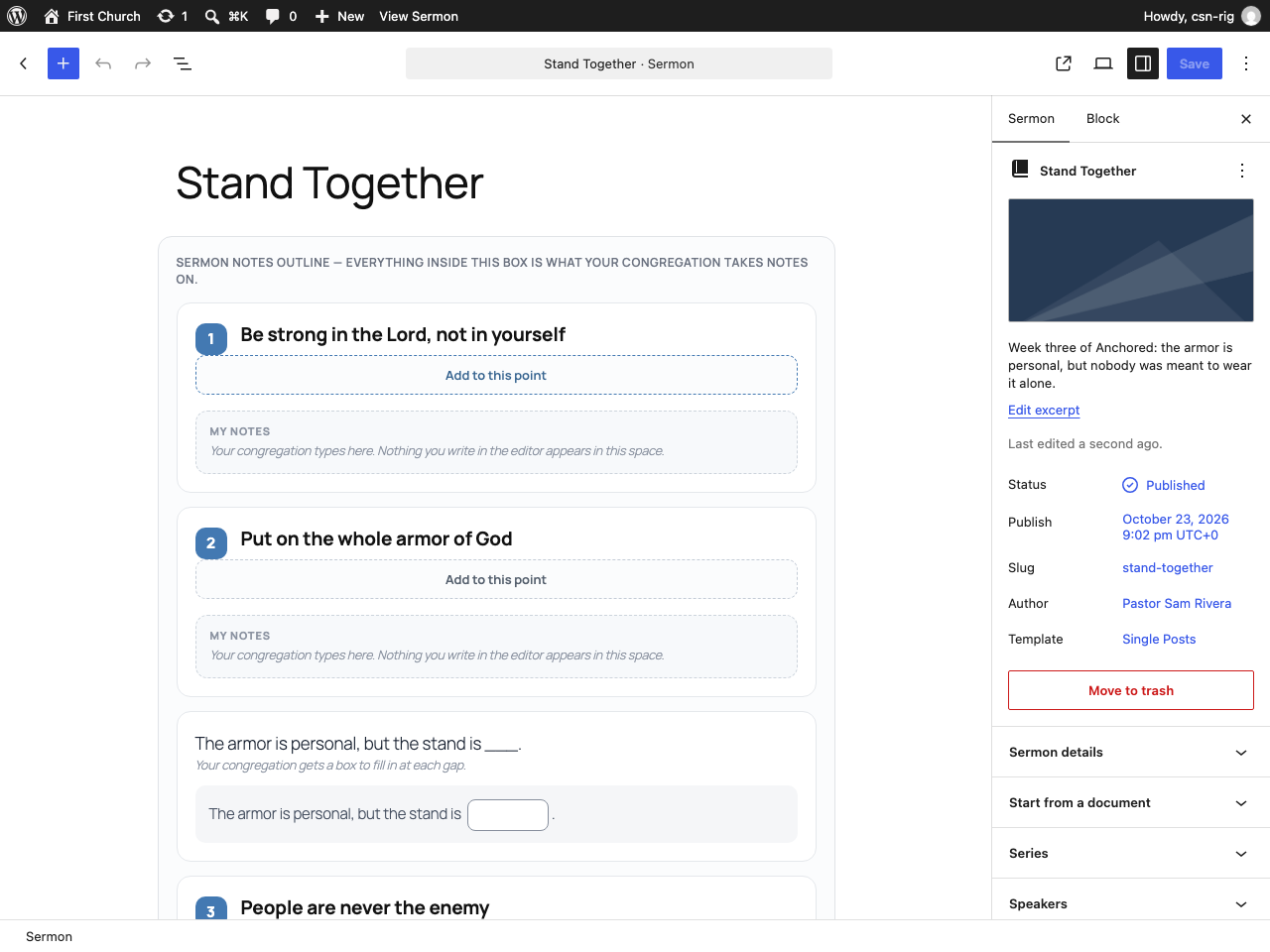
- Fill-in-the-blank sentences, with a box to tap at every gap
- Notes save themselves as they type, so a locked screen or a dropped connection never loses anything
- Adjustable text size and a dark mode for a dim sanctuary
- Email the notes to yourself, share them, save them as a PDF, or print them
- No sign-up required to take notes
For the church office
- Write sermon outlines in the normal WordPress editor — no shortcodes to memorize
- Already written it in Word or Google Docs? Paste it in, or upload the Word file, and it becomes an outline — headings become points, anything you underlined becomes a blank
- Type three underscores where you want a blank and the sentence becomes a fill-in-the-blank
- Put a sermon on any page with
[iws_church_sermon_notes id="123"], or[iws_church_sermon_notes latest="1"]for the most recent one — works in any page builder - List your sermons anywhere with the Sermon List block or
[iws_church_sermon_list]— the latest few, one series, or everything one person has preached - Give a series its artwork and a speaker their photo, and every sermon without a picture of its own borrows one
- Use a page you built as your sermons page — your header, your wording, your builder’s layout, at your own /sermons/ address
- See which sermons people are actually using — All Sermons shows the day you preached and how many people took notes, and filters by series, speaker, or whether anybody has written on it
- Duplicate last week’s sermon into this week’s draft — the whole outline, points, blanks and questions, ready to rewrite
- A QR code for your bulletin, generated on your own site and downloaded as an SVG or a PNG
- Sermons get their own section of the dashboard, with Series and Speakers built in
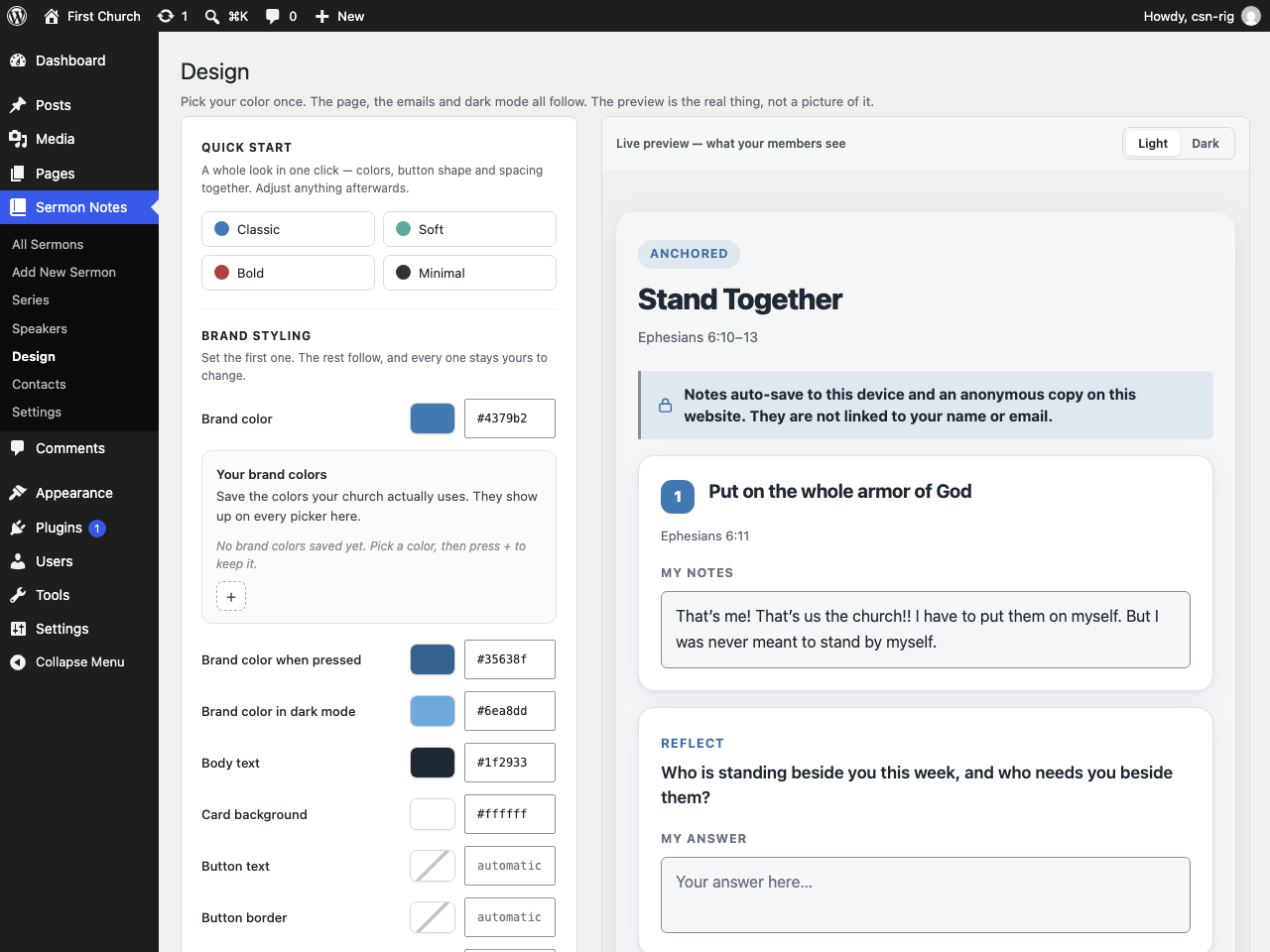
- A design panel that matches the notes to your existing brand, including button shape and spacing
- A Sermon Publisher role, so a volunteer can post sermons without touching the rest of the site
- Everything in this plugin is free — nothing is locked
Built and supported by Integrity Web Studios, church and Christian school web design since 2010. See the plugin page for a demo and setup guide.
Third-Party Libraries
This plugin bundles one third-party library, unmodified and unminified:
- qrcode-generator 2.0.4 by Kazuhiko Arase — https://github.com/kazuhikoarase/qrcode-generator — MIT license. Shipped at
libs/qrcode-generator/, with its license beside it. It draws the QR codes in your browser; it makes no network requests of its own.
“QR Code” is a registered trademark of DENSO WAVE INCORPORATED, used here only to describe what the code is.