

Iridys Palette Extender
v0.1.7Rob Art · 2026年8月17日 上架
A smarter WordPress colour picker with an eyedropper, colour harmonies, reusable swatches and image-to-palette tools. Pick colours with confidence.
- 正在使用
- 10 以下
- 评分
- 暂无
- 累计下载
- 649
- 最近更新
- 2026年11月12日
贡献者
 Rob Art
截图
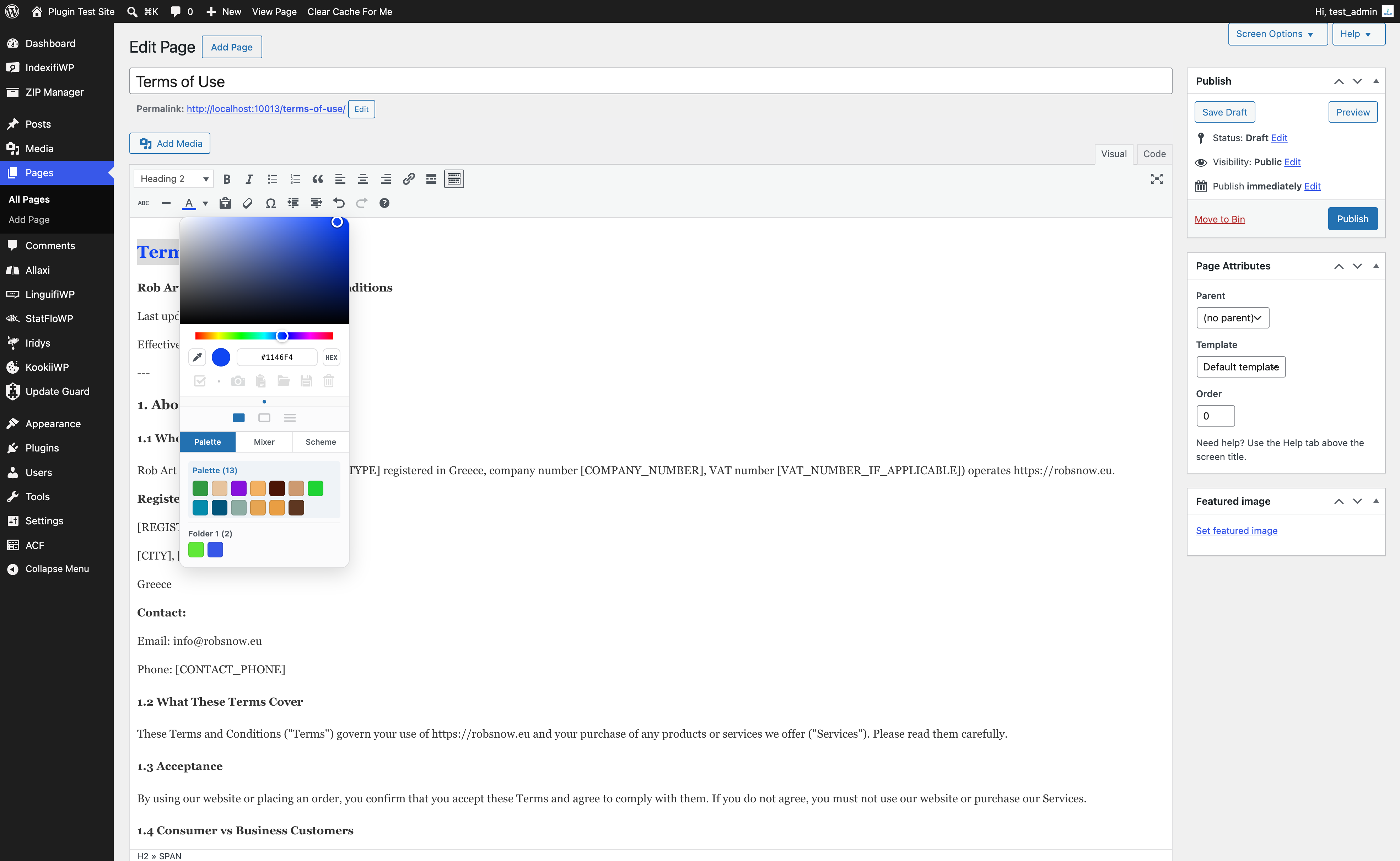
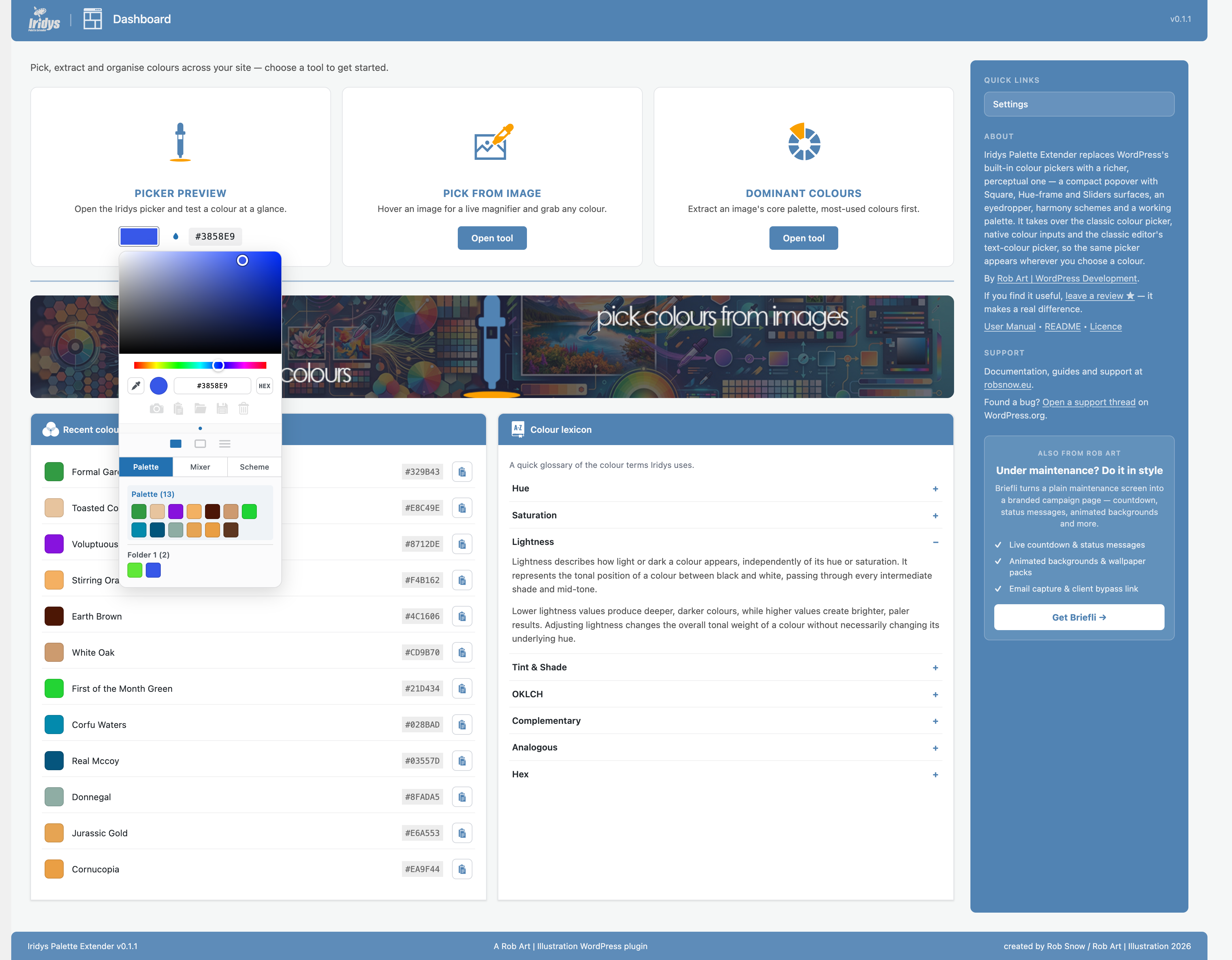
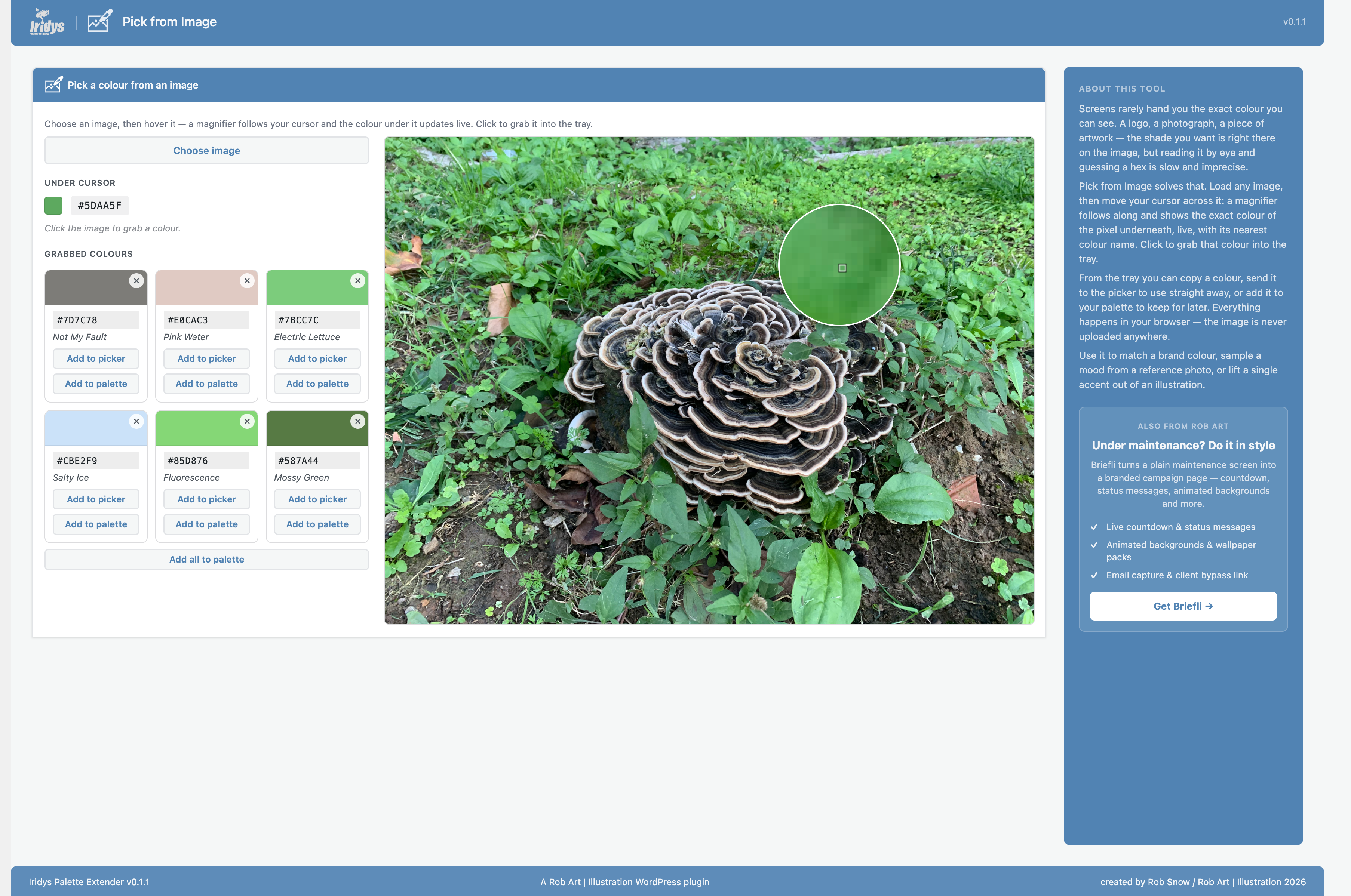
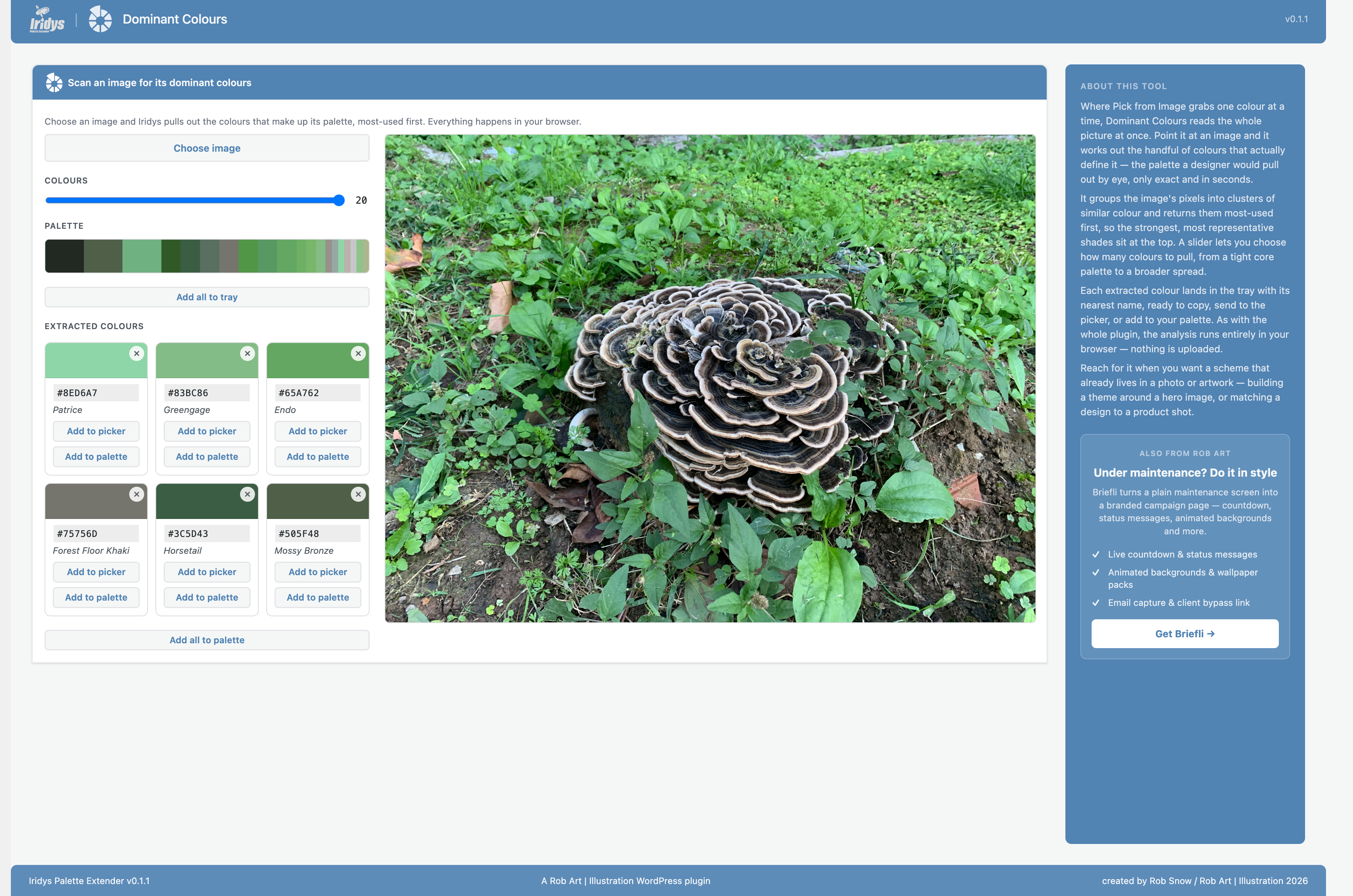
Stop guessing at colours. Start choosing them.
Ever opened a WordPress colour picker and wished it did more than show a square, a slider and a HEX field?
Iridys Palette Extender enhances WordPress’s familiar colour controls with a more capable, intuitive picker. Explore colour harmonies, sample shades with an eyedropper, build a working palette and discover colours hidden in your images — without leaving your WordPress dashboard.
No shortcodes or complicated setup. Activate Iridys and it enhances supported colour controls automatically, including the classic WordPress Iris picker, native colour inputs and Classic Editor text-colour controls.
Your everyday colour picker, upgraded
- Choose colours your way. Switch between Square, Hue-frame and Sliders views, with HEX, RGB and HSL formats.
- Pick colours with an eyedropper. Sample colours directly from the page, or use screen-wide sampling where your browser supports it.
- Discover colour harmonies. Create Complementary, Analogous, Triadic, Split, Square and Tetradic schemes from your current colour.
- Build a working palette. Capture up to eight swatches in the free version for quick reuse as you work.
- Know what you’re choosing. See the nearest named colour rather than relying on HEX values alone.
- Copy colours instantly. Copy the selected HEX value to use elsewhere.
Turn images into colour inspiration
- Pick from Image: Inspect an image with a live magnifier, preview its colours and click to capture the perfect shade.
- Dominant Colours: Extract a coordinated palette from an image and adjust how many colours are returned.
- Add colours to your palette: Send picked or extracted colours into your working palette, one at a time or together.
More tools, less guesswork
- Recent Colours: Find previously selected colours from the Iridys dashboard.
- Colour of the Day: Discover a fresh named colour on your WordPress dashboard.
- Colour Lexicon: Understand colour terminology, from hue and saturation to OKLCH, with clear, practical explanations.
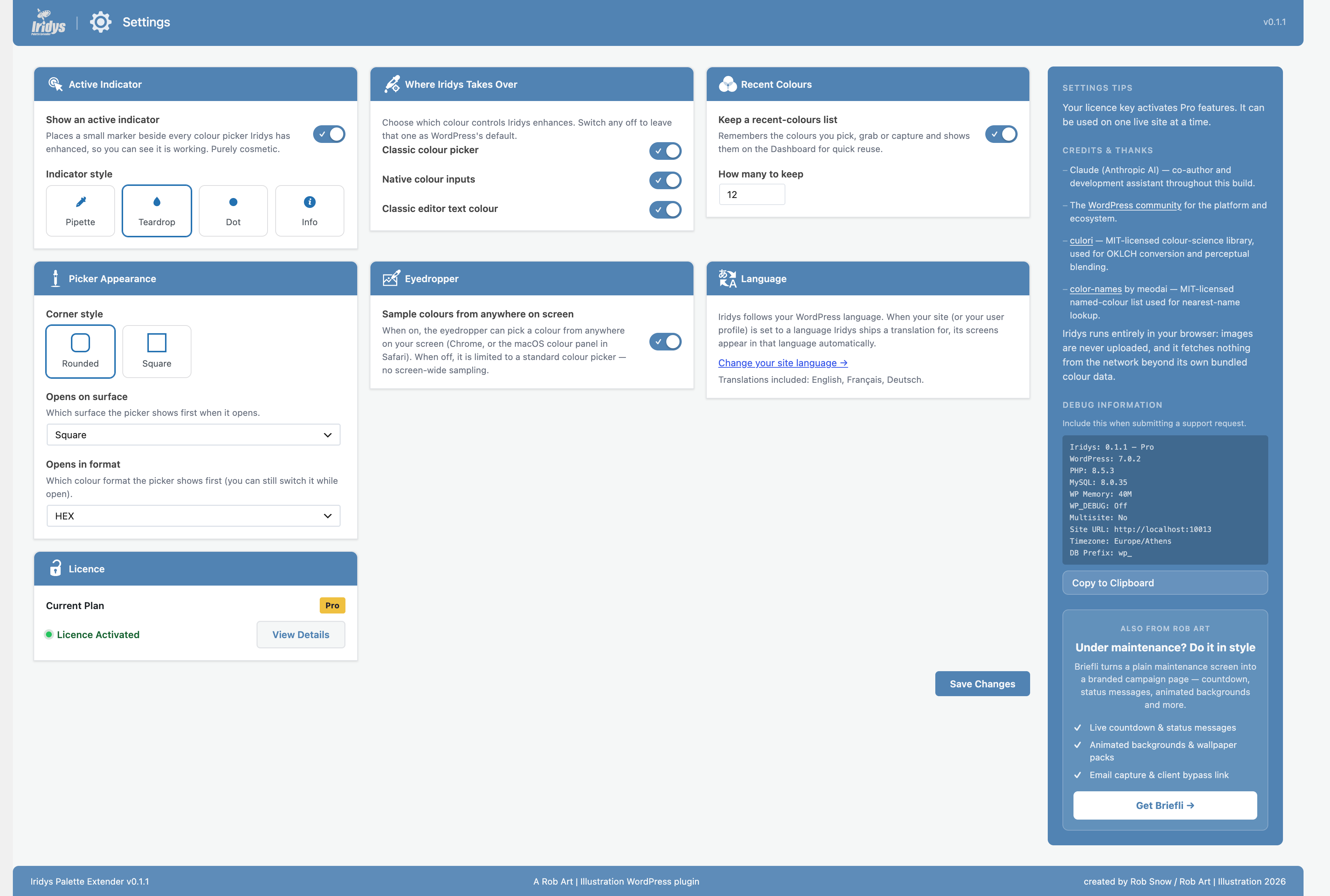
- Flexible settings: Choose your preferred picker view and colour format, configure supported takeovers, and adjust the picker appearance.
Designed for the way you work
Whether you’re styling content, matching brand colours, refining a theme or building a client website, Iridys puts more control into the WordPress colour-picking workflow.
Especially useful for: designers, WordPress developers, theme customisers, content creators and site owners who regularly work with colour.
Free vs Pro
Free includes: the enhanced picker, eyedropper, colour harmonies, image colour tools, recent colours and an eight-swatch working palette.
Pro adds: a larger 32-colour working palette, named colour folders and saved palettes that persist for reuse. You can explore the free tools before deciding whether to upgrade.
Open-source credit
Iridys includes culori, an MIT-licensed colour-science library used for OKLCH conversion and perceptual colour blending.
Uninstall
Deactivating Iridys keeps its settings. Deleting the plugin runs its uninstall routine, which removes its plugin-specific options, cached tier value and example database table. The free plugin does not store a licence key.
External services
The free plugin performs its colour selection and analysis locally in your browser and on your WordPress site. It does not need an external service for colour picking, image analysis or harmony calculations, and it does not send analytics or tracking data. An optional, separately installed Pro add-on has its own licensing functionality.