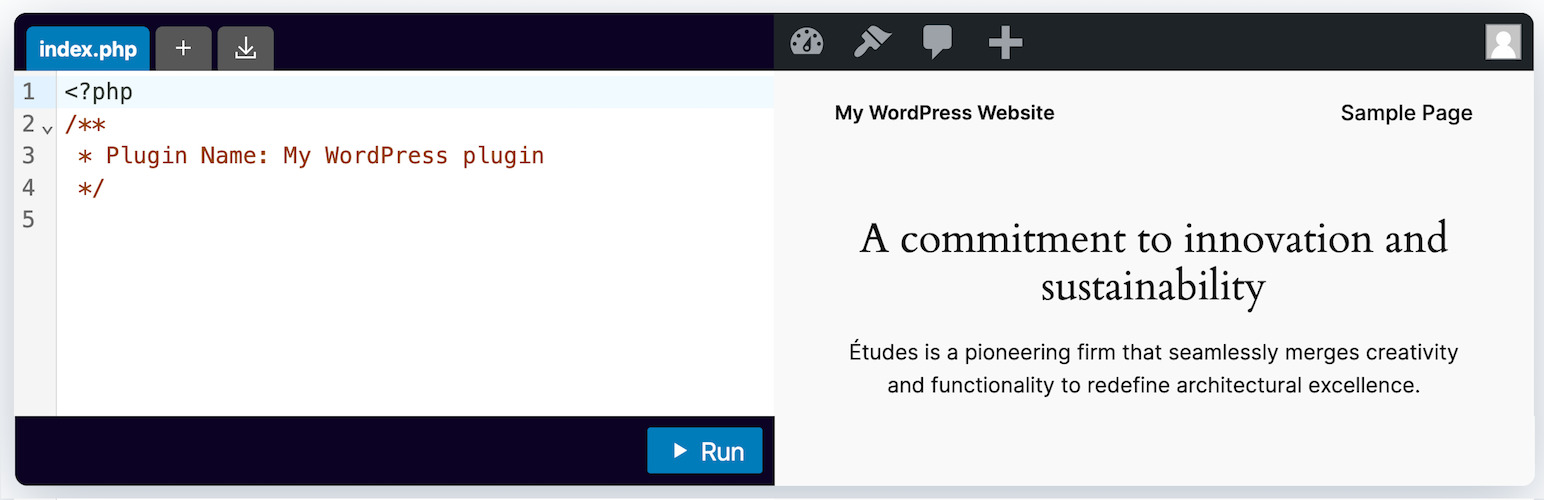

WordPress Playground Block
v0.2.20WordPress.org · 2023年6月20日 上架
This WordPress block embeds WordPress Playground in your posts and pages. An optional interactive code editor allows readers to learn and explore.
- 正在使用
- 200+
- 评分
- 5.0 / 5
- 累计下载
- 1.9 万
- 最近更新
- 2026年8月28日
 WordPress.org
 Dawid Urbanski
 Adam Zieliński
This WordPress block embeds WordPress Playground in your posts and pages. You can also include an interactive code editor to demonstrate and teach your readers how WordPress plugins are built.
Usage
- Navigate to any post or page editing screen in WordPress.
- Click the ‘+’ button to add a new block and search for ‘WordPress Playground Block’.
- Select the WordPress Playground Block from the list of available blocks.
- A new WordPress Playground Block will be inserted into your post or page. You can start typing PHP code directly into the block.
- Click the ‘Run’ button to execute the code and see the results in the output area below the code block.
All features
- Embed WordPress Playground
- Log in automatically
- Specify landing page
- Create new post or page
- Redirect to newly created post or page
- Specify blueprint to apply on init
- Enable/disable code editor
- Make code editor read-only
- Allow multiple files in code editor
Resources
Support
For any issues or questions about the WordPress Playground Block, please open a GitHub issue in the playground-tools repository.
This is an early preview to gather feedback and apply polish. This plugin isn’t yet a well-rounded and feature-complete solution.
License
The WordPress Playground Block Plugin is licensed under the GNU General Public License v2.0. This is a free software license that allows you to use, modify, and distribute the software, provided you adhere to its terms and conditions.