

IntelliPOS E-commerce Fiscalization
v1.2.0obelusdoo · 2026年8月24日 上架
Issue Serbian fiscal receipts for WooCommerce orders through your IntelliPOS ESIR, automatically or manually, including full and partial refunds.
- 正在使用
- 10 以下
- 评分
- 暂无
- 累计下载
- 689
- 最近更新
- 2026年11月23日
贡献者
 obelusdoo
截图
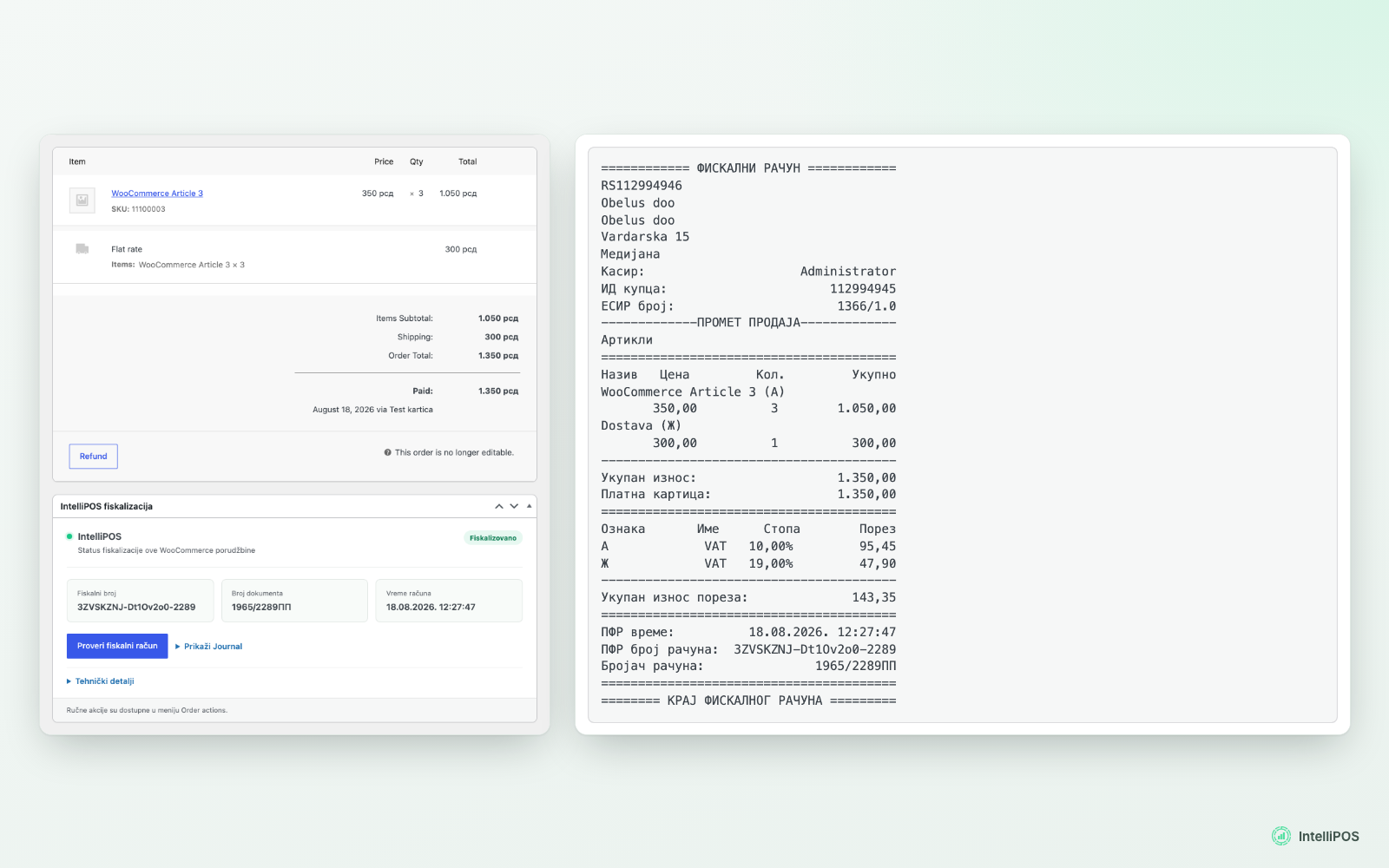
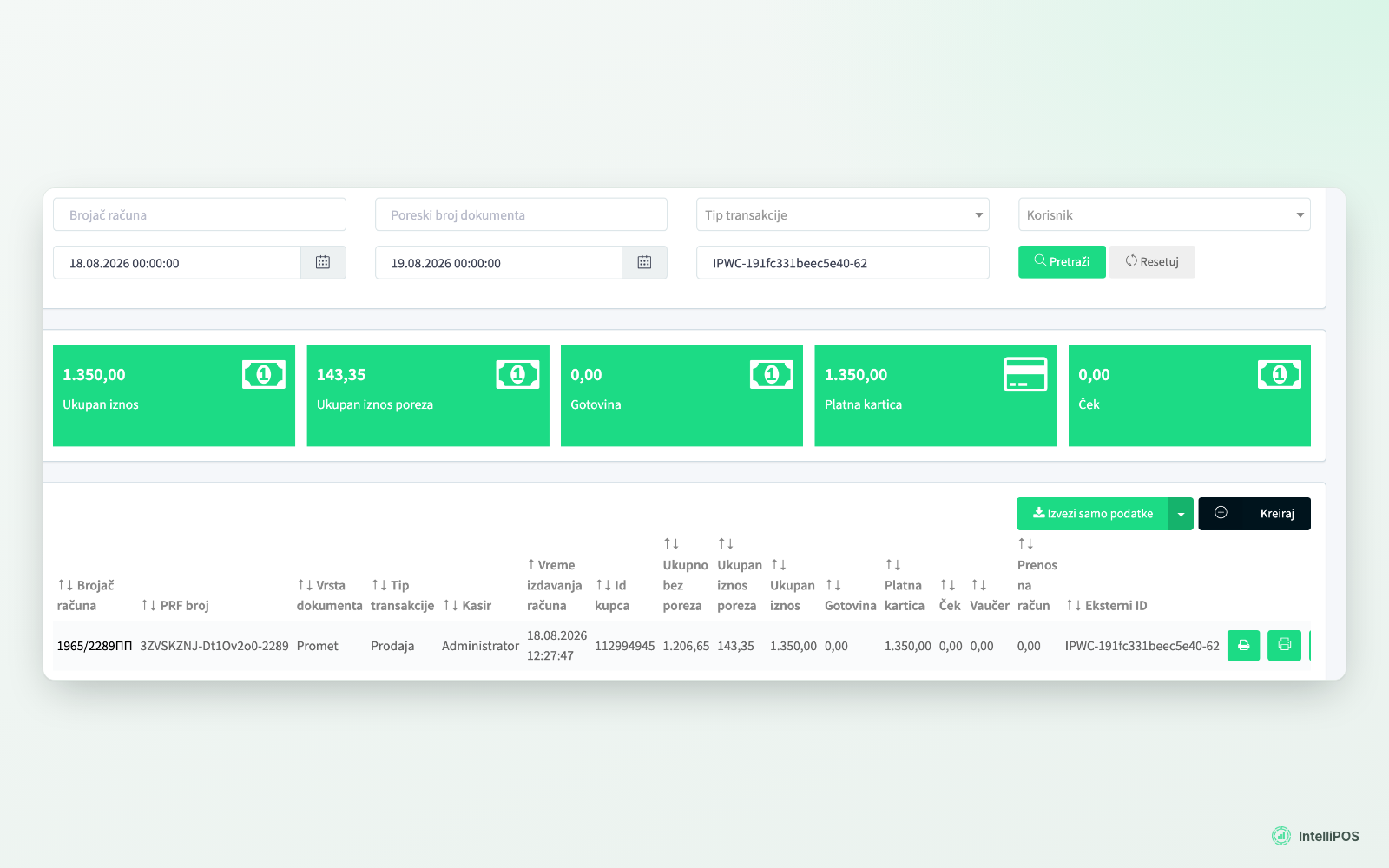
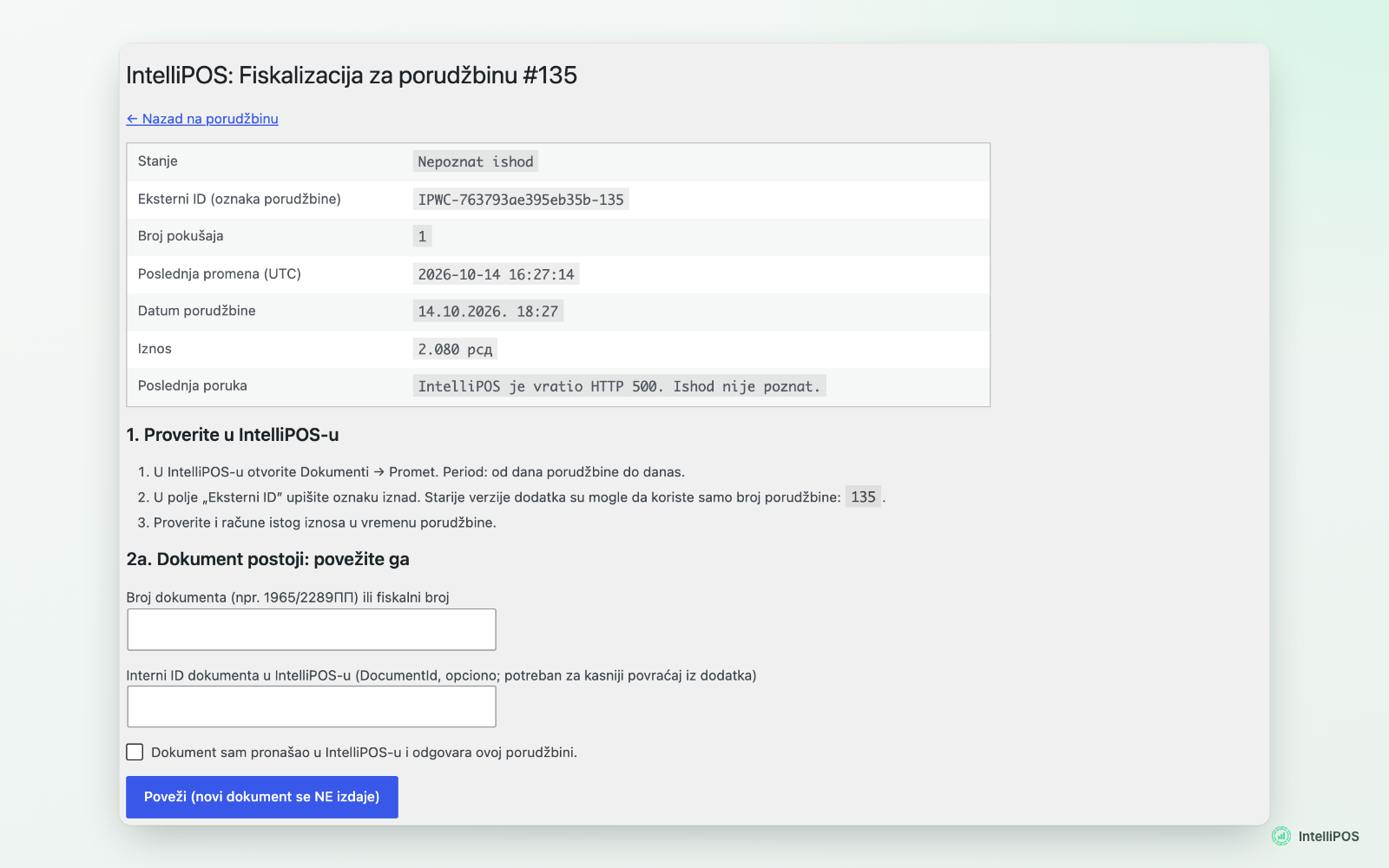
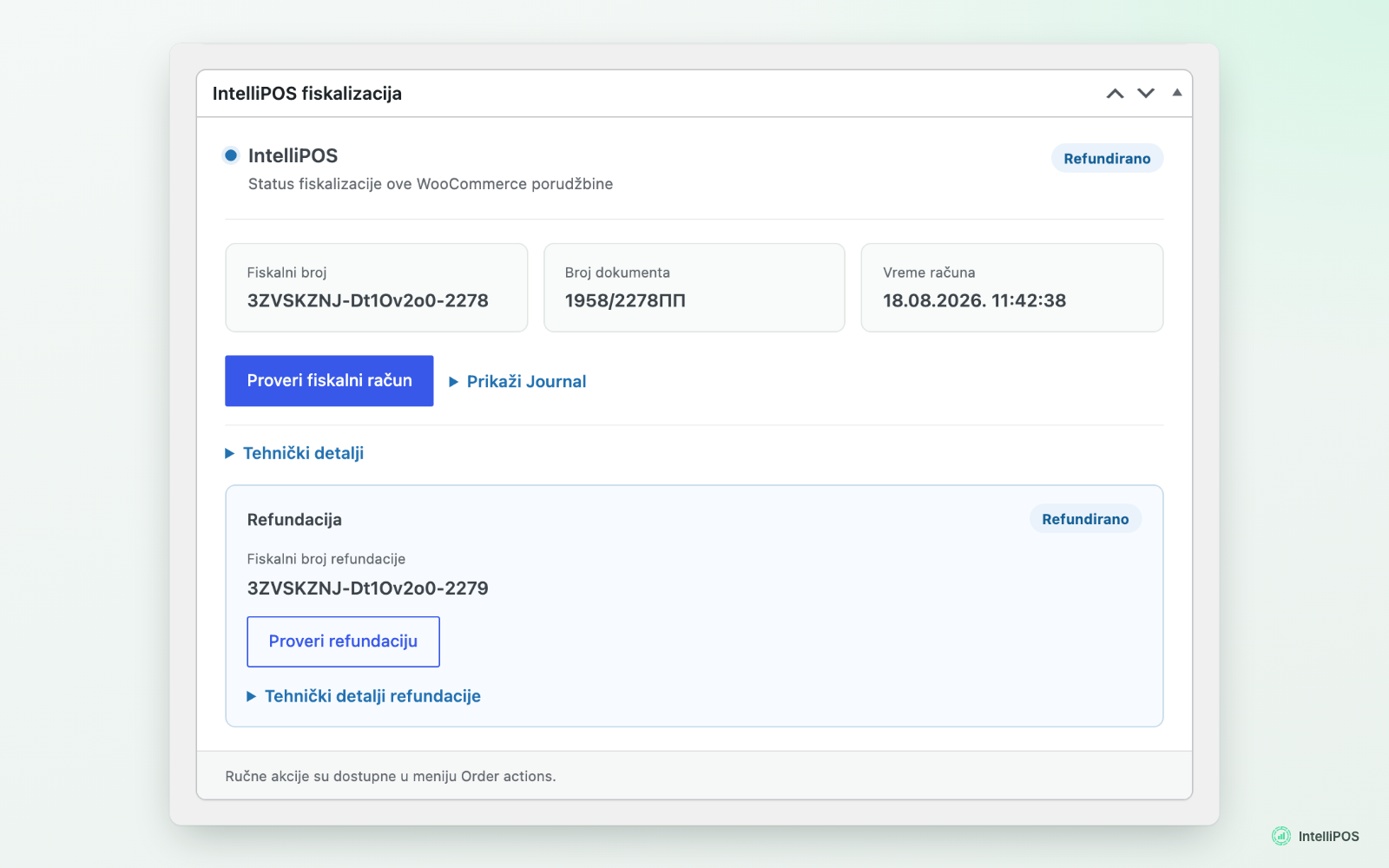
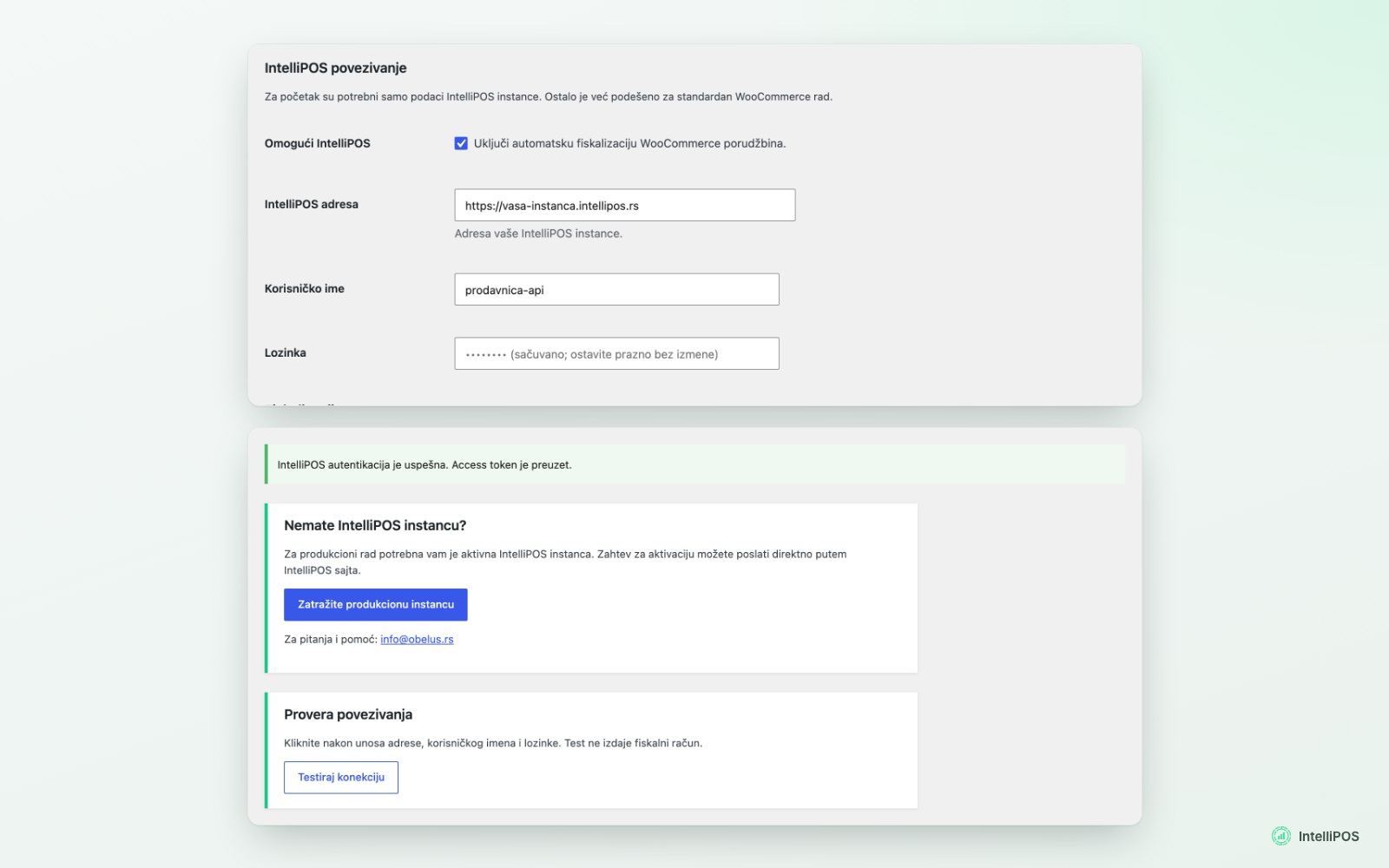
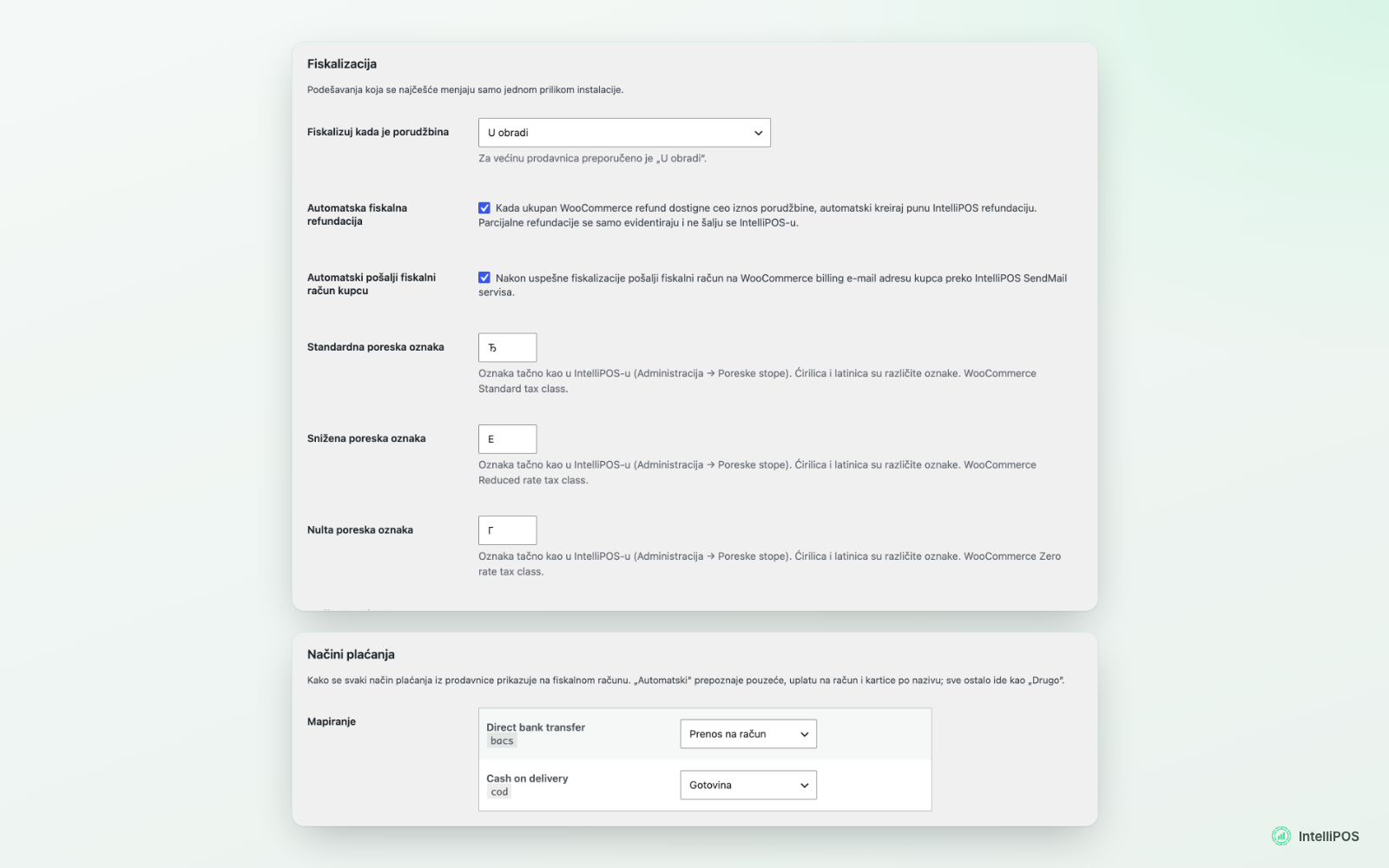
IntelliPOS E-commerce Fiscalization connects a WooCommerce store in Serbia to the merchant’s IntelliPOS instance. When an order reaches the status you choose, the plugin sends it to IntelliPOS, which issues the fiscal receipt through the Tax Administration fiscal processor (PFR). The receipt number, receipt time and journal are stored with the order.
The plugin is free, but fiscalization is not. The plugin is not an ESIR and cannot issue fiscal receipts on its own: every receipt is issued by your IntelliPOS instance, which requires an active paid IntelliPOS license and a security element. Installing the plugin alone does not let you fiscalize orders.
Pricing
- IntelliPOS E-commerce Fiscalization (this plugin): free, no additional fee.
- IntelliPOS annual license without advance invoices: RSD 14,388 + VAT per year.
- IntelliPOS annual license with advance invoices: RSD 18,000 + VAT per year.
Prices as of October 2026. Request a license at intellipos.rs.
What it does
- Issues a fiscal receipt automatically when an order reaches a selected status (for example “Processing”), or manually from the order screen.
- Training mode for testing: with the invoice type set to “Obuka”, IntelliPOS issues training receipts that are not fiscal receipts and are not recorded as turnover. Switch back to “Promet” when the store goes live.
- Runs in the background, so customers do not wait for the fiscal processor at checkout.
- Shows the receipt on the order: status, fiscal number, document number, receipt time, journal and a link to the Tax Administration verification page.
- Issues a full fiscal refund manually, or automatically when an order is fully refunded in WooCommerce. Before every full refund it checks in IntelliPOS that no part of the receipt was refunded already.
- Optional (off by default, requires a newer IntelliPOS server): issues a fiscal partial refund for each WooCommerce refund by items, quantity, item amount, shipping or fees.
- Optionally asks IntelliPOS to e-mail the fiscal receipt to the customer. The order shows that IntelliPOS accepted the request; delivery is not confirmed.
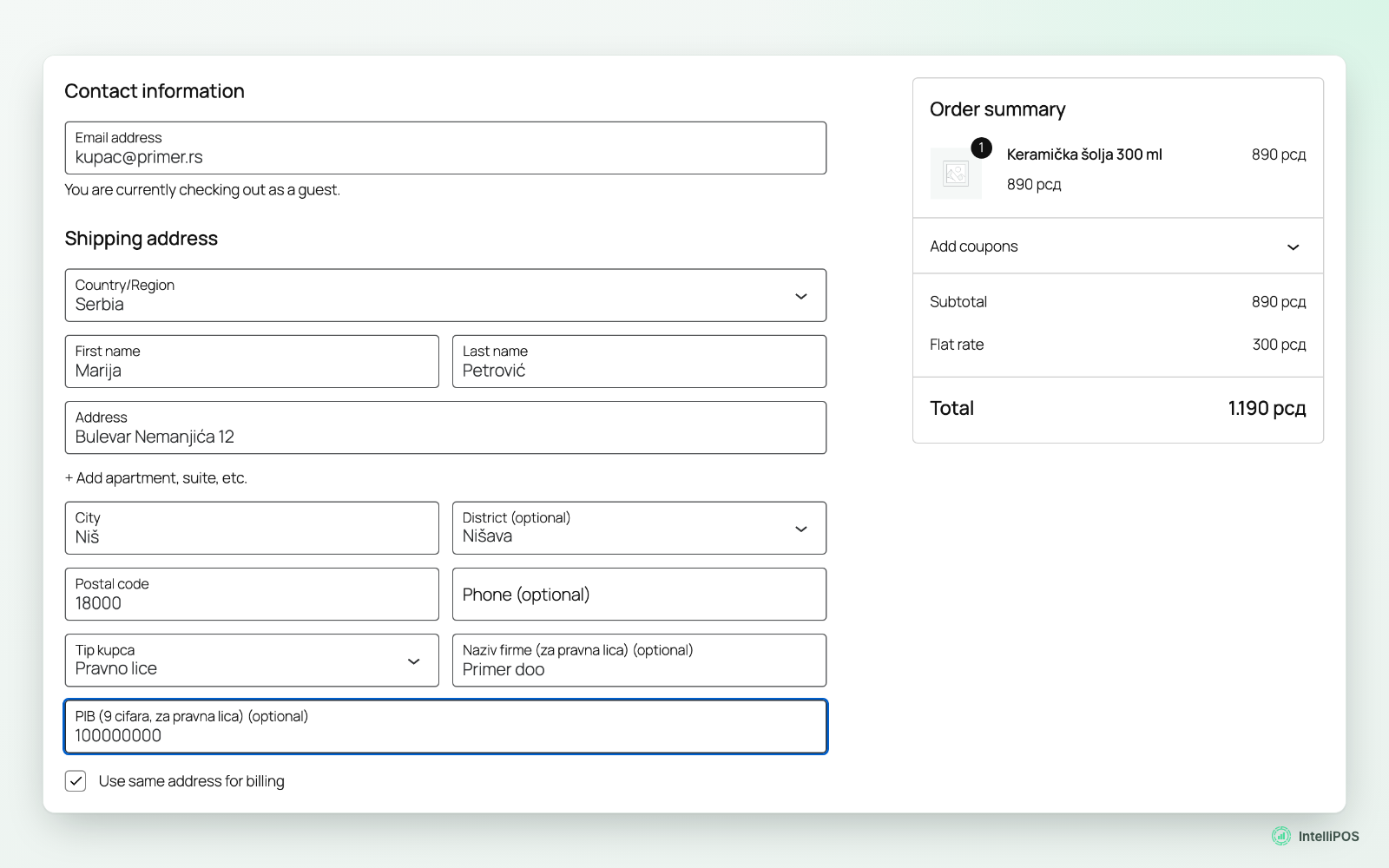
- Adds customer type, company name and tax ID (PIB, 9 digits) fields to the classic checkout and to the Checkout block.
- Maps WooCommerce tax classes to IntelliPOS tax labels and checks that each item’s VAT rate matches its label.
- Maps each payment method to the payment type printed on the receipt.
- Sends products, shipping and fees as receipt items and checks that the receipt total equals the amount paid.
- Optional (off by default, requires a newer IntelliPOS server): advance invoices for orders paid before delivery, a final invoice on delivery, advance refunds, and a record of partial deliveries.
- Checks every document returned by IntelliPOS against the request (type, amount, link, buyer ID) before linking it to the order.
- Supports High-Performance Order Storage (HPOS); pauses fiscalization on a copy of the site (staging) until an administrator confirms it.
Built for unclear outcomes
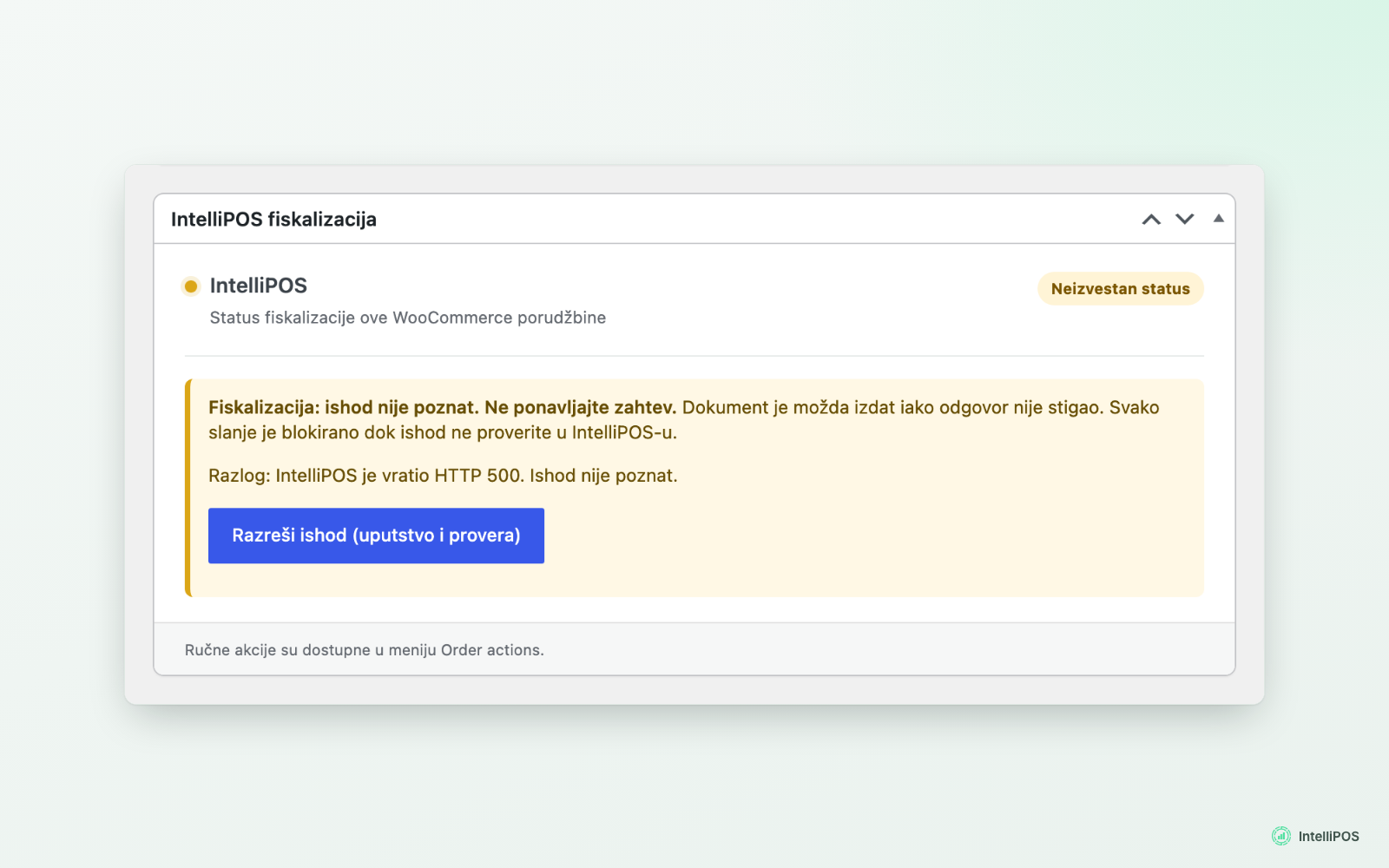
Networks fail. When the plugin cannot be sure whether a receipt was issued (a timeout, a broken connection or a server error after sending), it does not send the order again. The order is marked “unknown outcome” and the administrator follows a guided check in IntelliPOS: link the existing receipt, or confirm that none was issued and only then send it again. Every decision is logged.
- One fiscalization request per order and at most one request per refund, each with a fixed external ID.
- Repeated clicks, repeated status changes and repeated payment notifications do not send a second request.
- Automatic triggers send only the first attempt; nothing is retried on its own after an error.
Limitation: the IntelliPOS service does not currently reject a second request with the same external ID. The plugin therefore cannot guarantee by itself that a duplicate receipt is impossible; an incorrect manual confirmation on the resolution page can still produce one.
What the plugin does not do
- With partial refunds off (the default), or with an older IntelliPOS server, partial refunds are recorded in order notes but not sent. Refunds entered as an amount only, without items, are never sent automatically.
- Orders in a currency other than RSD and orders with negative fees are not fiscalized; the order note explains why.
- Receipt e-mail delivery is not confirmed. IntelliPOS reports only that it accepted the send request; whether the message arrives depends on the mail setup of the IntelliPOS server.
- The plugin transfers order data to your IntelliPOS instance. The merchant remains responsible for tax settings and for the fiscal documents issued.
External service
This plugin relies on the IntelliPOS service operated by Obelus d.o.o. Nothing is sent until an administrator enters an IntelliPOS instance address and credentials, tests the connection, or enables fiscalization.
- Requests go only to the IntelliPOS instance address entered by the administrator (https).
- Sent for authentication: the configured username and password.
- Sent for receipts and refunds: order number and external ID, items, quantities, prices, tax labels, payment amounts, the customer’s billing e-mail address (used by IntelliPOS to deliver the receipt when receipt e-mail is enabled), and the customer’s tax ID or identifier when required.
- Service: intellipos.rs · Privacy Policy · Terms of Use
Support
User guide (Serbian): intellipos.rs. Technical support: +381 67 750 0005, info@obelus.rs, Monday to Friday 08:00–22:00 (Belgrade time). Sales and presentations: Monday to Friday 08:00–16:00.