

Integrate multiple Zoho products with WooCommerce and 20+ WordPress form plugins
v1.0.9Plugcrux · 2025年11月26日 上架
Connect multiple Zoho products (CRM, Books, Desk, Inventory, Invoice, Campaigns & Bigin) with WooCommerce and WordPress forms.
- 正在使用
- 30+
- 评分
- 暂无
- 累计下载
- 1,613
- 最近更新
- 2026年8月28日
 Plugcrux
 Integrazo
 padmadev
截图
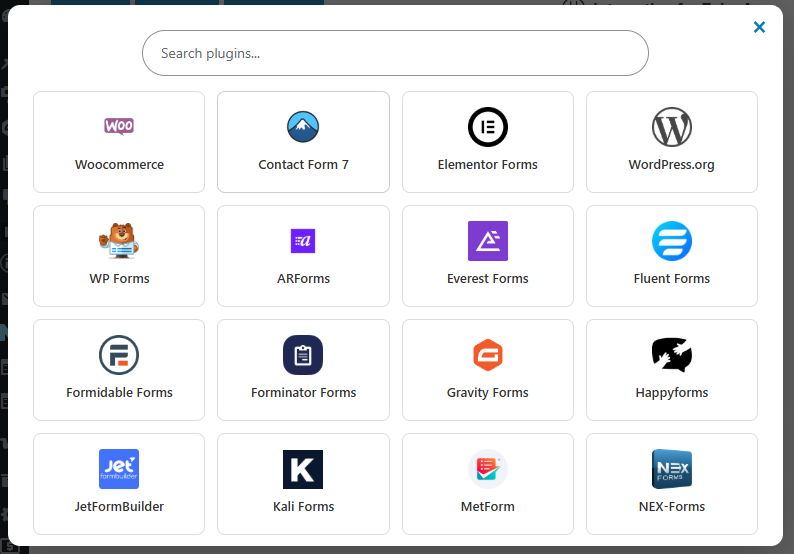
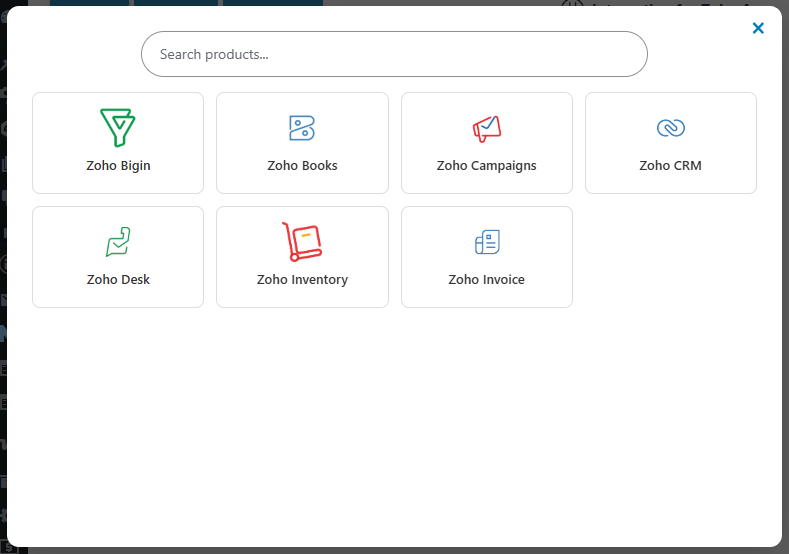
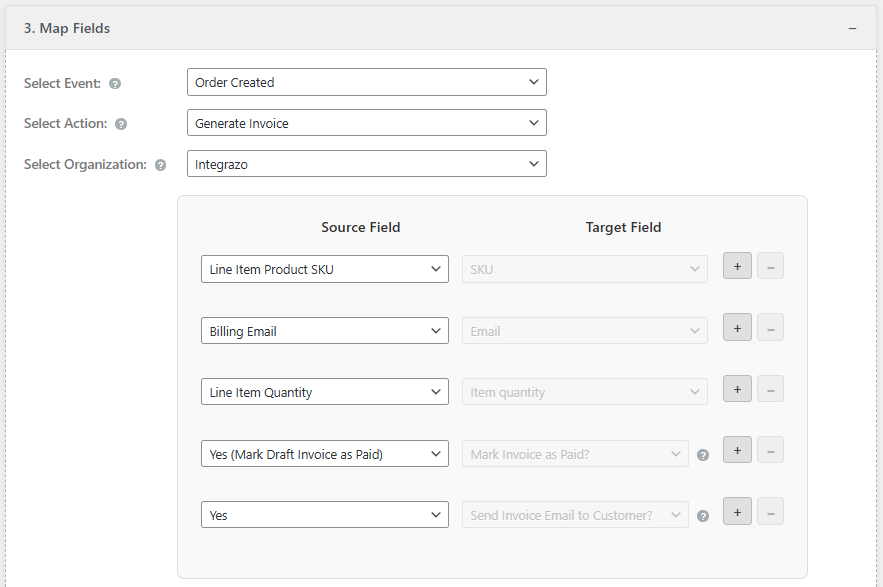
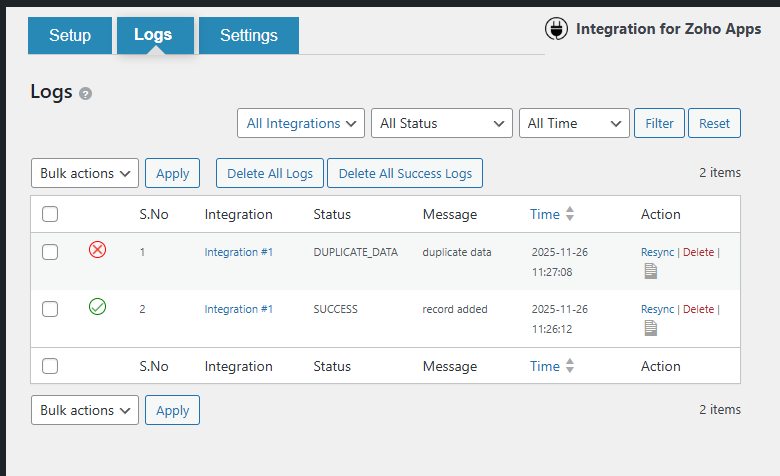
Integrazo is the easiest way to connect your WordPress forms and WooCommerce store with multiple Zoho products — all from a single plugin, with no coding required.
Stop manually entering form data into Zoho CRM. Stop copy-pasting WooCommerce orders into Zoho Books or Inventory. Integrazo handles it all automatically the moment a form is submitted or an order is placed.
Why Choose Integrazo?
One Plugin for All Zoho Products — Connect to Zoho CRM, Zoho Books, Zoho Inventory, Zoho Invoice, Zoho Desk, Zoho Campaigns, and Zoho Bigin through a single lightweight plugin. No need to install separate plugins for each Zoho service.
Works With 20+ Form Plugins — Whether you use Contact Form 7, WPForms, Gravity Forms, Elementor Forms, Fluent Forms, or WooCommerce, Integrazo connects them all to your Zoho account.
Set Up in Minutes — Select your form plugin, choose a Zoho product, authenticate with OAuth, map your fields, and go live. No developer needed.
Reliable Data Delivery — Every submission is logged with detailed API responses. Failed records can be resynced with one click from the Logs page.
How It Works
- Select a Form Plugin — Choose from Contact Form 7, WPForms, Gravity Forms, Elementor Forms, WooCommerce, and many more.
- Choose a Zoho Product — Pick from Zoho CRM, Zoho Books, Zoho Inventory, Zoho Invoice, Zoho Desk, Zoho Campaigns, or Zoho Bigin.
- Authenticate — Securely connect your Zoho account using OAuth 2.0 authentication.
- Map Fields — Match your form fields to the corresponding Zoho module fields.
- Go Live — Enable the integration and every new submission flows automatically to your Zoho account.
🔌 20+ Supported WordPress Plugins
Integrazo works with the most popular WordPress form builders and WooCommerce:
- Contact Form 7 — The most widely used free contact form plugin
- WPForms — Beginner-friendly drag-and-drop form builder
- Gravity Forms — Advanced form builder with powerful add-ons
- Elementor Forms — Built-in form widget for Elementor Pro users
- Fluent Forms — Fast, lightweight form builder with smart conditional logic
- WooCommerce — Send orders, customer details, and product data to Zoho
- Forminator — Free form builder by WPMU DEV
- Formidable Forms — Advanced form builder for complex solutions
- Ninja Forms — Flexible form builder with drag-and-drop interface
- Everest Forms — Lightweight drag-and-drop form builder
- JetFormBuilder — Gutenberg-native form builder by CrocoBlock
- HappyForms — Simple form builder for quick contact forms
- Kali Forms — User-friendly WordPress form plugin
- MetForm — Form builder for Elementor
- NEX-Forms — Multi-step form builder with conditional logic
- SureForms — Modern form builder for WordPress
- weForms — Fast contact form plugin with WP admin integration
- WSForm — Advanced form framework for WordPress
- ARForms — Premium responsive WordPress form builder
- WordPress Core — Native WordPress registration and comment forms
🌐 7 Zoho Products Supported
Send your form and WooCommerce data to all major Zoho applications:
CRM & Sales
* Zoho CRM — Complete customer relationship management with leads, contacts, deals, and custom modules
* Zoho Bigin — Pipeline-centric CRM designed for small businesses
Accounting & Invoicing
* Zoho Books — Online accounting, invoicing, and bookkeeping
* Zoho Invoice — Professional online invoicing for businesses
* Zoho Inventory — Inventory and order management with multi-warehouse support
Marketing & Support
* Zoho Campaigns — Email marketing for growing businesses
* Zoho Desk — Customer support ticketing and helpdesk
📊 Powerful Features
WooCommerce to Zoho Sync
Send WooCommerce order data including customer details, line items, totals, taxes, shipping, and billing information directly to Zoho Books, Zoho Inventory, Zoho Invoice, or Zoho CRM. Perfect for automating your accounting and order management workflows.
Detailed Logs & One-Click Resync
Every form submission is logged with the full Zoho API response. Filter logs by integration, status, or time period. Failed records can be resynced individually or in bulk — no data is ever lost.
Smart Field Mapping
Map form fields to Zoho module fields with an intuitive interface. Use custom values, system fields, and conditional logic to transform your data before sending it to Zoho.
Filter Conditions
Apply conditions to control which submissions are sent. For example, only send to Zoho CRM when a specific dropdown value is selected or when an email field is not empty.
Error Notifications
Get email alerts when a sync fails so you can take action immediately. Configure multiple notification recipients and customize the subject line.
Unlimited Integrations
Create as many integrations as you need — there are no limits on the number of connections, submissions, or Zoho products.
Multi-Data Center Support
Supports all Zoho data centers including zoho.com, zoho.in, zoho.eu, zoho.com.au, zoho.jp, and zohocloud.ca.
🔒 Secure by Design
- OAuth 2.0 authentication — your Zoho credentials are never stored
- All admin actions protected with WordPress nonces and capability checks
- ABSPATH direct-access guards on all PHP files
- No data stored on external servers — everything stays on your WordPress site
Upgrade to Pro
Unlock advanced Zoho integration features with Integrazo Pro.
Free Version Includes:
* Unlimited integrations and submissions
* Contact Form 7, WPForms, Elementor Forms, WordPress Core, and WooCommerce support
* Add-only record creation
* Custom values and system fields
* Log resync for failed records
* Error email notifications
Pro Version Adds:
* All 20+ form plugins supported
* Add or Update record actions (upsert)
* Custom module support for Zoho CRM
* Premium and custom Zoho field mapping
* File attachment support
* Tags and notes mapping
* Advanced filter conditions with AND/OR logic
* Extended log features
* Priority support
Support
Email: support@integrazo.com
Additional Notes
This plugin is compatible with WordPress multisite installations.
Zoho products require their own account and may have separate terms of service.