

Integration for Pipedrive and Contact Form 7, WPForms, Elementor, Ninja Forms
v1.2.8CRM Perks · 2020年4月20日 上架
Send Contact Form 7, WPForms, Elementor, Ninja Forms, CRM Perks Forms and many other contact form submissions to Pipedrive.
- 正在使用
- 1,000+
- 评分
- 5.0 / 5
- 累计下载
- 3.4 万
- 最近更新
- 2026年11月9日
贡献者
 CRM Perks
截图
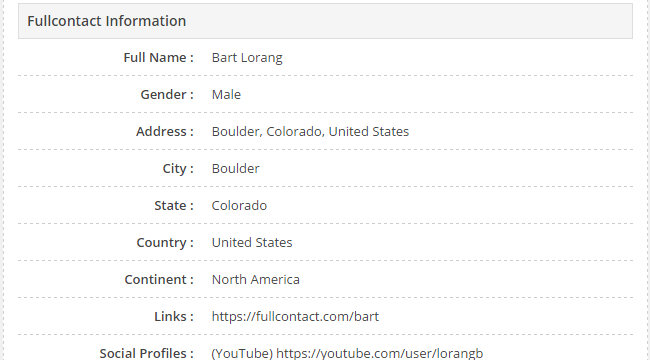
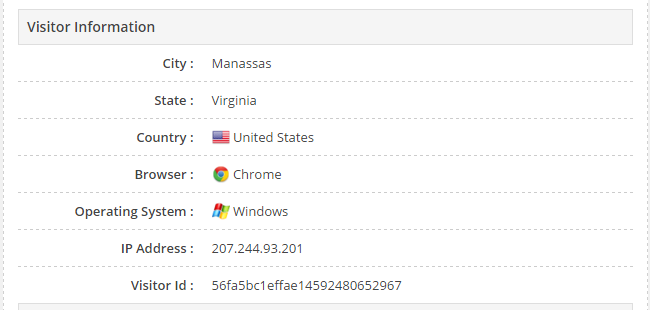
Contact Form 7 Pipedrive extension sends form submissions from Contact Form 7, WPforms, Elementor Forms, Ninja Forms, Formidable Forms, Contact Form Entries and many other popular contact form plugins to Pipedrive when anyone submits a form. Learn more at crmperks.com
Contact form 7 Pipedrive integration
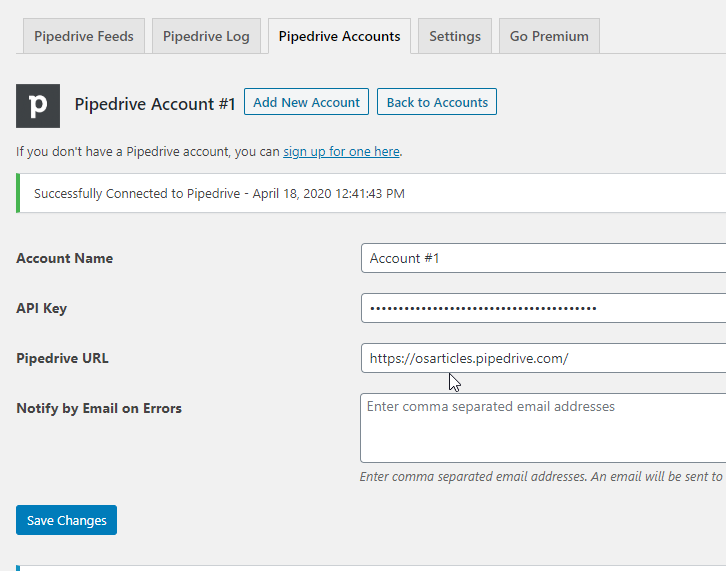
- Go to “Pipedrive Accounts” tab then add new account.
- Go to “Pipedrive Feeds” tab then create a new feed.
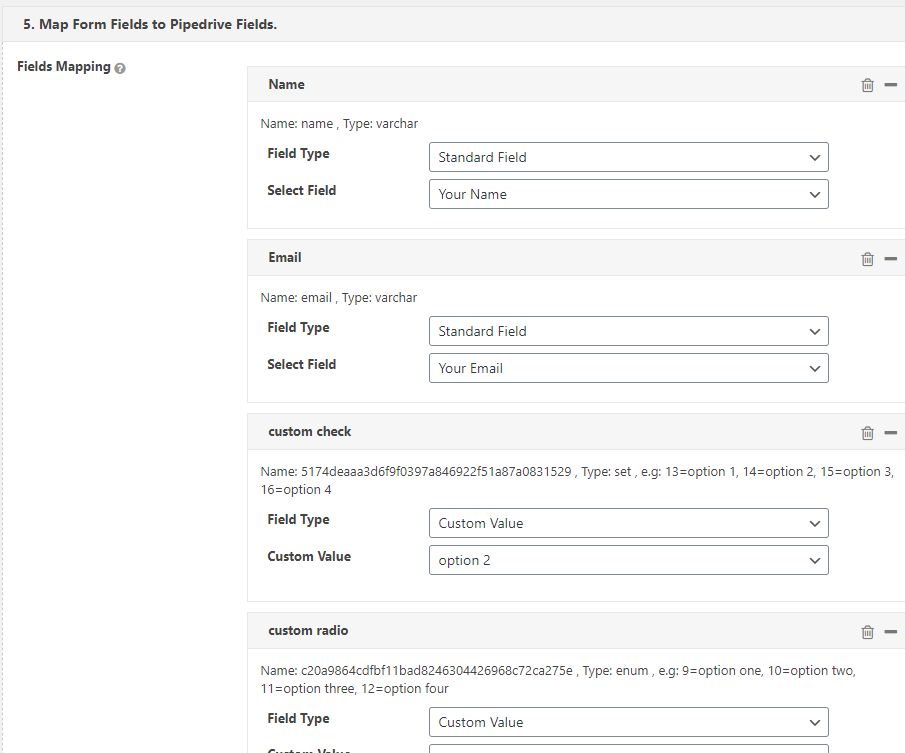
- Map required pipedrive fields to contact form fields.
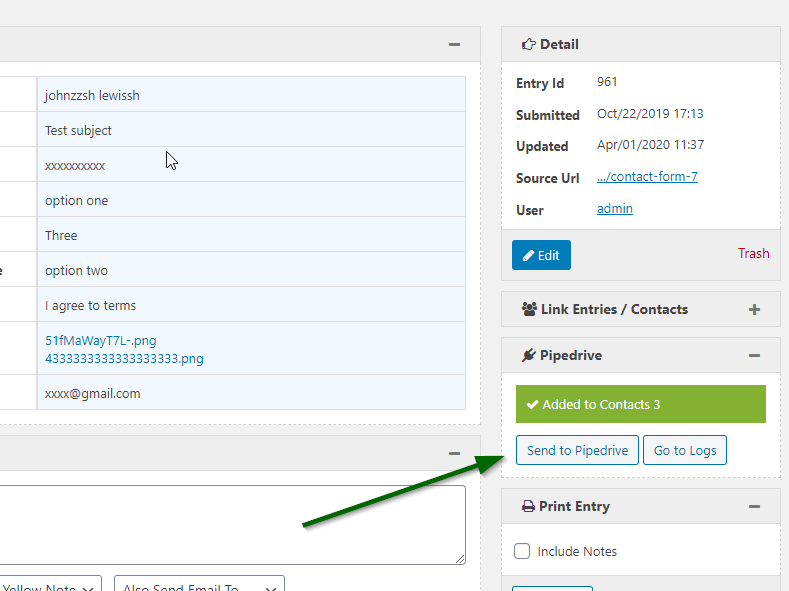
- Send your test entry to pipedrive by clicking “send to pipedrive” button.
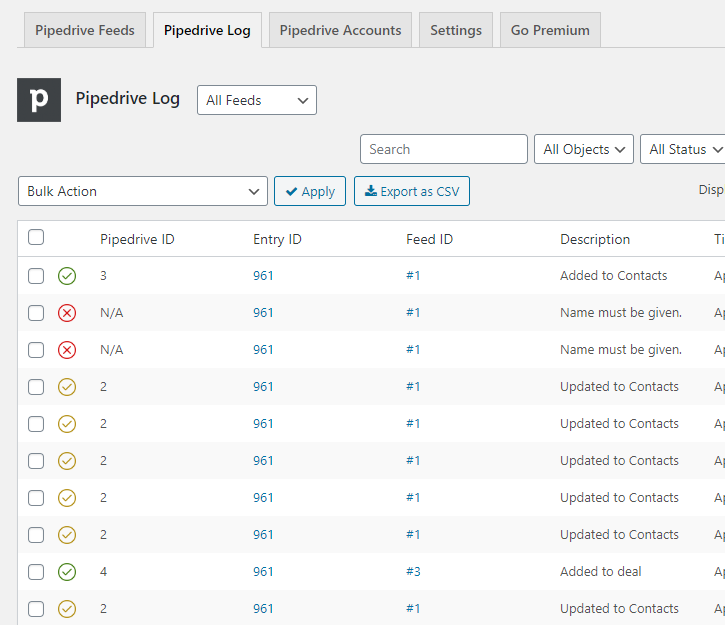
- Go to “Pipedrive Logs” tab and verify status of previously sent entry.
Connect Pipedrive CRM account
Connect any contact form 7 to Pipedrive account by simply entering Pipedrive API key. Additionally, you can connect multiple Pipedrive accounts to Contact Form 7.
Map Pipedrive fields
Select any pipedrive Object then Map pipedrive Object fields to any contact form 7 fields. Plugin displays all pipedrive fields.
Filter contact form 7 submissions
Filter contact form 7 submissions sent to Pipedrive based on user input. For example , send those customers to Pipedrive who check “Subscribe to newsletter” checkbox.
Manually send to Pipedrive
Send contact form 7 submissions to Pipedrive when someone submits a contact form. You can manually send contact form 7 submissions to Pipedrive by clicking “Send to Pipedrive” button.
Pipedrive logs
View a detailed log of each contact form 7 submission Whether sent or not sent to Pipedrive and easily resend contact form 7 submission to Pipedrive.
Send Data As Pipedrive Contact Notes
Send one to many contact form 7 form fields as Pipedrive Object notes when someone submits a contact form on your site.
Create Or Update Contact in Pipedrive
If a Contact already exists in Pipedrive , update it otherwise create a new Contact in Pipedrive.
Premium Version Features.
Following features are available only in premium version Contact Form 7 Pipedrive Pro.
- Phone number field, Marketing Status field and all custom fields of Pipedrive.
- Create Leads in Pipedrive CRM.
- Create Organizations and Deals in Pipedrive.
- Assign Organizations and Deals to Contacts in Pipedrive.
- Assign Owner to Contacts, Organizations and Deals in Pipedrive.
- Google Analytics Parameters and Geolocation of a visitor who submitted the form.
- Lookup lead’s email and phone using email and phone lookup apis.
- 20+ premium addons
Need Pipedrive Plugin for Gravity Forms ?
We have a separate addon for integrating Gravity Forms and Pipedrive CRM Gravity Forms Pipedrive
Need Pipedrive Plugin for Woocommerce ?
We have Pipedrive add-on for Woocommerce. Woocommerce Pipedrive Plugin
Want to send data to crm
We have Premium Extensions for 20+ CRMs.View All CRM Extensions