

InfiniBase: AI FAQ & Knowledge Base
v1.0.0Eben · 2026年11月4日 上架
Turn your product documentation into an interactive FAQ section with built-in AI search that answers visitor questions accurately.
- 正在使用
- 10 以下
- 评分
- 暂无
- 累计下载
- 448
- 最近更新
- 2026年11月4日
贡献者
 Eben
截图
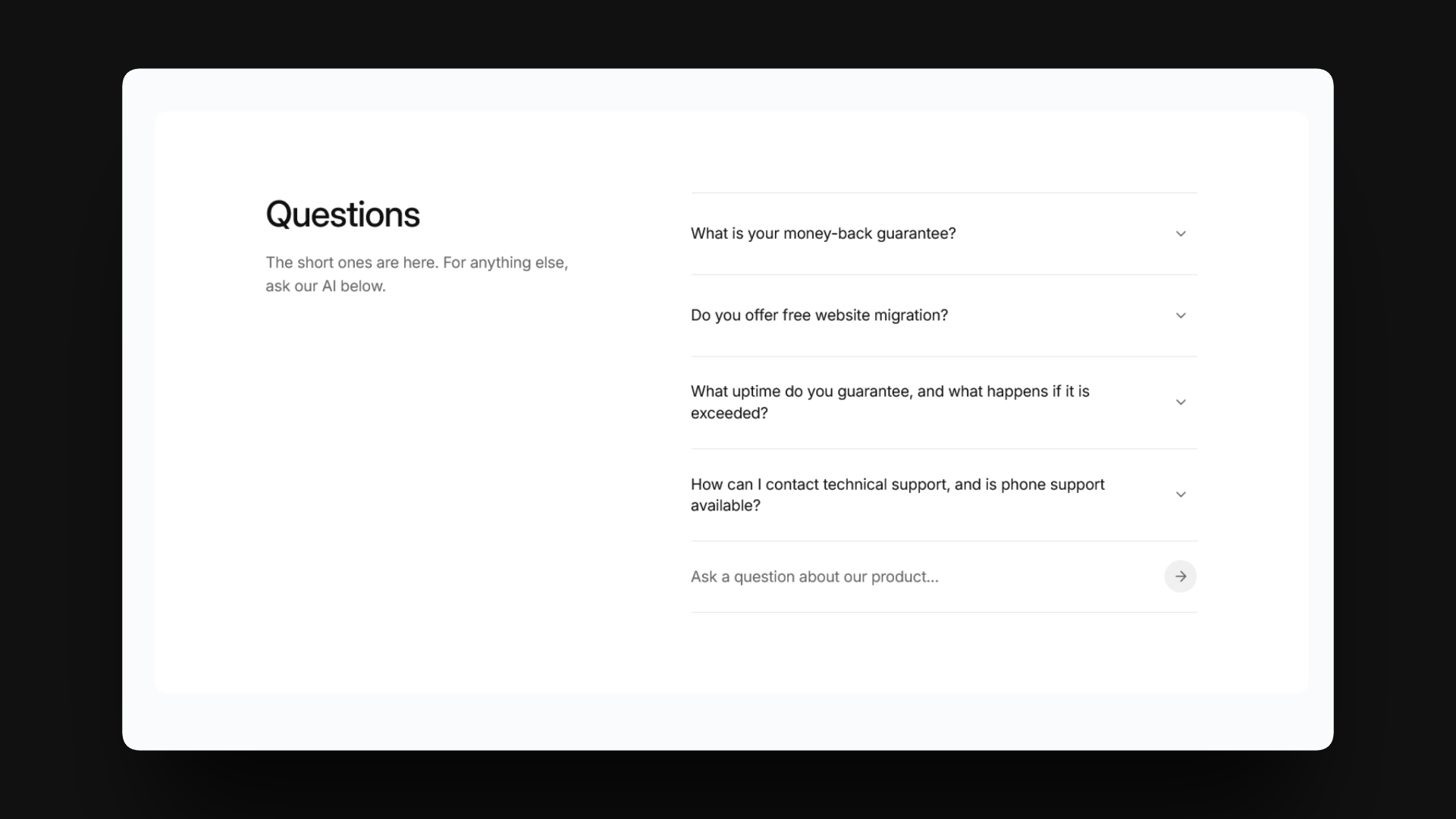
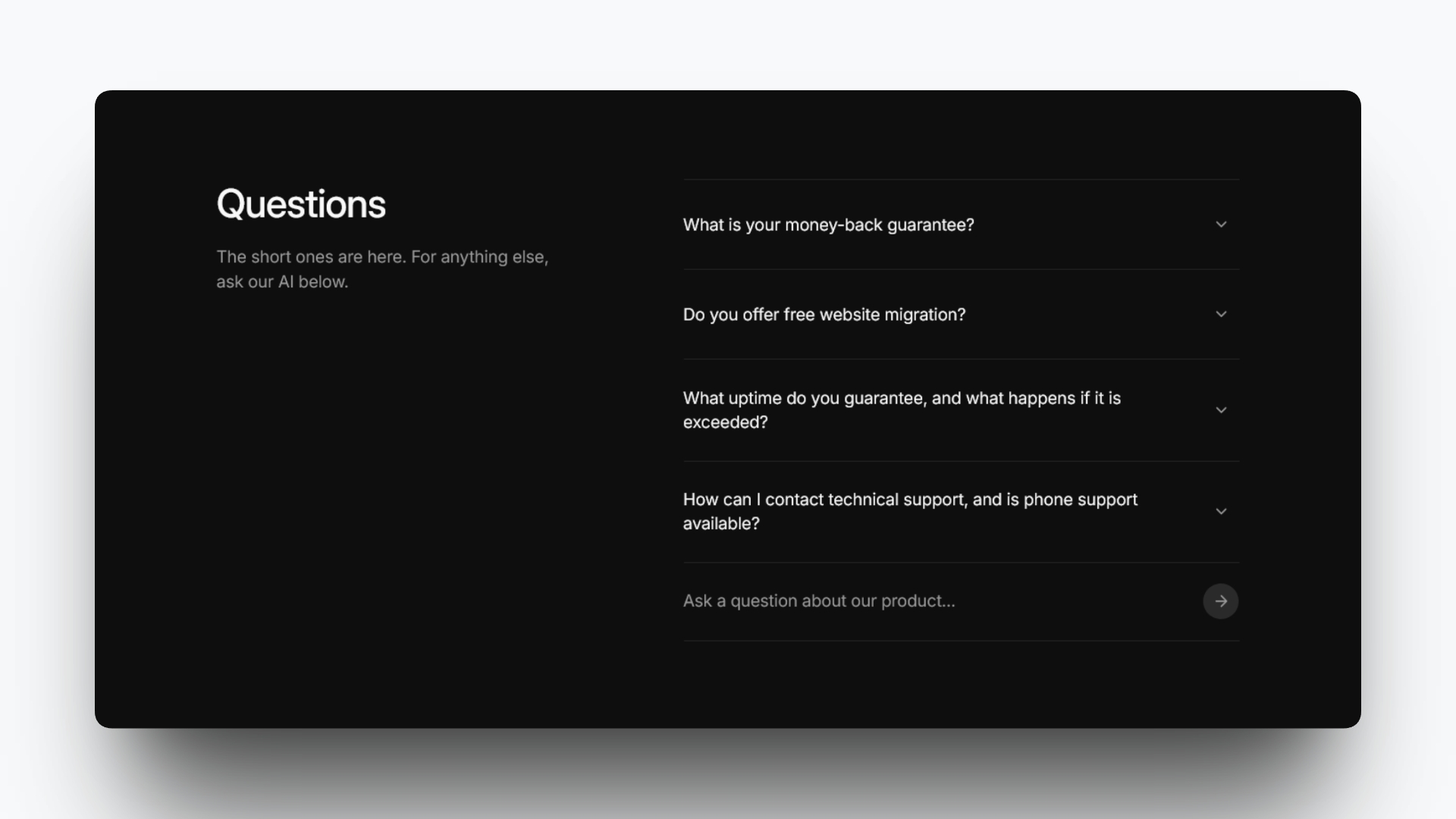

Static FAQs only answer 4 or 5 questions. What about everything else your visitors want to know?
InfiniBase combines a clean, modern FAQ accordion with an interactive AI search bar right below it. Visitors can browse your top questions at a glance—or type any specific question in their own words and get an instant, accurate answer pulled directly from your product documentation.
No monthly SaaS subscriptions. No complex chatbot widgets floating over your page. Just a fast, native FAQ section that blends right into your website.
How It Works
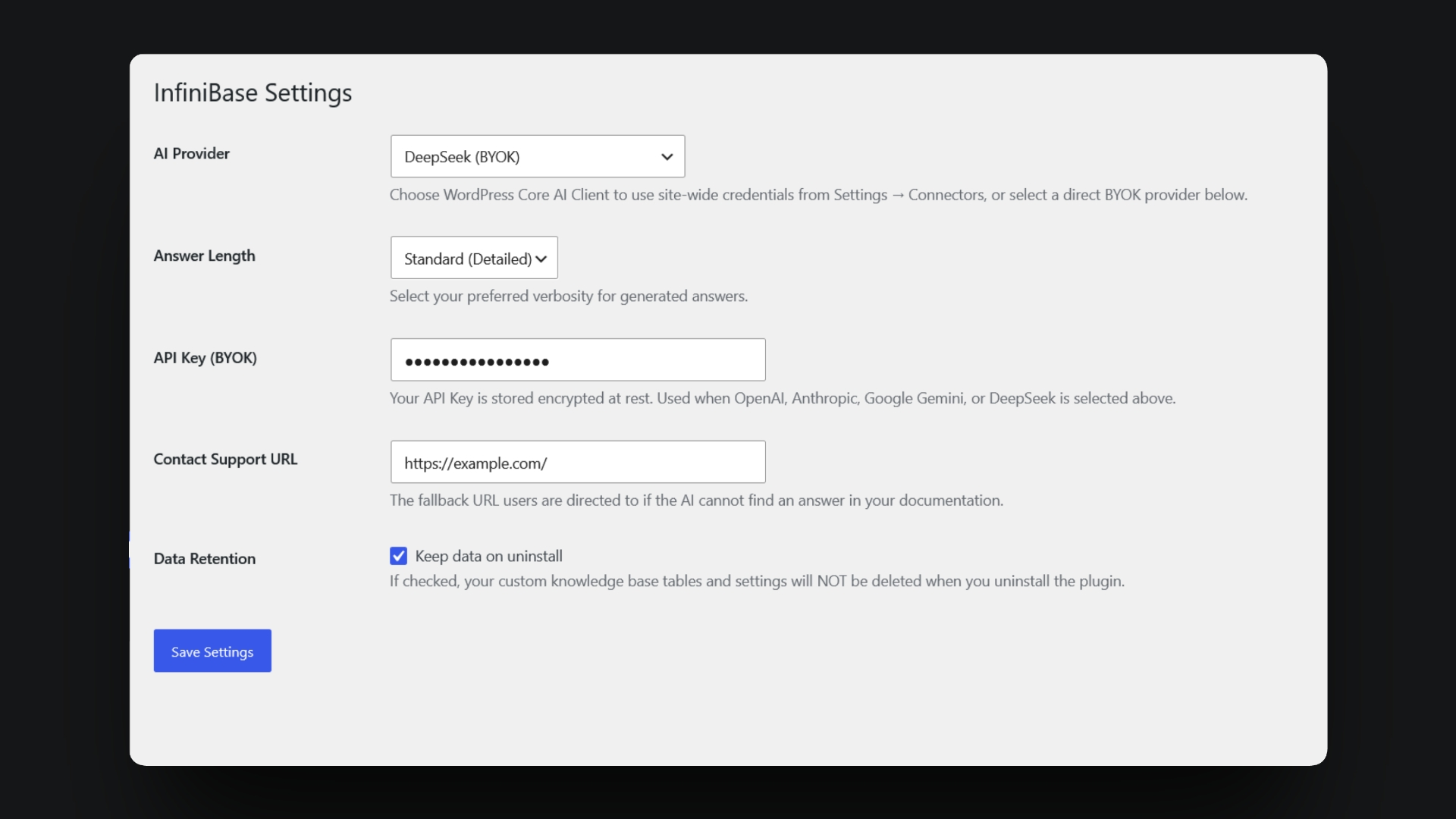
- Connect Your Preferred AI: Use WordPress’s built-in Settings Connectors or paste your own API key from OpenAI, Anthropic Claude, Google Gemini, or DeepSeek.
- Upload Your Docs: Upload your Markdown (
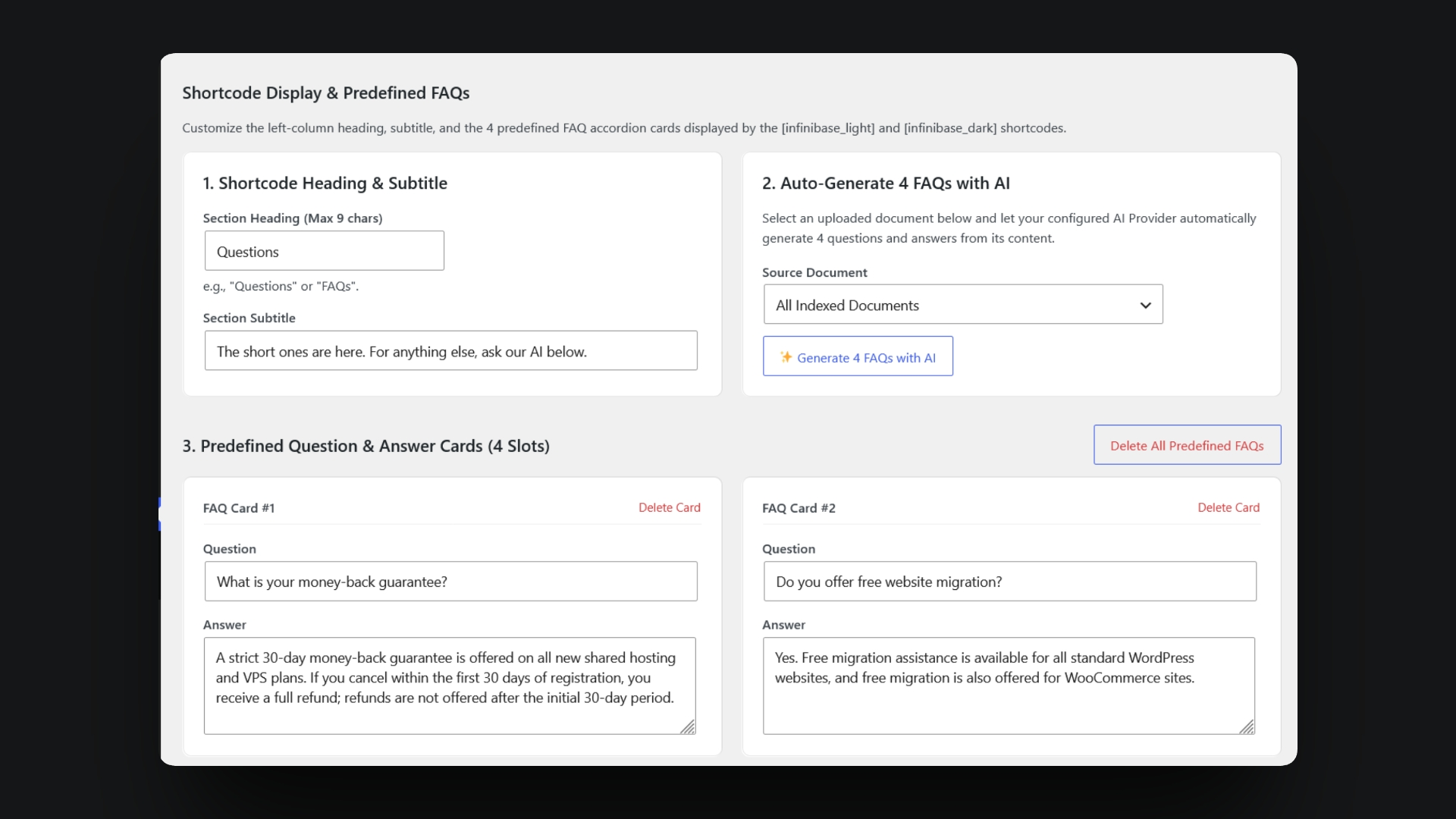
.md) documentation files and link each file to the live page URL where that guide lives on your site. - Set Your Top 4 FAQs: Write your 4 main FAQ cards manually—or let AI generate them from your uploaded docs in one click.
- Embed Anywhere: Drop
[infinibase_light]or[infinibase_dark]into any page, post, Gutenberg block, or Elementor section.
Why Site Owners Choose InfiniBase
- Answers Grounded in Your Docs (No Made-Up Replies): InfiniBase only answers using the documentation you upload. It never guesses or invents features you don’t have.
- Automatic “Read More” Links: Every AI answer includes a direct link to the exact section of your documentation page so visitors can read further.
- Smart Support Fallback: If a visitor asks something that isn’t covered in your docs, InfiniBase politely lets them know and gives them a direct button to your Contact Support page.
- 1-Click FAQ Generator: Don’t want to write your initial FAQ cards from scratch? Select any uploaded document and generate 4 ready-to-use FAQs in seconds.
- Light & Dark Themes Built In: Includes ready-to-use Light (
[infinibase_light]) and Dark ([infinibase_dark]) modes designed to look great on any WordPress theme or page builder. - No Subscriptions — Bring Your Own Key: Pay only pennies per thousand questions directly to your chosen AI provider instead of $49+/month for a third-party chatbot tool.
External Services & Privacy Disclosure
InfiniBase connects to an external AI provider only after a site administrator configures one in InfiniBase Settings. When configured, text is sent to your chosen provider only when:
1. An admin uploads a .md file in the dashboard (to index search topics).
2. An admin clicks Generate 4 FAQs with AI in the dashboard.
3. A visitor submits a question in the FAQ search bar that matches your uploaded documentation.
Depending on which provider you select, requests are sent to one of the following services:
* WordPress Core AI Connectors: Documentation
* OpenAI (api.openai.com): Website | Terms | Privacy Policy
* Anthropic Claude (api.anthropic.com): Website | Terms | Privacy Policy
* Google Gemini (generativelanguage.googleapis.com): Website | Terms | Privacy Policy
* DeepSeek (api.deepseek.com): Website | Terms | Privacy Policy
Open-source development repository: https://github.com/tijesunii/Infinite-FAQs