跳到内容

Image Regenerate & Select Crop

v8.2.2

Iulia Cazan · 2014年11月19日 上架

Advanced management for images, register new sub-sizes, sub-sizes details, regenerate and cleanup files.

正在使用
7,000+
评分
4.7 / 5
累计下载
36 万
最近更新
2026年9月15日
58 条评价需要 WordPress 5.3+已测试到 7.1.5PHP 7.3.5+

贡献者

截图

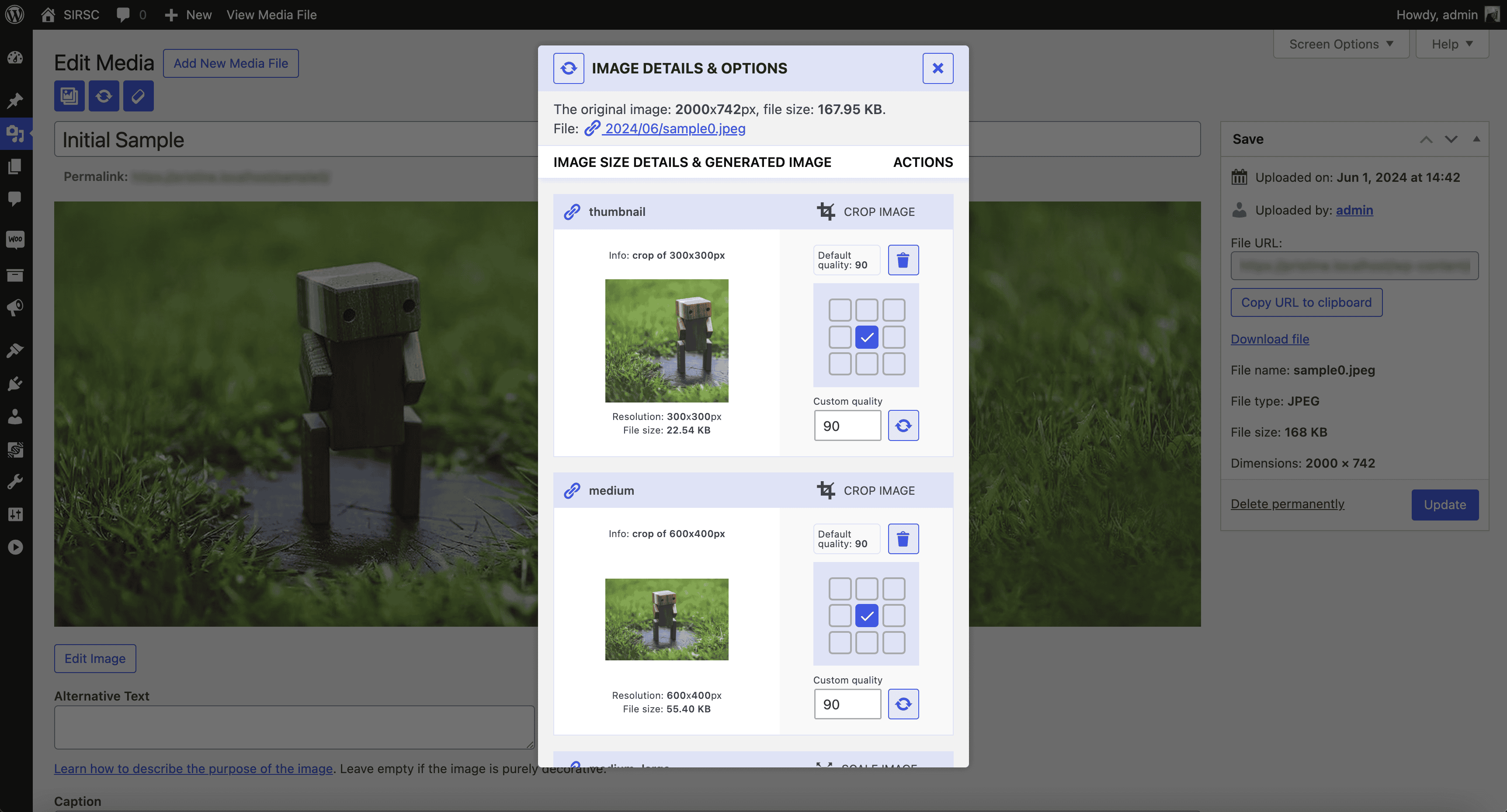
The most recent view of the image info, with details and links for the original file and all the generated images.
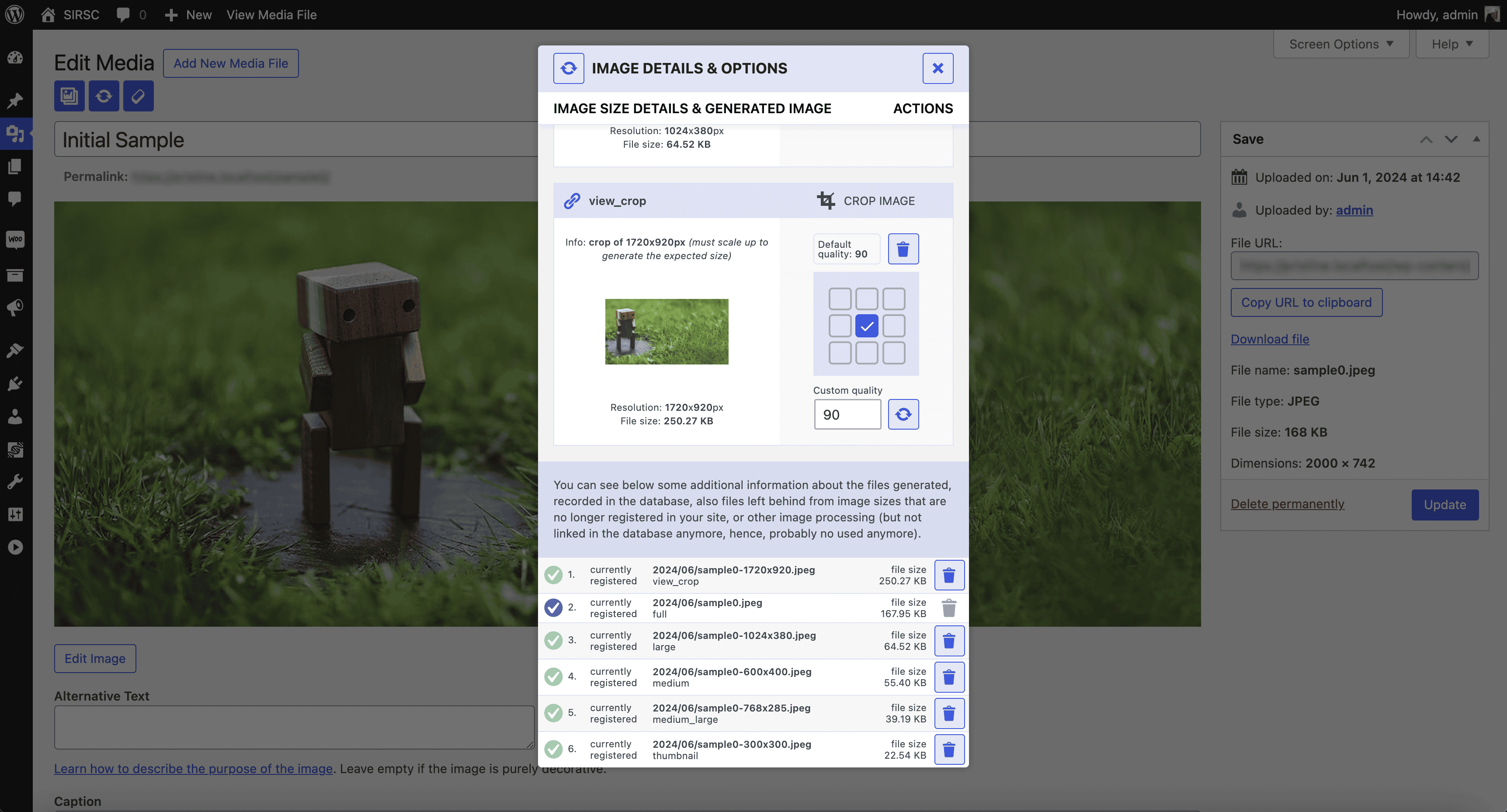
Extra details about the registered and not registered image sizes and all the generated files with the option to delete individual files. The extra info is available in the modal, at the bottom of the list.
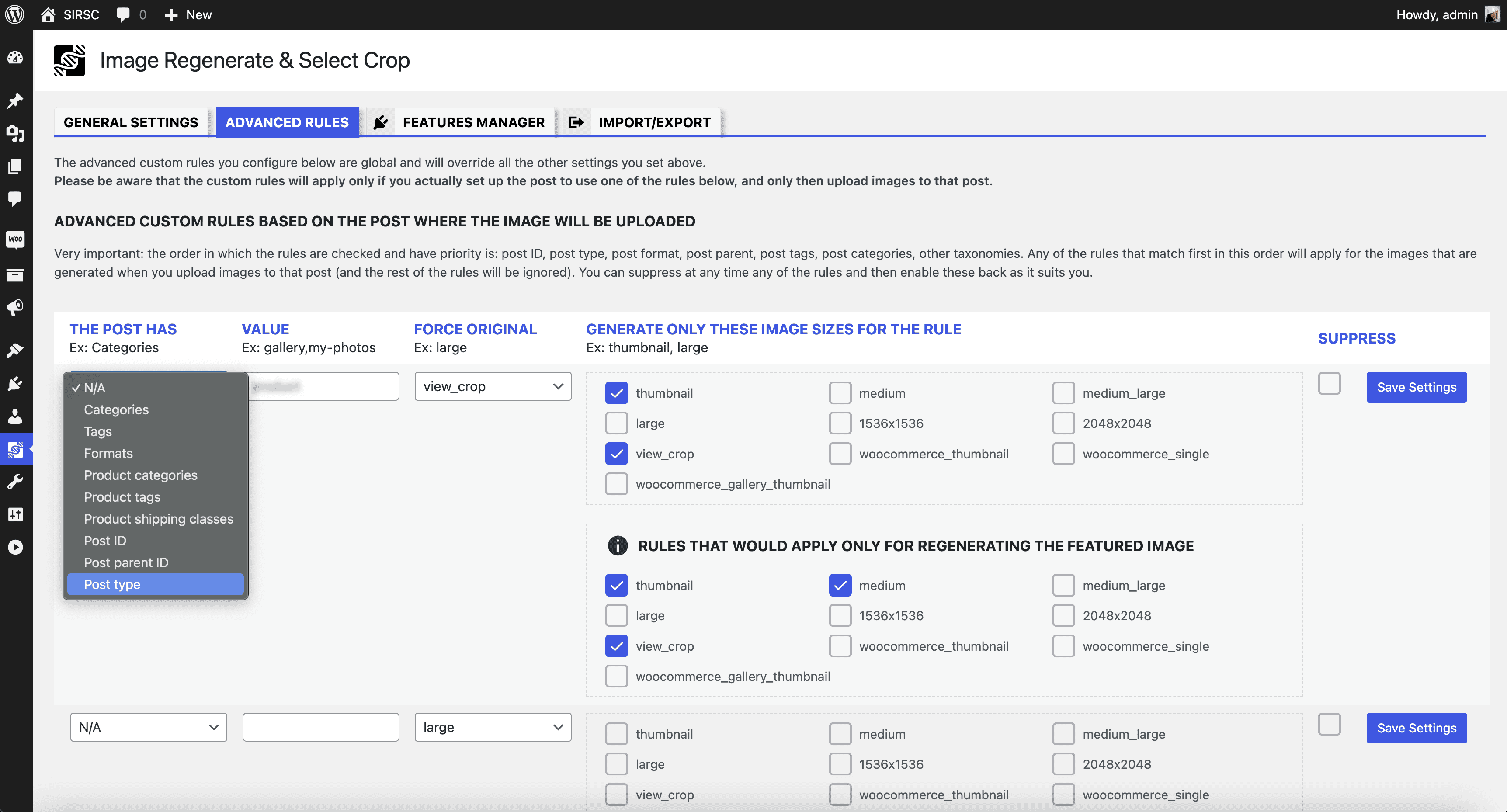
Example of advanced custom rules based on the posts where the images will be uploaded (and how to temporarily suppress the rules without removing these).
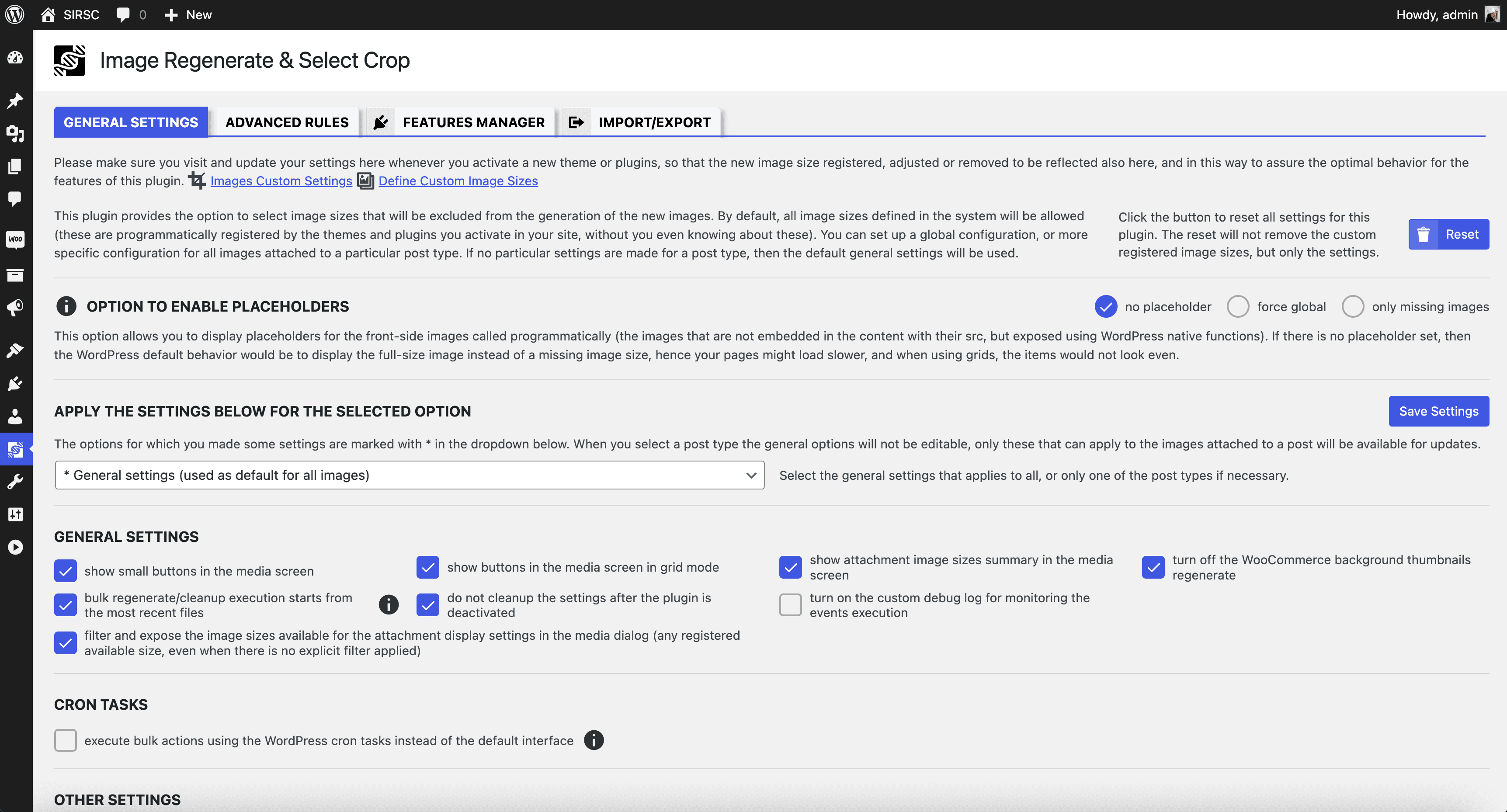
The general setting view, placeholders, cron taks etc.
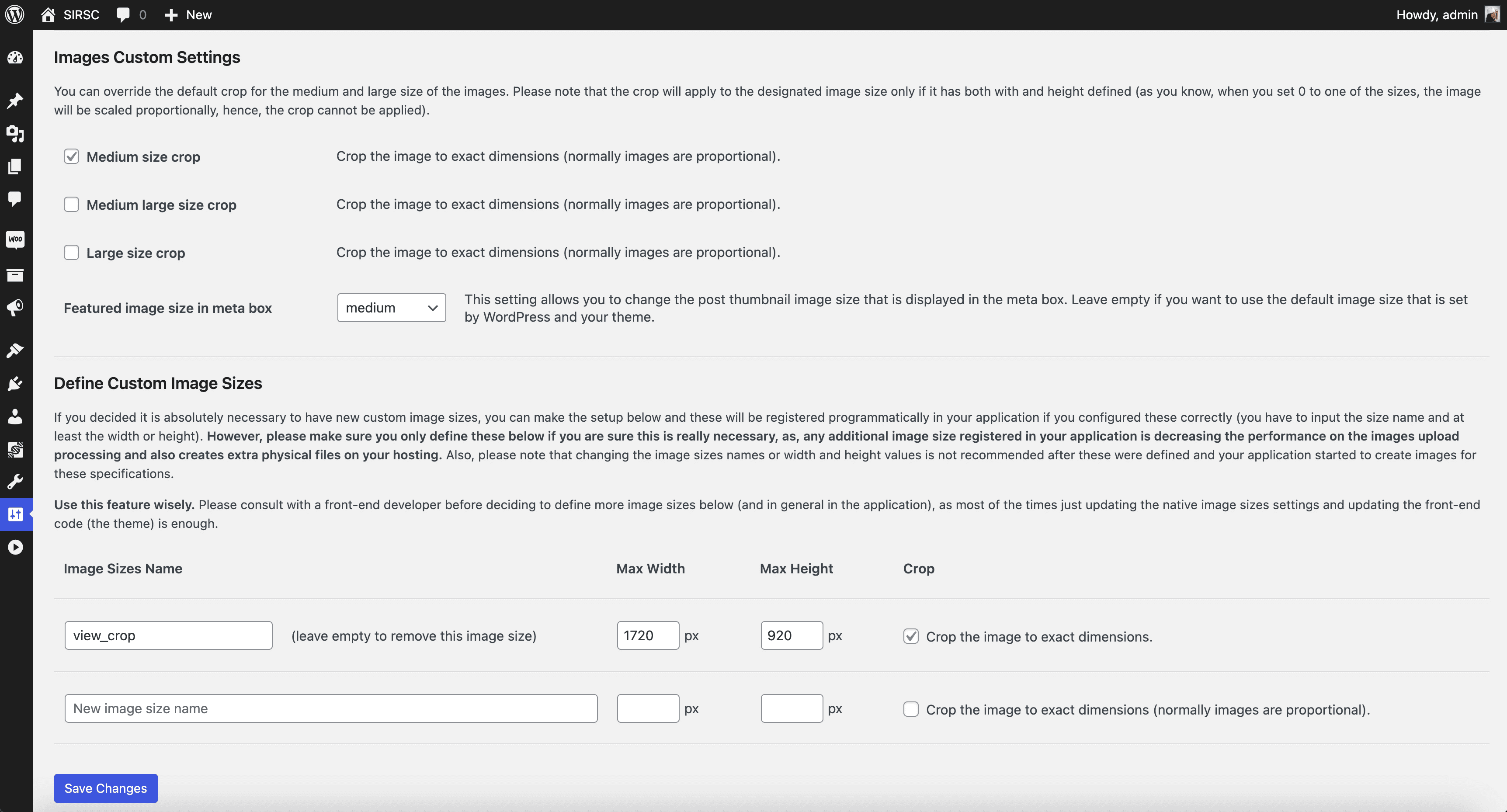
Example of settings that override the crop option for native sub-sizes, create/remove custom image sizes registered with the plugin.
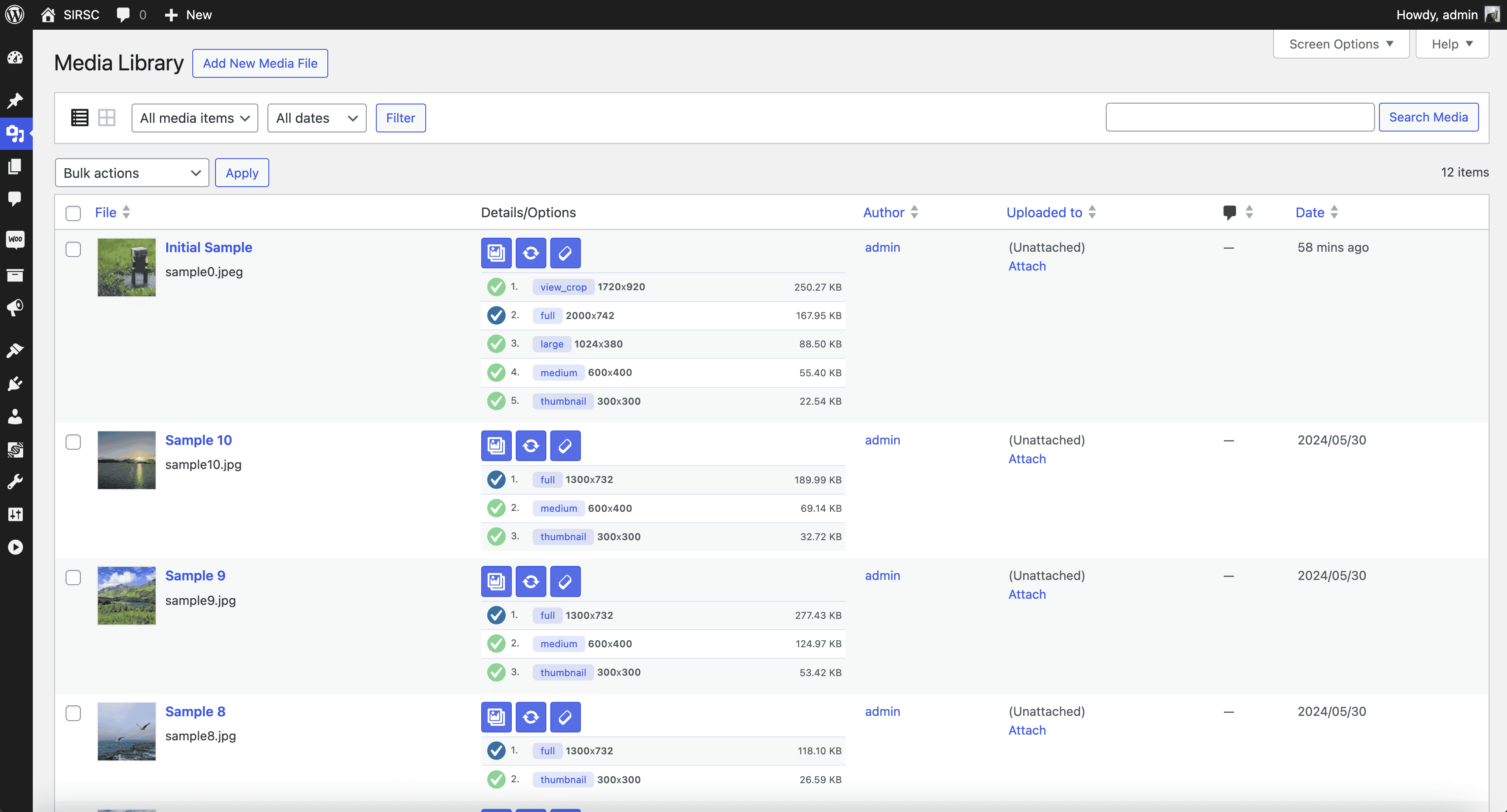
Example of the plugin buttons in the media listing view for each of the attachments, to allow direct access to details, bulk regenerate all sub-sizes of the attachment and cleanup. Additionally, the summary of files is displayed (turned on/off from settings)
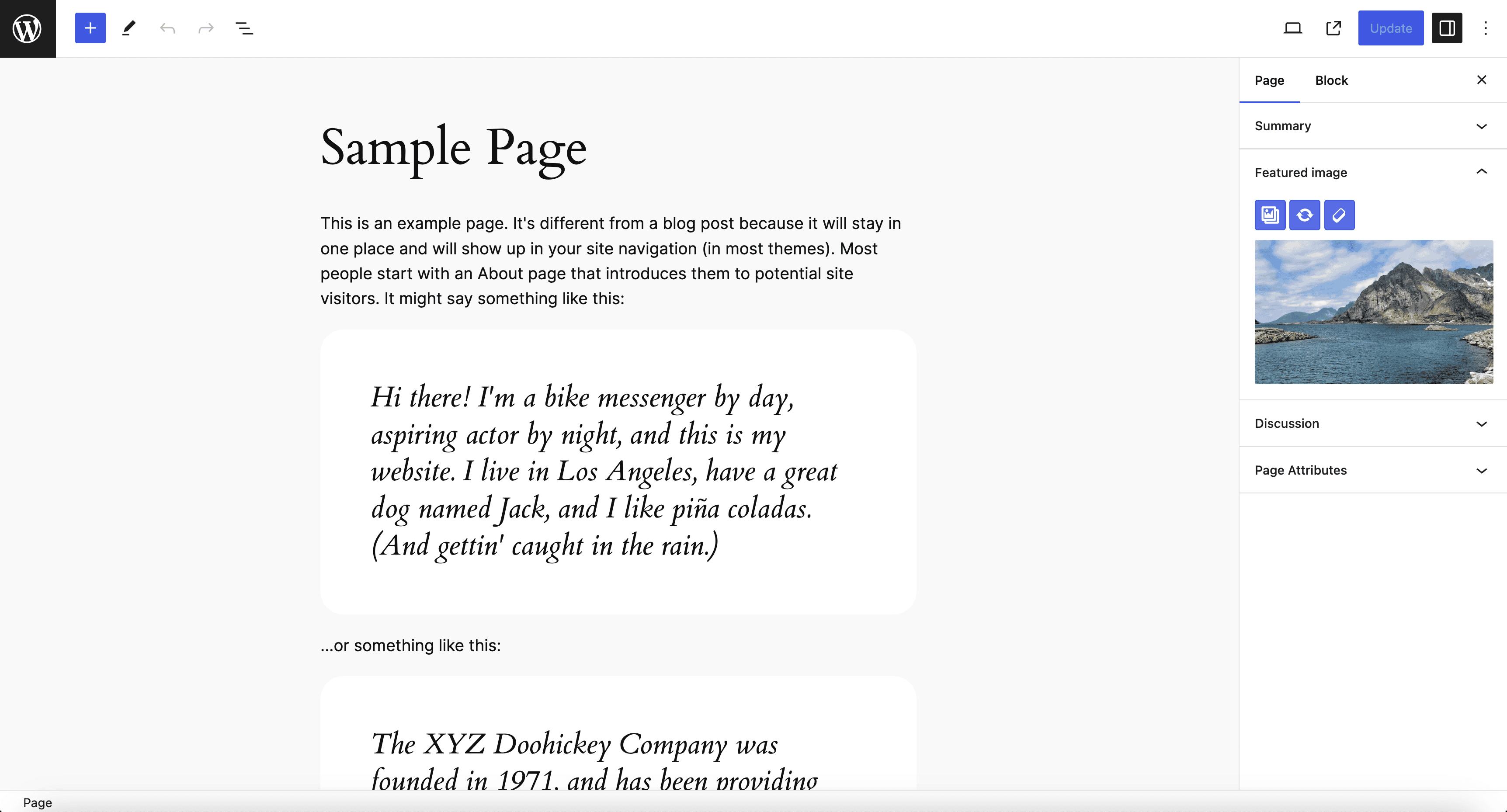
Example of the plugin buttons for the featured image of a post.
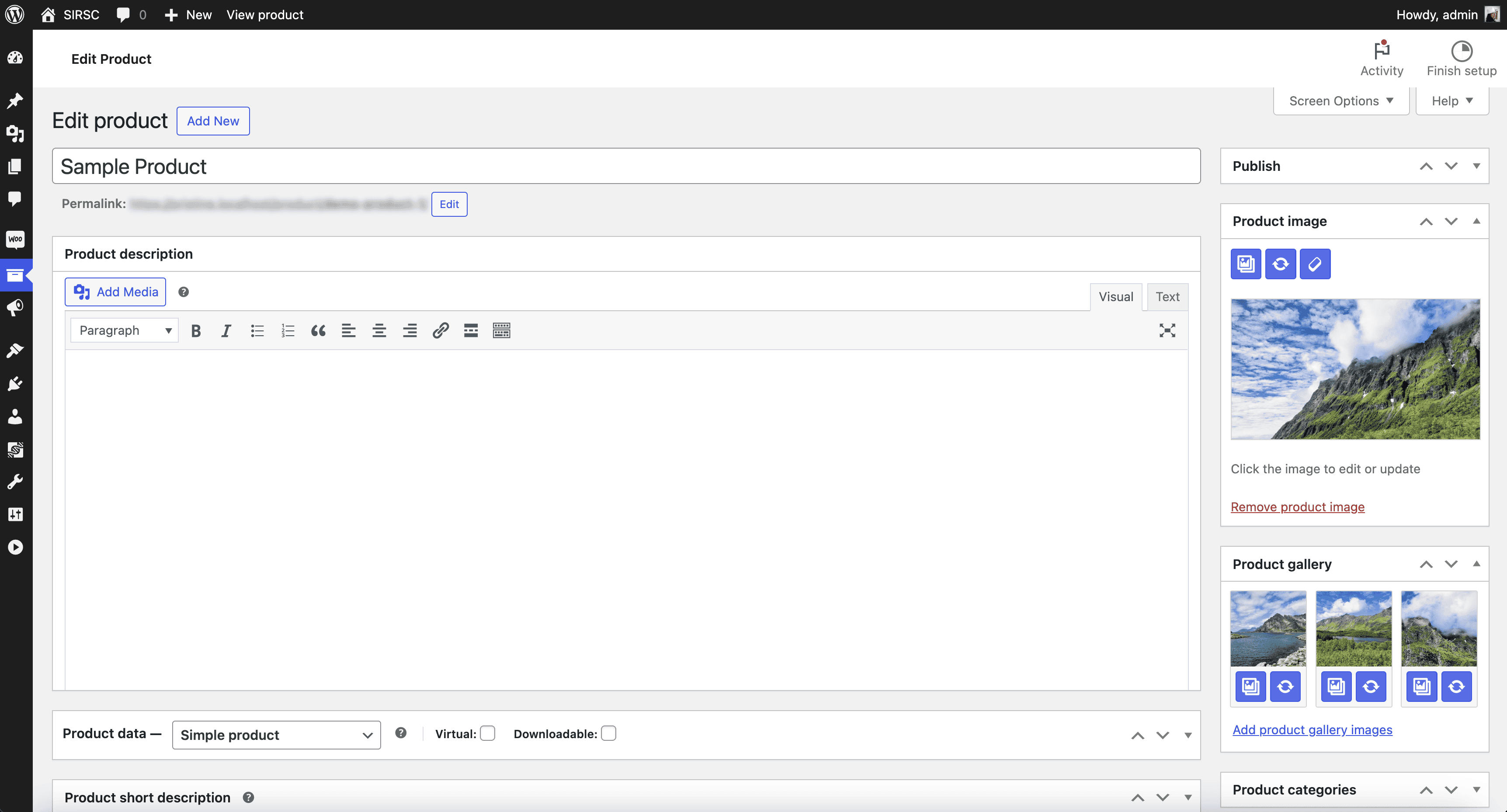
Example of the plugin buttons for the WooCommerce product featured image and the product gallery.

Image Regenerate & Select Crop plugin provides enhanced control over image settings and files regeneration, allowing you to override native medium and large crop options, and register new sub-sizes. The plugin appends additional buttons to regenerate and crop images (providing detailed information about the registered image sub-sizes and their status within the application) and enables configuration of the plugin for global or specific post-type attached images.
For the latest updates and detailed feature descriptions, visit https://iuliacazan.ro/image-regenerate-select-crop/.

Key Features

  • Details button: opens a lightbox displaying detailed information on any missing sub-size files and options for manual generation if applicable. For crop-type images, the plugin offers the one-click re-crop option, using specific portions of the original image with an instant preview feature.
  • Regenerate button: allows one-click regeneration of all image sizes for a specific image, ensuring that all uploaded images are updated with the newly registered sizes.
  • Raw cleanup button: allows you to delete all files and metadata for the attachment, keeping only the original file and information, so you can easily regenerate afterward only the desired sub-sizes.
  • The plugin integrates seamlessly without requiring additional code, adding the buttons to the “Edit Media” page, as well as “Edit Post” and “Edit Page” sections where a featured image is present, and in the image block. It is compatible with custom post types (including WooCommerce products) and supports various resolutions and responsive layouts.

Demo

License

This program is distributed in the hope that it will be useful, but WITHOUT ANY WARRANTY; without even the implied warranty of MERCHANTABILITY or FITNESS FOR A PARTICULAR PURPOSE.

Plums

按场景查找 WordPress 插件。安装量、评分和兼容版本来自官方目录。

导航

说明

WordPress 是 WordPress Foundation 的商标。本站与 WordPress Foundation、Automattic 没有隶属关系。这里不托管插件文件,下载和安装以 WordPress.org 上的页面为准。

© 2026 Plums